
Guide to 3D Printing
Learn how 3D printers work, explore the different types of 3D printers, materials, and explore applications of 3D printing.

What is 3D Printing?
3D printing — also known as additive manufacturing — is the process of creating physical objects by building them up layer by layer from digital designs. Instead of carving material away (subtractive) or forcing material into a mold (formative), additive manufacturing deposits or solidifies material only where it is needed. That means faster iteration, less waste, on-demand customization, and the ability to produce shapes that are difficult — or downright impossible — with traditional methods.
While 3D printing technologies have been around since the 1980s, recent advances in machinery, materials, and software have made 3D printing accessible to a wider range of businesses, enabling more and more companies to use tools previously limited to a few high-tech industries.
Today, low-cost desktop 3D printers are widely used by hobbyists, while professional 3D printers accelerate innovation and support businesses in various industries, including engineering, manufacturing, dentistry, healthcare, education, entertainment, jewelry, and audiology.
How Does 3D Printing Work?
All 3D printing processes start with a CAD model that is sent to software to prepare the design. Depending on the technology, the 3D printer might produce the part layer by layer by solidifying resin or sintering powder. The parts are then removed from the printer and post-processed for the specific application.
1. Design
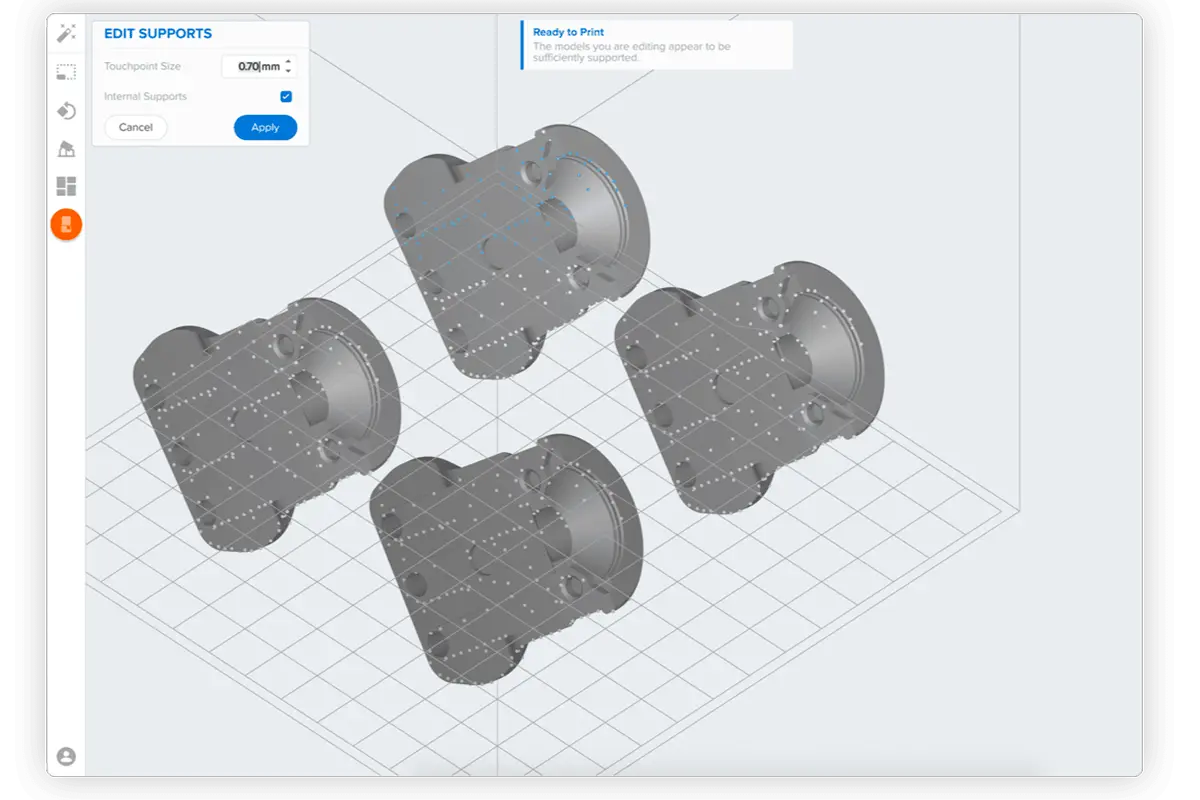
3D printers create parts from three-dimensional models, the mathematical representations of any three-dimensional surface created using computer-aided design (CAD) software or developed from 3D scan data. For 3D printing, the design needs to be exported as a file that's readable by 3D print preparation — also known as 3D slicer — software: STL is the classic (mesh of triangles), OBJ supports colors and materials, and 3MF is a modern, compact format with richer metadata.
3D print preparation software, like PreForm, can then be used to specify print settings and slice the digital model into layers that represent horizontal cross-sections of the part. Adjustable printing settings include orientation, support structures (if needed), layer height, material, and more. Once setup is complete, the 3D printable file can be exported or sent directly to the 3D printer via a wireless or cable connection.
2. 3D Print

Pre-print setup can include loading the material, loading the build plate, platform, or chamber, or changing the resin tank, depending on the technology.
Some 3D printers melt and extrude filament, others use a light source to cure liquid resin into hardened plastic, or fuse small particles of polymer powder at high temperatures to build parts.
Most 3D printers can run unattended until the print is complete, and professional 3D printers can automatically refill the material required for the parts from cartridges.
With Formlabs 3D printers, an online Dashboard allows you to manage printers, materials, and teams remotely.
3. Post-Process

Most 3D printed parts require some post-processing to achieve the optimal finish and performance. Depending on the technology and the material, the printed parts may require rinsing in isopropyl alcohol (IPA) to remove any uncured resin from their surface, post-curing to stabilize mechanical properties, manual work to remove support structures, or cleaning with compressed air or a media blaster to remove excess powder. Some of these processes can be automated with accessories.
There's a multitude of 3D printing post-processing methods to improve aesthetics or performance for specific applications, such as vibratory tumbling, vapor smoothing, dyeing, painting, metal coating (electroplating), ceramic coating, and powder or polymer coating.
Most 3D printed parts can also be machined, fastened, or joined. Often, 3D printing also serves as an intermediate step for conventional manufacturing methods, such as molds for a wide range of molding processes or patterns for investment casting.
Types of 3D Printers
3D printing isn’t one technology but a toolbox of very different processes. Each offers distinct trade-offs in print quality, materials, applications, cost, speed, and part performance. The following section explains how different types of 3D printers work, where they shine, and when to choose one over another.
Resin Printing (SLA/DLP/MSLA)
Stereolithography (SLA), also known as vat photopolymerization or resin 3D printing, was the world’s first 3D printing technology, invented in the 1980s, and is still one of the most popular technologies for both hobbyists and professionals.
Resin 3D printers use a light source to cure liquid resin into hardened plastic in a process called photopolymerization. There are multiple subsets of these technologies; traditional SLA 3D printers use a scanning laser, digital light processing (DLP) projects each layer with a digital micromirror device, and masked stereolithography (MSLA), also known as LCD resin 3D printing, masks a UV backlight with an LCD panel.
Resin 3D printers have become vastly popular for their ability to produce high-accuracy, isotropic, and watertight prototypes and parts in a range of advanced materials with fine features and smooth surface finish. SLA resin formulations offer a wide range of optical, mechanical, and thermal properties to match those of standard, engineering, and industrial thermoplastics.
Resin 3D printing is a great option for highly detailed prototypes requiring tight tolerances and smooth surfaces, such as molds, patterns, and functional parts.
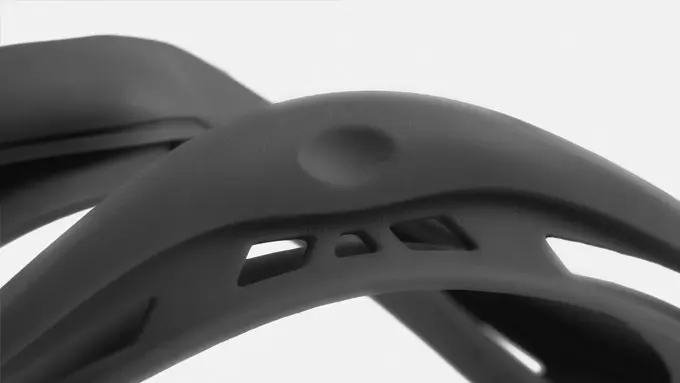
SLA parts have sharp edges, a smooth surface finish, and minimal visible layer lines.
Resin 3D Printing Benefits
Resin 3D Printing Applications
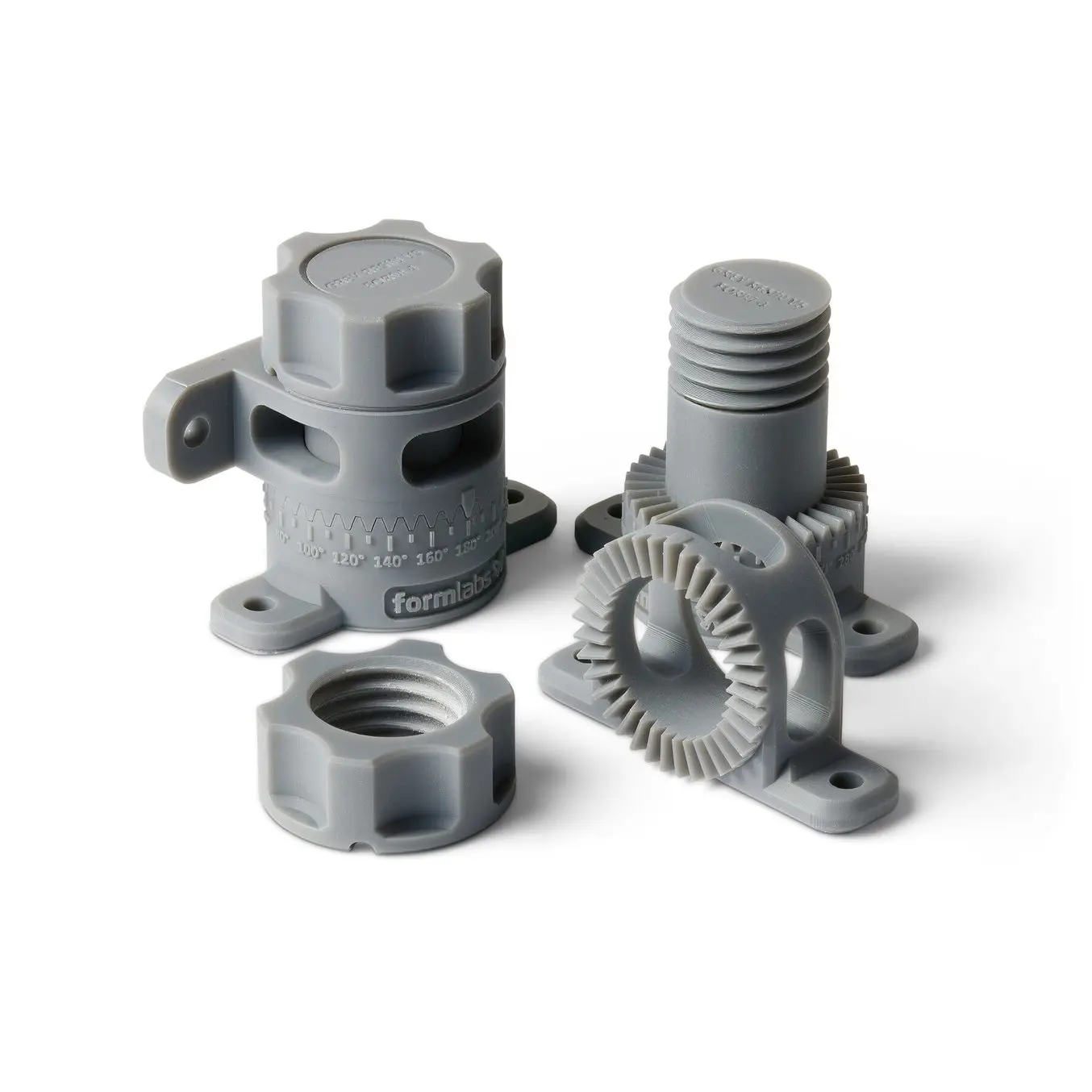
Request a Free SLA 3D Printed Sample Part
See and feel Formlabs quality firsthand. We’ll ship a free sample part printed on a Form Series MSLA 3D printer to your office.
Powder Printing (SLS/MJF)
Powder bed fusion 3D printing, commonly referred to as powder 3D printing, is the most common additive manufacturing technology for industrial applications, trusted by engineers and manufacturers across different industries for its ability to produce strong, functional parts. The two most popular processes are selective laser sintering (SLS) and multi-jet fusion (MJF) technology.
SLS 3D printers use a high-power laser to sinter small particles of polymer powder into a solid structure. The unfused powder supports the part during printing and eliminates the need for dedicated support structures. This makes SLS ideal for complex geometries, including interior features, undercuts, thin walls, and negative features. Parts produced with SLS 3D printing have excellent mechanical characteristics, with strength resembling that of injection-molded parts.
The most common material for powder 3D printing is nylon, a popular engineering thermoplastic with excellent mechanical properties. Nylon is lightweight, strong, and flexible, as well as stable against impact, chemicals, heat, UV light, water, and dirt. Other popular materials include nylon composites, TPU, and polypropylene (PP).
The combination of low cost per part, high productivity, and established materials makes SLS a popular choice among engineers for functional prototyping, and a cost-effective alternative to injection molding for limited-run or bridge manufacturing.
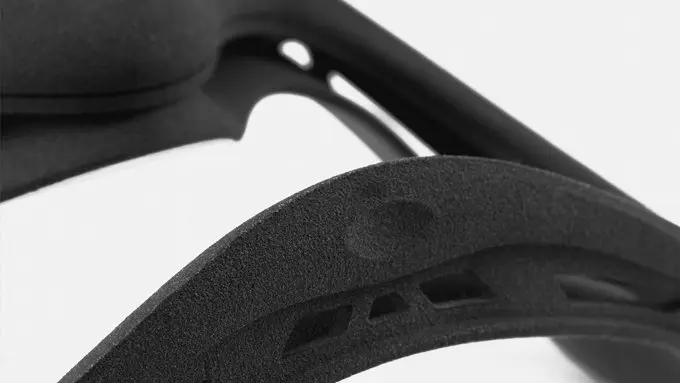
SLS parts have a slightly rough surface finish, but almost no visible layer lines.
Powder 3D Printing Benefits
Powder 3D Printing Applications
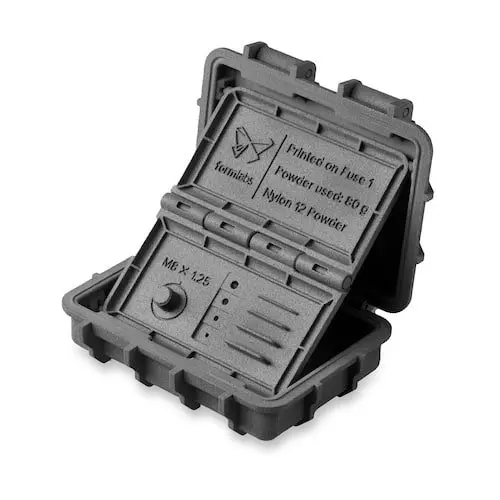
Request a Free SLS 3D Printed Sample Part
See and feel Formlabs quality firsthand. We’ll ship a free sample part printed on a Fuse Series SLS 3D printer to your office.
Filament Printing (FDM/FFF)
Filament printing, also known as fused deposition modeling (FDM) and fused filament fabrication (FFF) or material extrusion, is the most widely used type of 3D printing at the consumer level. FDM 3D printers work by extruding thermoplastic filaments, such as ABS and PLA, through a heated nozzle, melting the material, and depositing it along programmed paths layer by layer on a build platform.
FDM 3D printers are many people’s first introduction to 3D printing technology; they are the most common type of 3D printer in K-12 schools and even in many university makerspaces. In design, engineering, and manufacturing businesses, FDM printers are mostly relied upon for quick proof of concept models that can be agreed upon by design teams before moving on to more functional prototypes.
FDM 3D printers come in a wide range of sizes and prices. The simplicity of the printing technology and workflow can make FDM 3D printing an attractive low-commitment option for those looking to get started with 3D printing. However, FDM printers often trade simplicity and affordability for part quality and performance — and for those looking for functional performance, watertightness, isotropy, or smooth surfaces, SLA and SLS 3D printers are far superior alternatives.
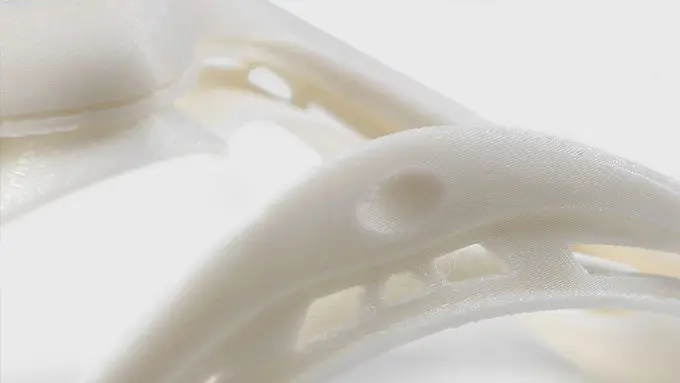
FDM parts tend to have visible layer lines and might show inaccuracies around complex features.
Filament Printing Benefits
Filament Printing Applications
Material Jetting (PolyJet)
Material jetting, often called PolyJet or MultiJet Printing (MJP), part of the broader family of inkjet-based additive manufacturing, emerged in the late 1990s and early 2000s and remains popular among industrial designers, medical modelers, and engineering teams for appearance models and fit/ergonomic studies. It’s used by both service bureaus and in-house prototyping labs because it combines exceptional surface finish with true multi-material and full-color capability in a single print.
Material jetting printers deposit tiny droplets of liquid photopolymer through arrays of inkjet nozzles and cure them instantly with UV light. Some printers can jet multiple materials simultaneously — rigid, elastomeric, transparent, and colored photopolymers — making it possible to vary properties voxel by voxel across the part. This enables sharp details, smooth surfaces, and multi-material gradients — useful for showing soft overmolds, clear windows, or full-color labels.
Material jetting (PolyJet) is a great choice for highly realistic prototypes with tight tolerances and a production-ready look and feel. However, material jetting is only compatible with relatively low-viscosity photopolymers, so the printed parts can be brittle, creep under load, and degrade or yellow when exposed to prolonged UV or heat. Mechanical strength and long-term dimensional stability generally lag behind those of both SLS/MJF printers and other resin 3D printing processes, such as SLA, DLP, or MSLA. Machines and resins are also expensive and often proprietary; and support removal (typically a gel that’s water- or blast-washed away) adds labor and can damage delicate features.

Some material jetting printers can print multiple materials together to achieve unique properties and colors.
Material Jetting Benefits
Material Jetting Applications
Binder Jetting
Binder jetting is a powder-bed additive process that’s been around since the 1990s (think early Z Corp color printers) and today shows up in foundries, service bureaus, and a handful of production metal lines. Its appeal is mostly about throughput and size: big build boxes, dense nesting of parts, and no lasers or heated chambers during the print itself. It’s commonly used for sand casting molds/cores, full-color gypsum concept models, and metal parts that will be finished downstream.
Instead of melting powder layer by layer, a printhead deposits liquid binder to glue selected regions of powder into a “green” part while the surrounding powder acts as support. After printing, the build is depowdered and cured. For metals, parts still need debinding and sintering in a furnace; for sand, the printed molds/cores go straight to the foundry.
The upside is speed and minimal thermal stress during printing. However, the trade-offs are significant: dimensional shrinkage during sintering that must be predicted and compensated, risk of distortion on thin sections, lower density and strength than parts produced with powder bed fusion systems, grainy surfaces that often need machining, and color models that are fragile and moisture-sensitive. Design rules are different too — uniform wall thickness, sintering setters/fixtures, and escape holes for trapped powder are required. Operationally, binder jetting isn’t low-friction either. Printers, binders, and compatible powders tend to be proprietary and costly, furnaces add capex and floor space, depowdering can be messy, and dialing in scale factors and heat-treat cycles takes time.

Binder jetting can print complex parts without support structures, but the part performance is generally inferior to powder bed fusion systems.
Binder Jetting Benefits
Binder Jetting Applications
Metal 3D Printing (DMLS/SLM, EBM, DED, Bound Metal)
Metal 3D printing — covering laser powder bed fusion (DMLS/SLM), electron beam melting (EBM), directed energy deposition (DED), and bound-metal extrusion with debind/sinter — creates parts by selectively melting or binding metal feedstock layer by layer. LPBF (DMLS/SLM) and EBM enable complex geometries such as conformal-cooling channels and lattices, with near-wrought densities after appropriate heat treatment. EBM’s preheated vacuum builds can reduce residual stress but leave coarser surfaces. DED trades fine detail for high deposition rates and large envelopes, making it well suited to repair and feature addition, while bound-metal systems lower barriers to entry but require shrinkage compensation and deliver more modest properties.
While plastic 3D printers are widely available and accessible to most businesses, the high equipment costs, need for specially trained technicians, and complex workflows have so far limited the use of direct metal 3D printers. Across modalities, expect significant post-processing (support removal, stress relief, machining, finishing), careful process control (powder handling, inert gas or vacuum, thermal management), and cost that scales with equipment and ancillaries.
Choose LPBF/EBM for high-value, complex components; DED for refurbishment or large near-net builds; and bound-metal for early functional trials or fixtures where full density, tight tolerances, and premium surfaces are not mandatory.

Metal 3D printing enables the production of complex geometries that would be complex or even impossible to produce with traditional metal fabrication processes.
Metal 3D Printing Benefits
Metal 3D Printing Applications
How to Choose a 3D Printing Technology
Having trouble finding the best 3D printing process for your needs? In this five episode video guide, we compare FDM, SLA, and SLS technologies, the most popular types of 3D printers for plastic parts, across the most important buying considerations.
Quality
Not all 3D printed parts are created equal. Different 3D printing technologies can create parts with vastly different qualities and mechanical properties, which makes them suitable for different applications.
In this video, we’ll compare the quality of the most common plastic 3D printing technologies, including resolution, accuracy, surface finish, isotropy, watertightness, as well as mechanical properties.
Materials
Different 3D printing technologies are suited to different applications, and one of the most important determining factors is the availability and performance of materials.
In this video, we’ll compare the materials offered by the three most common 3D printing technologies for plastics.
Ease of Use
3D printers today can be fairly plug-and-play. Unlike most other advanced manufacturing tools, they don’t require a dedicated technician, and anyone can learn how to operate them in a few minutes.
In this video, we’ll compare the workflow and ease of use of the most common plastic 3D printing technologies.
Speed
How fast is 3D printing? Print speed varies between technologies, materials, settings, and part quantity, and post-processing contributes to the total time it takes to go from design to finished part.
In this video, we’ll compare the time it takes to produce a finished part with FDM, SLA, and SLS.
Cost
3D printers don’t require expensive tooling or lengthy setup, so they can produce parts that cost up to 95% less than machining, molding, or outsourcing to service providers. But when comparing the cost of different 3D printers, and accurately calculating the cost per part, there’s more to consider than just sticker prices. Materials and labor costs are important to factor in when evaluating the cost per part.
In this video, we’ll compare costs for the three most common 3D printing technologies for plastics.
The Benefits of 3D Printing
As additive manufacturing processes build objects by adding material layer by layer, they offer a unique set of advantages over traditional subtractive and formative manufacturing processes.
Speed
With traditional manufacturing processes, it can take weeks or months to receive a part. 3D printing turns CAD models into physical parts within a few hours, producing parts and assemblies from one-off concept models to functional prototypes and even small production runs for testing. This allows designers and engineers to develop ideas faster, and helps companies to bring products more quickly to the market.
MOSOLF Special Vehicles GmbH uses SLS 3D printing with the Fuse Series to produce a wide range of end-use parts for police vans and other special and emergency vehicles.
Cost
With 3D printing, there’s no need for the costly tooling and setup associated with injection molding or machining; the same equipment can be used from prototyping to production to create parts with different geometries. As 3D printing becomes increasingly capable of producing functional end-use parts, it can complement or replace traditional manufacturing methods for a growing range of applications in low- to mid-volumes.
Eaton's Olean manufacturing plant dramatically reduced operating costs by replacing 90% of their machined Delrin fixtures with parts made on a Formlabs Fuse Series SLS 3D printer.
Customization
From shoes to clothes and bicycles, we’re surrounded by products made in limited, uniform sizes as businesses strive to standardize products to make them economical to manufacture. With 3D printing, only the digital design needs to be changed to tailor each product to the customer without additional tooling costs. This transformation first started to gain a foothold in industries where custom fit is essential, such medicine and dentistry, but as 3D printing becomes more affordable, it’s increasingly being used to mass customize consumer products.
Gillette's Razor Maker™ gives consumers the power to create and order customized 3D printed razor handles, with the choice of 48 different designs (and counting), a variety of colors, and the option to add custom text.
Design Freedom
3D printing can create complex shapes and parts, such as overhangs, microchannels, and organic shapes, that would be costly or even impossible to produce with traditional manufacturing methods. This provides the opportunity to consolidate assemblies into fewer individual parts to reduce weight, alleviate weak joints, and cut down on assembly time, unleashing new possibilities for design, engineering, and manufacturing.
restor3d drives innovation in precision surgery by changing the way implants, surgical instruments, and preoperative models are developed and utilized.
Reduced Risk
Product development is an iterative process that requires multiple rounds of testing, evaluation, and refinement. Finding and fixing design flaws early can help companies avoid costly revisions and tooling changes down the road. With 3D printing, engineers can thoroughly test prototypes that look and perform like final products, reducing the risks of usability and manufacturability issues before moving into production.
Ford uses Formlabs SLA and SLS 3D printers to prototype and validate designs quickly and cost-effectively and produce complex designs and functional parts.
Applications and Uses of 3D Printing
3D printing accelerates innovation and supports businesses across a wide range of industries, including engineering, manufacturing, dentistry, healthcare, education, entertainment, jewelry, audiology, and more.
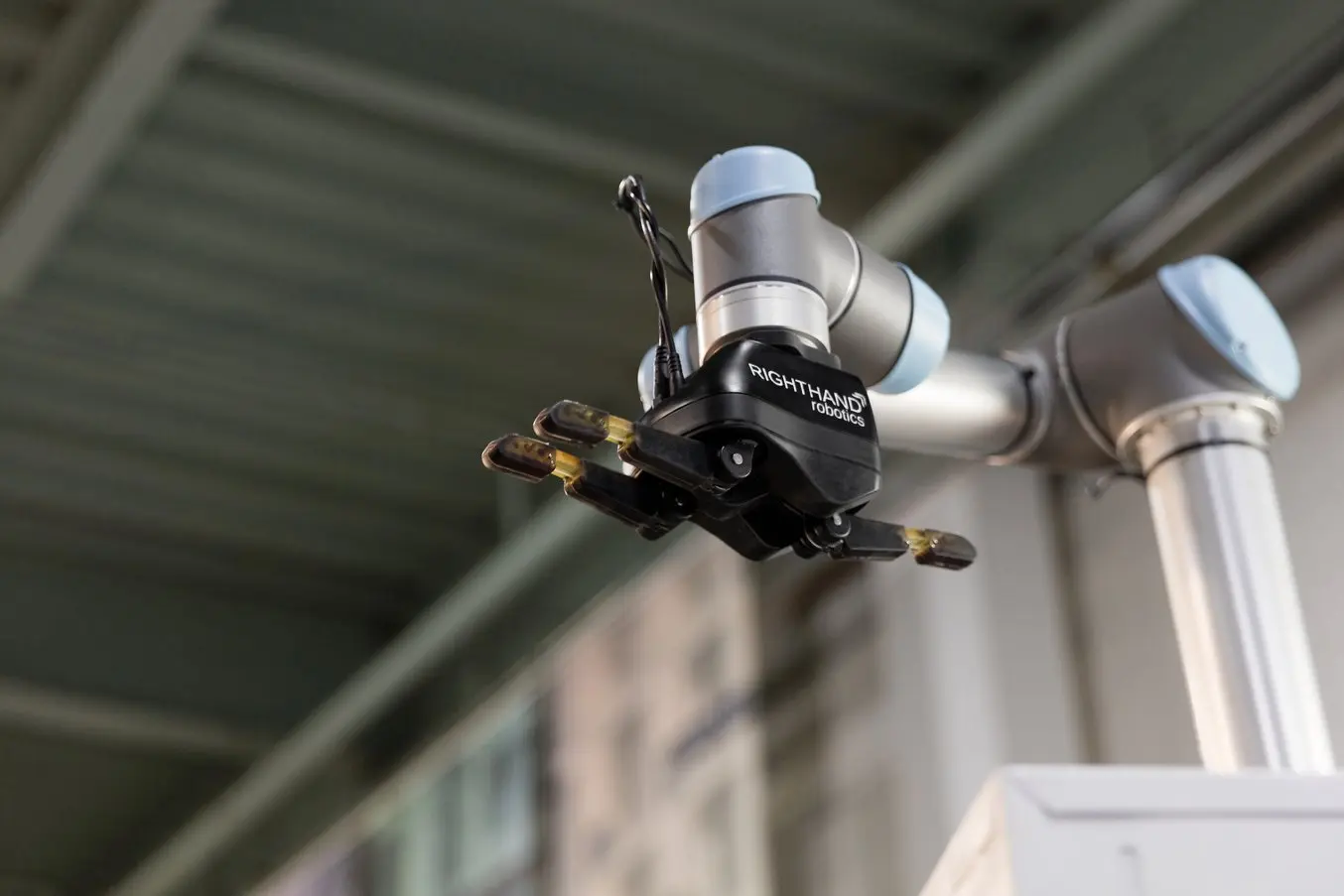
Engineering and Product Design
Rapid prototyping with 3D printing empowers engineers and product designers to turn ideas into realistic proofs of concept, advance these concepts to high-fidelity prototypes that look and work like final products, and guide products through a series of validation stages toward mass production.
Applications:
- Rapid prototyping
- Communication models
- Manufacturing validation

Manufacturing
Manufacturers automate production processes and streamline workflows by prototyping tooling and directly 3D printing custom tools, molds, and manufacturing aids at far lower costs and lead times than with traditional manufacturing. This reduces manufacturing costs and defects, increases quality, speeds up assembly, and maximizes labor effectiveness.
Applications:
- Rapid tooling
- Manufacturing aids (jig and fixtures)
- Molding (injection molding, thermoforming, silicone molding, overmolding)
- Metal casting
- Low volume production
- Mass customization

Dental
Digital dentistry reduces the risks and uncertainties introduced by human factors, providing higher consistency, accuracy, and precision at every stage of the workflow to improve patient care. 3D printers can produce a range of high-quality custom products and appliances at low unit costs with superior fit and repeatable results.
Applications:
- Crown and bridge models
- Clear aligner and Hawley retainer models
- Surgical guides
- Splints and occlusal guides
- Patterns for casting and pressing
- Dentures
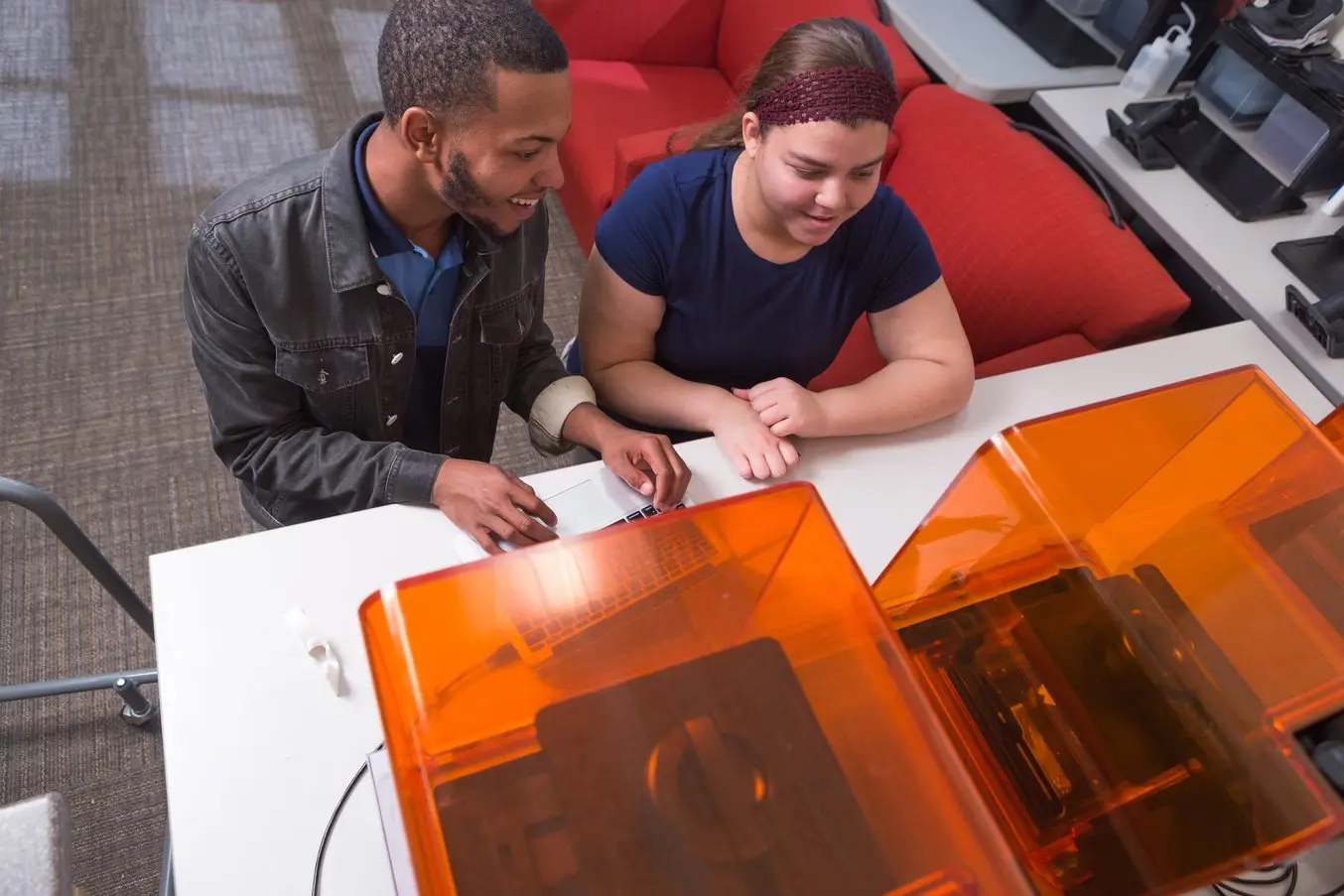
Education
3D printers are multifunctional tools for immersive learning and advanced research. They can encourage creativity and expose students to professional-level technology while supporting STEAM curricula across science, engineering, art, and design.
Applications:
- Models for STEAM curricula
- Fab labs and makerspaces
- Custom research setups
Healthcare
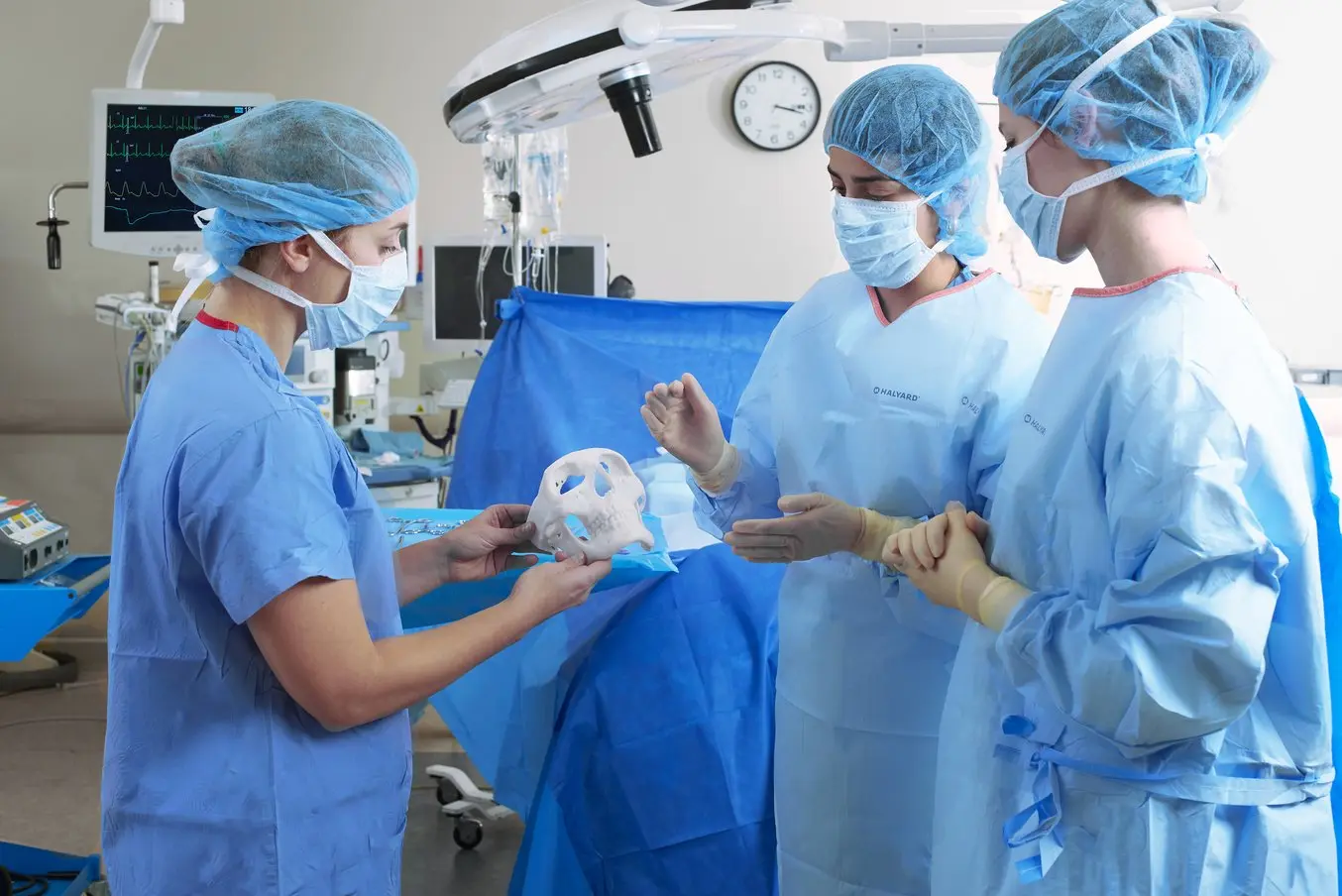
Affordable, professional-grade desktop 3D printing helps doctors deliver treatments and devices customized to better serve each unique individual, opening the door to high-impact medical applications while saving organizations significant time and costs from the lab to the operating room.
Applications:
- Anatomical models for surgical planning
- Medical devices and surgical instruments
- Insoles and orthotics

Entertainment
High definition physical models are widely used in sculpting, character modeling, and prop making. 3D printed parts have starred in stop-motion films, video games, bespoke costumes, and even special effects for blockbuster movies.
Applications:
- Hyper-realistic sculptures
- Character models
- Props
Jewelry
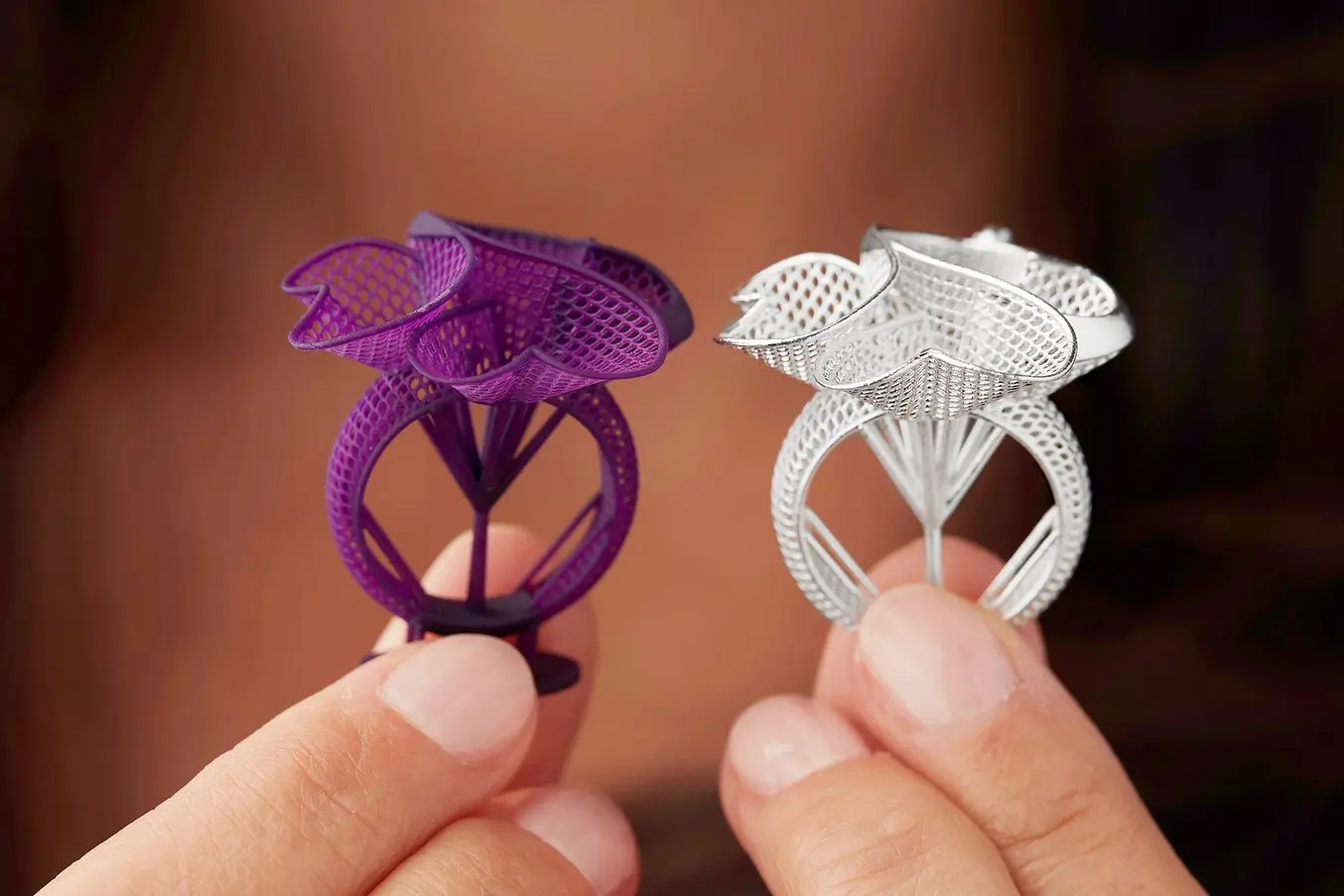
Jewelry professionals use CAD and 3D printing to rapidly prototype designs, fit clients, and produce large batches of ready-to-cast pieces. Digital tools allow for the creation of consistent, sharply detailed pieces without the tediousness and variability of wax carving.
Applications:

Audiology
Hearing specialists and ear mold labs use digital workflows and 3D printing to manufacture higher quality custom ear products more consistently, and at higher volumes for applications like behind-the-ear hearing aids, hearing protection, and custom earplugs and earbuds.
Applications:
Learn MoreMaterials for 3D Printing
3D printing empowers you to prototype and manufacture parts for a wide range of applications quickly and cost-effectively. But choosing the right 3D printing process is just one side of the coin. Ultimately, it'll be largely up to the materials to enable you to create parts with the desired mechanical properties, functional characteristics, or looks.
Performance from parts made using different 3D printing processes can often be difficult to directly compare because the technologies don’t use the same materials or form parts in the same process. However, there are analogous materials across all technologies, so achieving the same material properties (or very close) can be straightforward even when changing technologies.
| FDM/FFF Filaments | SLA/DLP/MSLA Resins | SLS/MJF Powders | |
|---|---|---|---|
| General Use | PLA | General purpose resins (matte, clear, various colors) | Nylon 12 |
| Tough Engineering Materials | ABS, nylon, PETG | Tough and durable resins | Nylon 12, nylon 11, polypropylene |
| Stiff Engineering Materials | PEEK, ULTEM, composites (glass-filled or carbon fiber reinforced) | Stiff, strong, rigid resins (glass-filled) | Nylon composites (glass-filled or carbon fiber reinforced) |
| Flexible Engineering Materials | TPU | Flexible or elastomeric resins, pure silicone | TPU, polypropylene, nylon 11 |
| Specialty Materials | Composites (carbon fiber, kevlar, fiberglass) | Flame retardant resins, investment casting materials, technical ceramics, wax composites, dental and medical materials | Nylon composites (glass-filled or carbon fiber reinforced) |

Find the Right Material for Your Application
Formlabs offers a wide range of SLA and SLS materials. Our interactive materials hub helps you make the right material decisions based on your application and the properties you care about the most.
3D Printing FAQ
What is 3D printing and how is it different from CNC machining?
3D printing builds parts additively by depositing or solidifying material layer by layer. CNC machining is a subtractive manufacturing method, carving away from a block. 3D printing excels at complex geometries and rapid iteration; machining excels at smooth surfaces, tight tolerances, and strong monolithic materials — especially metals.
Which 3D printing technology should beginners start with?
If you're a hobbyist, start with an FDM/FFF printer using PLA. It’s forgiving, affordable, and fast to learn. Once you understand slicing and calibration, explore other materials like PETG, ABS, or TPU.
If you're a professional, start with professional desktop FDM printer or try a professional resin 3D printer (SLA/DLP/MSLA) for high detail and a wider range of materials.
Are resin or filament 3D printers better?
This depends entirely on your applications and preferences. Read our in-depth guide that compares filament, powder, and resin 3D printers.
When was 3D printing invented?
3D printing emerged in the early 1980s. In 1981, Hideo Kodama described a photopolymer rapid-prototyping method; in 1984, Chuck Hull filed the stereolithography (SLA) patent and later founded 3D Systems, which shipped the first commercial SLA printer in 1987.
Desktop 3D printers took off in the early 2010s. After the RepRap project (2005–08) and the expiration of key FDM patents around 2009, brands like MakerBot, Ultimaker, and Printrbot sparked a consumer boom circa 2012–2014, while for resin printing, Formlabs brought the first inverted stereolithography solution to the market in 2013.
How much does 3D printing cost?
3D printer prices range from about $200 to $500,000+ depending on the printing process, materials, and the level of sophistication of the 3D printing solution. Low-cost resin and filament 3D printers are available for $200 to $1000, while professional and large-format resin and filament 3D printers are generally between $2000 to $10,000.
Our in-depth guide walks you through the 3D printing costs for different technologies, compares outsourcing with in-house production, lays out the various factors you should account for to calculate cost per part.
When should I use a service bureau instead of buying a 3D printer?
Outsourcing to service bureaus makes sense if you print infrequently or need large parts/non-standard materials; they offer multiple processes (SLA, SLS, FDM, metal), material advice, and advanced finishing. The trade-offs are higher cost and longer lead times, which erode 3D printing’s speed advantage. For rapid, frequent needs, desktop/benchtop printers often pay back in months and scale by adding units, while bureaus can still handle oversized jobs or exotic materials.
Try our interactive ROI tool to see how much time and cost you can save when 3D printing on Formlabs 3D printers.
How strong are 3D printed parts?
It depends on the 3D printing process, material, and orientation. FDM/FFF 3D printed parts are anisotropic, which is defined as having physical properties that vary with respect to direction, limits the its usefulness for certain applications or requires more adjustments to part geometry to compensate for it.
SLS/MJF 3D printers create parts that are mostly isotropic and the overall part performance is substantially better. Resin 3D printers (SLA/DLP/MSLA) create highly isotropic parts. Metal LPBF parts can rival wrought materials after post-processing.
How long does 3D printing take?
It depends on factors like the size of your model, layer height, material/technology, and supports. Small desktop filament or resin prints can finish in a few minutes to a few hours, while larger jobs often run overnight; powder-bed plastics (SLS/MJF) typically take 10–24 hours plus cooling, and metal AM can require 1–3+ days including post-processing.
The fastest 3D printers today are MSLA resin 3D printers. In almost all cases, they offer the shortest time to part, while their throughput can be comparable to SLS 3D printers. As a rule of thumb, FDM/FFF 3D printers are relatively fast for smaller parts and simple shapes that don’t require much post-processing, but their throughput is substantially lower than MSLA and SLS. SLS 3D printer builds take longer, resulting in a longer time to part, but they can pack parts efficiently to achieve the highest throughput.
Read our in-depth guide that discusses the advantages and limitations of each of the most common 3D printing technologies in the context of 3D printing speed.
Are 3D prints waterproof?
Similar to isotropy, it depends on the 3D printing technology. FDM/FFF 3D printed parts are not watertight, SLS/MJF 3D prints are watertight under moderate pressurization levels, while resin 3D printed parts (SLA/DLP/MSLA) are generally waterproof and airtight, and cured resins have extremely low water absorption.
Read our white paper for detailed testing results and clear guidelines on how to affordably 3D print customized watertight enclosures.
What is resolution in 3D printing?
Resolution is 3D printing is a commonly misunderstood specification, and the ways to measure it often change between manufacturers and different 3D printing processes. It typically refers to the smallest features, finest degree of detail, or level of intricate surface texturing a 3D printer can reproduce, and can be measured by metrics like minimum feature size. The mechanics of the three different 3D printing processes have a large impact on part resolution. Read our comprehensive guide to learn how 3D printer resolution affects your 3D prints.
Is 3D printing environmentally friendly?
By rethinking traditional manufacturing processes, 3D printing enables resource efficiency, waste reduction, and localized production, contributing to a more environmentally responsible future. Read out guide that outlines how 3D printing is helping to build a sustainable future.
How to make 3D models for printing?
Design a model in CAD software or obtain it from a 3D model repository (Thingiverse, Cults3D, 3D Warehouse). For mechanical parts use parametric CAD (Fusion 360, FreeCAD, Solidworks); for organic shapes try Blender or scan from the real world. Add proper wall thickness and clearances for fits, make sure that it's watertight (manifold) and sized correctly, fix mesh errors if needed (Meshmixer/Netfabb), and then export as STL or 3MF. Finally, load it in a 3D slicer to prepare your model for 3D printing.
What software do I need for 3D printing?
You need CAD software to create a design (or a model repository to download) and a 3D slicer software to prepare models for 3D printing. Popular slicers include Cura, PrusaSlicer, and Bambu Studio for FDM; Lychee, ChiTuBox, and vendor software like PreForm for resin; and industrial systems generally also come with proprietary vendor software.
Do I always need supports for 3D printing?
Not always. SLS/MJF and binder jetting printers don't use support structures, as the unfused powder supports the part during printing. Filament printers (FDM/FFF) and resin printers (SLA/DLP/MSLA) can also often avoid supports when the design doesn't include many overhanging features or can be oriented smartly.
Can I 3D print food-safe parts?
Food safe 3D printing is possible and the variety of materials approved as food safe is increasing, but there is a high degree of ambiguity around the workflows and finding the appropriate applicable regulations can be a challenge. Read our guide for an introduction to food safety, food safety considerations for 3D printing, and a variety of methods to produce food safe products with common 3D printing processes.