Warning:
Always wear gloves when handling resin cartridges to protect skin.


Formlabs resin cartridges are designed to work with the resin dispensing system of Formlabs SLA printers.
For the best printing results, store resin cartridges according to Formlabs recommendations.
Removing a resin cartridge
Remove the resin cartridge after printing. Do not store cartridges in the printer, as this can lead to leaks and resin spills.
Warning:
Always wear gloves when handling resin cartridges to protect skin.
Close the vent cap
Press the vent cap closed so that the cartridge does not leak resin while in storage.
Remove the cartridge
Hold the cartridge handle and lift the cartridge out of the printer.
Tip:
Resin may drip from the cartridge after a print completes. Remove the cartridge before removing the resin tank so that drips fall into the resin tank spout instead of the drip catcher or the printer.
Cartridge ID chip
Each resin cartridge has an ID chip located on the bottom of the cartridge near the bite valve. Protect the ID chip from resin contamination or damage. Contamination of the cartridge ID chip may prevent the printer from properly detecting the cartridge.
Note:
Form 4 and Form 4L generation resin cartridges do not use ID chips, but contain RFID stickers that should not require maintenance. Contact Formlabs Support or your authorized reseller if the printer is unable to detect the cartridge.
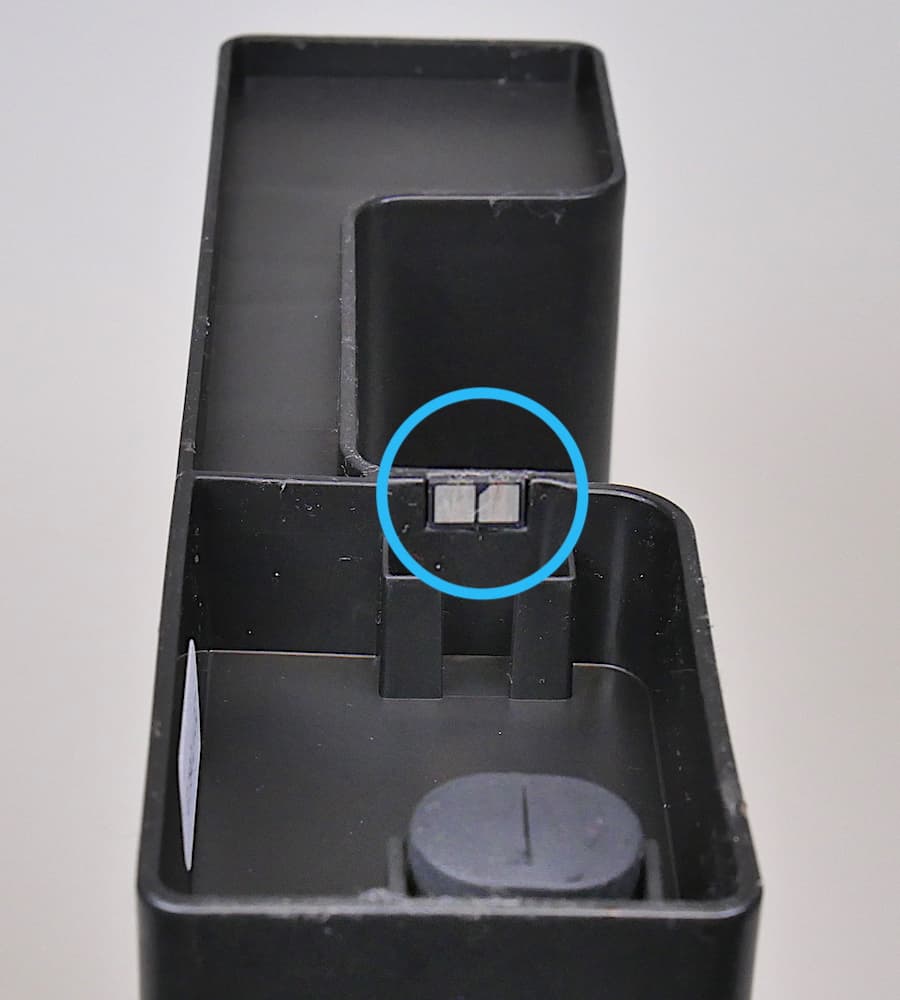
Limpieza del chip de identificación
If the ID chip on the resin cartridge becomes contaminated, gently clean the ID chip with a new cotton swab dampened with clean IPA. Rub the tip onto the two silver pads on the ID chip until the resin or contamination has dissolved completely.
Notice:
Avoid getting IPA on other parts of the resin cartridge. Ensure that any IPA on the ID chip dries completely before use.
Inspecting the bite valve
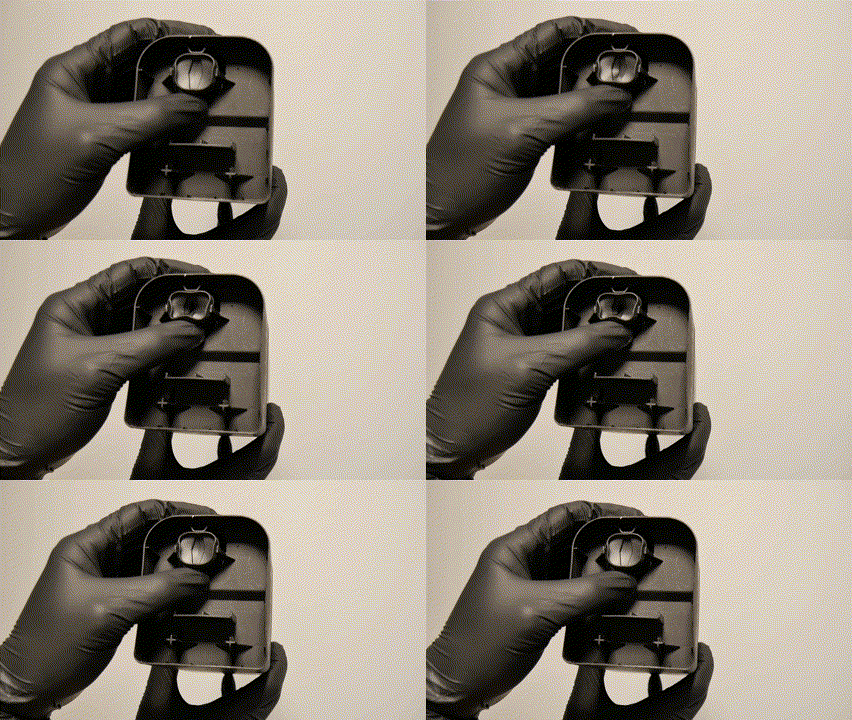
The bite valve is located on the underside of the resin cartridge. When the printer's resin dispensing system indicates that resin needs to be dispensed, the cartridge dispense arm squeezes the bite valve to allow resin to flow into the resin tank.
Inspect the bite valve on the underside of the cartridge before use. If the bite valve is damaged, loose, or missing, stop using the resin cartridge immediately. Using a cartridge with a damaged bite valve can cause resin spills, which can damage the printer.
Resin may cure over the bite valve and prevent the cartridge from dispensing resin.
To open a sealed bite valve:

Número de lote
The lot number on a resin cartridge indicates when the cartridge was manufactured. In conjunction with the resin's recommended lifetime, it indicates whether a resin is likely to still print successfully.
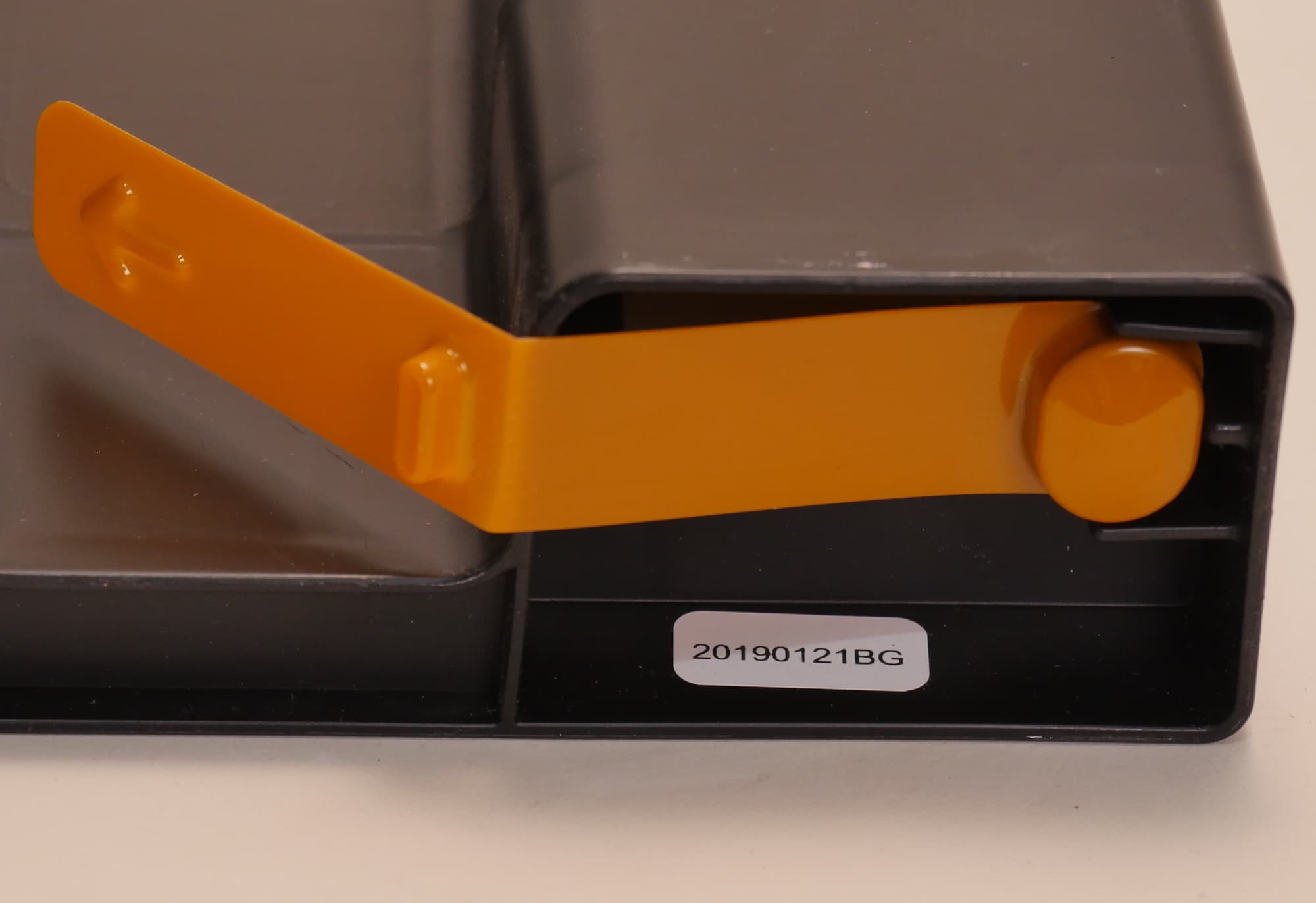
Formlabs monitors quality control of resin cartridges by lot number. If there is a problem with the cartridge or the resin in it, include the lot number when contacting Formlabs Support or your authorized reseller.
Almacenamiento
Store resin cartridges according to Formlabs guidelines. Store cartridges upright, away from direct sunlight, in a well-ventilated area. Close the cartridge vent cap to prevent leaks.
Tip:
Consider replacing the orange valve cover on the bite valve.
Regularly check the area where cartridges are stored for leaks and spills. Clean up spilled resin with soap and water.
Eliminación de residuos
Sigue las instrucciones de Formlabs para desechar los cartuchos vacíos.