WHITE PAPER
Formlabs Logo

Calibrating the resin level sensor (Form 4 and Form 4L generation)

Calibrating the resin level sensor (Form 4 and Form 4L generation)

Formlabs SLA printers use a system called LevelSense to determine the amount of resin in the resin tank during printing. On Form 4 generation printers, the LevelSense board is located above the back-left corner of the resin tank. If the LevelSense system is not calibrated properly, the printer may report inaccurate resin level readings, leading to error messages or unexpected behavior.

Formlabs recommends recalibrating the resin level sensor in the following situations:

  • Unexpected resin dispensing behavior
  • Printer displays LevelSense error messages, such as Error 1.9.13, Error 1.9.14, Error 1.9.15, and Error 1.9.19

Note:

Incorrect calibration will lead to print failures.

Tools required:

  • Flat plastic card without any embossing, such as an identification card or access badge

To calibrate the resin level sensor:

  1. Remove all consumables from the printer.
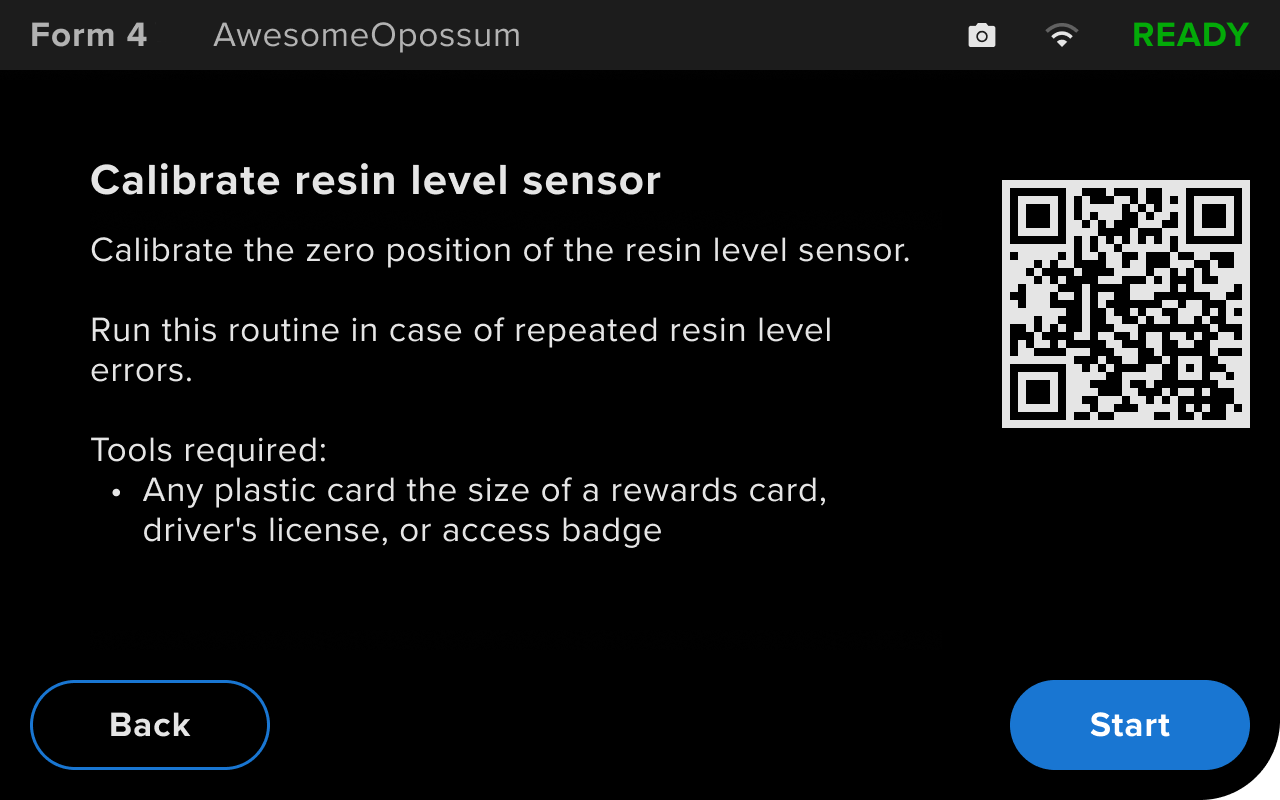
  2. On the printer touchscreen, tap Settings > Tools > Calibration > Resin Level Sensor. The Calibrate resin level sensor screen appears. Tap Start to continue to the next screen.
Introductory screen displayed when calibrating the LevelSense system on a Form 4 generation printer
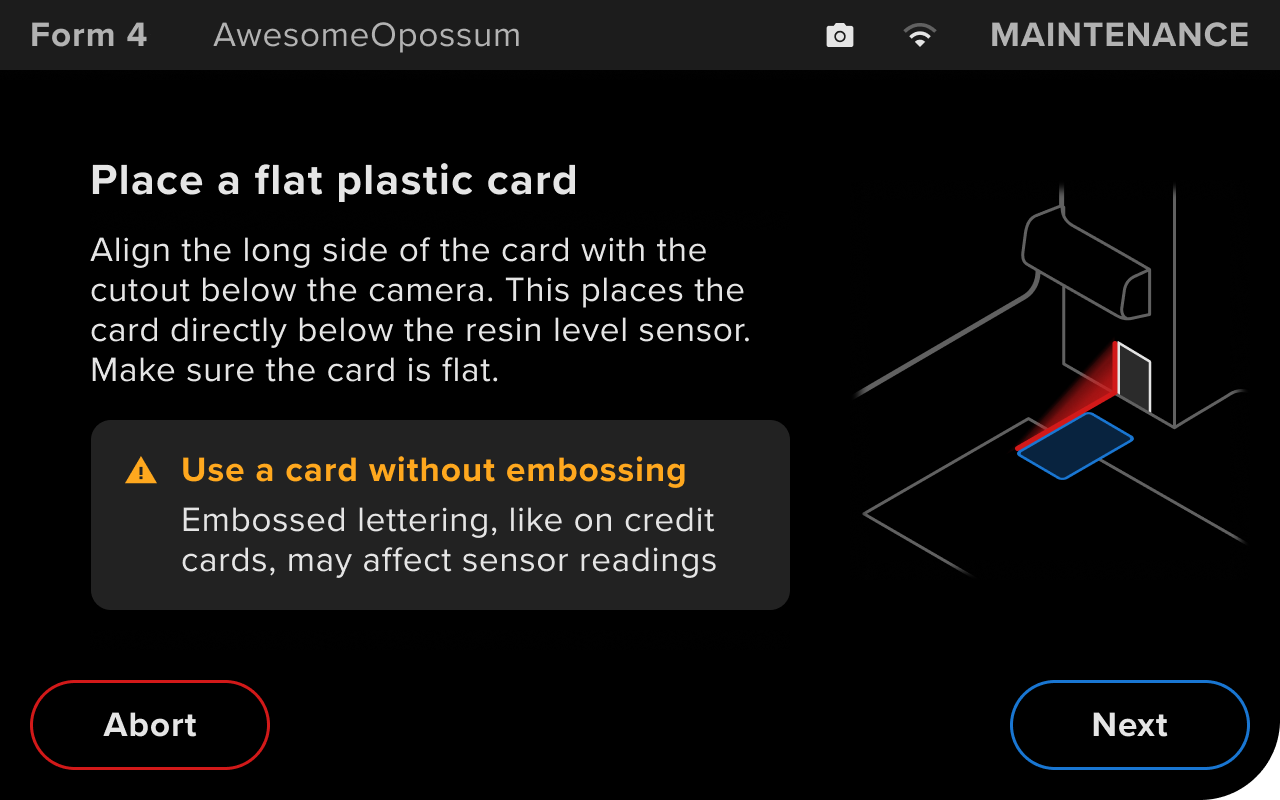
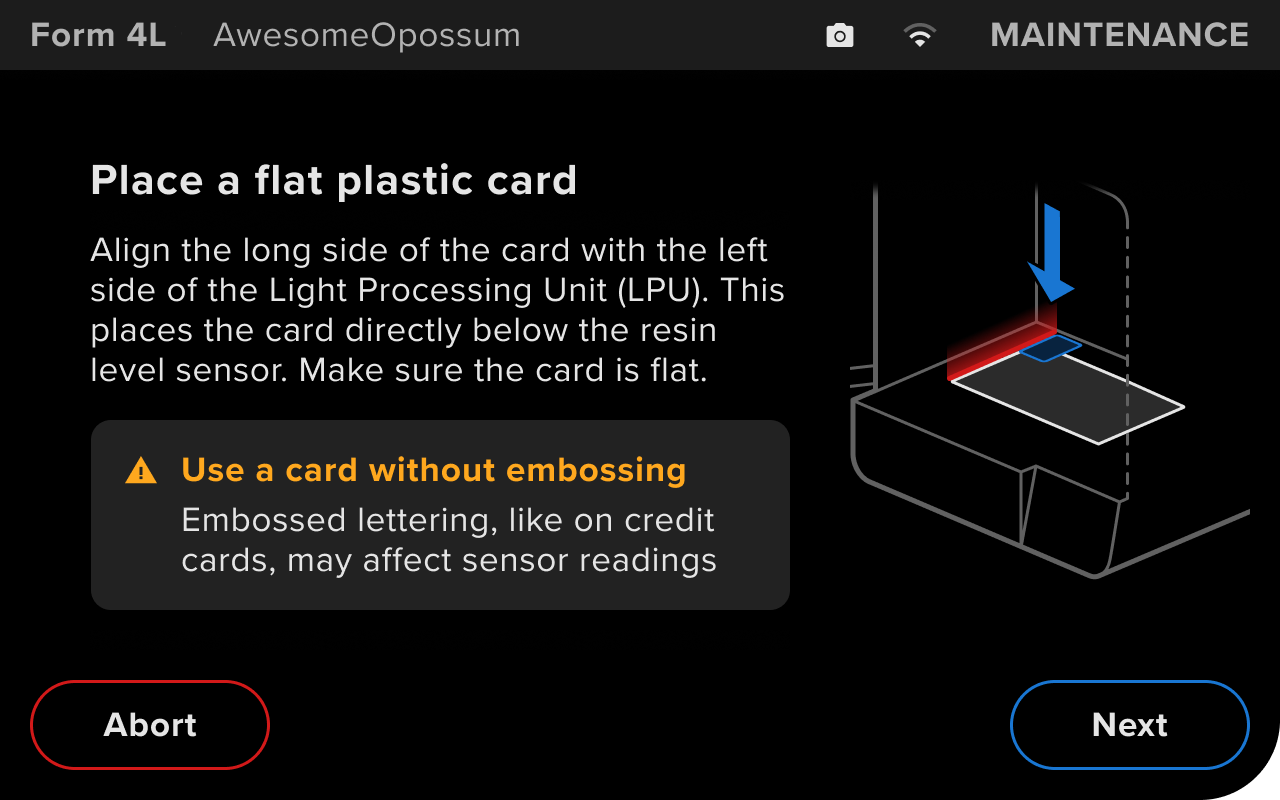
  1. Open the printer cover. Place a flat plastic card, such as an identification card or access badge, in the spot indicated on the touchscreen.
    • Form 4 generation: Align the long side of the card with the left side of the cutout below the camera.
    • Form 4L generation: Align the long side of the card with the left edge of the Light Processing Unit (LPU). The short side of the card can overlap slightly with the rear edge of the LPU.
  2. Tap Next to continue.
Instructions displayed when calibrating the LevelSense system on a Form 4 generation printerInstructions displayed when calibrating the LevelSense system on a Form 4L generation printer
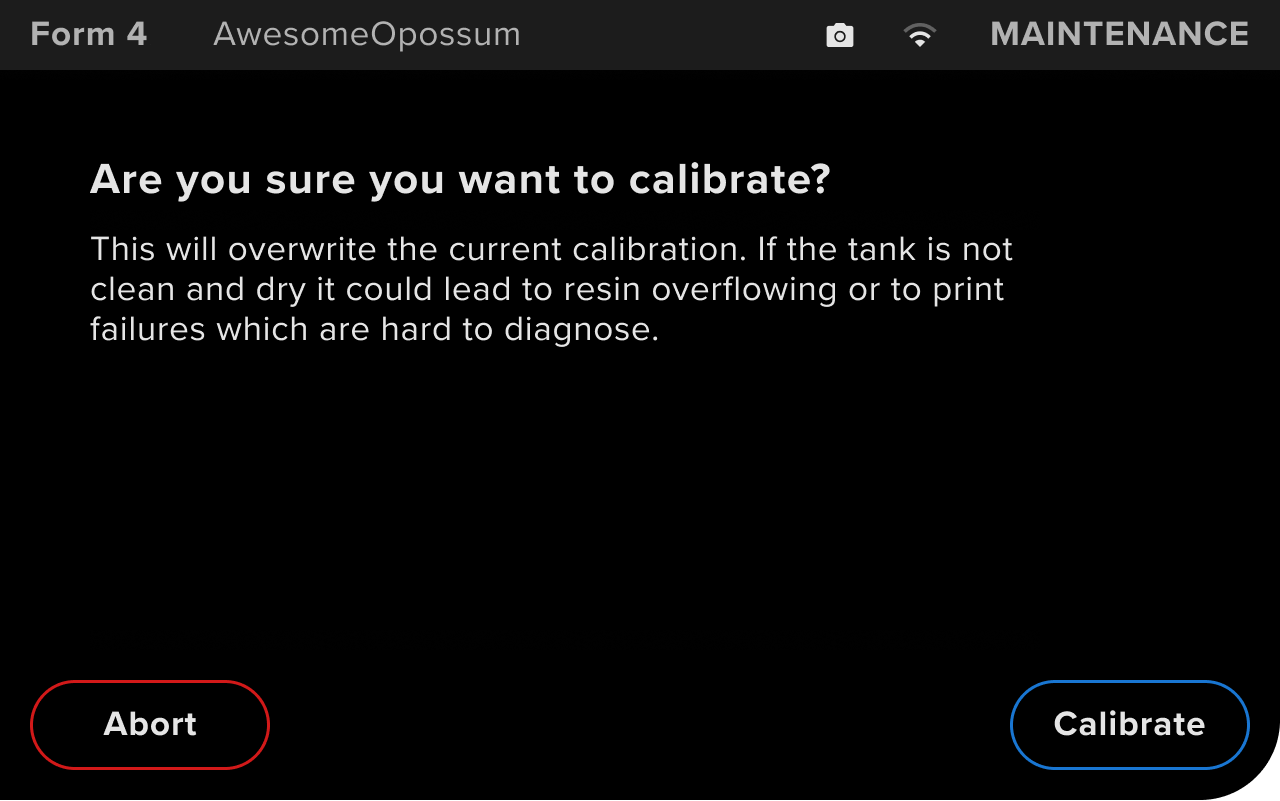
  1. Read the confirmation screen and tap Calibrate.
Confirmation message displayed before calibrating the LevelSense system on a Form 4 generation printer
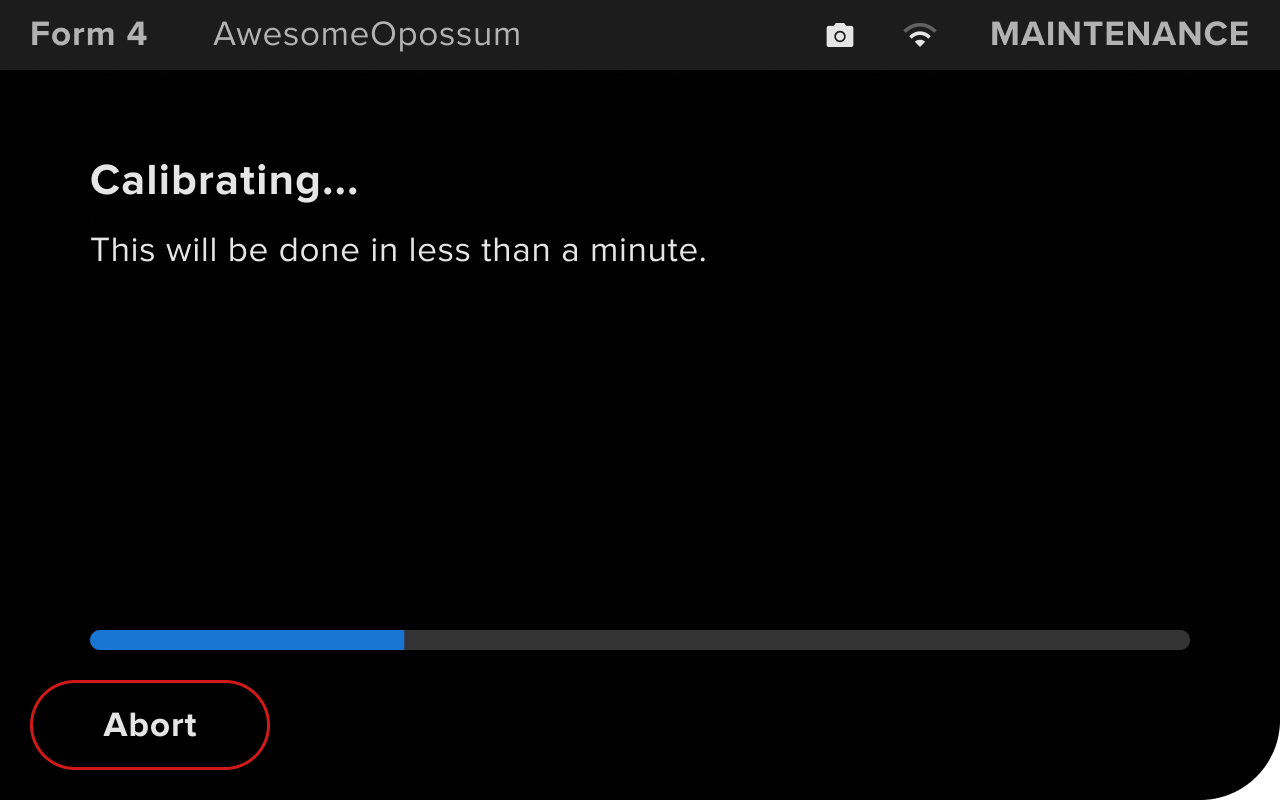
  1. Wait for the calibration process to complete. Do not move or adjust the printer while it is calibrating the resin level sensor.
Progress screen displayed while calibrating the LevelSense system on a Form 4 generation printer
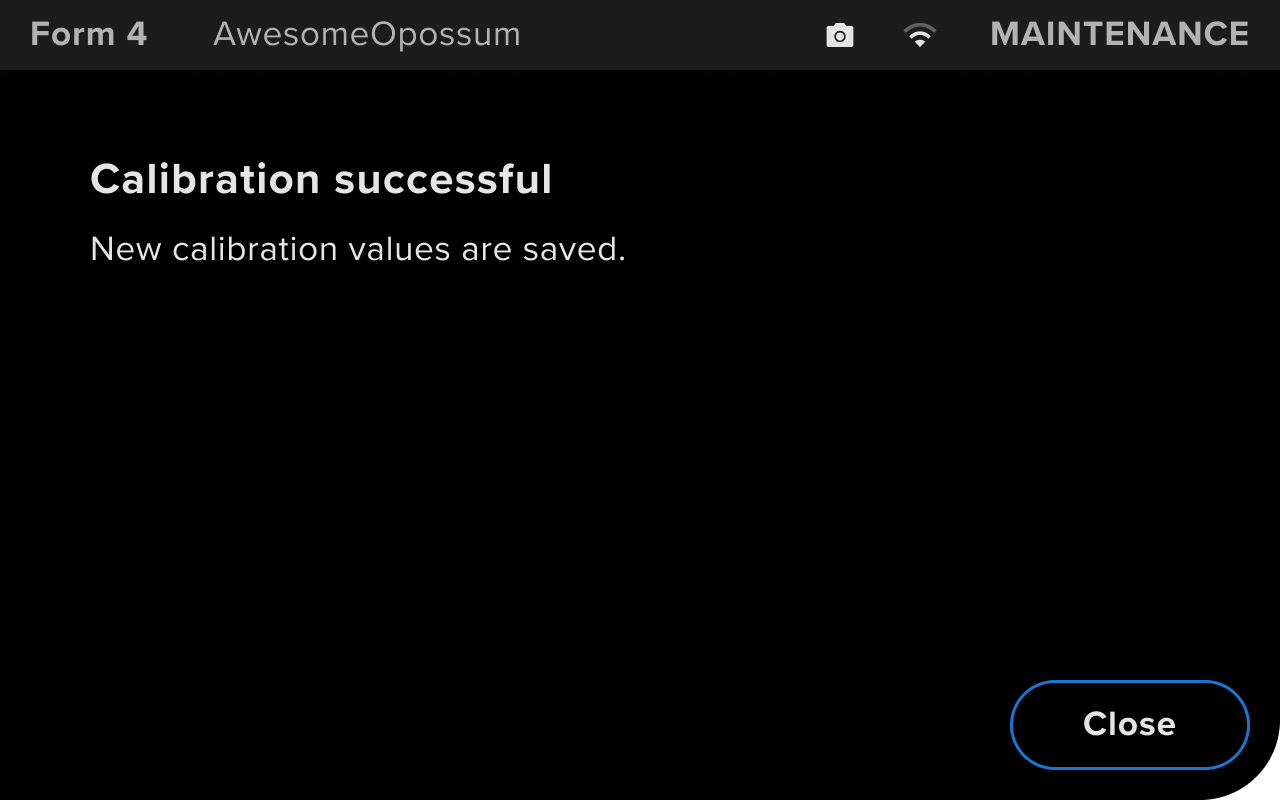
  1. The printer displays Calibration successful when the calibration is complete. Tap Close.
  2. Remove the card you used for calibration.
Message displayed after calibrating the LevelSense system on a Form 4 generation printer
  1. If you continue to experience leveling issues, contact Formlabs Support or your authorized reseller.