
WHITE PAPER
Cleaning the rear mesh filter (Form 4 generation)
Cleaning the rear mesh filter (Form 4 generation)
Cleaning the rear mesh filter
The rear mesh filter is located at the back of the printer. It attaches magnetically to the printer and covers the LPU air intake. A clean rear mesh filter ensures that the LPU and resin do not overheat.
- If necessary, move the printer to be able to access the back of the machine.
- Locate the rear mesh filter positioned next to the power switch.
- Remove the rear mesh filter from the printer.
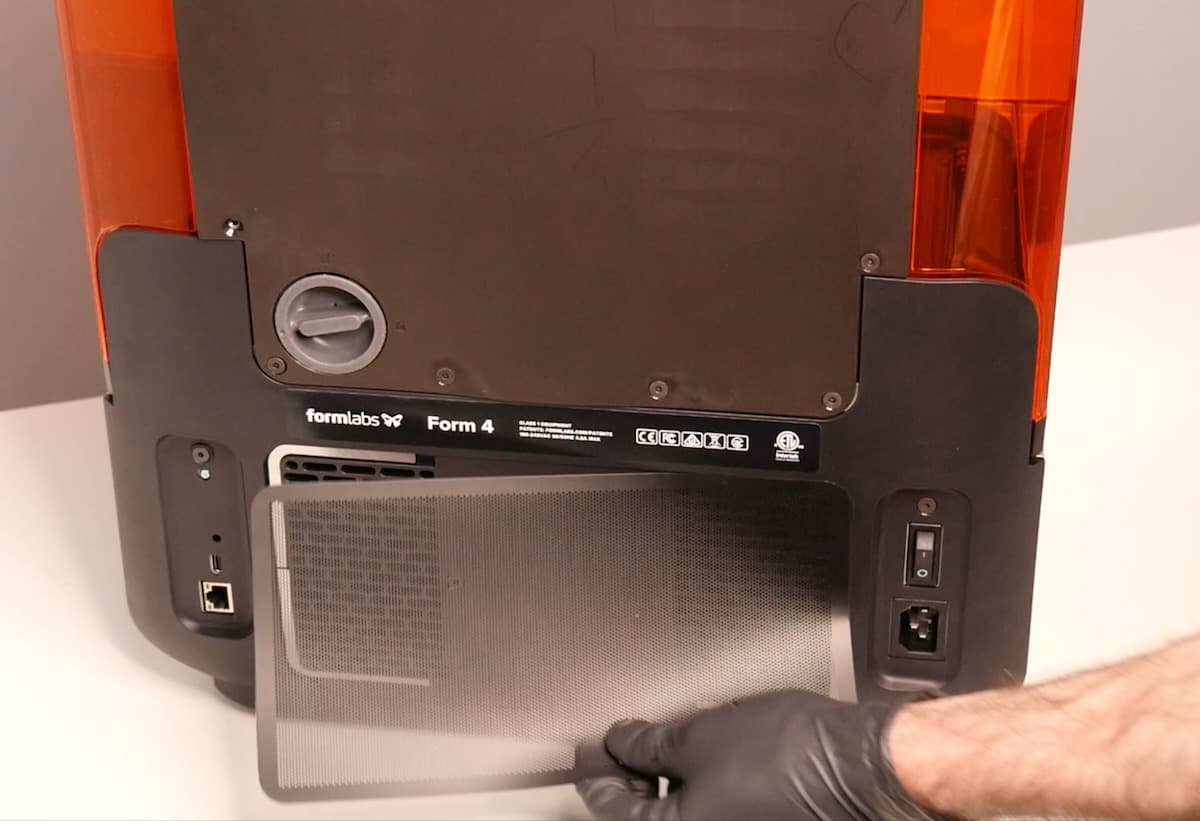
- Vacuum the rear mesh filter until it is free from debris.
- If the rear mesh filter cannot be cleaned, replace it.
- Reattach the rear mesh filter to the printer, ensuring that it is aligned with the air intake vents.