WHITE PAPER
Cover won't stay open (Form 3L generation)
Cover won't stay open (Form 3L generation)
Explanation
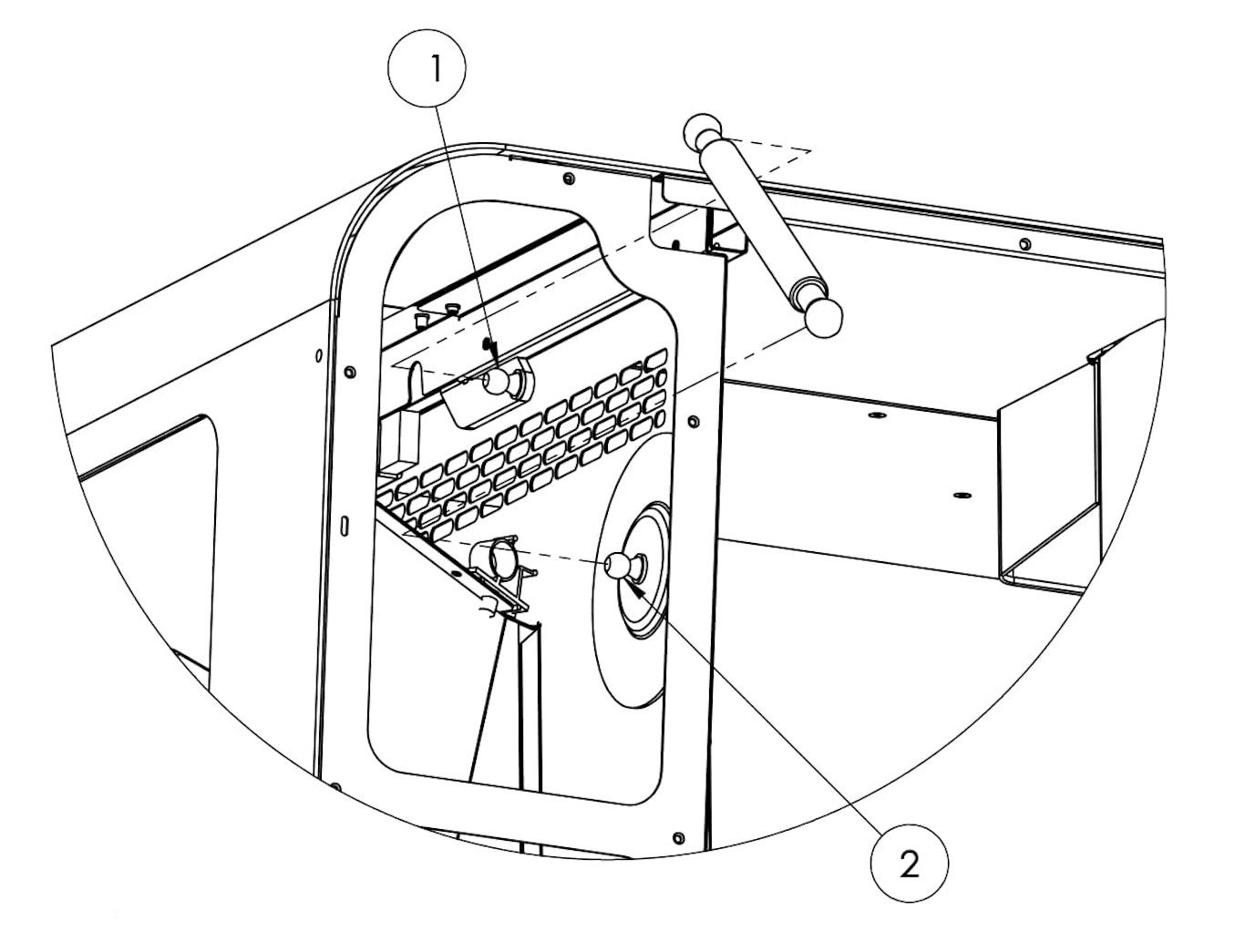
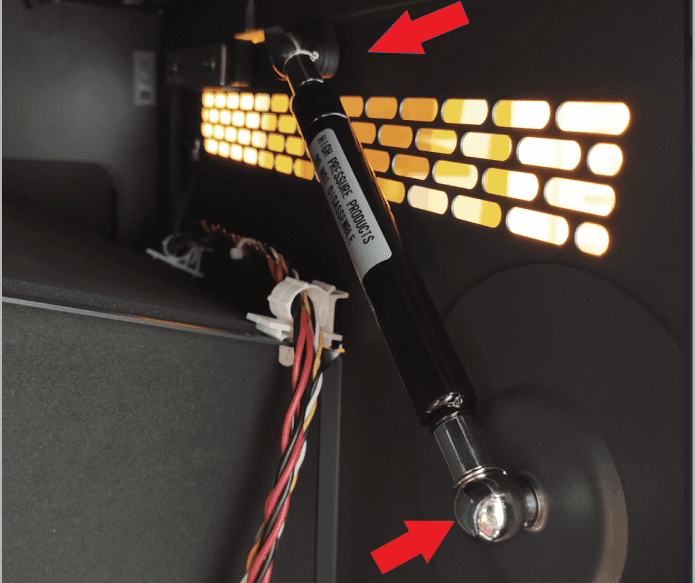
The cover on Form 3L generation printers is supported by a gas spring. The ends of the gas spring slot over metal mounting points, one on the cover and one on the right shell of the printer, and are secured with retaining clips.
If your printer cover is difficult to open and does not stay open on its own, the gas spring or one of its mounting points may have failed.
Causes
- Failed or faulty gas spring
- Broken gas spring mount
- Gas spring has separated from mount
Symptoms
- Printer cover does not stay open when lifted
Troubleshooting steps
- Power off the printer and disconnect the power cable before continuing with maintenance.
- Wait five minutes after disconnecting the printer from power before proceeding. Do not perform maintenance on the printer while it is connected to power.
- Follow the instructions in the repair guide Removing the Form 3L rear shell [EN] [DE] [ES] [FR] [IT] [JA] [ZH] to remove the rear shell and access the gas spring.
- Locate the gas spring. When facing the back of the printer, the gas spring is on the left, behind the display assembly.
- If the gas spring has detached from either mounting point, remount and secure it with the retaining clip. Follow the instructions in the repair guide Replacing the Form 3L cover and gas spring [EN] [DE] [ES] [FR] [IT] [JA] [ZH] to mount the gas spring.
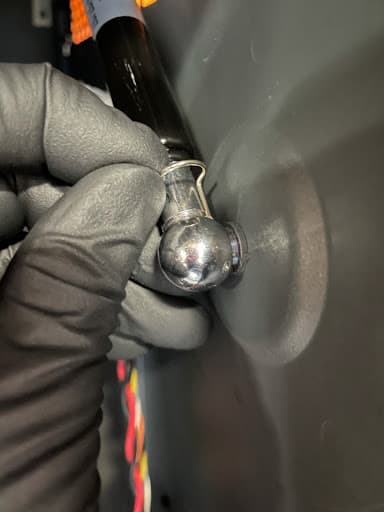
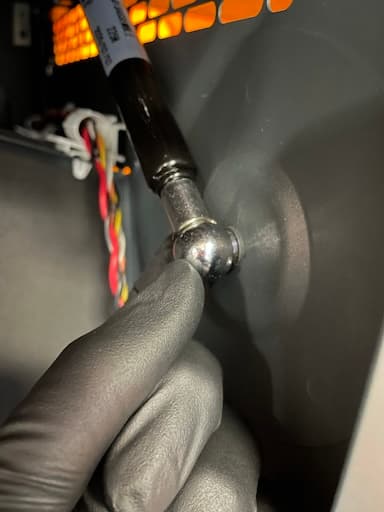
- If the gas spring is properly attached to its two mounting points but cannot keep the cover open, replace the gas spring. The gas spring is available from the Formlabs store. Follow the instructions in the repair guide Replacing the Form 3L cover and gas spring [EN] [DE] [ES] [FR] [IT] [JA] [ZH] to replace the gas spring.
- If the mounting point on the printer cover (labeled 1 here) is damaged, replace the cover. The cover assembly is available from the Formlabs store. Follow the instructions in the repair guide Replacing the Form 3L cover and gas spring [EN] [DE] [ES] [FR] [IT] [JA] [ZH] to replace the printer cover and remount the gas spring.
- If the mounting point on the printer frame (labeled 2 here) is damaged, contact Formlabs Support or your authorized reseller.