
WHITE PAPER
Cover won't stay open (Form 4 generation)
Cover won't stay open (Form 4 generation)
Explanation
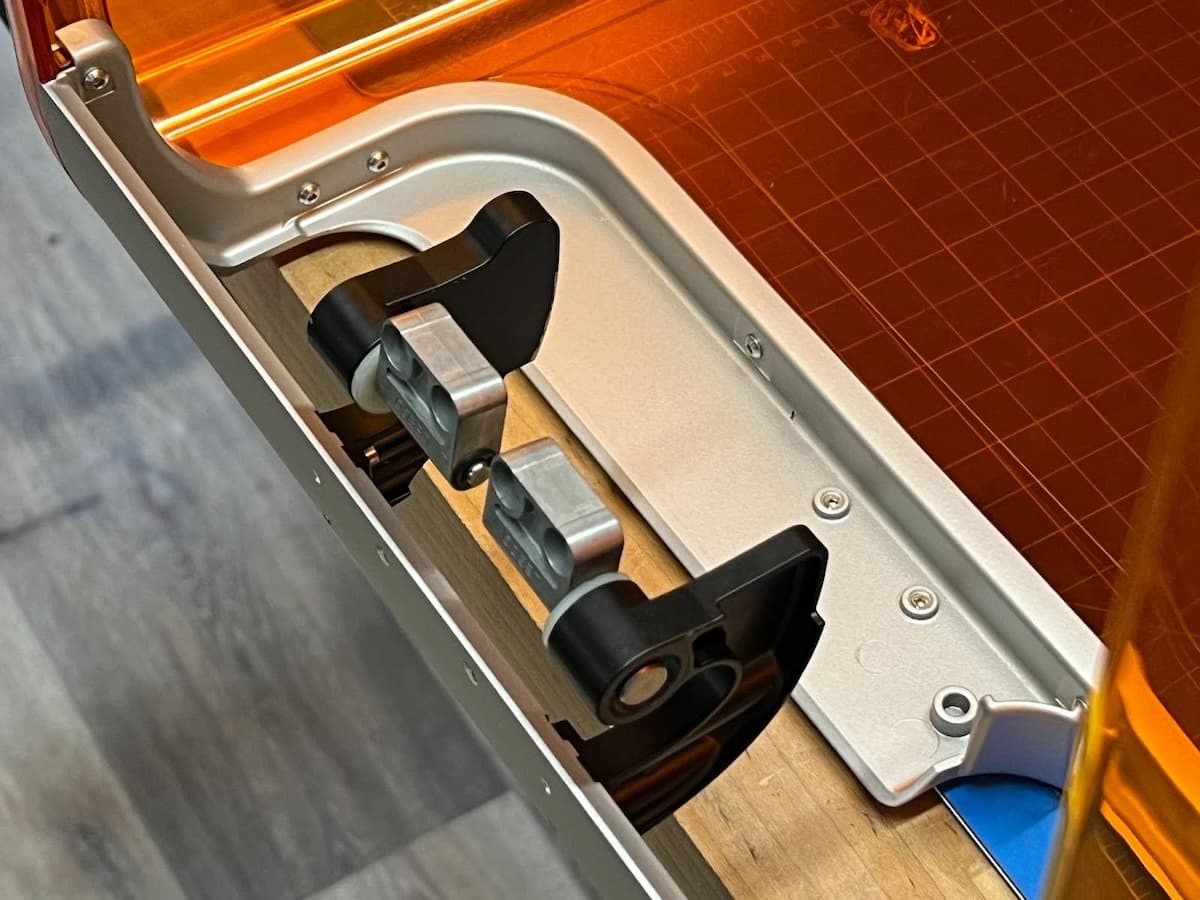
The cover on Form 4 generation printers is supported by a set of hinges. If your printer cover is difficult to open or does not stay open on its own, the hinges may have failed.
Formlabs has developed a replacement part kit containing new cover hinges, fasteners, and a cover damper. For critical issues related to the cover or cover hinges, contact Formlabs Support.
Causes
- Broken or faulty cover hinges
Symptoms
- Printer cover does not stay open when lifted
Troubleshooting steps
- Power off the printer and disconnect the power cable before continuing with maintenance.
- Wait five minutes after disconnecting the printer from power before proceeding. Do not perform maintenance on the printer while it is connected to power.
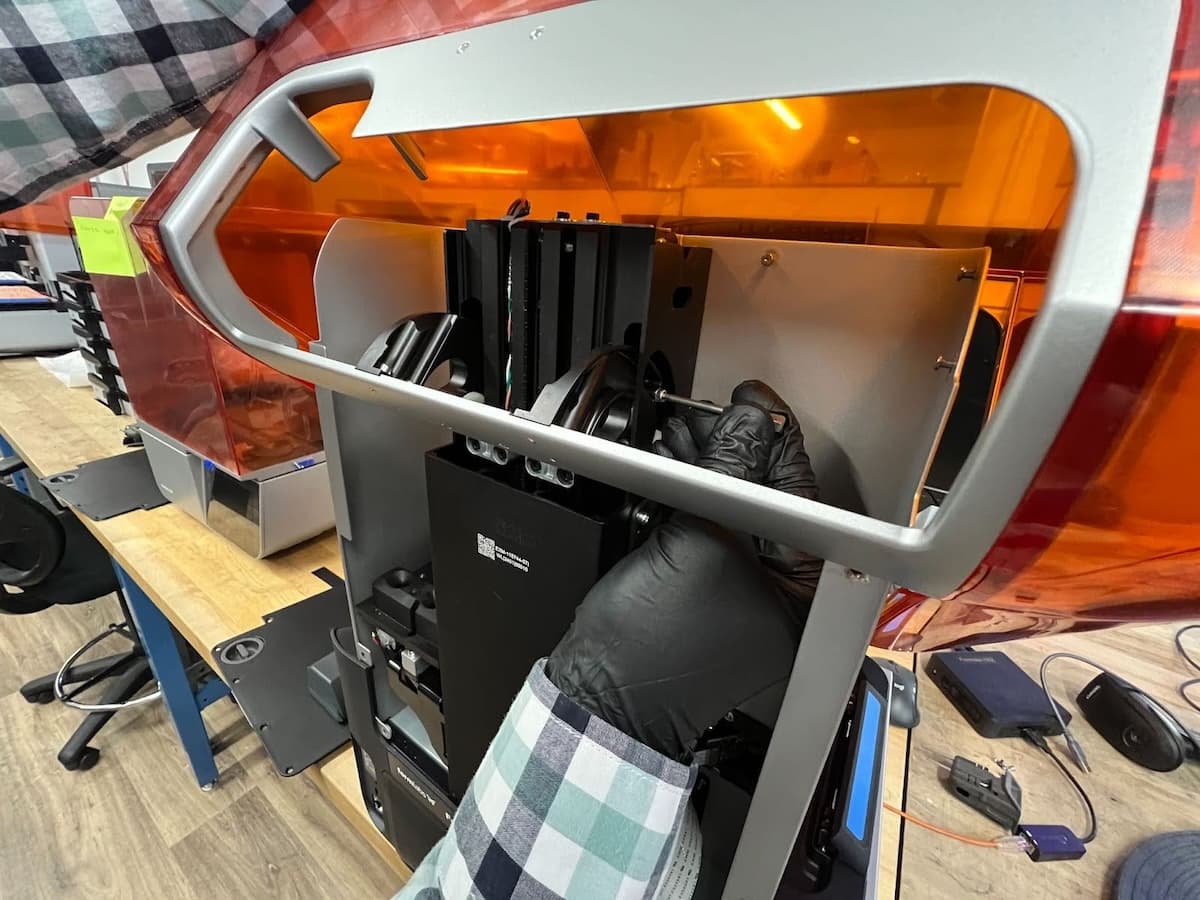
- Follow the instructions in the repair guide Replacing the Form 4 cover hinges to remove the back panel and access the hinges.
- If you have a set of replacement cover hinges, install them following the instructions in the repair guide Replacing the Form 4 cover hinges. The repair kit also includes new fasteners. If you also have a replacement cover damper, install it as well.
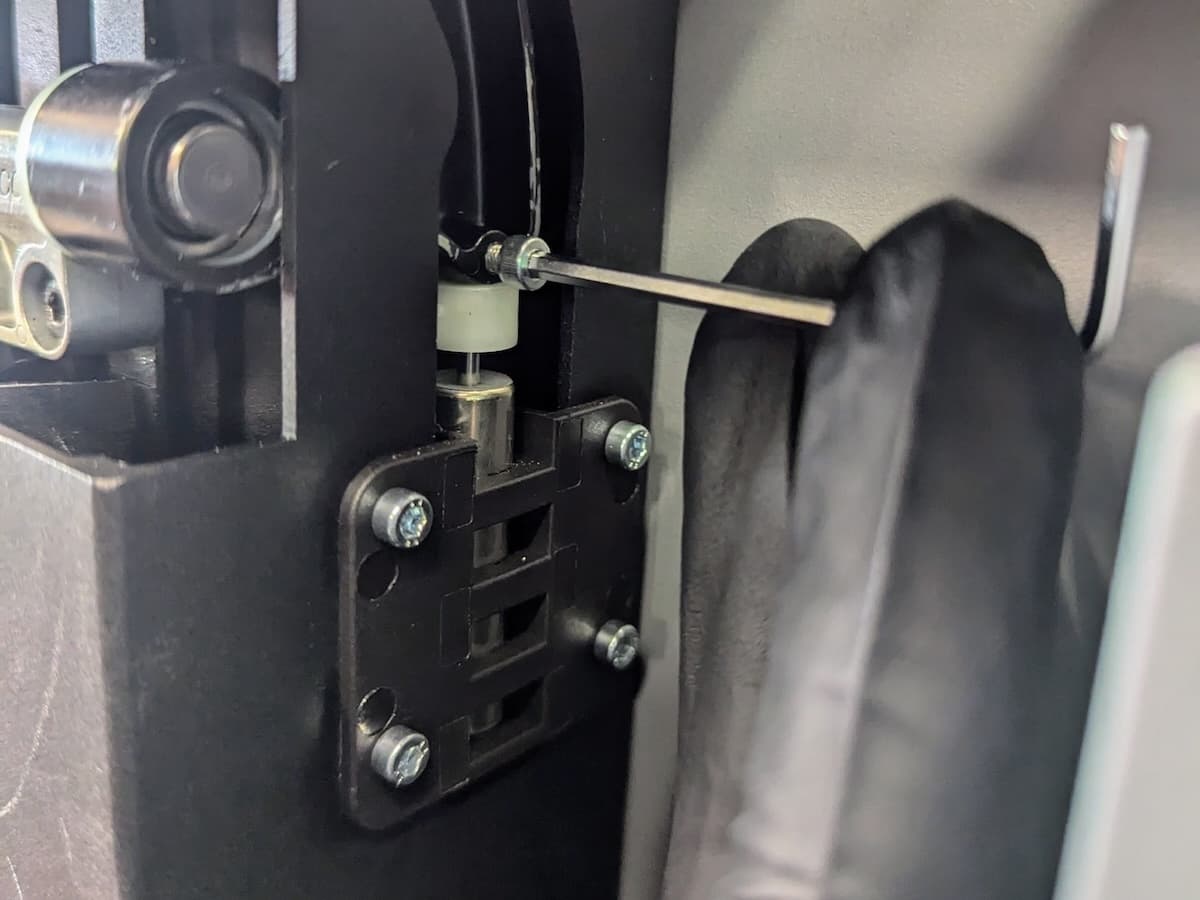
- If you do not yet have a set of replacement cover hinges, remove the cover hard stop screw. This allows the cover to open further than normal, helping it stay open. When facing the back of the printer, the hard stop screw is located on the right-hand cover hinge. Using a 2.5 mm hex driver, loosen and remove the hard stop screw. Be careful not to drop the screw into the Z-tower. Set the hard stop screw aside.
- After replacing the cover hinges or removing the cover hard stop screw, reinstall the back panel.