
WHITE PAPER
Broken Light Processing Unit HDMI clip (Form 4 and Form 4L generation)
Broken Light Processing Unit HDMI clip (Form 4 and Form 4L generation)
Form 4 and Form 4L generation Light Processing Units (LPUs) connect to the printer via an HDMI cable which is clipped in place with an SLS-printed part. This HDMI clip may occasionally break, such as when replacing the LPU. This does not affect the function of the LPU or printer and might only be noticed if the HDMI cable loosens and comes unplugged.
Symptoms
- LPU does not function as expected
- For more information about testing the LPU, see Inspecting the Backlight Unit and LPU (Form 4 and Form 4L generation).
- LPU HDMI cable unplugs on its own
- HDMI clip is damaged
Causes
- Damage during LPU replacement
- Damage during shipping
Troubleshooting steps
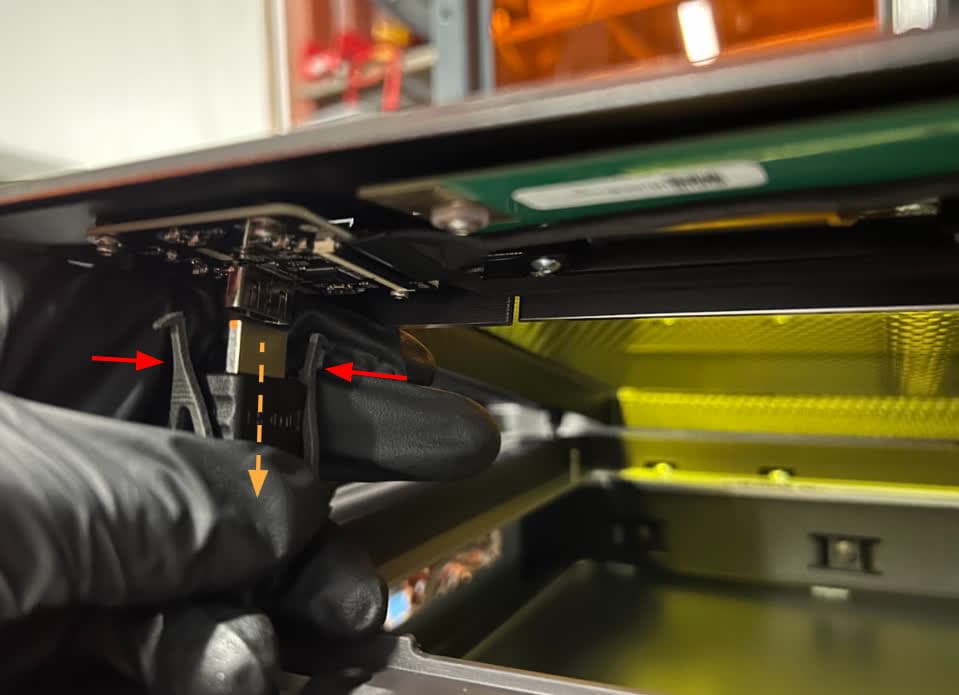
- Check if the HDMI clip is broken. Follow the instructions for replacing your printer’s LPU to access the clip and reassemble the printer. If the port on the LPU itself is damaged, the LPU will need to be replaced. Replacement Form 4 and Form 4L generation LPUs are available for purchase on the Formlabs Store.
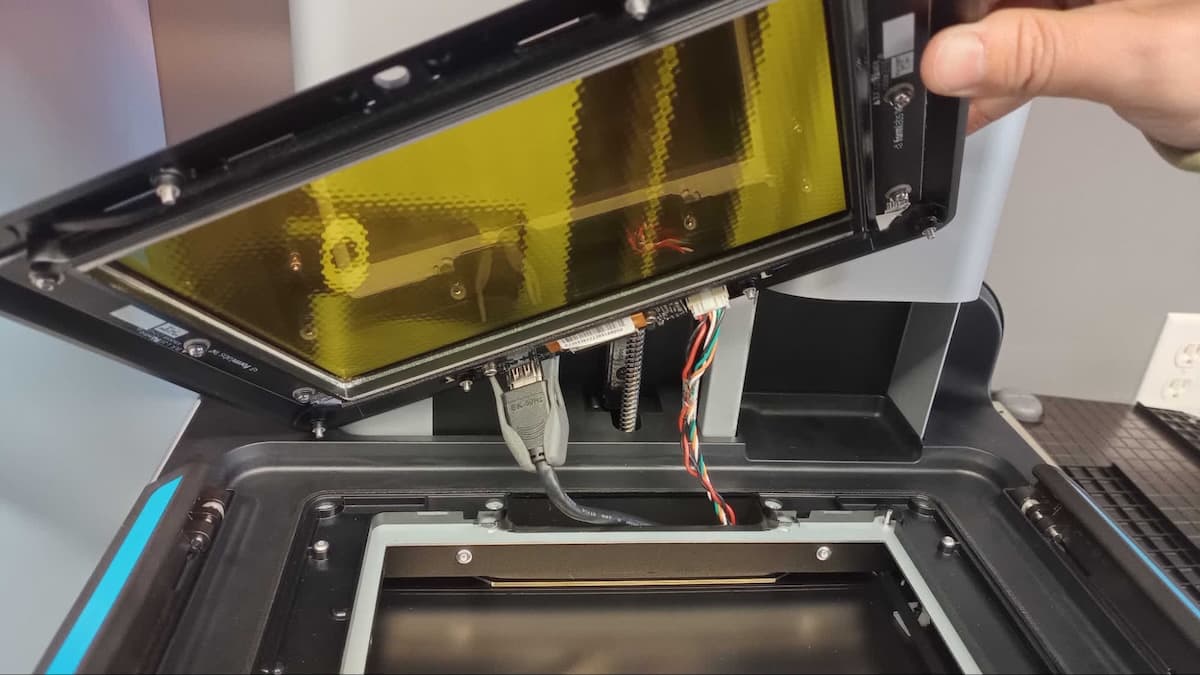
HDMI clip on a Form 4 generation printer
HDMI clip on a Form 4L generation printer
- Print a replacement HDMI clip. Use another printer if one is available or, if needed, temporarily secure the HDMI connector to the LPU. Formlabs designed this part to be printed on a Formlabs SLS printer with Nylon 12 Powder, but other materials, including most resins, should work as well.
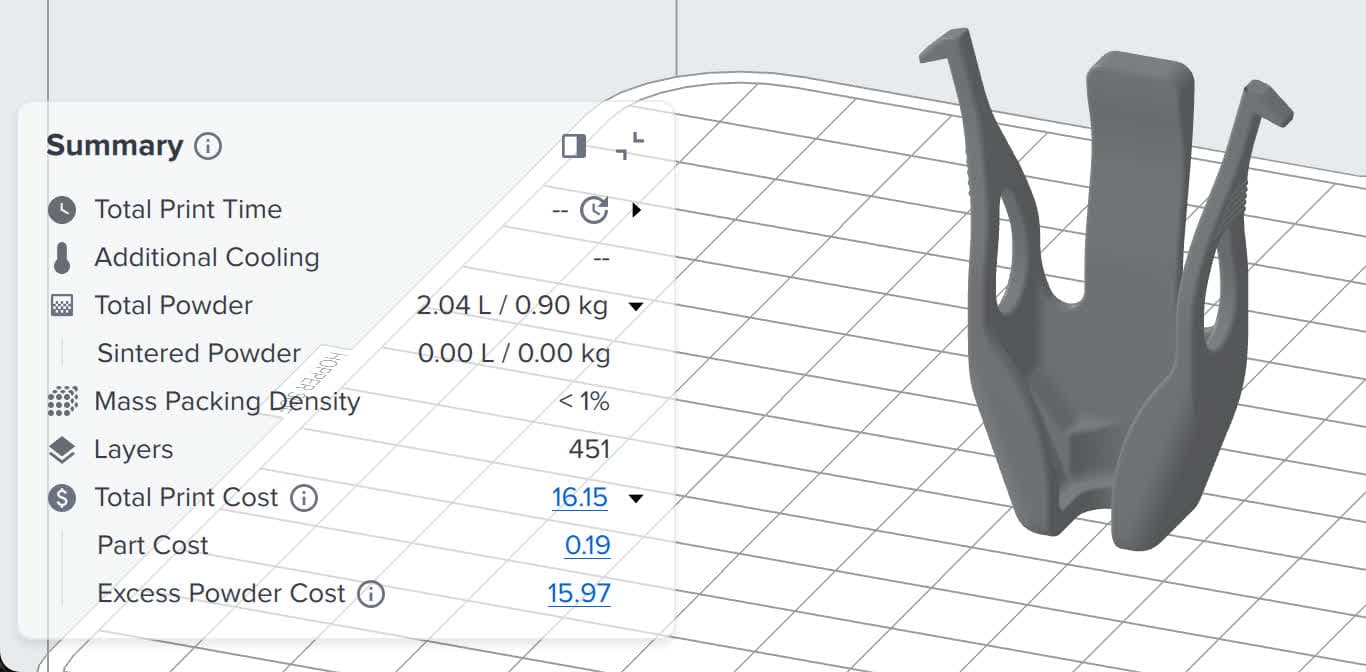
HDMI clip on a Form 4 generation printer in PreForm
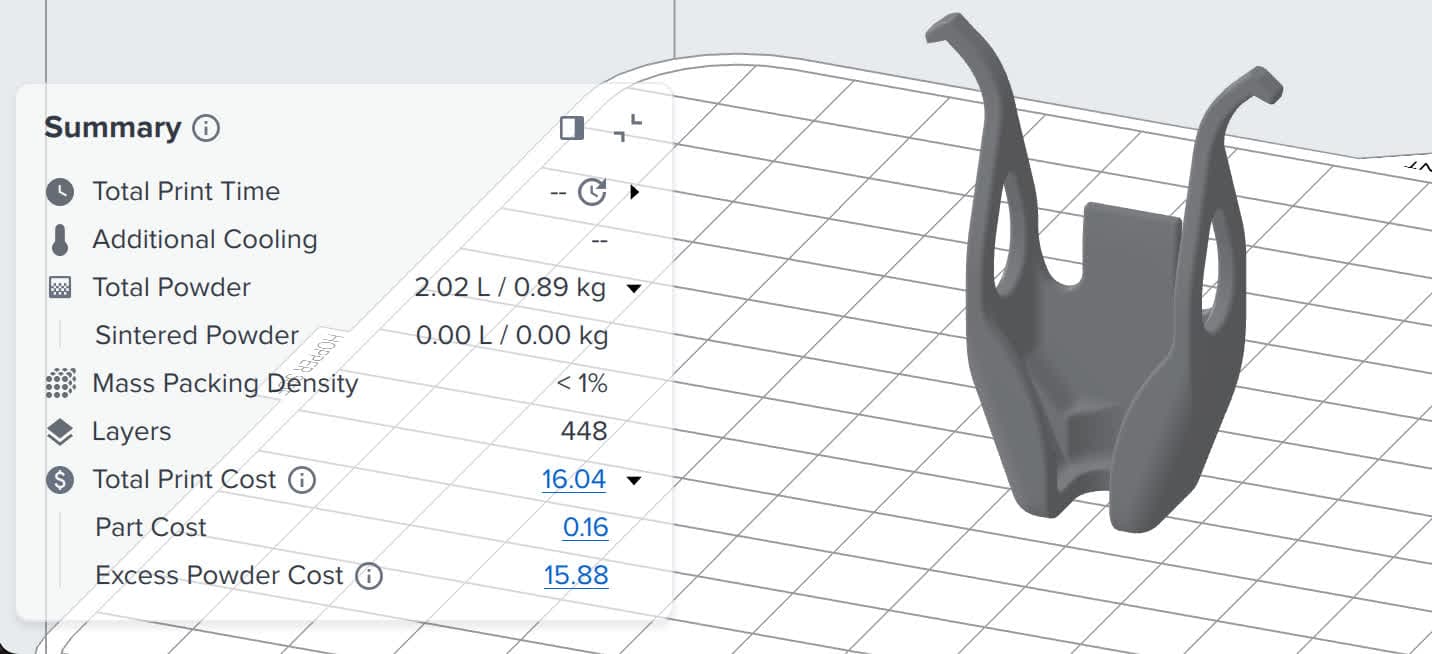
HDMI clip on a Form 4L generation printer in PreForm
- Remove the broken HDMI clip and replace it with your printed clip. Again, follow the instructions for replacing your printer’s LPU to access the clip and reassemble the printer.