
Tip:
Printers are organized by status. A printer with the Printing status is currently in use, while a printer that is not currently printing has the Idle or Primed status.

Timeline shows active print jobs and when they are expected to finish, as well as printers that are available for printing. To reach Timeline when logged in to Dashboard, click the calendar icon in the left navigation bar.

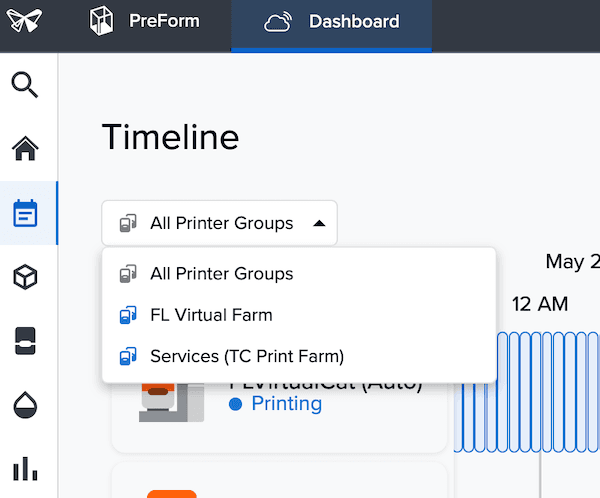
The Timeline page shows all printer groups and print statuses by default. To filter for a specific printer group, click the dropdown menu below Timeline and select your printer group.
Tip:
Printers are organized by status. A printer with the Printing status is currently in use, while a printer that is not currently printing has the Idle or Primed status.
Changing views
Printer timelines can be viewed in different time increments: two hours, four hours, and eight hours. Zoom out further to view multiple days. Use the + and - buttons to toggle between smaller and larger time increments. Click the Current Time button to view print progress in real time.