Tip:
Accept Repair prompts to allow PreForm to resolve potential issues.

All prints start the same: with a combination of meshes, faces, and vertices saved as an STL/OBJ/3MF file. Whether you create your own model using CAD software or download one online, there are some basic principles to follow in order to ensure a successful print.
Tip:
Accept Repair prompts to allow PreForm to resolve potential issues.
Saving with single body settings
Opening a file that contains multiple parts can prompt a BROKEN MODELS DETECTED error in PreForm. If your intended model is designed to be printed as one single piece, then save it as a single body. If the model is intended to be printed in multiple parts instead, then save each one separately. Otherwise, there may be irregularities in the print if the intersecting layers of the sub-models are not correctly recognized by PreForm.
Making models manifold
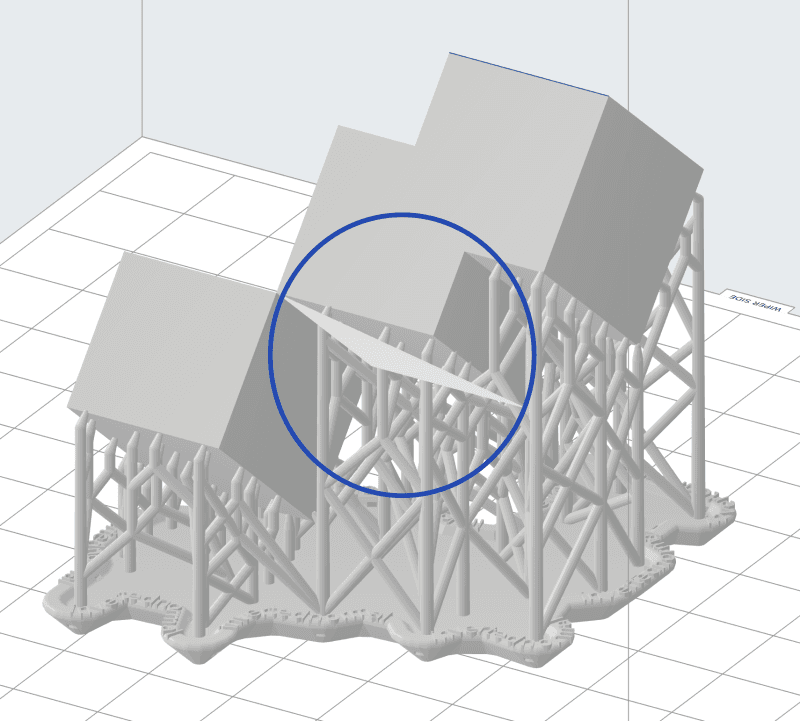
Each face of a model typically abuts upon another neighboring face, and each vertex connects the surrounding faces. A model should contain a solid, airtight volume that wouldn’t leak if it were filled with water. Any edge that is not shared by two faces, or a vertex that does not merge the intersecting faces, can cause unintended gaps or holes in your model.
Before starting a print:
Avoiding two-dimensional features
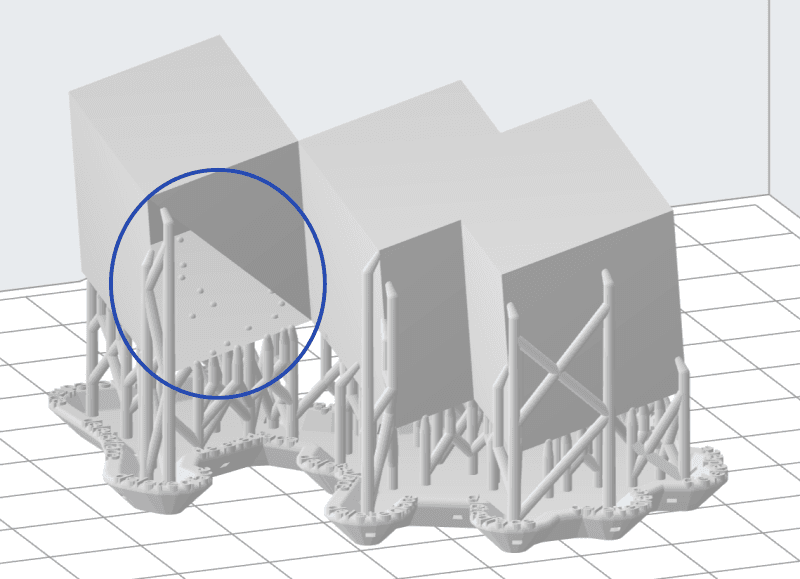
Extrude features as solids instead of surfaces. During the design phase of your model, you may use planes, sketches, or other two-dimensional features that have zero thickness. 3D design packages allow these features during the modeling of a part, but they cannot physically be printed. A feature without thickness cannot exist in 3D space.
Tip:
PreForm attempts to repair models with integrity issues, but may rebuild the area incorrectly. Avoid unforeseen errors by defining the thickness of each feature in your model during the design phase.
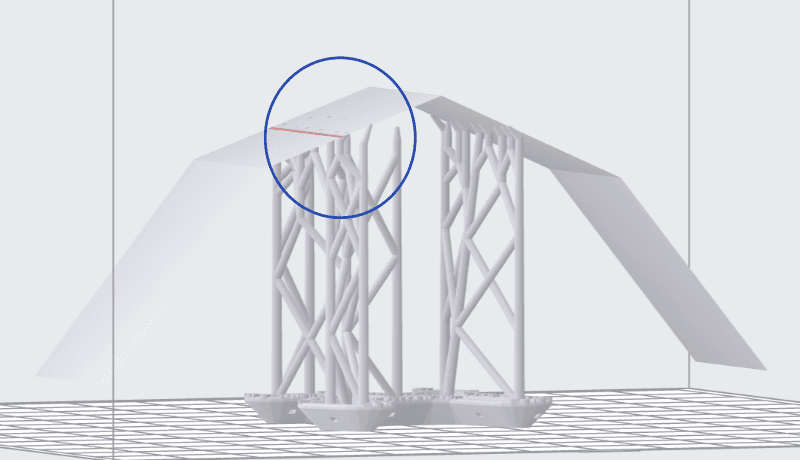
An edge that is shared by more than two faces is non-manifold. Unexpected behavior can occur at these intersections, causing the support structure to pass through the model itself.
Correcting surface normal orientation
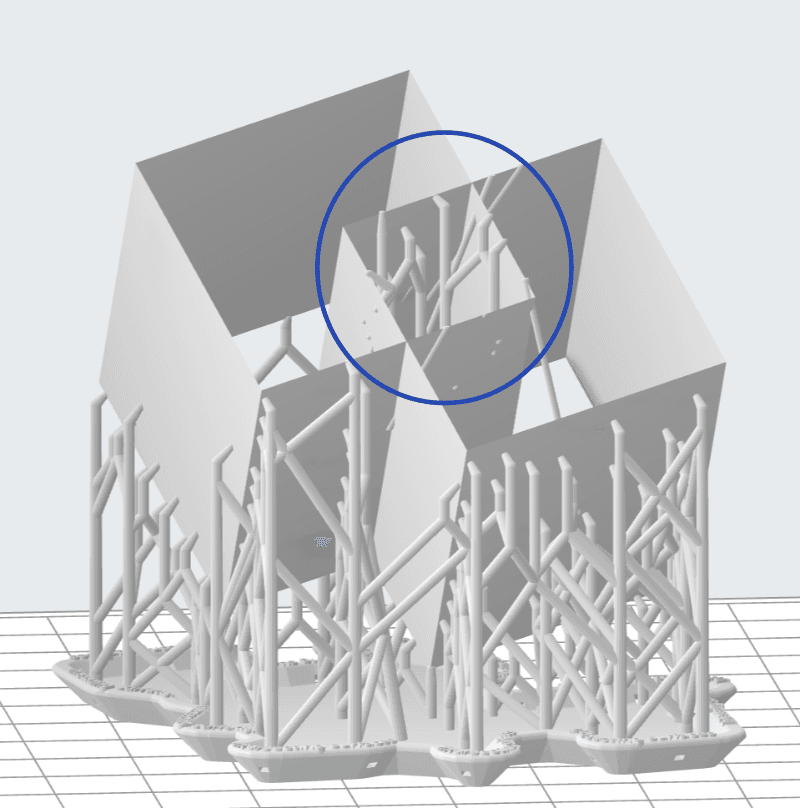
Every face has two sides: an inside and an outside. An accurate, complete model has all of its surface normals pointing outwards. If a face is reversed and the “inside” is pointing outward, then the end result can resolve itself as a hole in your model.