Recoater artifacts (SLS)

The recoater is a bar that moves left and right across the top of the print enclosure, spreading powder across the print surface to form a new layer of the print. A contaminated recoater roller can cause gouges, waves, or other surface irregularities on SLS printed parts.

Generally speaking, there are three common ways that recoater artifacts occur:

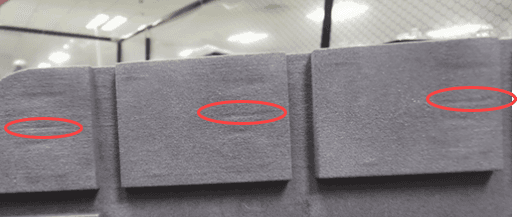
  • Contamination on the recoater scratches along the print bed, causing horizontal gouges and streaks on the surface of printed parts.
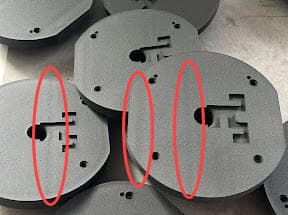
  • Powder contamination or debris in the rack and pinion actuator causes vertical waves and ripples on the surface of printed parts.
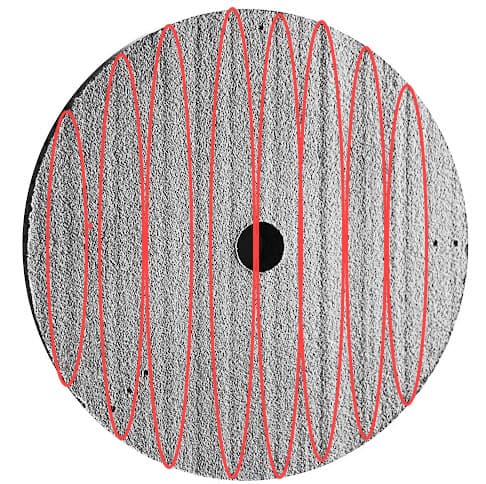
  • Debris in the recoater system or worn-out recoater rollers rattle as it passes across the print bed, producing periodic, evenly-spaced ripples on the surface of printed parts.


Causes

  • Contamination on the recoater roller
  • Worn-out recoater roller
  • Debris or other contamination on the rack and pinion actuator
  • Debris or other contamination on the front linear rail

Symptoms

  • Horizontal gouges, drag marks, or streaks on the surface of printed parts
Horizontal gouges on a printed part
  • Vertical waves and ripples on the surface of printed parts
Vertical waves on a printed part.
  • Periodic, evenly-spaced vertical ripples on the surface of printed parts
Periodic vertical waves on a printed part

Troubleshooting steps

Clean the recoater roller

  1. On the touchscreen, tap the wrench icon. The Maintenance menu appears.
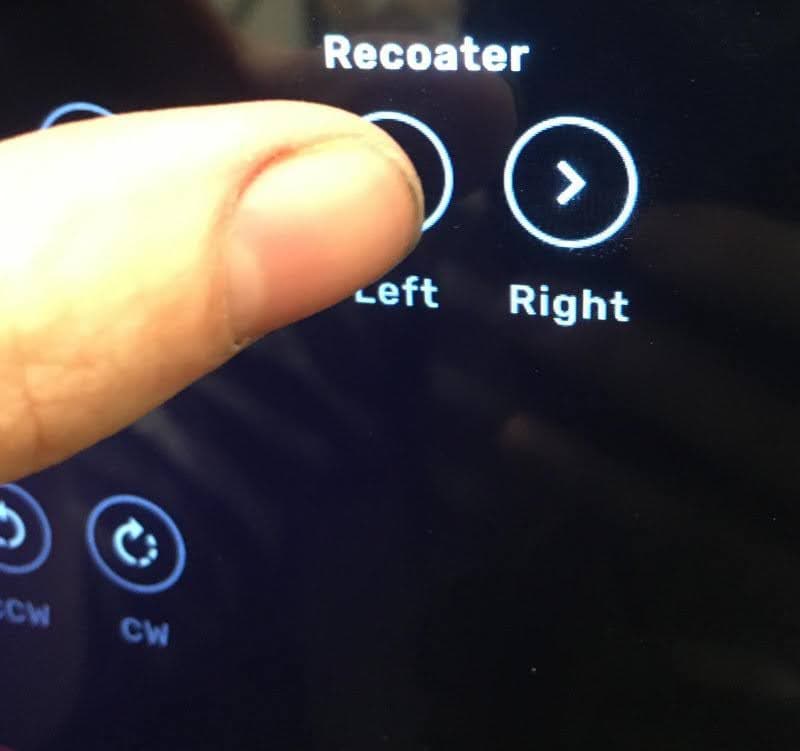
  2. Tap Motor Moves. The Motor Moves screen appears, which allows you to manually activate various motors in the print enclosure.

Caution:

Unless specifically advised, do not select any of the options in the Motor Moves menu while the print enclosure door is open or any objects are in the path of the powder handling mechanisms at the top of the print enclosure. Moving parts present a crushing or tangling hazard. If necessary, tap the Stop button on the touchscreen to stop a motor movement.

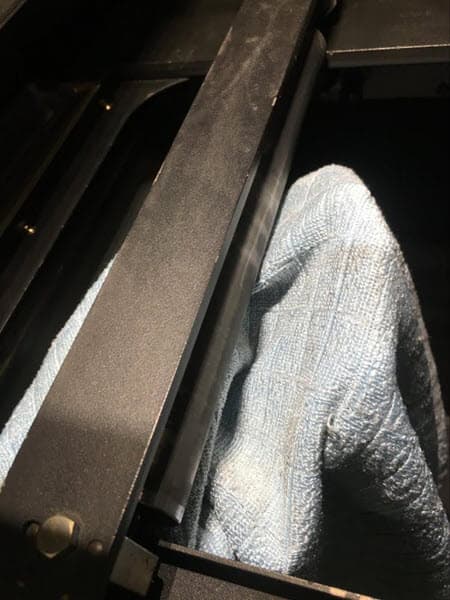
  1. Tap the Left and Right arrows under the Recoater header to move the recoater. The recoater rotates as it moves, changing the area that is exposed. Repeatedly move the recoater and wipe it with a microfiber cloth until it is clean.
Motor moves touchscreen
Clean the recoater bar
  1. If the debris cannot be removed or the recoater roller is damaged, purchase a replacement recoater roller and follow the repair guide Replacing the recoater roller [EN].

Clean the rack and pinion actuator

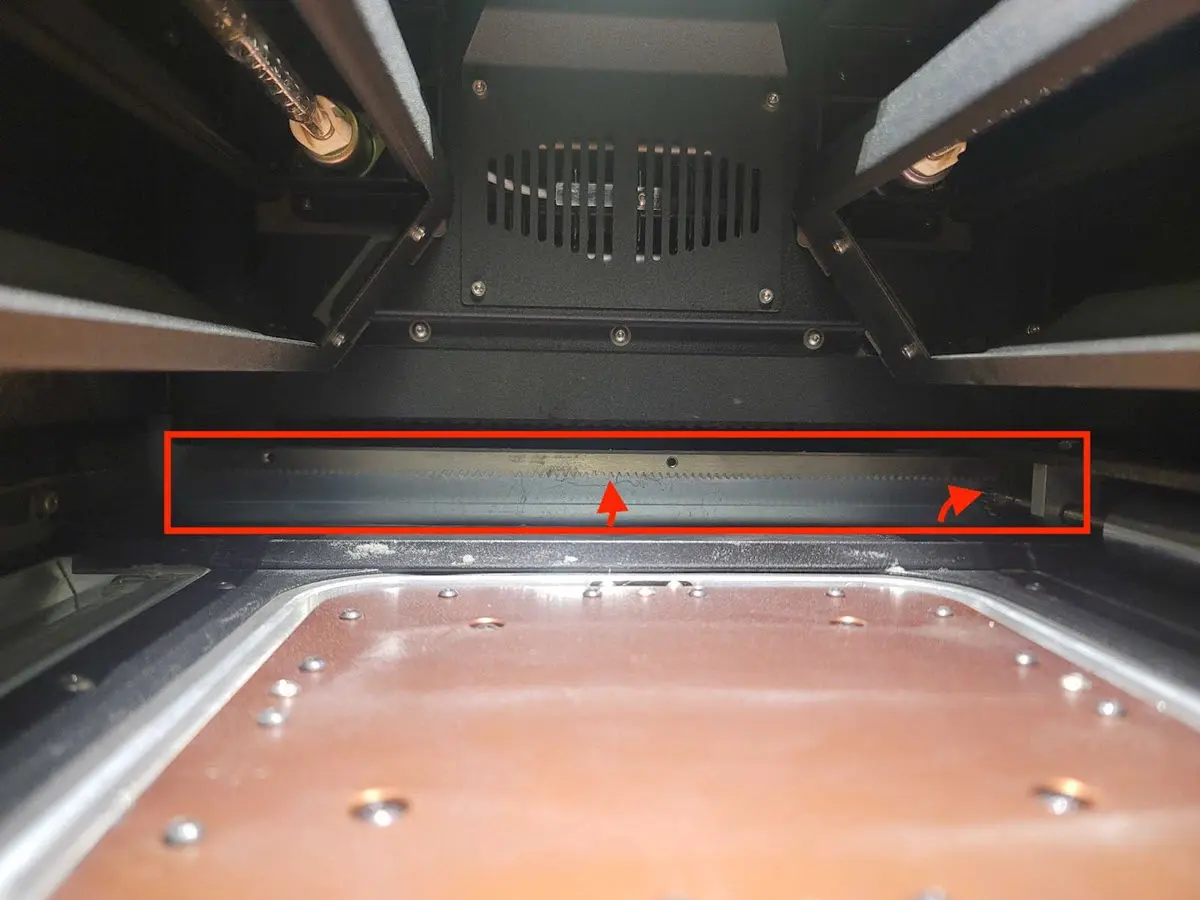
The recoater moves left and right across the print enclosure along the front linear rail and a rack and pinion actuator at the rear. Debris or other contamination on these parts may cause obstructions that prevent the recoater roller from moving smoothly across the print enclosure.

  1. The rack and pinion actuator is located at the rear of the print enclosure. Check for powder contamination or other debris.
Fuse 1 rack and pinion actuator
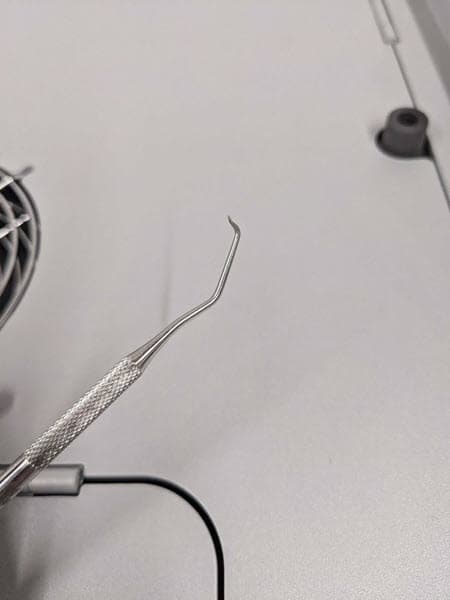
  1. Using a metal pick, clean each gear tooth. If necessary, remove the recoater roller following the steps in the repair guide Replacing the recoater roller [EN] for easier access to the gear teeth.
Cleaning tool for rack and pinion actuator
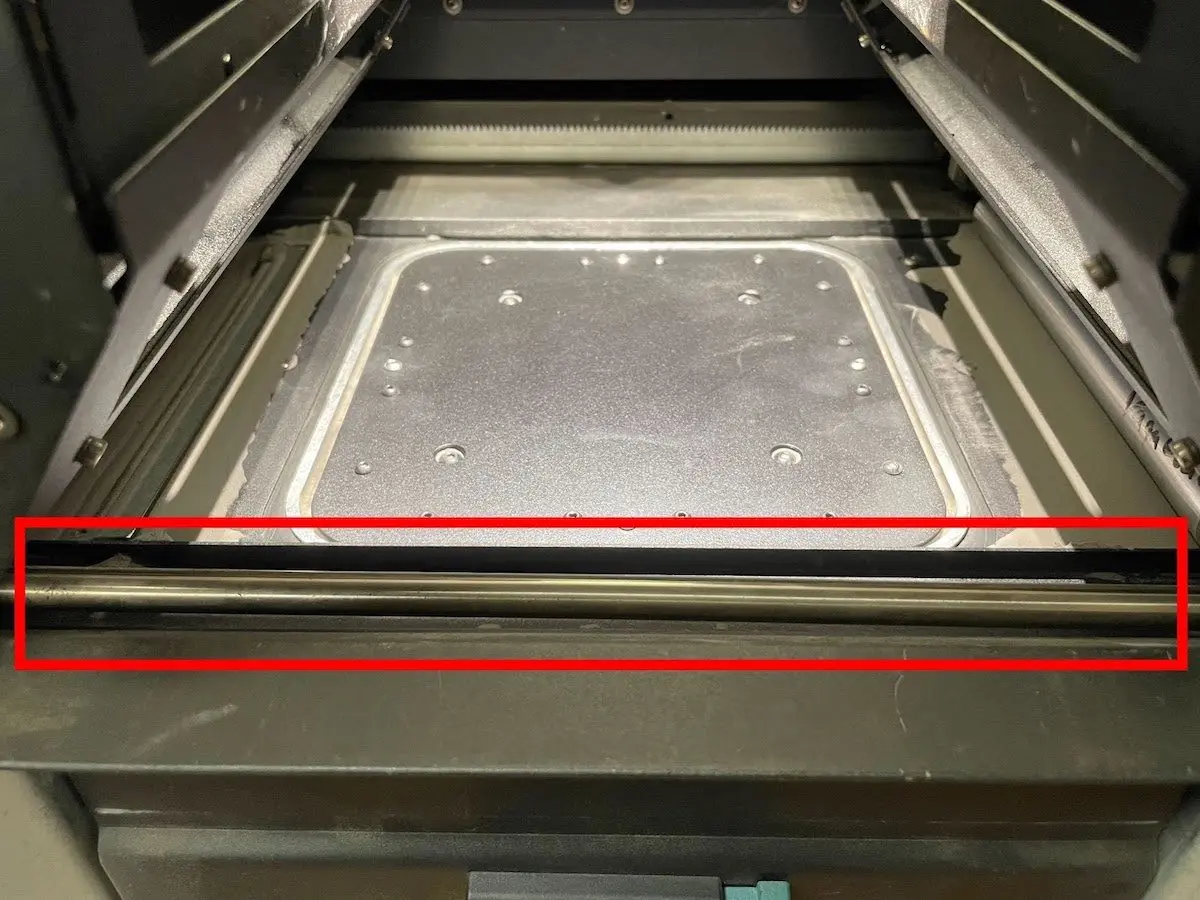
  1. Using ethanol and a non-abrasive microfiber cloth, clean the front linear rail.
Clean the front linear rail

Contact Formlabs Support

If the troubleshooting steps do not resolve the issue, please contact Formlabs Support or your certified service provider. Include your printer’s diagnostic logs with other relevant observations and details when contacting Formlabs Support or your certified service provider to speed up resolution.