
Required Supplies:
Formlabs:
- Replacement Fuse Sift LED board, up to 2x
Third-party:
- 2.5 mm hex driver (flat-end)
- Loctite 243 or equivalent threadlocker
- Antistatic wristband

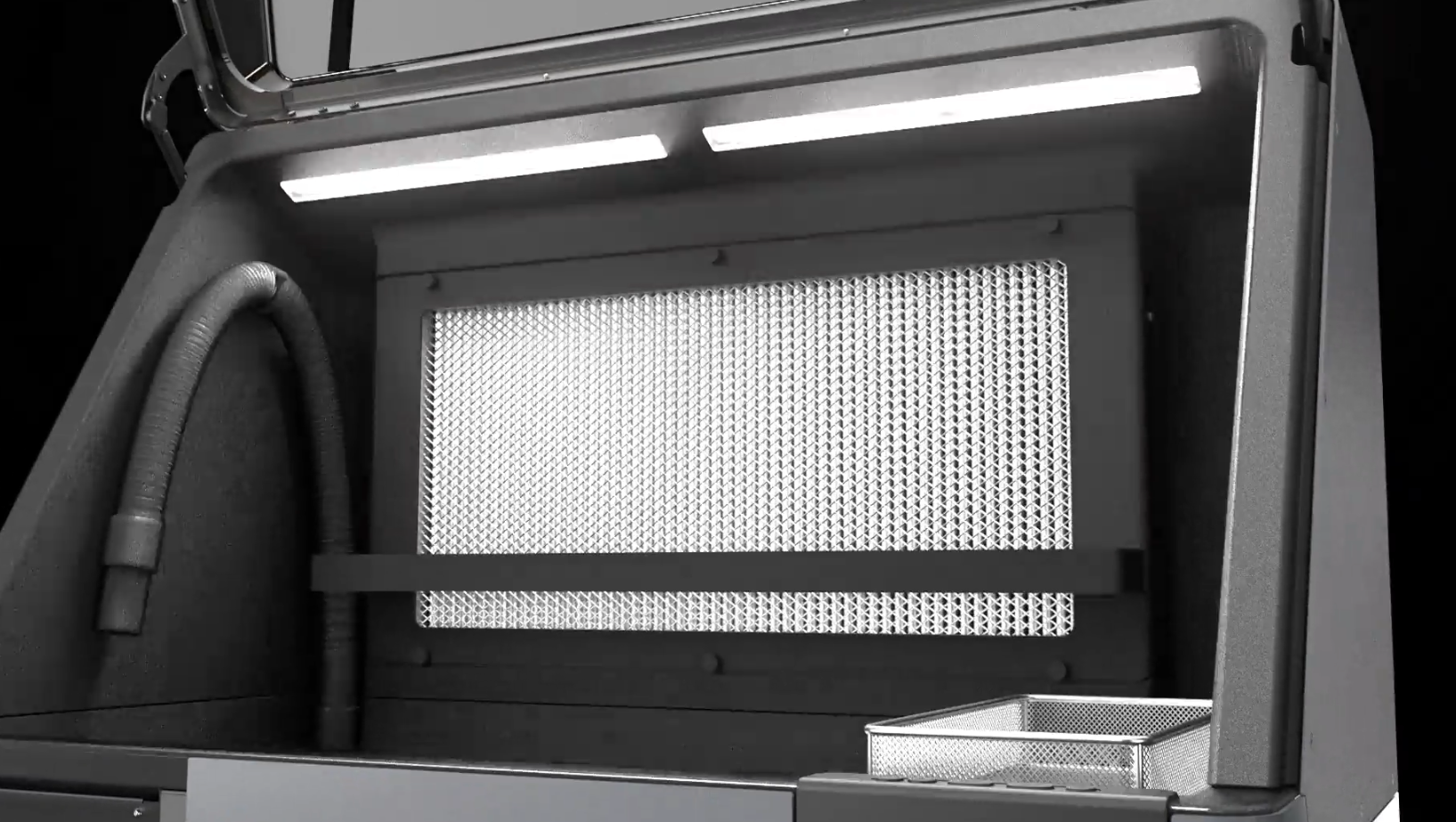
The Fuse Sift uses two banks of LEDs to light the workspace during use. If one or both of these LED modules are faulty or malfunctioning, it will be more difficult to see your printed parts while you post-process them.
Use this guide to replace the Fuse Sift workspace lights.
Required Supplies:
Formlabs:
Third-party:
Estimated time: 15–20 minutes
Preparing the workspace
Overview: Prepare the Fuse Sift and your workspace for replacing the workspace lights.
Step 1: Prepare the workspace
To replace the workspace lights, you will need to access the back and top of the Fuse Sift. Clear enough space around the machine to do so safely.
Step 2: Unplug the Fuse Sift
Power off the Fuse Sift, then unplug the power cable from the rear panel.
Danger:
Performing this procedure on the Fuse Sift while it is plugged in increases the risk of electric shock. After disconnecting the power from the Fuse Sift, wait at least five minutes before servicing.
Removing the top enclosure panel
Overview: Uninstall the top enclosure panel to access the workspace lights.
Step 1: Unscrew the top enclosure panel mounting screws
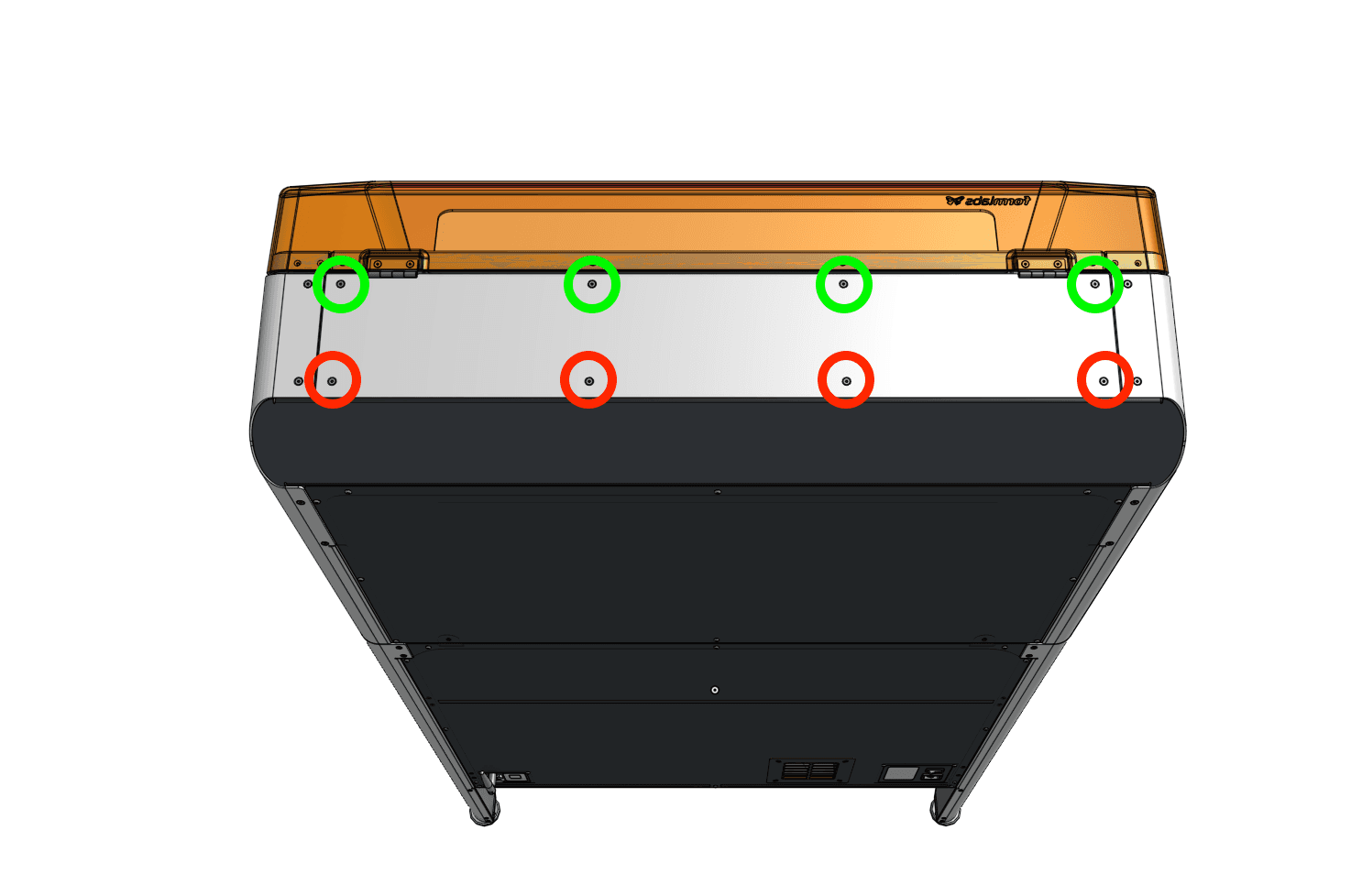
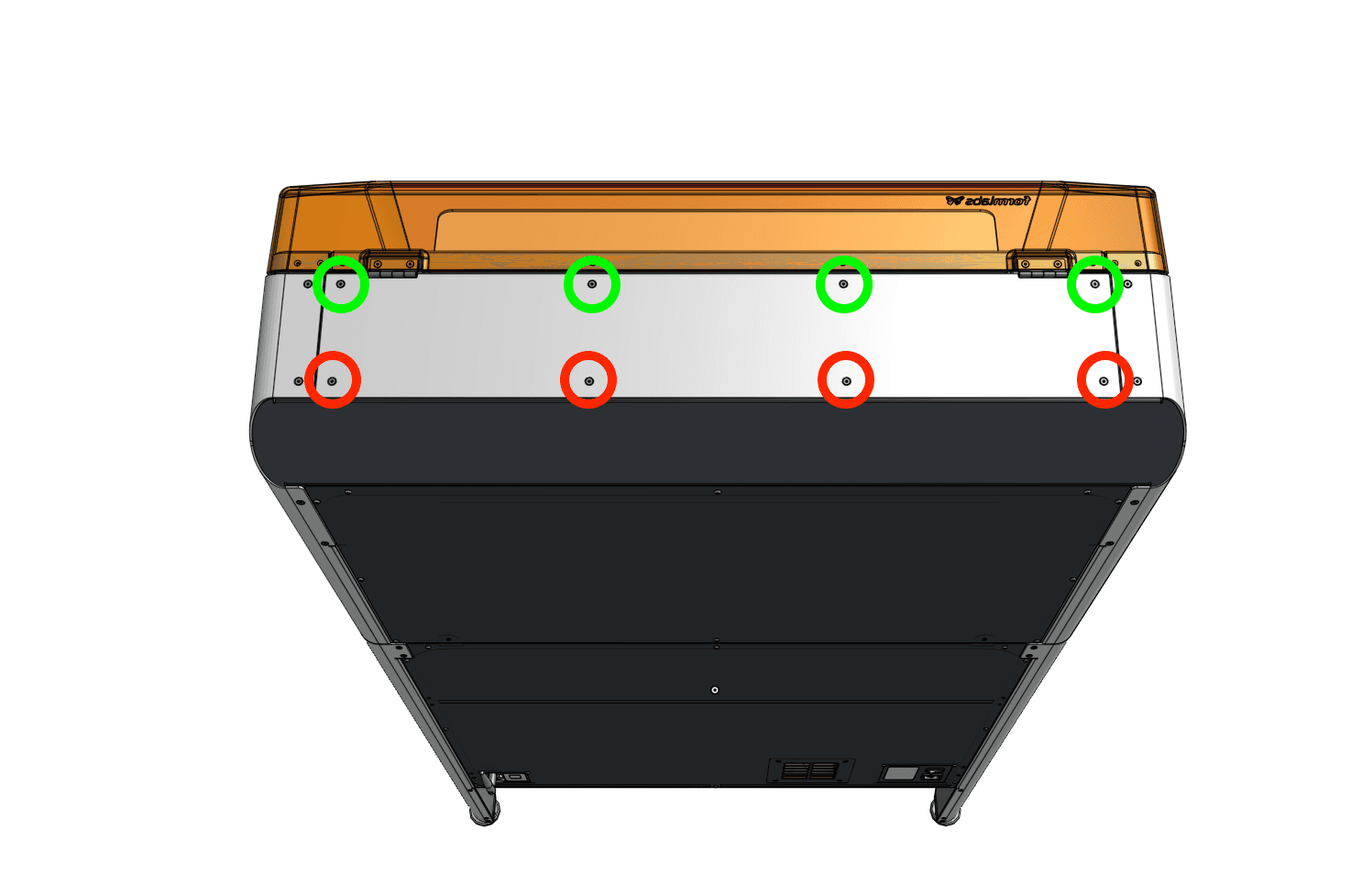
Using a 2.5 mm hex driver, loosen and remove the eight countersunk screws securing the top enclosure panel to the Fuse Sift. The four screws closer to the hood are 10.0 mm, while the four closer to the back of the Fuse Sift are 8.0 mm. Set the screws aside.
Hold onto the panel to prevent it from falling when you remove the last screw.
Step 2: Remove the top enclosure panel
Lift the top enclosure panel off of the Fuse Sift and set it aside.
Removing the LED board(s)
Overview: Uninstall one or both of the LED boards that light the Fuse Sift workspace.
Step 1: Disconnect the workspace light cables
If you have not already, put on an antistatic wristband and connect it to a known ground point. Do not connect the wristband any surfaces that are powder-coated or painted.
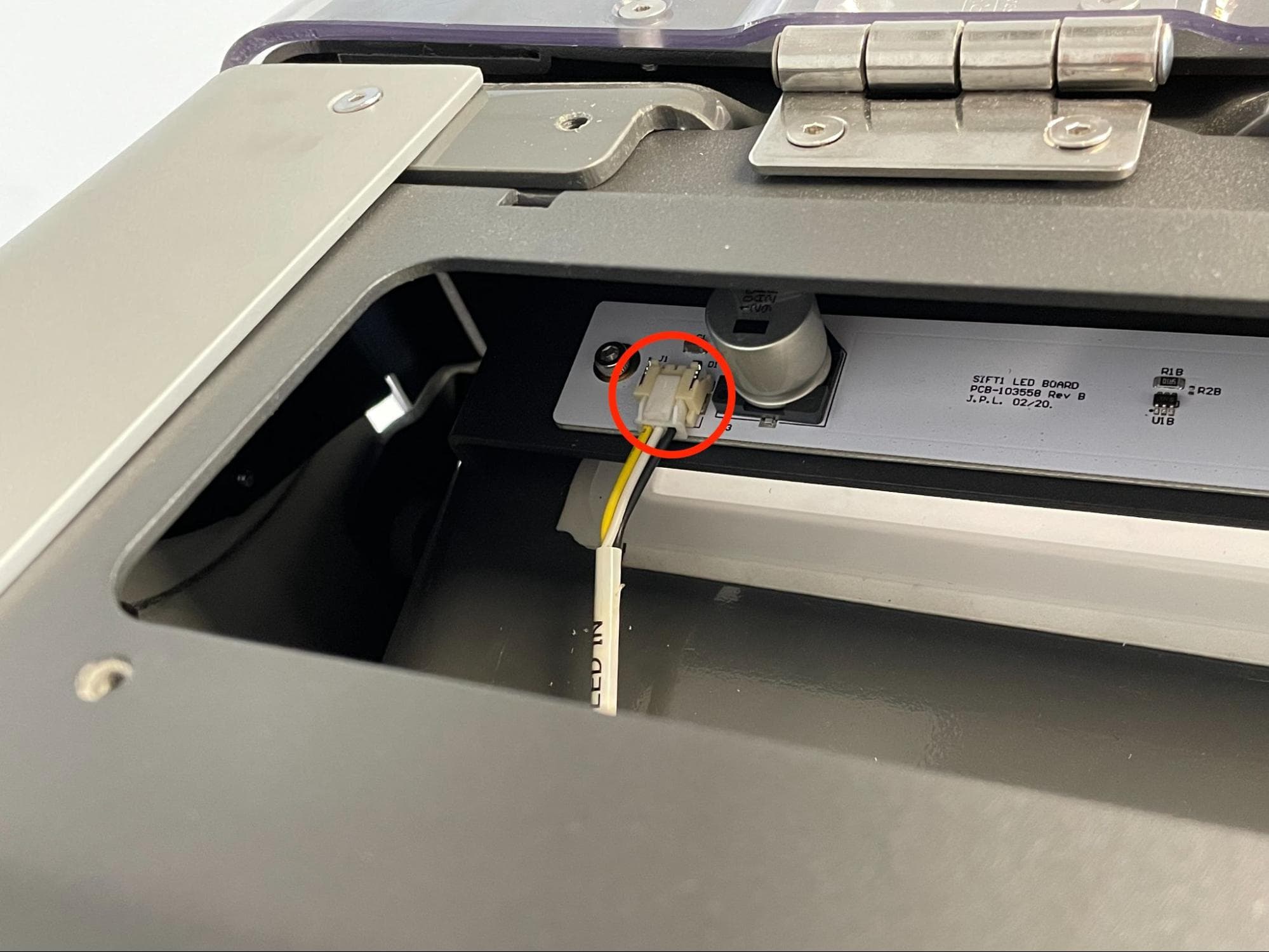
Left-hand board: LED IN
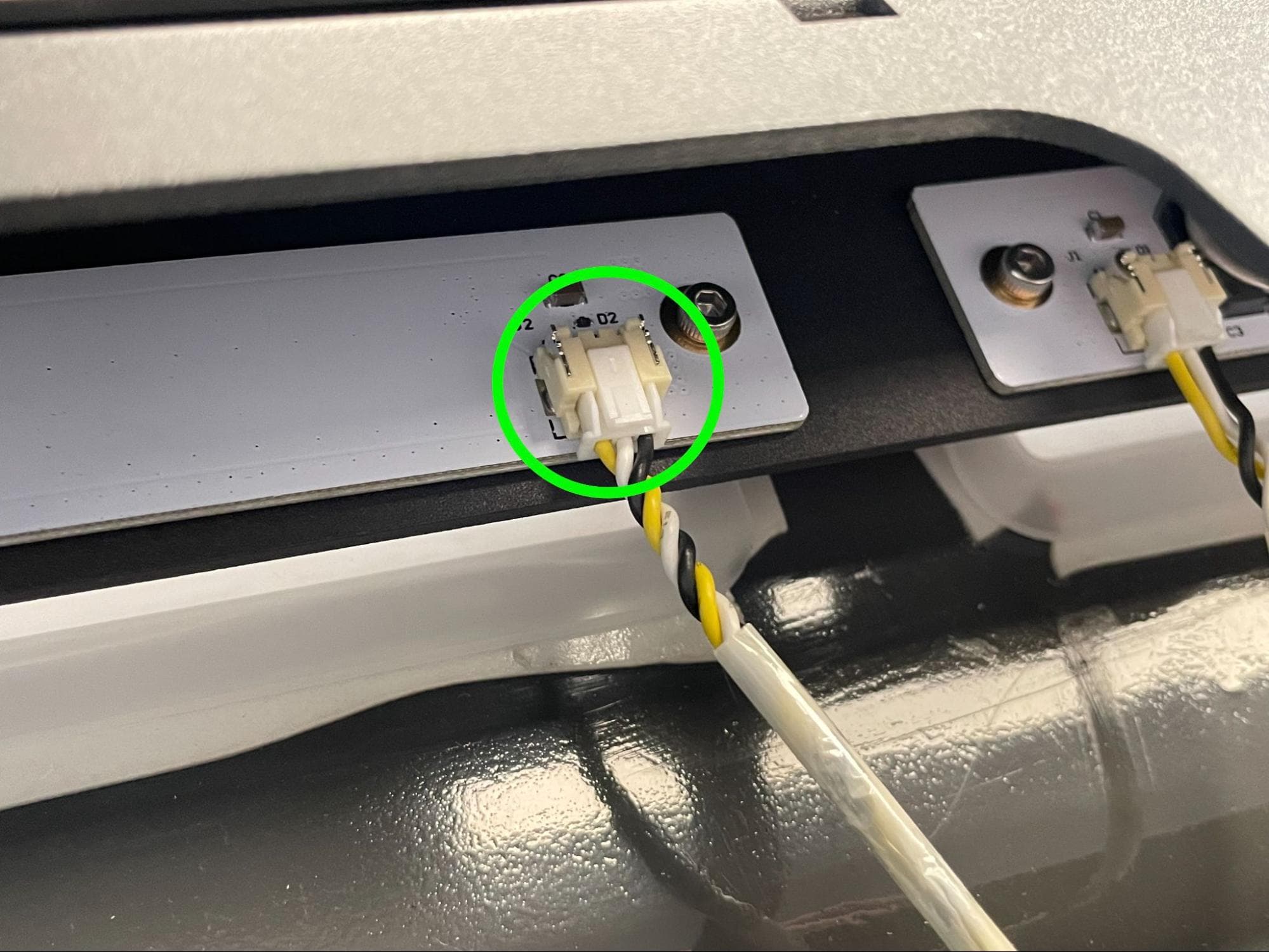
Left-hand board: LED OUT
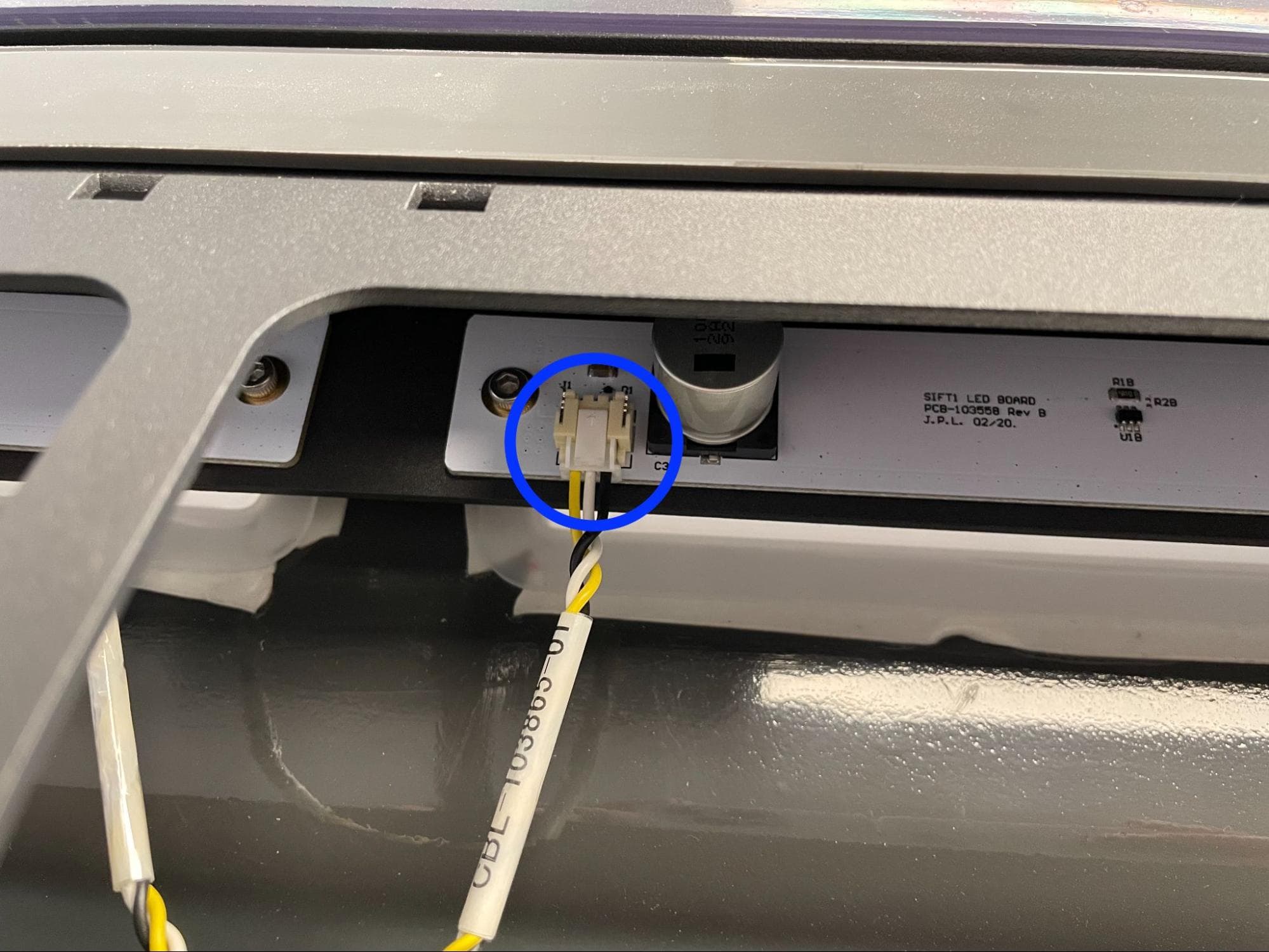
Right-hand board: CBL-103865-01
Disconnect the cables from the LED board or boards you are replacing. When looking from the back of the machine:
Step 2: Unscrew the workspace light mounting screws
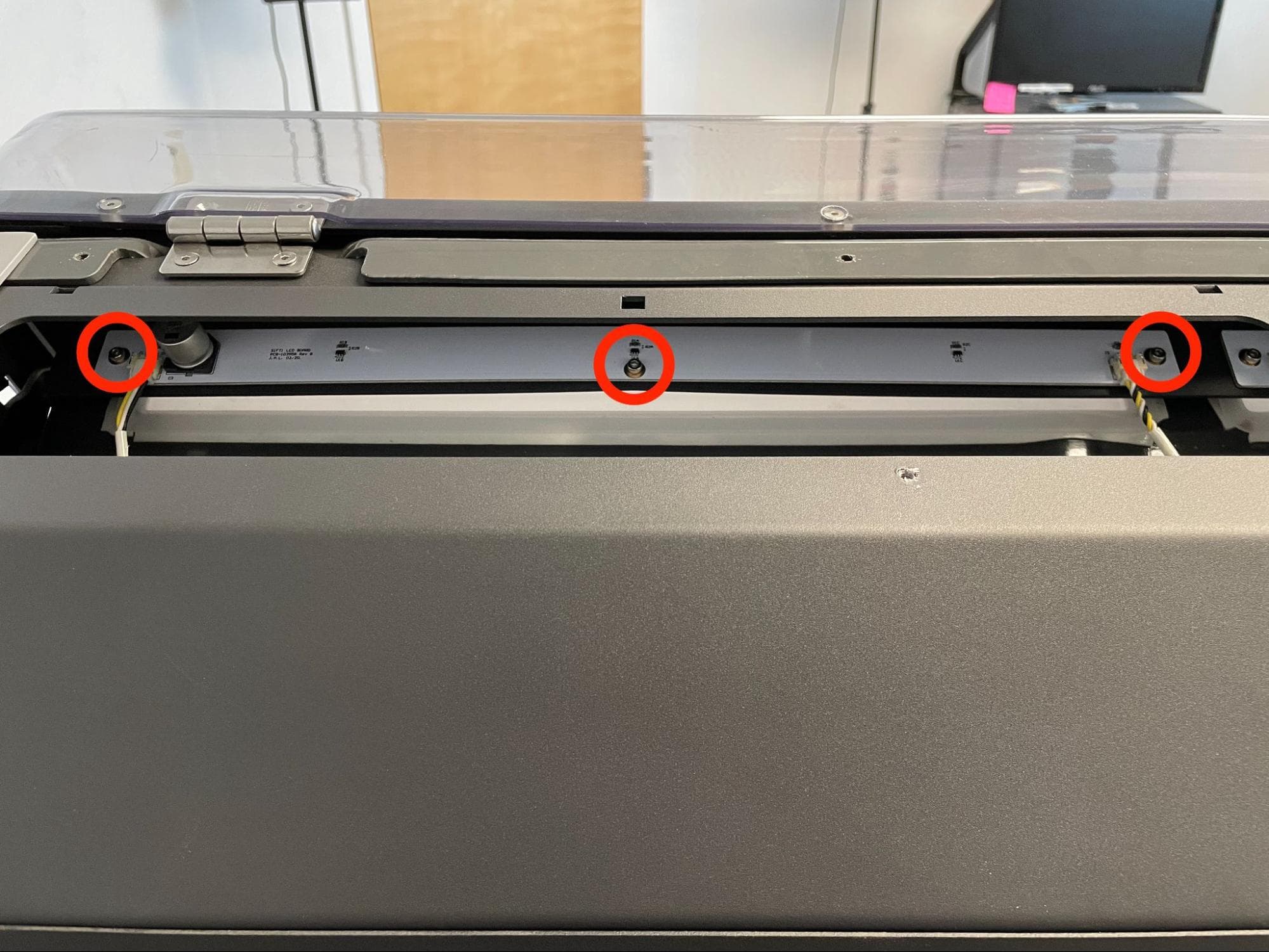
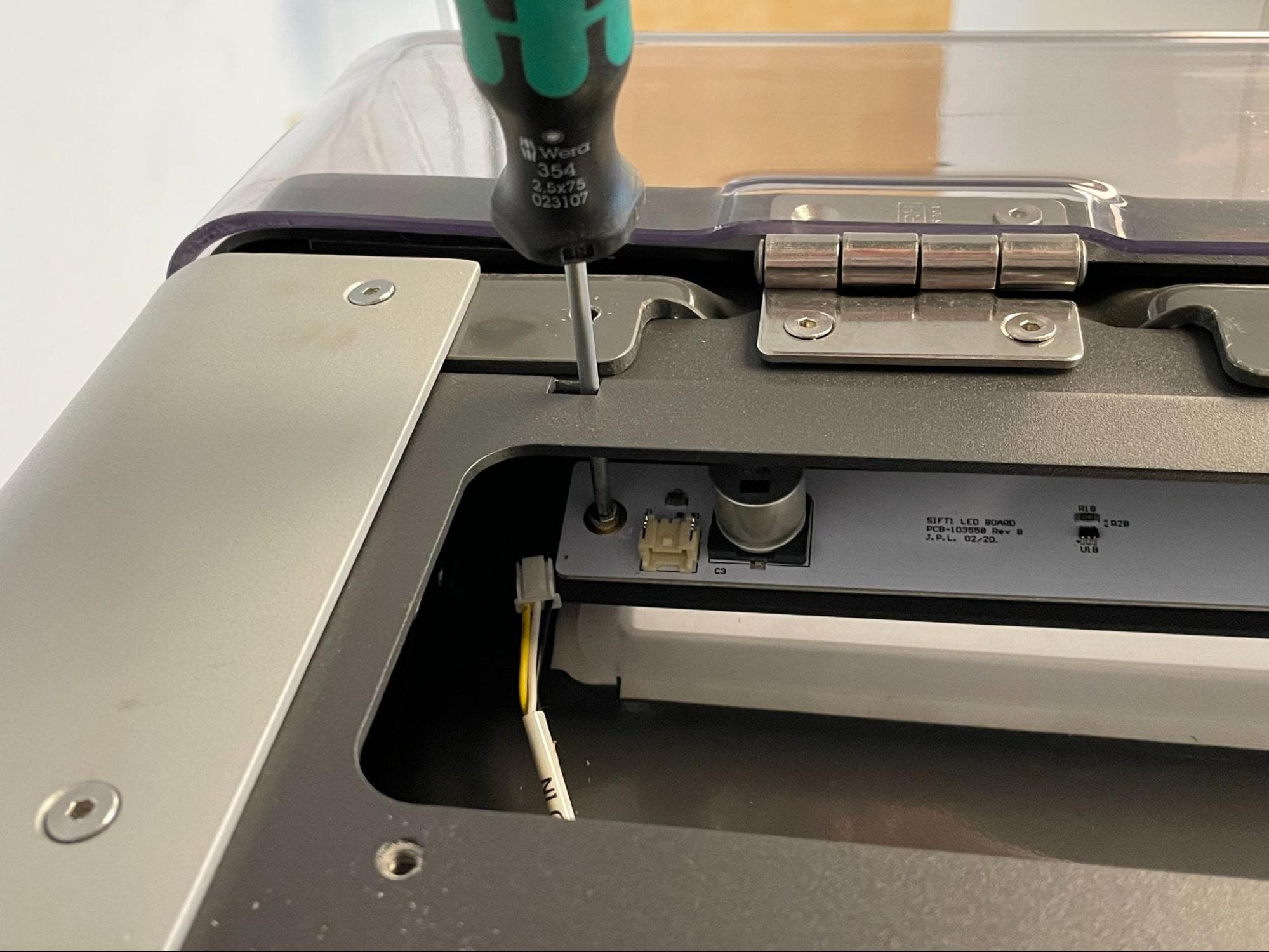
Using a 2.5 mm hex driver loosen and remove the three 10.0 mm M4 cap screws securing the LED board you are replacing the Fuse Sift. Insert the driver through the access port above each cap screw. Do not use an Allen key, as it may fall into the back of the machine. Set the screws aside. If you are replacing both sets of LEDs, repeat for the other board.
Step 3: Remove the LED board
Remove the LED board from the Fuse Sift and set it aside for disposal with electronic waste. If you are replacing both sets of LEDs, repeat for the other board.
Installing the replacement LED board(s)
Overview: Mount, secure, and connect the replacement LED board(s).
Step 1: Mount the new LED board
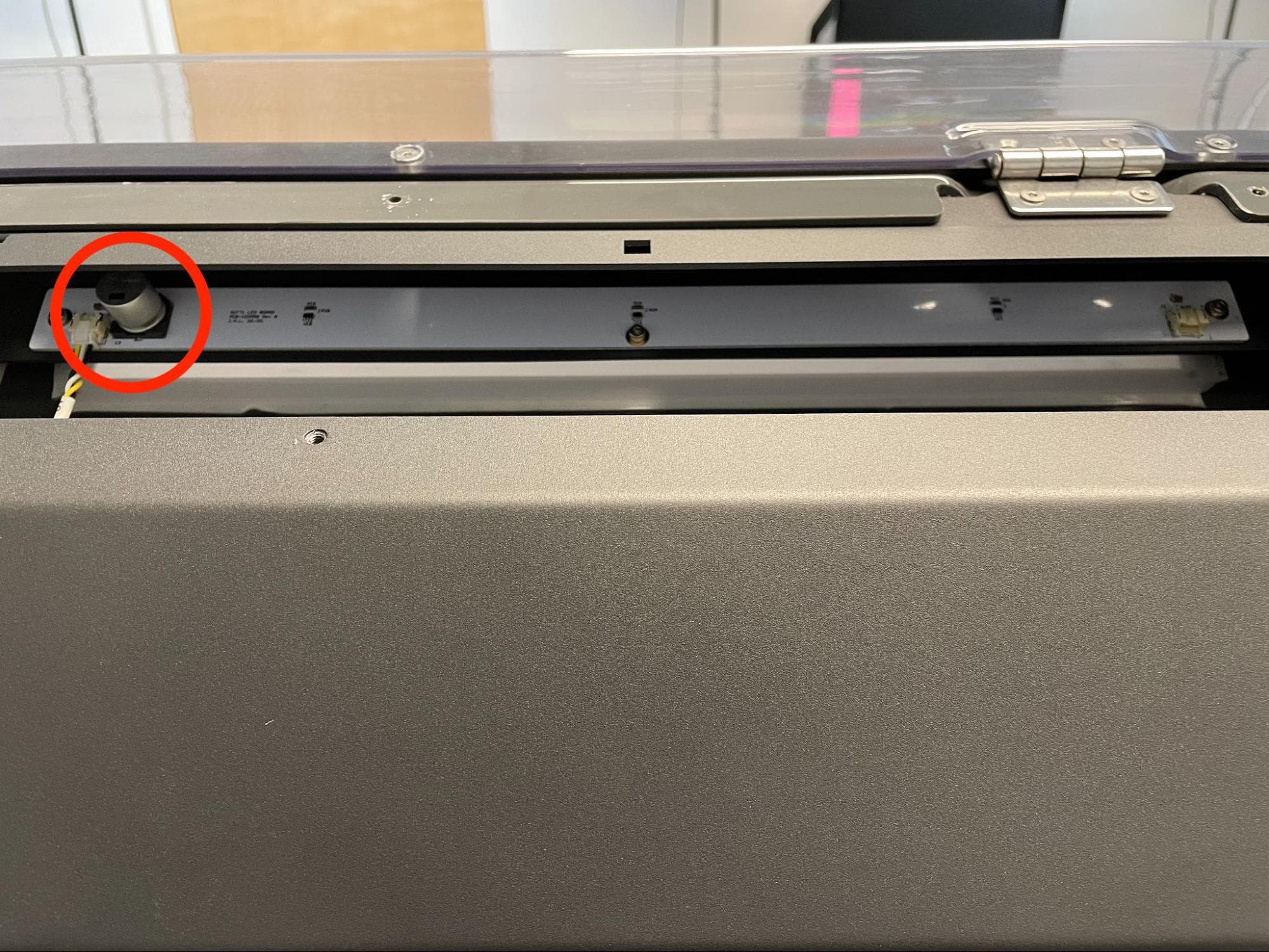
Position the new LED board with the large round capacitor on the left. Place it on its mounting surface in the Fuse Sift, aligning the three screw holes in the board with the corresponding holes in the Fuse Sift. If you are replacing both sets of LEDs, repeat for the other board.
Step 2: Secure the LED board
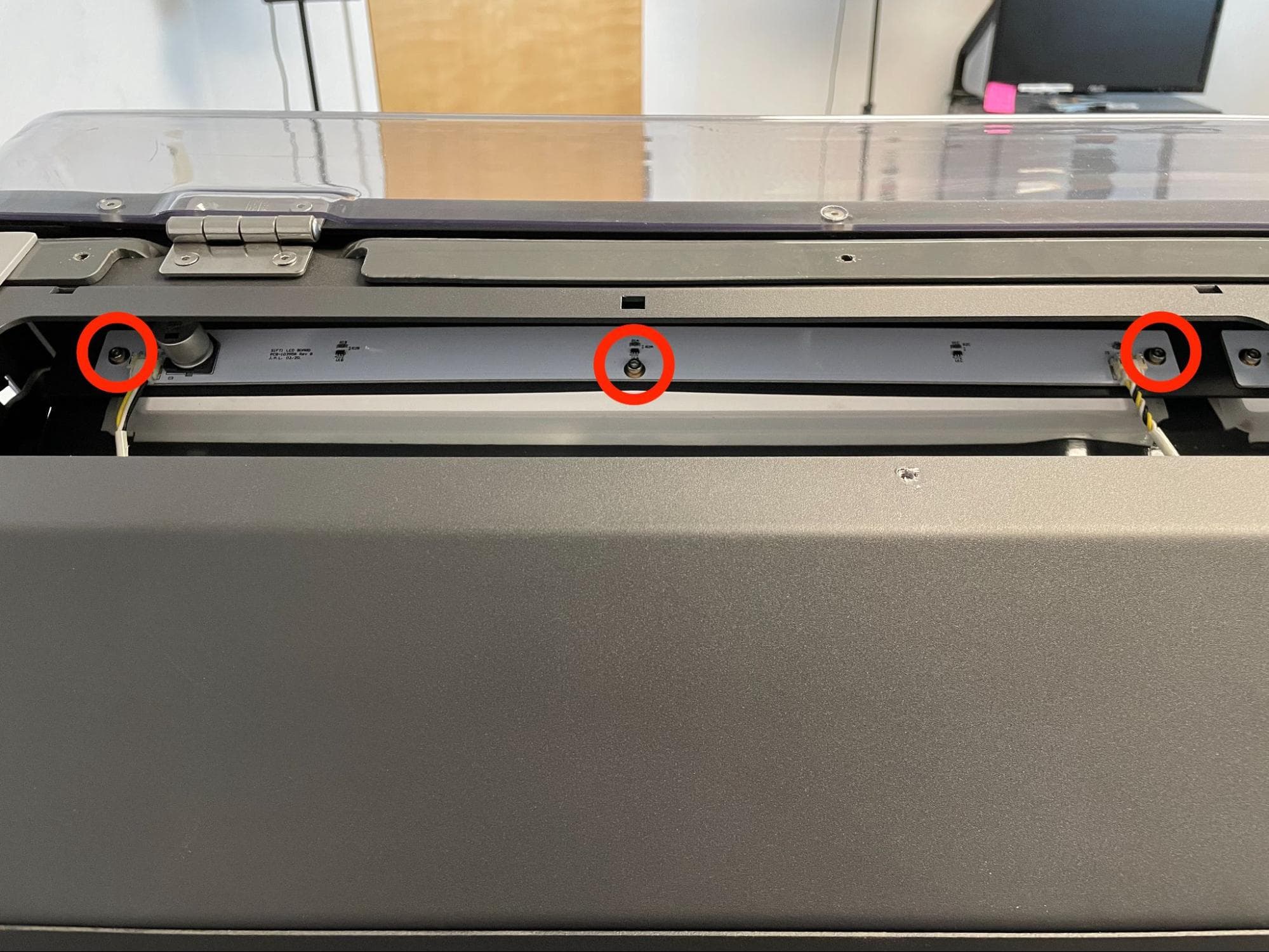
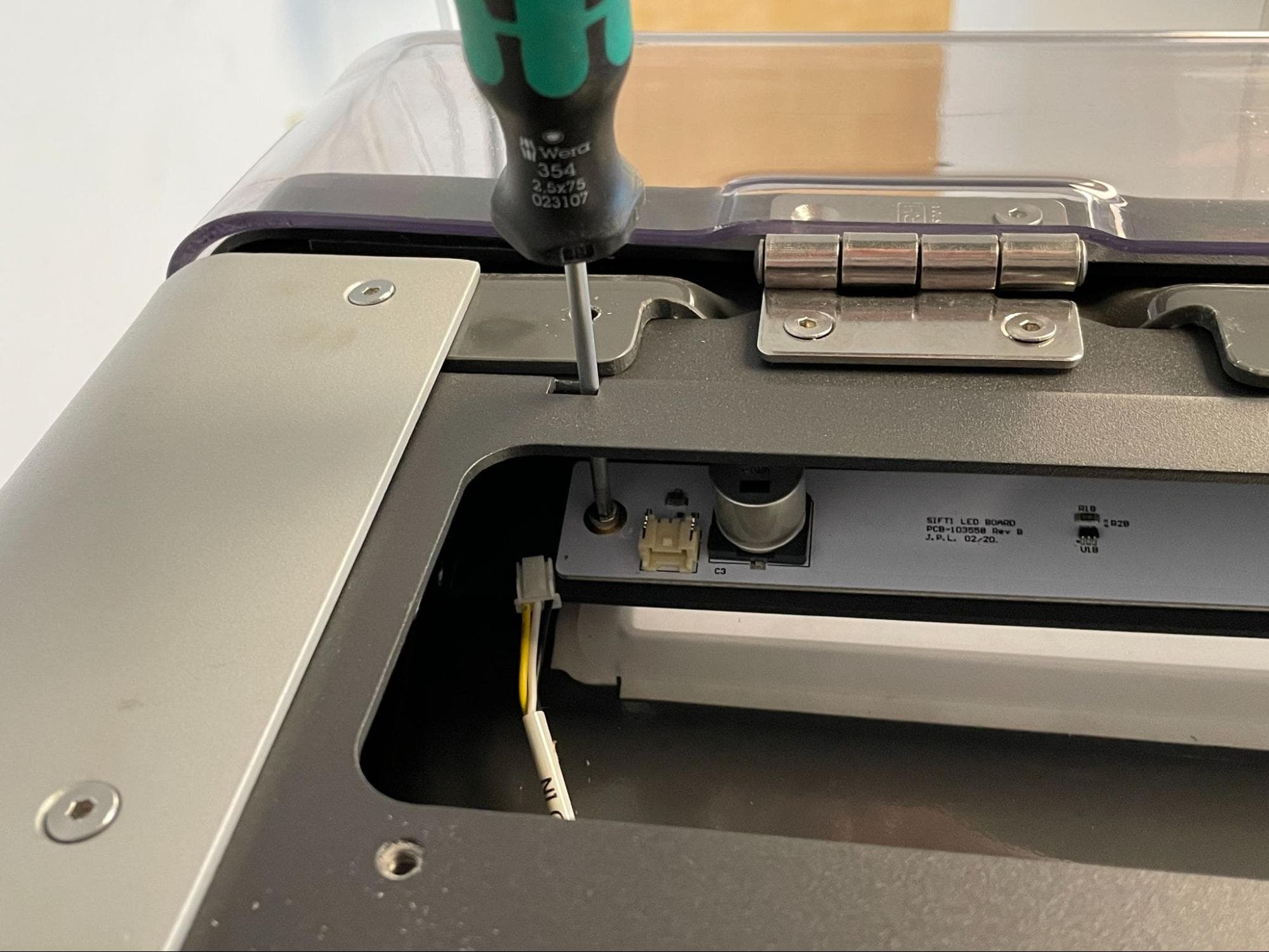
Apply a small dab of Loctite 243 or equivalent threadlocker to each LED board mounting screw. Thread one 10.0 mm M3 cap screw into the three screw holes in the LED board. Insert a 2.5 mm hex driver through the access port above each screw and tighten until snug. If you are replacing both sets of LEDs, repeat for the other board.
Step 3: Connect the workspace light cables
Left-hand board: LED IN
Left-hand board: LED OUT
Right-hand board: CBL-103865-01
Connect the cables to the new LED board(s). When looking from the back of the machine:
Reinstalling the top enclosure panel
Overview: After replacing the workspace lights, mount and secure the top enclosure panel.
Step 1: Mount the top enclosure panel
Place the top enclosure panel on top of the Fuse Sift, aligning the eight screw holes in the panel with the corresponding screw holes in the Fuse Sift.
Step 2: Secure the top enclosure panel
Apply a small dab of Loctite 243 or equivalent threadlocker to the eight top enclosure panel mounting screws. Thread one 8.0 mm screw into the four screw holes closer to the rear of the machine. Thread one 10.0 mm screw into the four screw holes closer to the hood. Using a 2.5 mm hex driver, tighten until snug.
Finalizing the repair
Overview: After installing the new workspace lights, test the repair.
Step 1: Power on the Fuse Sift
Reconnect the Fuse Sift to its power source. Flip the power switch to the ON position.
Step 2: Check the workspace lights
Turn on the workspace lights using the control panel or touchscreen. Check that both sets of LEDs turn on. Contact Formlabs Support or your certified service provider to share the results of the procedure.