Note:
Material usage and printer activity is only tracked for printers registered to a user’s Formlabs account.

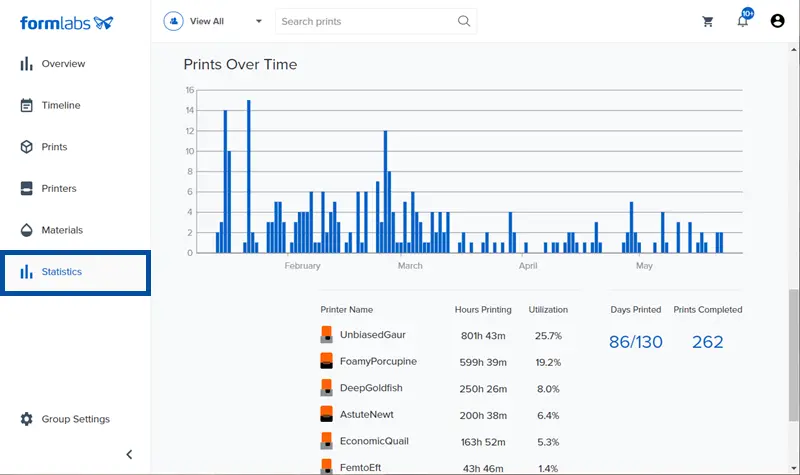
Dashboard collects print, material, and success rate data for all printers registered to an account. The Statistics page displays a breakdown of material usage and printer activity over a selected time frame.
Note:
Material usage and printer activity is only tracked for printers registered to a user’s Formlabs account.
Viewing material usage for printers
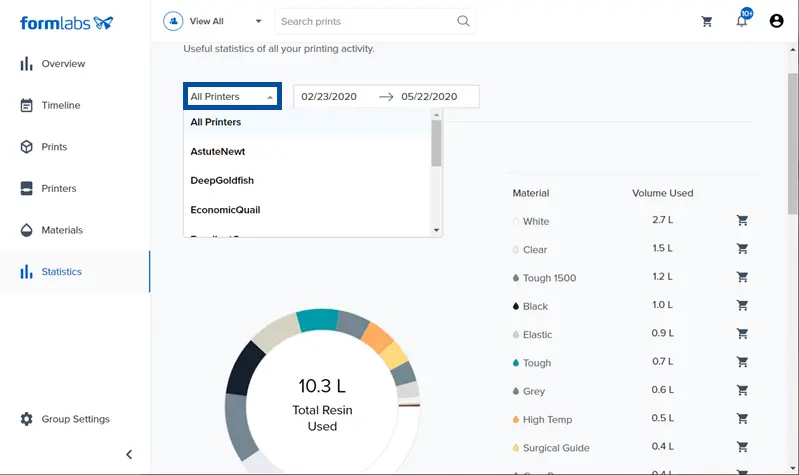
Once registered, Dashboard shows how much of each material is used on a printer. Click Statistics to find a breakdown of how much material is used across all printers, or just one printer in particular, over a select period of time.
Viewing printer activity over time
Check printer activity for all registered printers, or just a single printer, over a set period of time.