

Cleaning the Fuse X1 gas intake filter
Cleaning the Fuse X1 gas intake filter
Any contaminants from the compressed gas supply are caught by the gas intake filter. Depending on whether there is any filtration upstream of the printer, this filter may clog periodically or never at all. Clean the gas intake filter bianually.
To clean the gas intake filter:
-
Disconnect the gas supply from the printer.
-
Using an 8 mm hex driver, unlatch and open the air handling access door, on the right side of the printer.
-
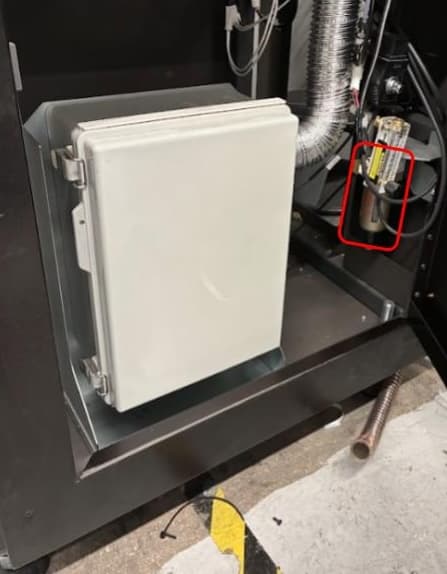
Locate the gas intake filter, on the right side of the air handling cabinet.
-
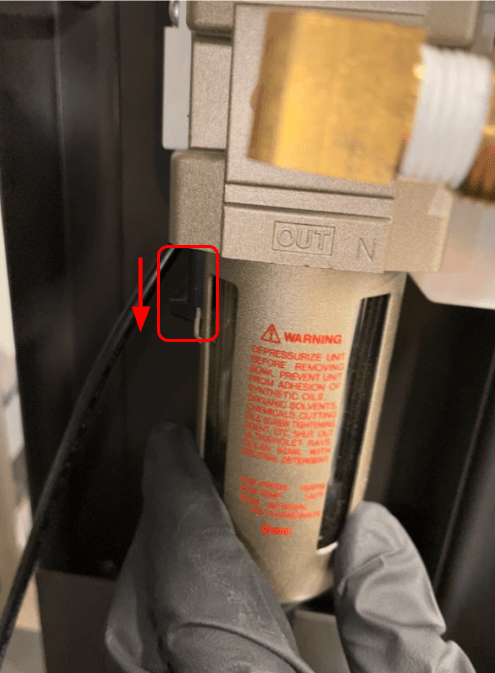
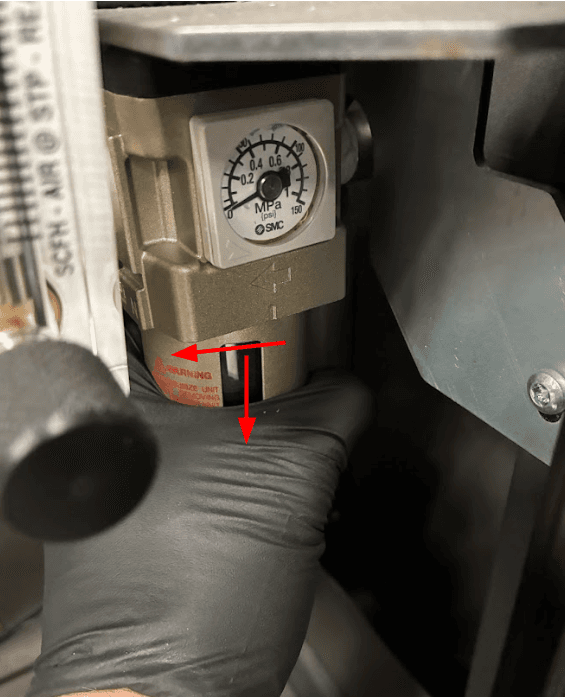
Push the slider downwards, twist, and pull to remove the bowl from the rest of the filter.
-
Dump any moisture accumulated in the bowl. Rinse the bowl with water if needed.
-
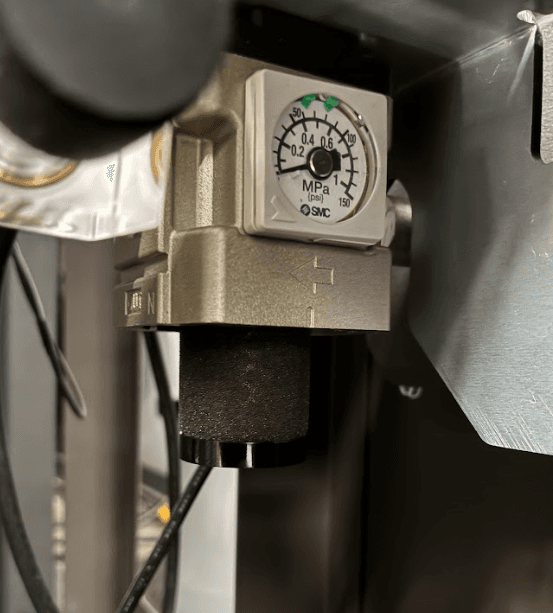
Use a paper towel or cloth to wipe contaminants from the surface of the foam filter.
-
Reinstall the bowl, ensuring it locks into place.
-
Close the air handling access door. Latch it shut using an 8 mm hex driver.
-
Reconnect the gas supply to the printer.