

Resin tank types (Form Studio 1)
Resin tank types (Form Studio 1)
The Form Studio 1 has two types of resin tanks. Select the resin tank type that best matches your application and needs for your print.
- Form Studio 1 Resin Tank: Optimized for Form Studio 1 General Purpose resins, yielding fast prints with great detail and surface finish. Not compatible with all Formlabs resins (such as the Tough family of resins) or third-party resins.
- Form Studio 1 Resin Tank Pro: Optimized for material compatibility. Can print with all supported Formlabs resins. Required for printing with Open Material Mode, which is included with the Form Studio 1.
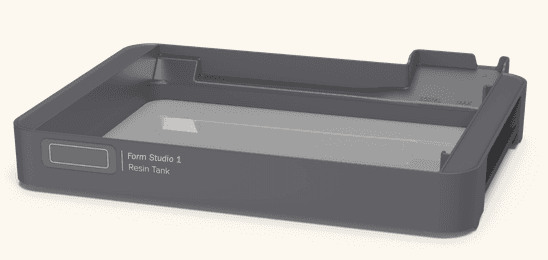
Form Studio 1 Resin Tank
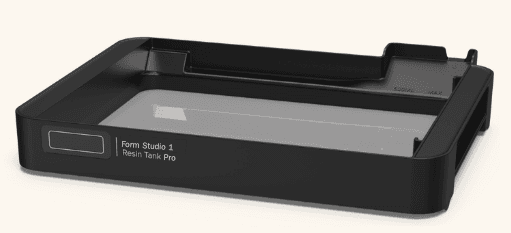
Form Studio 1 Resin Tank Pro
Checking the resin tank type
Form Studio 1 resin tanks are labeled on their front with their type. Otherwise, to check the version of a tank that is already in a printer:
- Tap the printer icon. The printer’s status screen appears. The resin tank section of the screen displays the tank type.
Form Studio 1 Resin Tank
- SKU: RT-FST1-A-01
- Optimized for chemical compatibility with Alpha Resins, Flexible 80A Resin V2, and True Cast Resin
- Not compatible with all Formlabs resins (such as Tough 1500 Resin V2)
- Not compatible with third-party resins
Form Studio 1 Resin Tank Pro
- SKU: RT-FST1-B-01
- Optimized for material compatibility
- Can print with all supported Formlabs resins, including Tough 1500 Resin V2
- You must use Open Material Mode to print with an Alpha Resin on the Form Studio 1 Resin Tank Pro. While this is possible, it is not recommended as the performance of Alpha Resins with the Resin Tank Pro is not as good as with the standard Resin Tank.
- Required for printing with Open Material Mode