WHITE PAPER
Checking the cartridge scale readings (Fuse Sift)
Checking the cartridge scale readings (Fuse Sift)
While dispensing powder, the Fuse Sift monitors the two load cells in the cartridge drawer to ensure that the cartridge is filled properly. If one or both of these weight sensors are inaccurate, the machine will not fill the cartridge.
The Fuse Sift’s touchscreen may display the Filling Unexpected or Load Cell Tare Invalid error messages if the machine encounters any abnormalities.
Taring the cartridge scale
If the Fuse Sift displays an error message related to the cartridge weight, tare the powder cartridge scales:
- Update your Fuse Sift’s firmware to the latest version.
- Remove the powder cartridge from the cartridge drawer.
- On the touchscreen, tap Settings > Maintenance > Tare Fill Scales and follow the onscreen instructions.
- Insert an empty powder cartridge into the drawer.
- On the touchscreen, check that the Refresh Rate is set to the desired refresh rate.
- Tap Fill. The Fuse Sift dispenses powder into the inserted cartridge.
Checking the cartridge scale readings
If taring the cartridge scales does not resolve the issue, check the scale readings when an empty cartridge is inserted and when the cartridge drawer is completely empty:
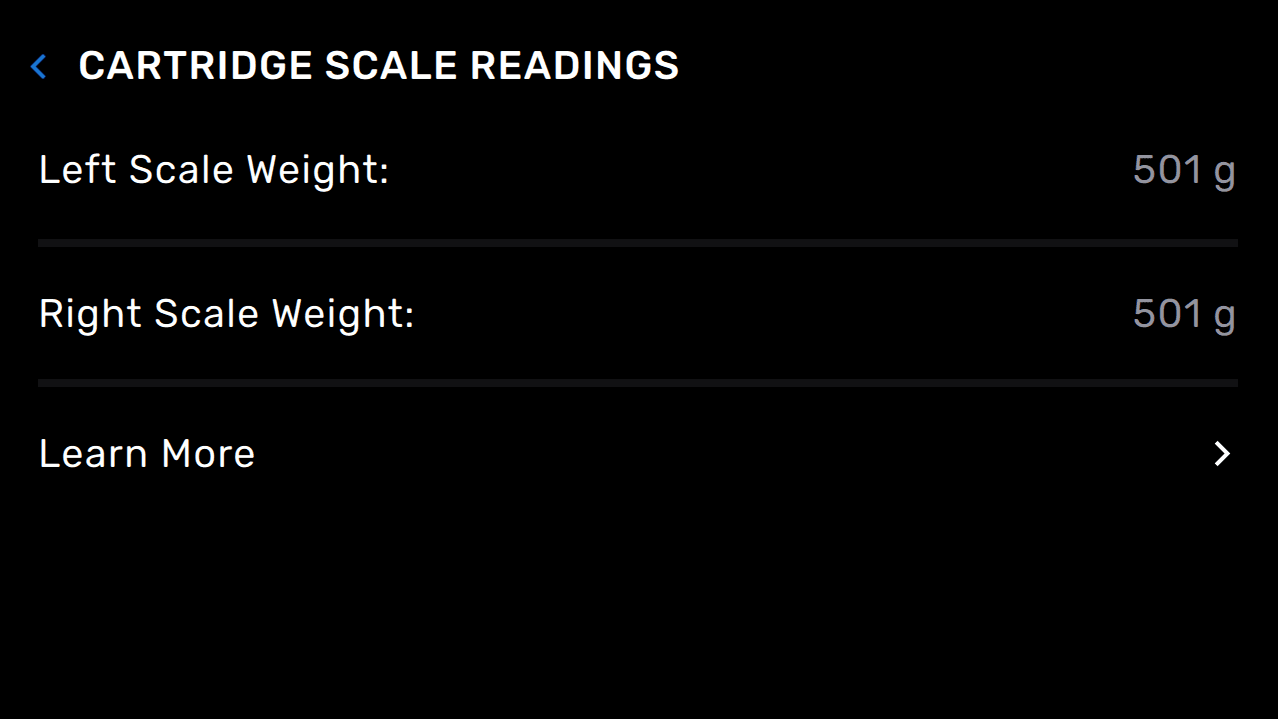
- On the touchscreen, tap Settings > System > Cartridge Scale Readings. The left and right scales should register between 500–600 g (+/- 100 g) each (for roughly 1 kg in total) when an empty powder cartridge is in the cartridge drawer. Take a photo of the touchscreen.
- Remove the empty powder cartridge.
- On the touchscreen, tap Settings > System > Cartridge Scale Readings. The left and right scales should register 0 g when the cartridge drawer is empty. Take a photo of the touchscreen.
- Check that the scales are properly connected and try again.
- Disconnect the Fuse Sift from its power source. Wait at least five minutes before proceeding.
- Open the cartridge drawer.
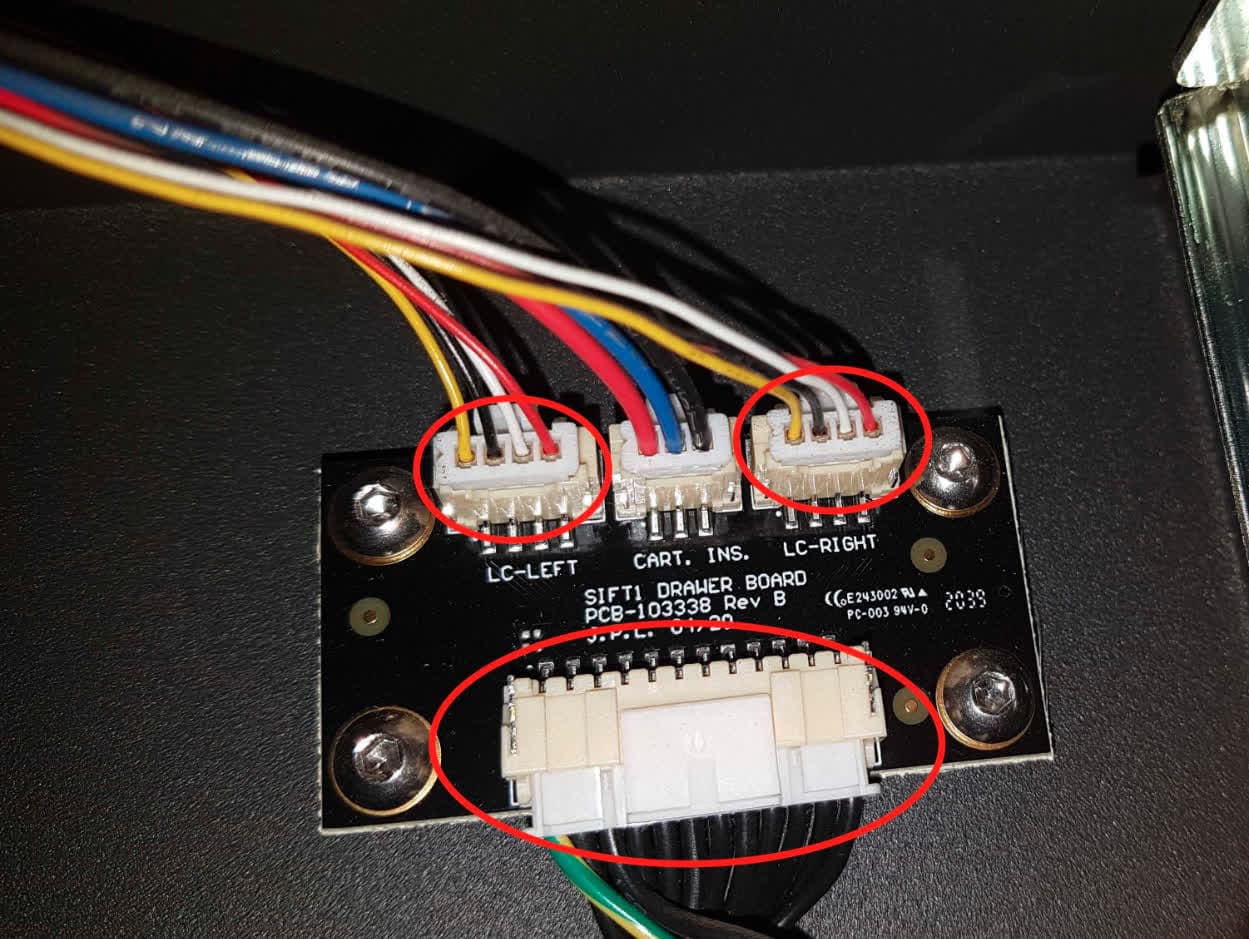
- Locate the small circuit board behind the cartridge drawer. Unplug and reseat the three cables shown here. Squeeze the plastic tab to unplug each connector; do not pull on the wires themselves.
- Contact Formlabs Support or your certified service provider. Share the two photos of the cartridge scale readings and Fuse Sift diagnostic logs along with other relevant observations and details.