
WHITE PAPER
Form Cure V1 does not turn on
Form Cure V1 does not turn on
Damaged or malfunctioning components may cause your Form Cure V1 to fail to power on, or experience display issues. Although these symptoms might seem similar, they usually result from different underlying causes, most often related to the display, motherboard, or power supply.
Symptoms
- Form Cure V1 display does not turn on
- No activity from lights on the Form Cure V1 motherboard
- Form Cure V1 is unresponsive after being powered on
Causes
- Defective display assembly
- The display is not functioning and shows no text. The Form Cure is otherwise operating normally.
- Display cable not seated properly
- Defective motherboard
- Defective power supply
Troubleshooting steps
- Check if the green LED on the power supply is lit.
- If not, try another outlet. If the power supply LED does not light up with any outlet, replace the power supply. Only use the Form Cure V1 with an official Formlabs power supply.
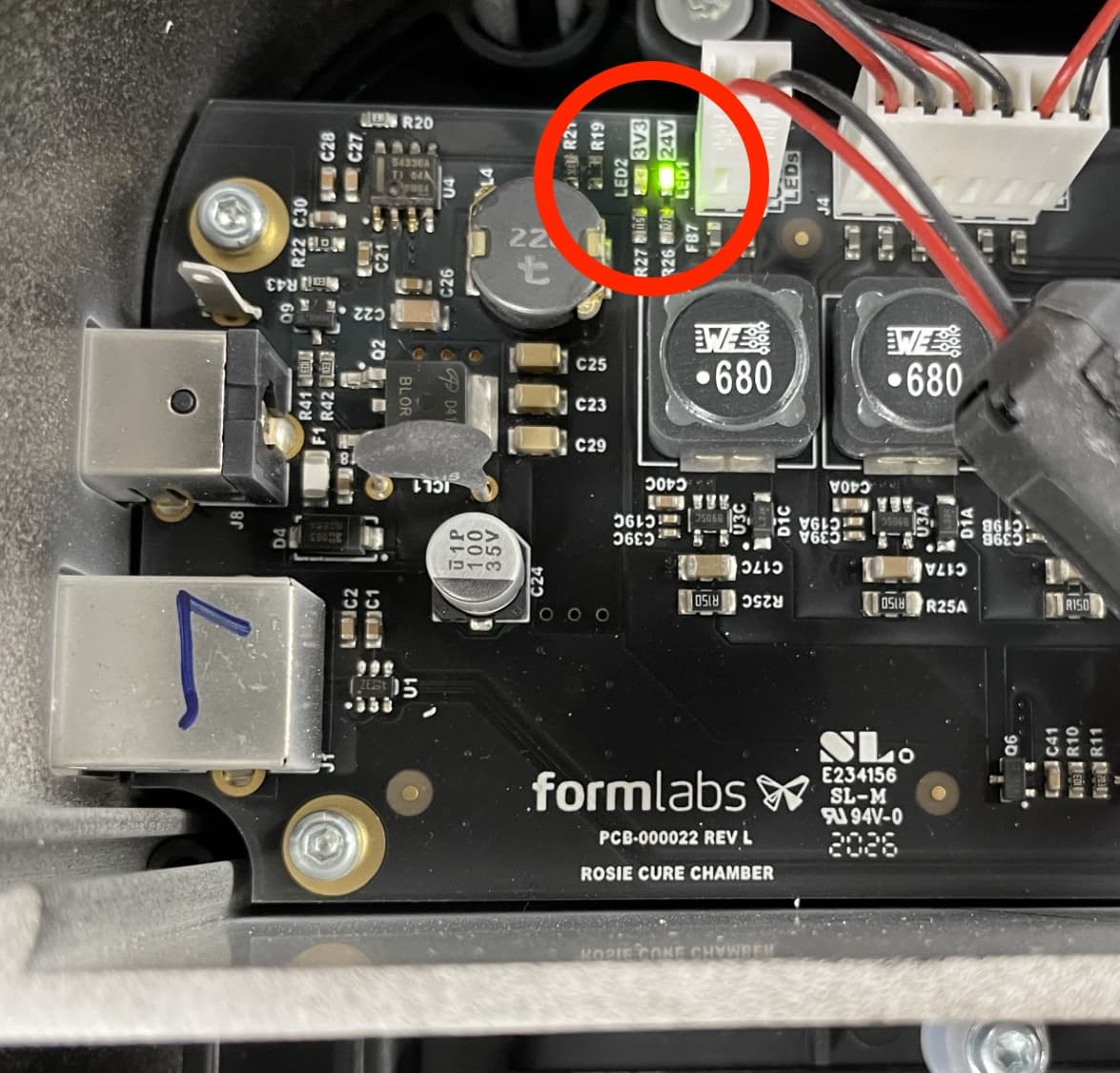
- With the Form Cure connected to power, carefully tilt the machine so its bottom panel is visible. There are two green LEDs on the motherboard which should be visible through the grates. The location of the two LEDs may differ depending on the motherboard revision.
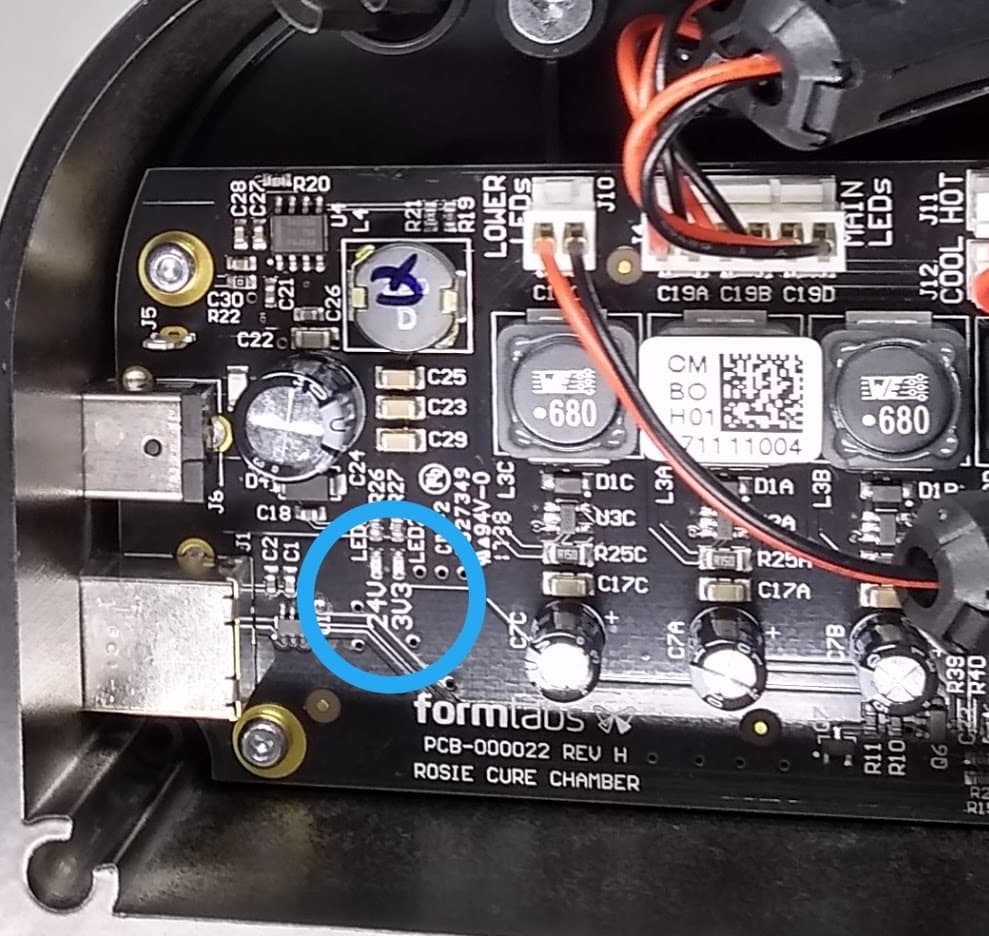
Status LED location on a Form Cure V1 rev. H motherboard
Status LED location on a Form Cure V1 rev. L motherboard
- One LED (labeled 24V) lights up when power successfully reaches the motherboard from the power supply.
- The second LED (labeled 3V3) lights up when power is properly regulated throughout the motherboard.
- If the 3V3 LED is not lit, the motherboard is not regulating power correctly. Contact Formlabs Support or your authorized reseller for options for replacing the unit.
- If both LEDs are illuminated, continue.
- If the screen does not turn on, reseat the ribbon cable. A loose or unplugged ribbon cable can cause the unit to appear turned off.
- Reconnect the unit to power, wait ten seconds, then turn the knob and press it to make a selection.
- If the Form Cure responds (e.g., the lights in the post-curing chamber turn on), replace the display assembly. Follow the instructions in Replacing the Form Cure V1 display assembly. Replacement display assemblies are available for purchase on the Formlabs Store.
- If the Form Cure continues to be unresponsive but the turntable starts moving on its own, the motherboard is likely damaged. Contact Formlabs Support or your authorized reseller for options for replacing the unit.