
Note:
Ensure that the cartridge knife handle is not resting on the cartridge drawer frame. Resting the knife handle on the drawer frame will prevent the Fuse Sift from accurately weighing the cartridge and dispensing powder properly.

The Fuse Sift stores used powder from previous prints as well as fresh powder. Used powder captured by the Fuse Sift can be reused with new powder for future prints. Use the Fuse Sift to refill cartridges for the Fuse 1’s hopper.
Inserting a powder cartridge into the Fuse Sift
The Fuse Sift dispenses powder out of the bottom of the machine. Insert an empty powder cartridge into the drawer below the Fuse Sift before dispensing powder.
To insert a powder cartridge into the Fuse Sift:
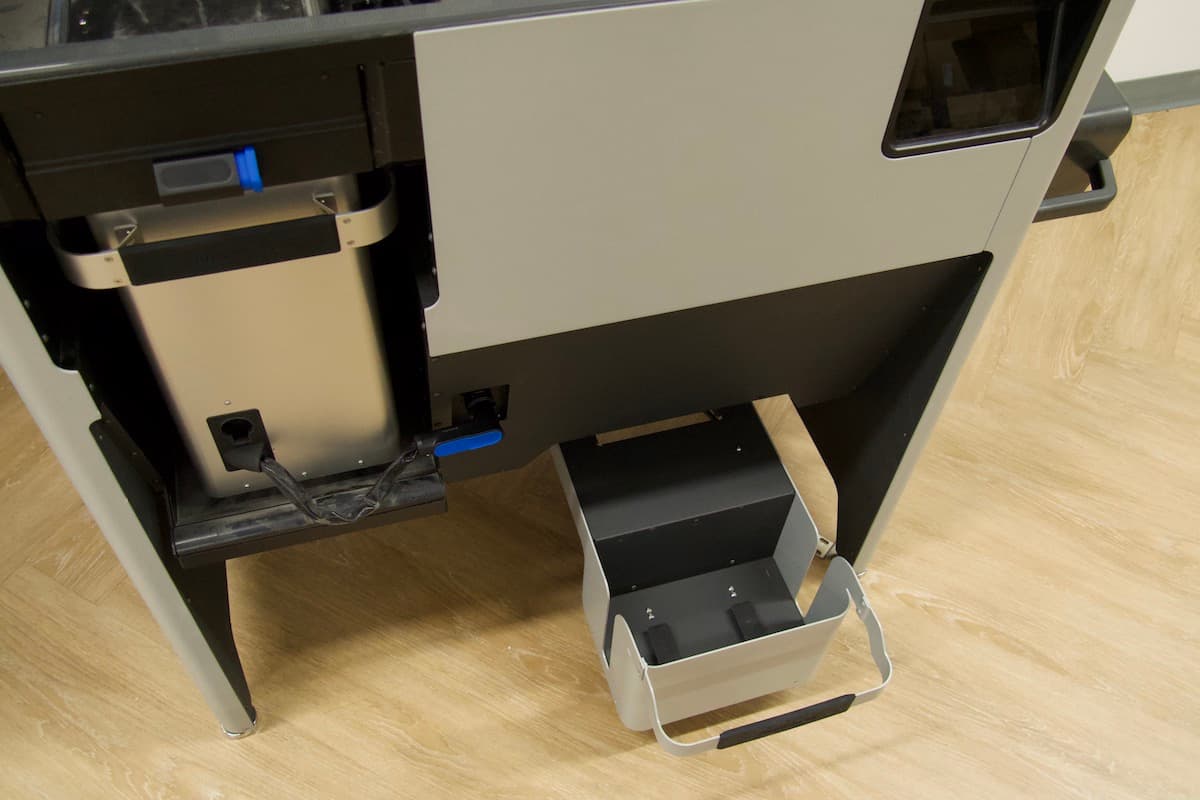
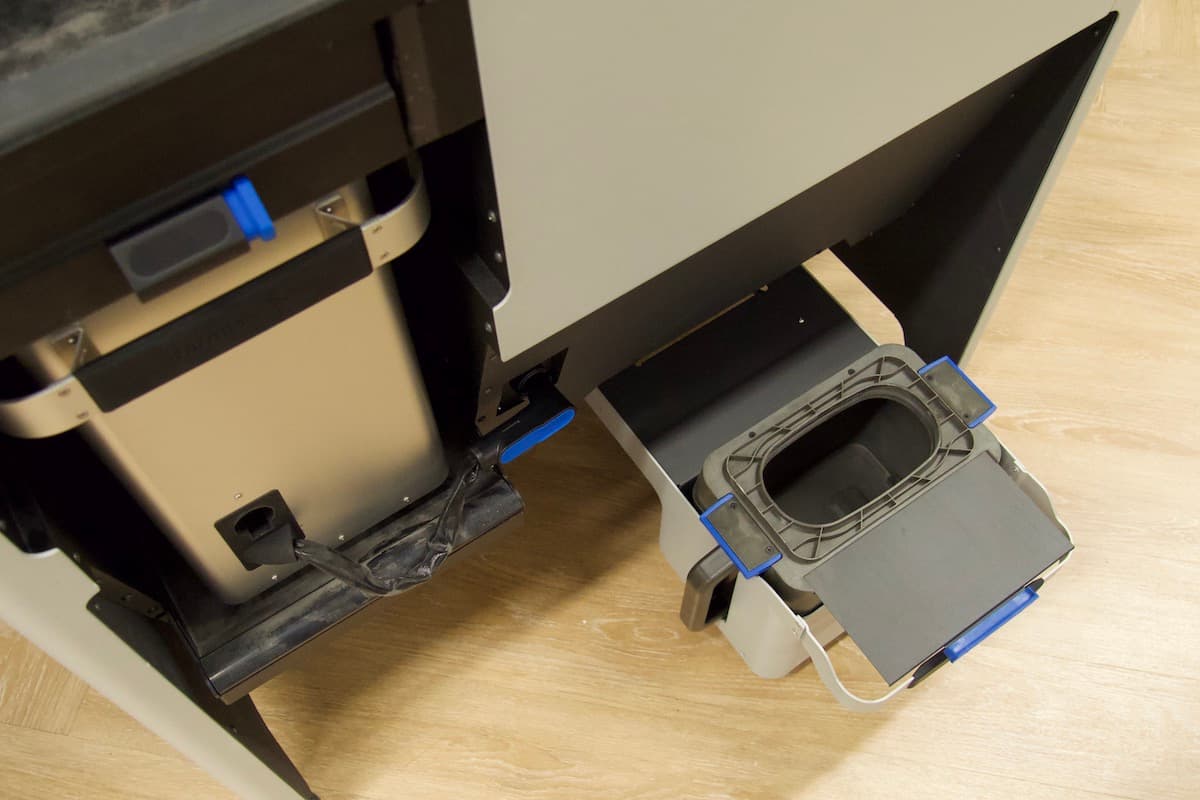
Note:
Ensure that the cartridge knife handle is not resting on the cartridge drawer frame. Resting the knife handle on the drawer frame will prevent the Fuse Sift from accurately weighing the cartridge and dispensing powder properly.
Filling the powder cartridge
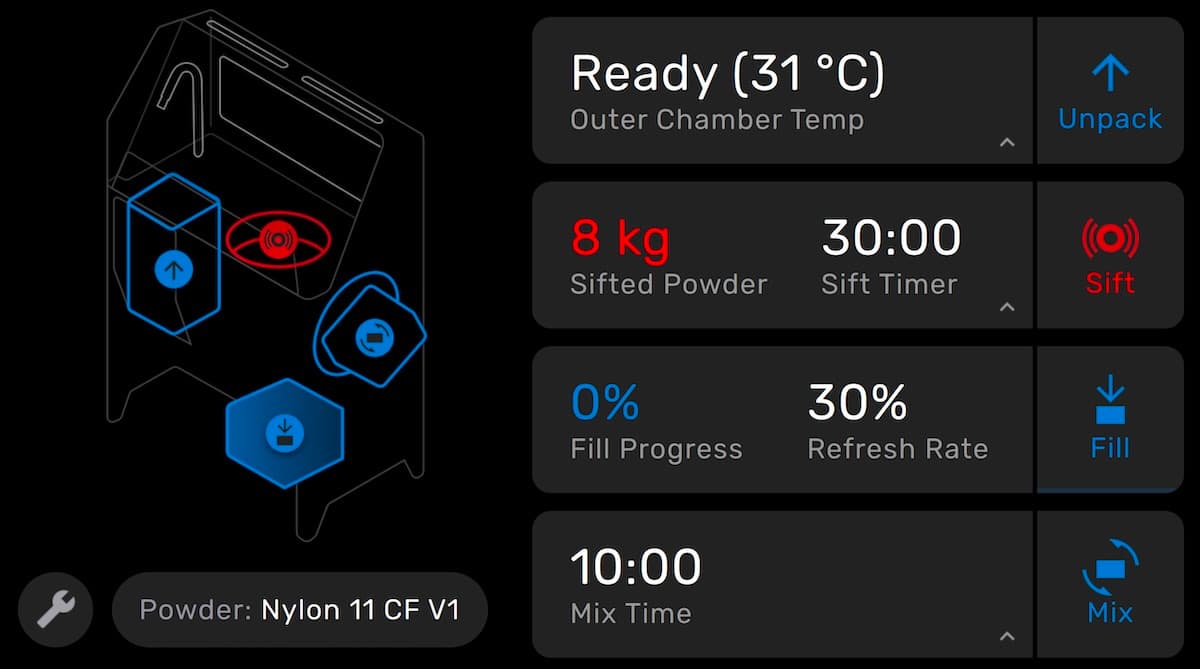
Once you have inserted an empty cartridge into the Fuse Sift, fill it with a mix of fresh and used powder.
To fill the power cartridge:
Notice:
Be sure to select the correct powder refresh rate for your material and print environment. Decreasing the amount of new powder too far may result in print quality defects and increase the likelihood of print failures.
Note:
To partially fill a powder cartridge, tap Fill again to stop dispensing powder.
Mixing the powder in the powder cartridge
After dispensing powder into the cartridge, mix the powder to ensure that it is homogeneous.
To mix the powder in the powder cartridge:

Note:
Formlabs recommends mixing for at least ten minutes to ensure that the powder mixture is homogeneous.
