
Tip:
Fuse 1 generation motor assemblies are available for purchase on the Formlabs Store. If you need to replace a motor as part of troubleshooting, contact Formlabs Support or a certified service provider for assistance.

Fuse 1 generation printer motors overview
Each Fuse 1 generation printer has five motors that drive the following components:
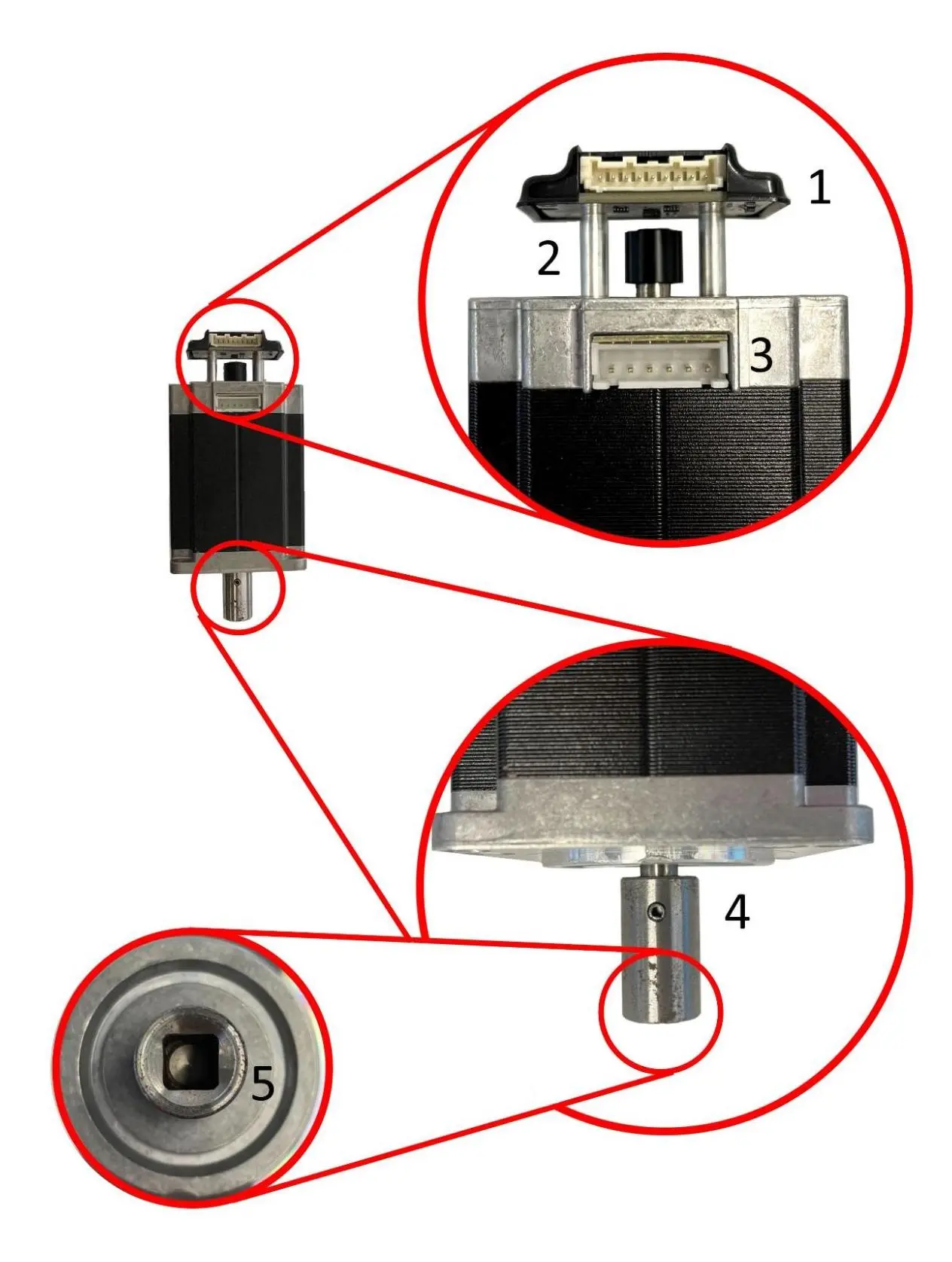
While the actual hardware may be different from component to component, each motor has the same basic set of features:
Tip:
Fuse 1 generation motor assemblies are available for purchase on the Formlabs Store. If you need to replace a motor as part of troubleshooting, contact Formlabs Support or a certified service provider for assistance.
Large motor assemblies: flippers and recoater
Both flippers and the recoater are driven by the same motor assembly, shown below.
These motors feature:
Z-drive motor
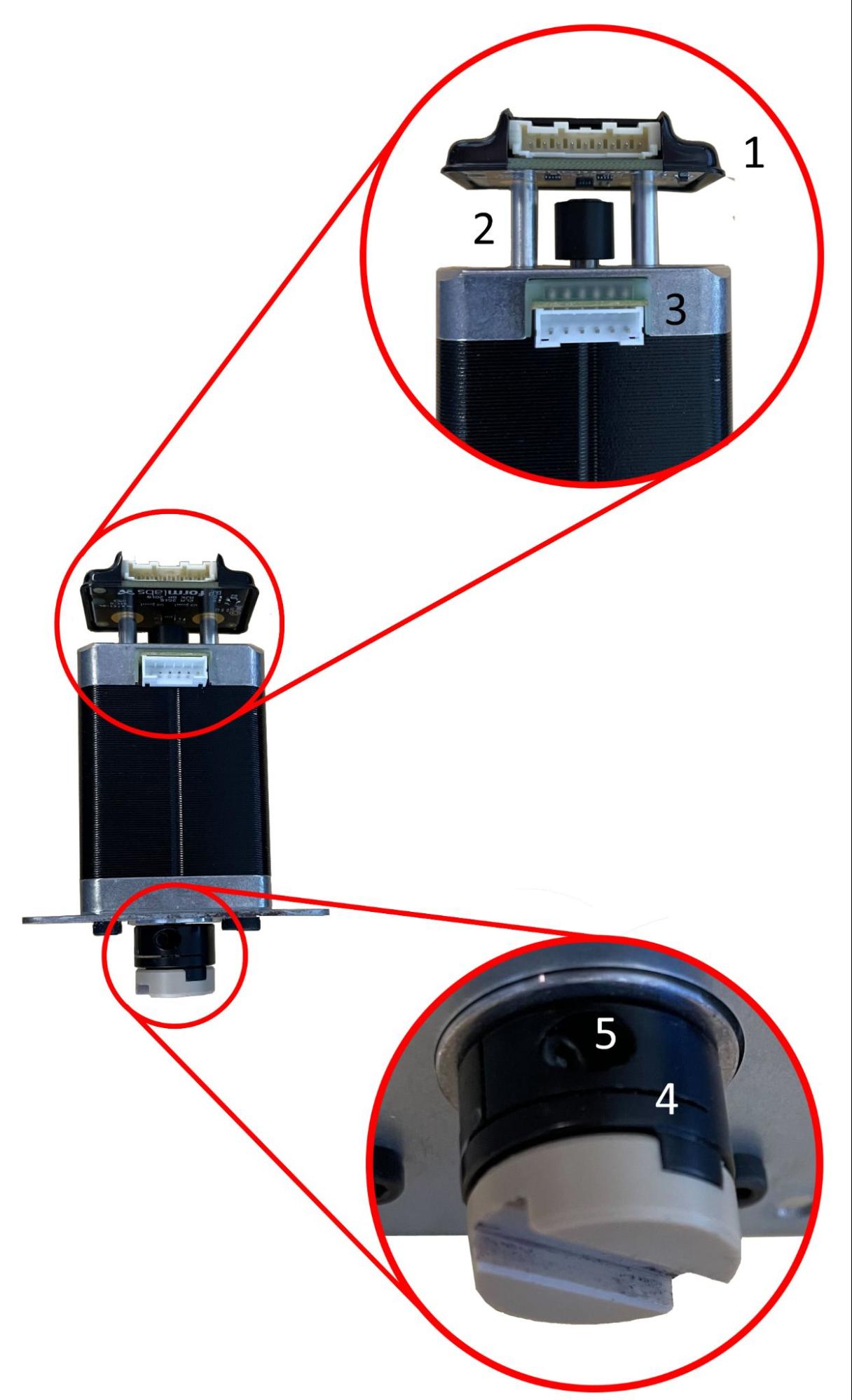
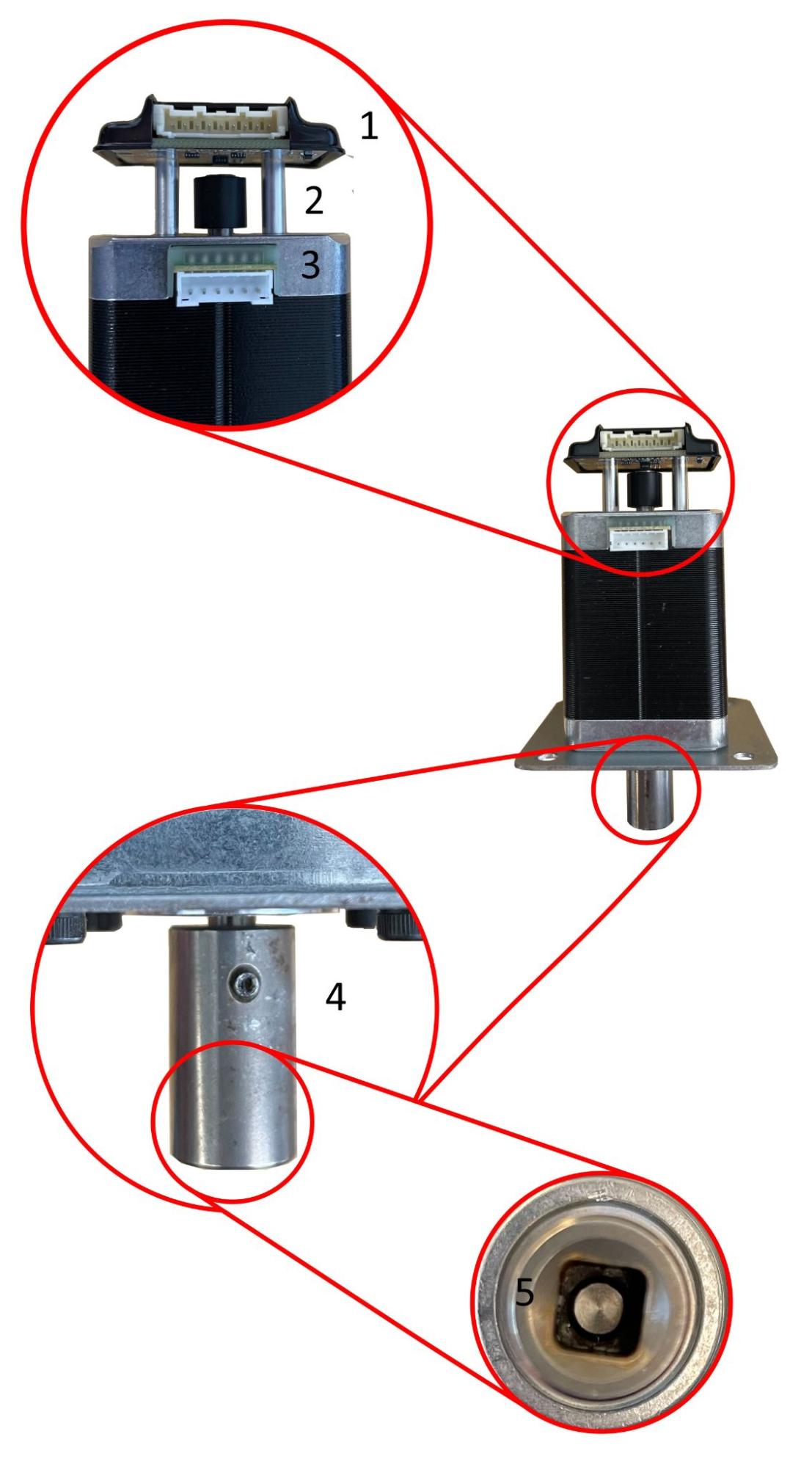
The Z-drive motor has two revisions: one that was installed into the majority of Fuse 1 units, and another that was installed in late model Fuse 1 units and all Fuse 1+ 30W units.
| Early model Fuse 1 Z-drive motor assembly | Late model Fuse 1 and Fuse 1+ 30W Z-drive motor assembly |
|---|---|
 |  |
|
These motors feature:
|
These motors feature:
|
Doser motor
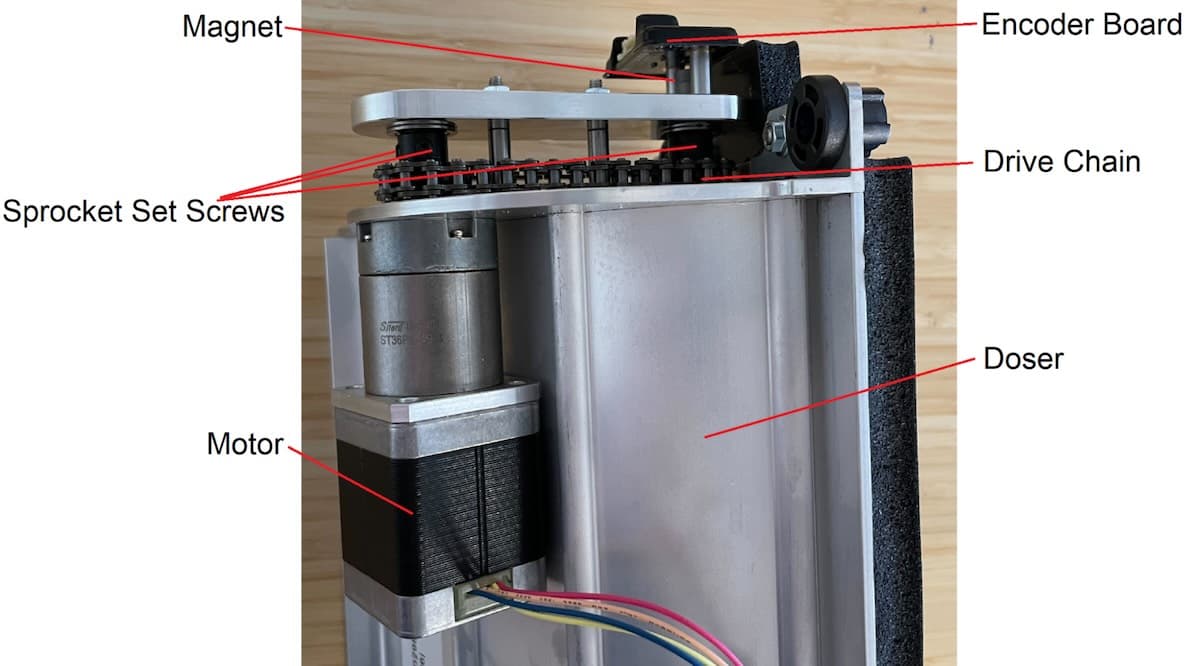
The doser is driven by a smaller motor with a sprocket attached to the motor shaft, which in turn drives a chain attached to the doser drum’s shaft. Unlike all other motors in Fuse 1 and Fuse 1+ 30W, the encoder board magnet is attached to the component’s shaft, not the motor shaft.
Errors
The main error codes related to motor movement on Fuse 1 generation printers are as follows:
The error code has a subcode following it to mark which motor it was reported from. For example, Error 93/4 corresponds to PR_ERROR_MOTORS_MOVE_DEVIATION__CYLINDER, meaning the Z-drive motor deviated from the expected movement. The number of these subcodes corresponds to the list above.
Error 90/1–5 PR_ERROR_MOTORS_UNEXPECTED
Error 90 indicates an issue with processing information from a particular motor’s encoder board. As such, the troubleshooting steps are the same for all motors, since they use the same encoder board.
Symptoms
Causes
The possible causes of this error message, in approximate order of likelihood, are:
Troubleshooting steps
As noted above, the troubleshooting steps are the same for all motors, since they use the same encoder board.
Fuse 1 generation motor assemblies are available for purchase on the Formlabs Store. Contact Formlabs Support or a certified service provider for assistance.
Error 93 overview
Error 93 indicates that the component in question was unable to move the expected amount, generally because the component collided with something. The primary causes for these errors are debris from a failed print jamming the component, or another component stopping in the wrong place, causing the original component to collide with it. It may also be caused by a malfunctioning encoder board or poorly processed encoder data.
Causes
The possible causes of this error message, in approximate order of likelihood, are:
Symptoms
Error 93/1 PR_ERROR_MOTORS_MOVE_DEVIATION__HOPPER_FLIPPER
Error 93/1 indicates that the hopper flipper motor deviated from the expected movement and the flipper was not able to move the expected amount.
Tip:
Error 93/1 is commonly caused by debris. Thoroughly inspect and clean the hopper trough and the area around the hopper flipper before attempting any other troubleshooting steps.
Troubleshooting steps
Error 93/2 PR_ERROR_MOTORS_MOVE_DEVIATION__BUFFER_FLIPPER
Error 93/2 indicates that the buffer flipper motor deviated from the expected movement and the flipper was not able to move the expected amount.
Troubleshooting steps
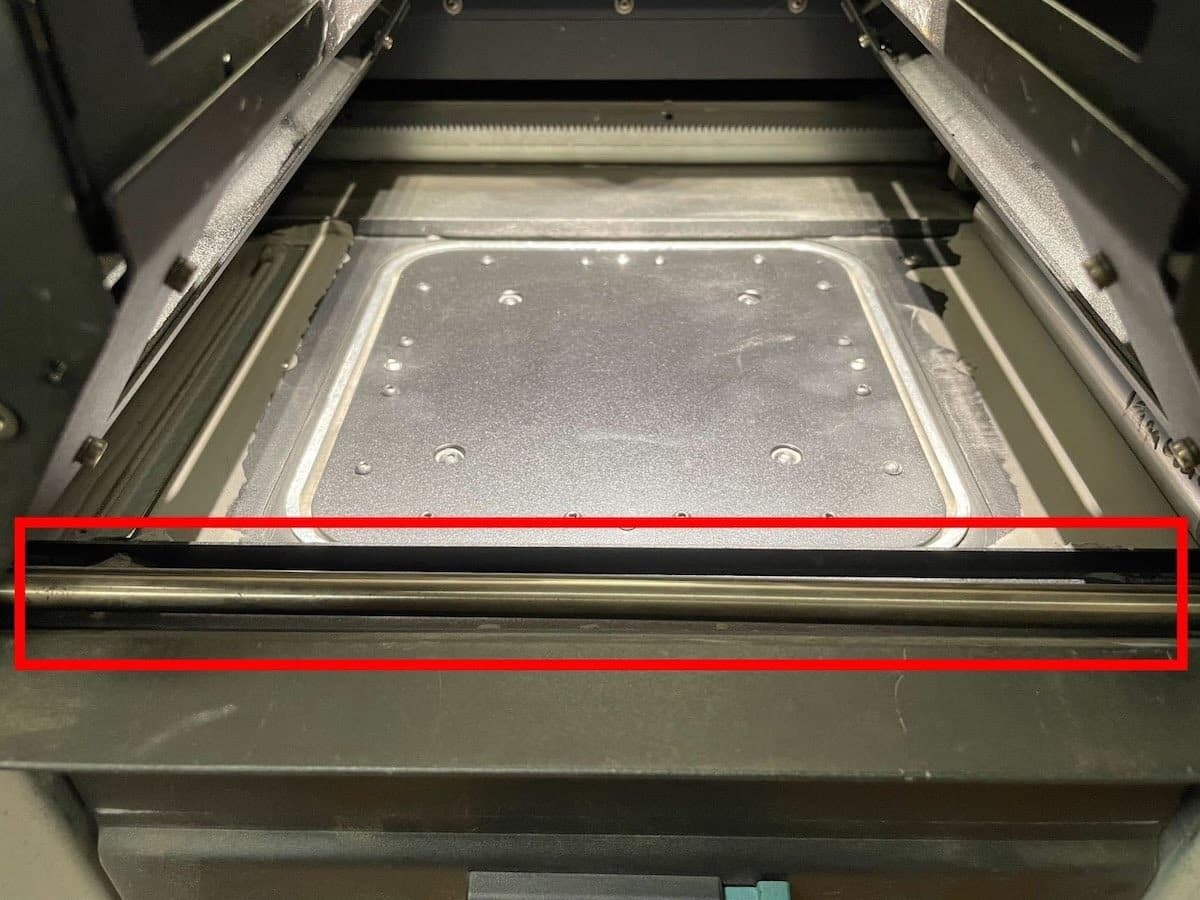
Error 93/3 PR_ERROR_MOTORS_MOVE_DEVIATION__RECOATER
Error 93/3 indicates that the recoater motor deviated from the expected movement and the recoater was not able to move the expected amount.
Note:
Damage to the recoater motor coupling usually does not result in Error 93/3, as the motor’s magnet is still free to turn normally in these cases. Damage to the recoater coupling generally results in Error 93/1, Error 93/2, or Error 94/3.
Troubleshooting steps
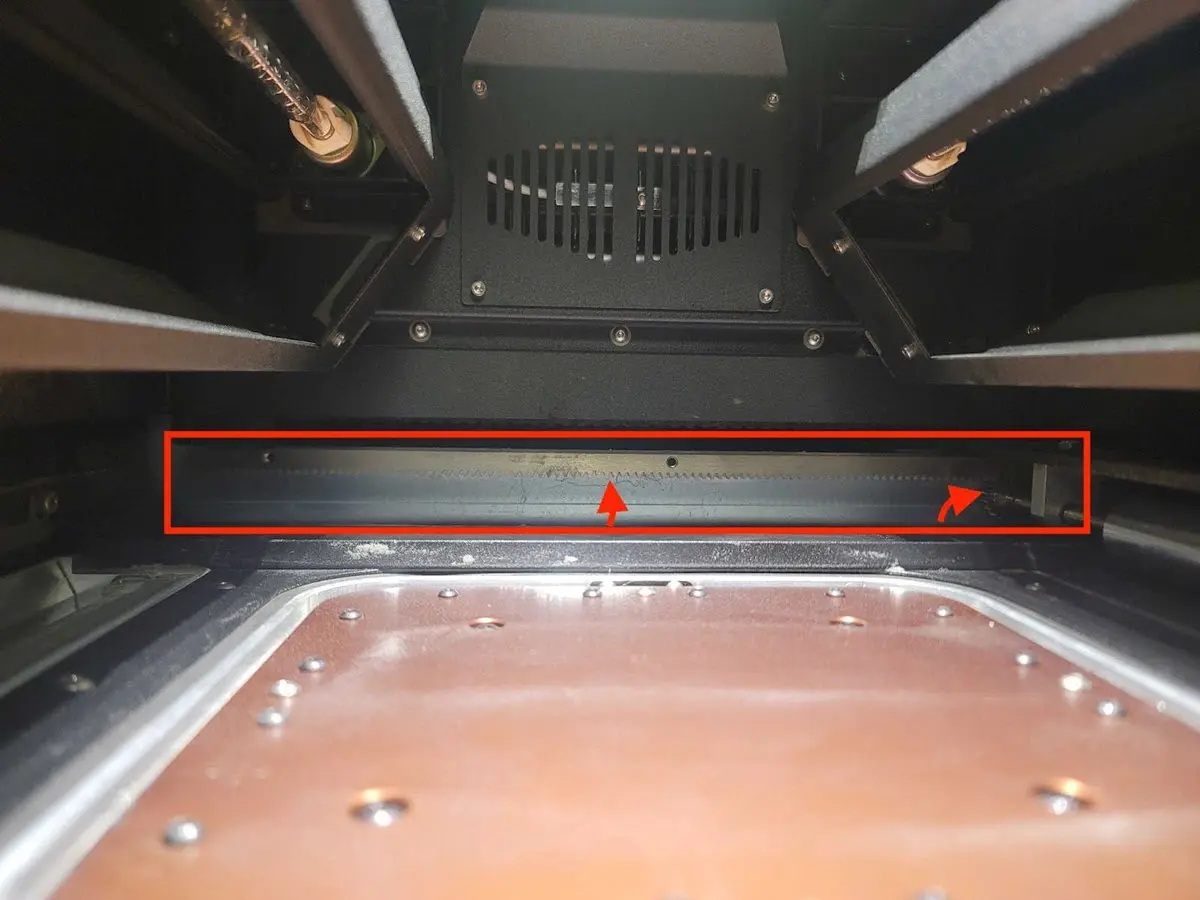
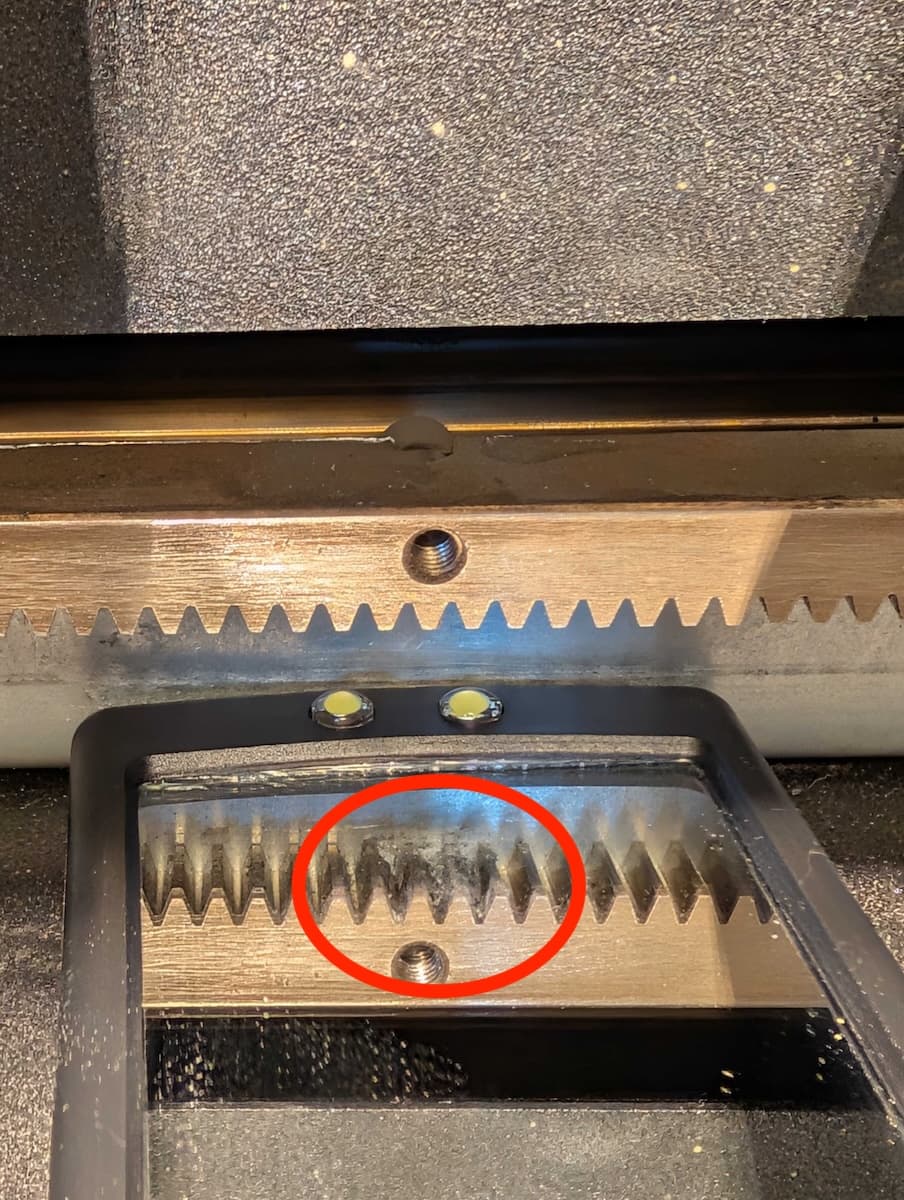
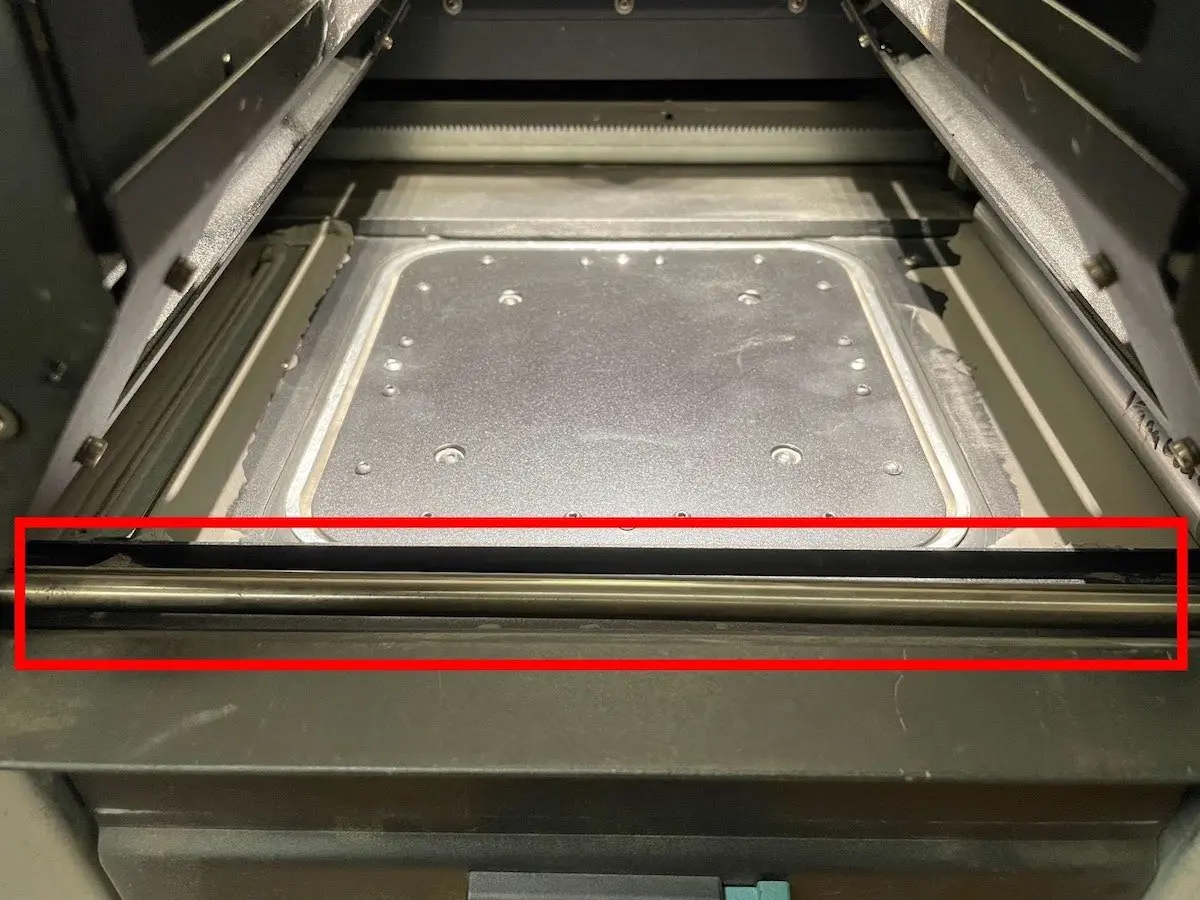
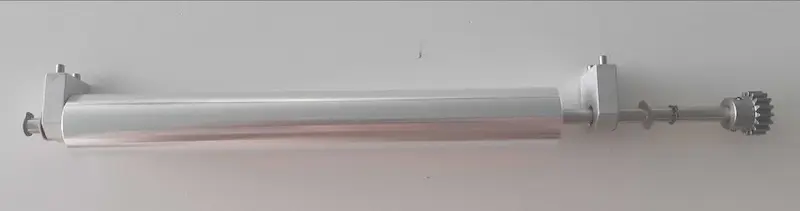
Error 93/4 PR_ERROR_MOTORS_MOVE_DEVIATION__CYLINDER
Error 93/4 indicates that the Z-drive motor deviated from the expected movement and the print bed was not able to move the expected amount.
Troubleshooting steps
Error 93/5 PR_ERROR_MOTORS_MOVE_DEVIATION__DOSER
Error 93/5 indicates that the doser motor deviated from the expected movement and the doser was not able to move the expected amount.
Troubleshooting steps
Confirm the printer’s firmware is up to date. If it is not, update the firmware.
It can be challenging to observe the doser’s movement while the printer is full of powder. For cases that need detailed inspection of the doser assembly and doser motion, it may be necessary to empty the hopper and hopper trough area, if possible.
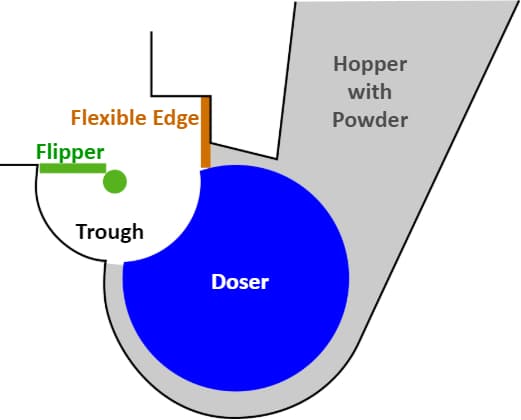
Use the Motor Moves menu to drive the doser and hopper side flipper and evaluate their motion. Record a video.
Error 94/3–4 PR_ERROR_MOTORS_MOVE_MISSED_HARDSTOP
At the start of every print, the printer calibrates the home positions of the recoater and print bed by moving each component to the end of its travel range, known as the hardstop. The printer detects the hardstop by monitoring the motor’s current; when the current reaches a specific threshold, it indicates the component has collided with the hardstop, establishing this as the home position for the entire print.
Error 94 indicates the motor was able to spin for a very long time without the component reaching a hardstop. This occurs when there is a failure somewhere in the component’s drive train, causing the rotation of the motor not to translate into motion of the component.
Symptoms
Causes
| Error 94/3 | Error 94/4 |
|---|---|
|
|
Troubleshooting steps
Error 95/1–5 PR_ERROR_MOTOR_MOTOR_MOVE_MISSED_INDEX
During normal motor operation, small deviations occur, causing minor differences between a component's actual position and its intended position. . For components with a fixed home position, like the doser and flippers, the printer periodically corrects these deviations by re-homing the component. These re-homing actions are called index moves. An index move intentionally commands the motor to travel slightly beyond the home position and then stops once the encoder board confirms the motor has reached the home position.
Error 95 indicates that a motor has moved the full commanded distance during an index move but the encoder board does not detect that the home position was reached.
Symptoms
Causes
Troubleshooting steps
Error 95/1–5 can be resolved following the same troubleshooting steps as their Error 93 counterparts. Note that encoder board issues are more likely to result in Error 95 than Error 93.
Unexpected motor movements or sounds without an error message
Most unexpected motor movements or behaviors that cause unusual sounds eventually result in one of the error messages described above. If you notice new or unusual motor movements but your printer has not reported any errors, identify the affected motor and follow the relevant troubleshooting steps for the corresponding error message above.