

How do I find the serial name of my product?
How do I find the serial name of my product?
The serial name is on the back panel of all Formlabs machines in the format AdjectiveAnimal.
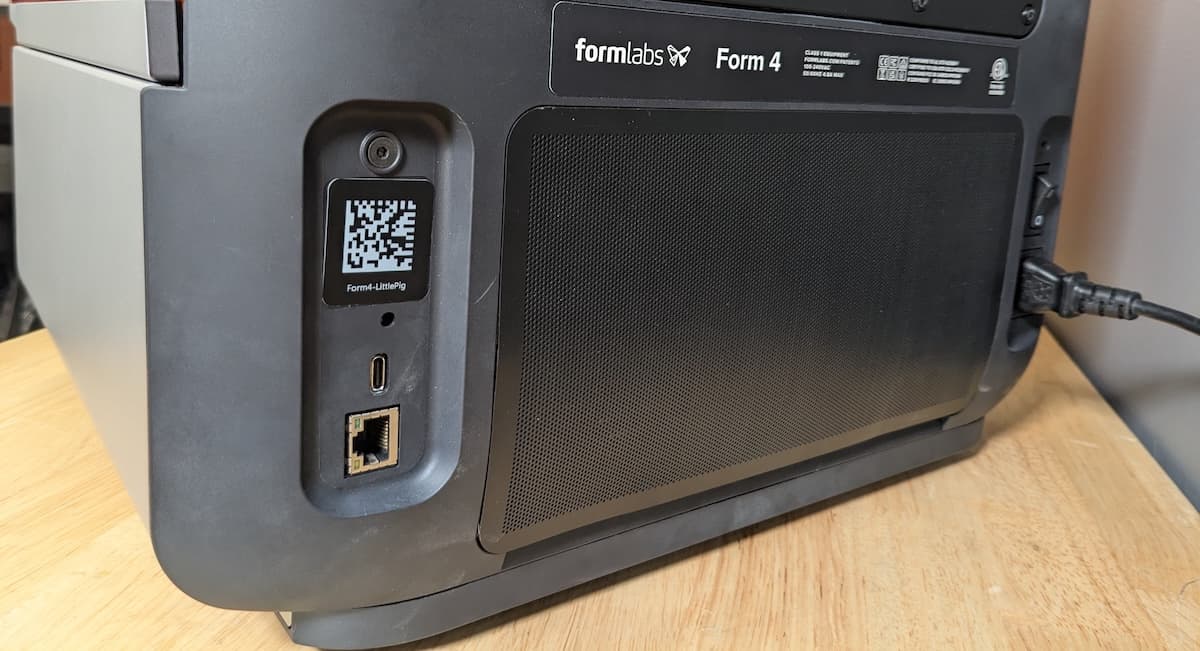
For Formlabs products with a touchscreen display, the serial name is also available through the display.
| Device | Accessing the serial name |
|---|---|
| Fuse 1 generation printer |
|
| Form Studio 1 |
The serial name is listed in the status bar at the top of the touchscreen in the format ColorAdjectiveAnimal. If your printer has a custom name, that is displayed instead of the serial name. To find the serial name, check the back label or tap Settings > General > About this printer on the touchscreen. |
| Form 4 generation printer Form 4L generation printer |
The serial name is listed in the status bar at the top of the touchscreen in the format AdjectiveAnimal. If your printer has a custom name, that is displayed instead of the serial name. To find the serial name, check the back label or tap Settings > General > About this printer on the touchscreen. |
| Form 3 generation printer Form 3L generation printer |
|
| Form 2 printer |
|
| Form Wash L Form Cure L |
|
| Form Wash Form Cure |
|
| Fuse Sift |
|
| Fuse Blast | The serial name is listed in the top-left corner of the screen in the format AdjectiveAnimal. |