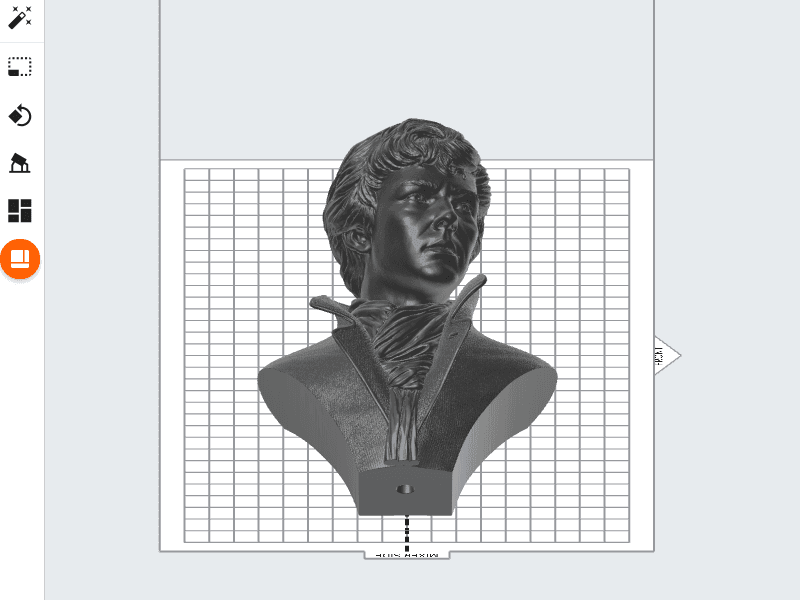
Tip:
Avoid extremely vertical orientations to shorten print times, improve surface finish, and reduce warping on thin parts.

The Form 3L/Form 3BL has a build volume that is five times the size of that of our other SLA printers. While the dual Light Processing Units (LPUs) work together to reduce Print Time, you can also try the following techniques to increase printing speed even further:
Part orientation
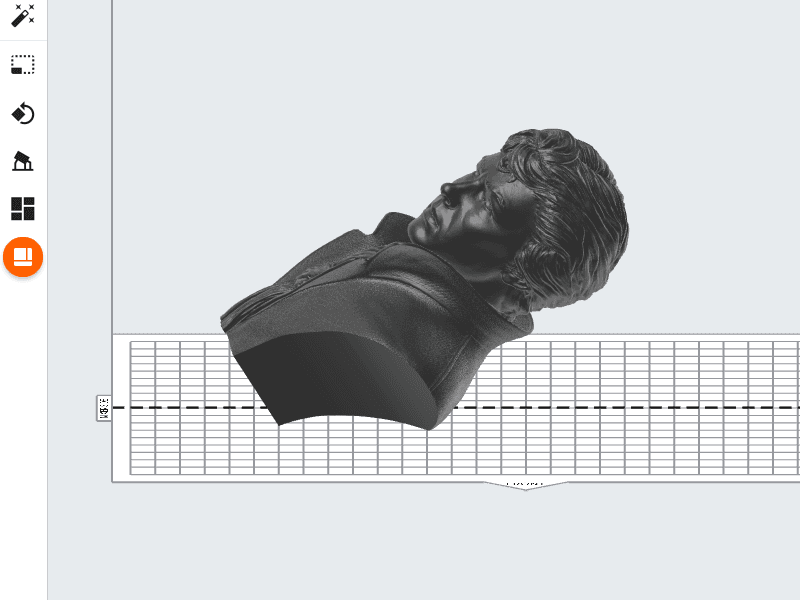
Vertical orientations increase the total number of layers in a print job. By placing a model at a 45° angle instead, you lower the total Print Time. A job with fewer layers does not raise or lower the build platform as often, measure resin level as frequently, as well as decreasing the amount of times that the mixer is sent back and forth across the tank.
Tip:
Avoid extremely vertical orientations to shorten print times, improve surface finish, and reduce warping on thin parts.
Hollow parts
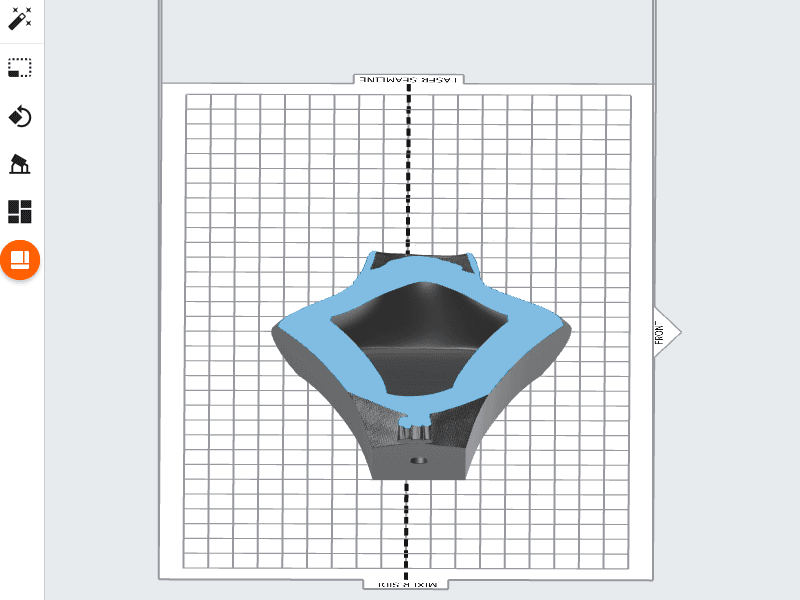
Before importing a model into PreForm, consider using your preferred CAD software package to hollow out the inside. A hollow model consumes less resin during printing, and decreases Print Time by reducing the amount of lasing needed by the LPUs.
Note:
Large hollow parts require a drainage hole to prevent a cupping blowout print failure.
Layout
Placing a model so that the seamline effectively cuts the model in half makes the best use of the two LPUs on a Form 3L/Form 3BL. The seamline indicates the line where one LPU's work ends and the other begins. By placing a model across this division, they work in tandem to split the load between them.