
WHITE PAPER
Mixer clicking (Form 4 generation)
Mixer clicking (Form 4 generation)
If your Form 4 resin tank’s wear strips are damaged or the mixer is improperly installed, the mixer may click or make other noises during a print. These noises can often be resolved by inspecting these components and replacing them if necessary.
On some printers, the mixer may make a vibratory resonating noise as it moves across the resin tank during pre-print. This is not a mechanical fault and should not cause any print issues or other problems. Formlabs regularly releases software updates to optimize the mixer’s movement and improve the printing experience.
Causes
- Broken or worn resin tank wear strips
- Mixer is not installed properly
Symptoms
- Printer makes a clicking noise when the mixer moves
Troubleshooting steps
- Check when the noise occurs. If it only occurs during pre-print, while the printer is preparing to start the print itself, update PreForm and your printer’s firmware. Some software releases, such as PreForm 3.46.1, contain motor control changes designed to reduce printer noise.
- Confirm the mixer is latched properly and that there is no debris or cured resin in the tank.
- If the noise continues, drain the resin tank and clean the wear strips.
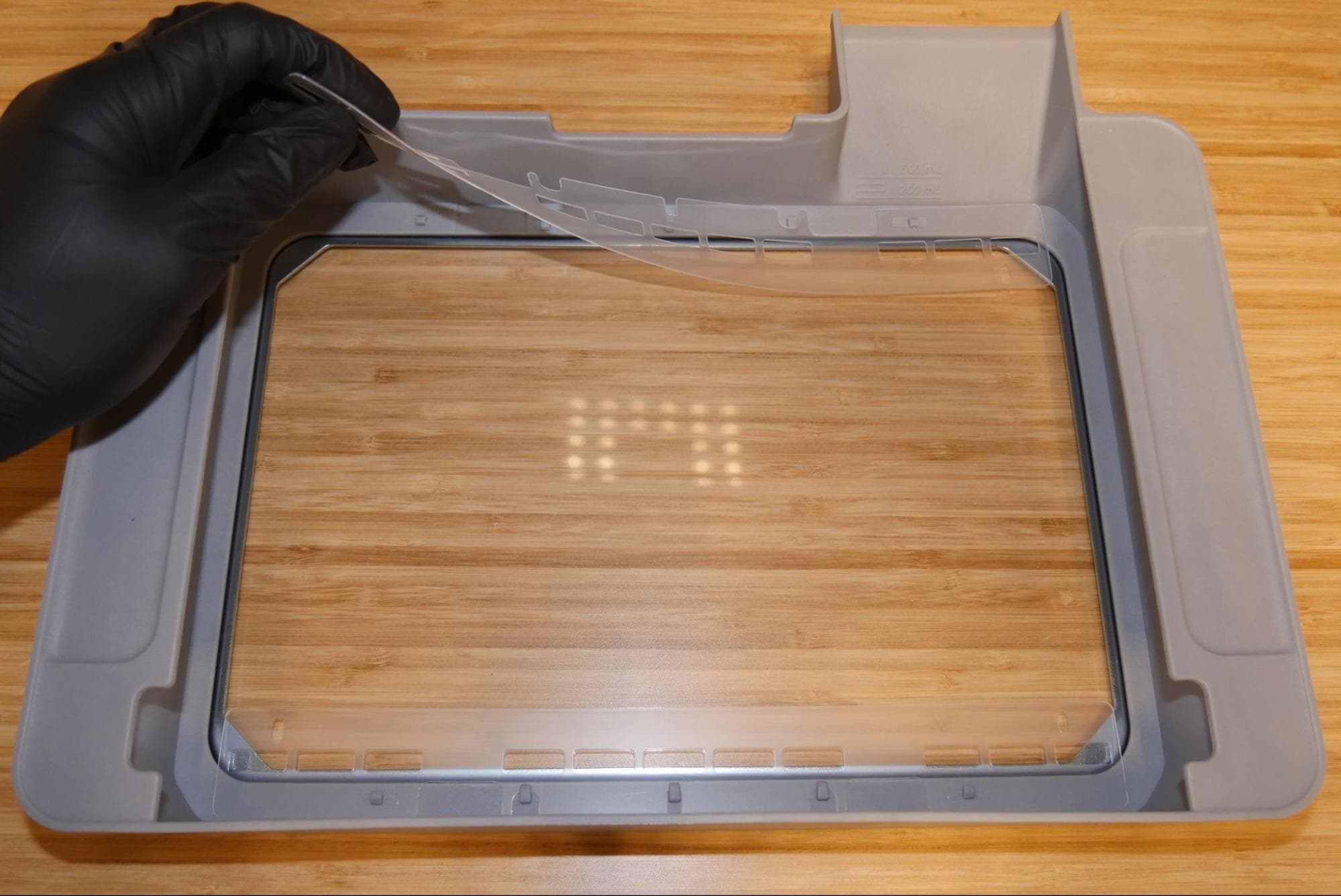
- Reinstall the wear strips. Confirm that the wear strips are in place and that none of the posts have broken off or are loose in the resin tank.
- If the wear strips are broken or bent, change your resin tank.
- If the wear strips and tank are not damaged, change your mixer.
- If the issue persists, contact Formlabs Support or your authorized reseller.