
Warning:
Resin may cause skin irritation or an allergic skin reaction. Wear gloves when handling liquid resin or resin-coated surfaces. Wash skin with plenty of soap and water.

All resin tanks are consumables which must be replaced. The estimated lifetime of a standard resin tank is 1,000–3,000 layers of printing, or three months. The Resin Tank LT offers two times that lifetime and is required for certain materials.
When a resin tank is damaged or reaches the end of its lifetime, replace it immediately to prevent print failures, resin spills, and other potential problems.
Warning:
Resin may cause skin irritation or an allergic skin reaction. Wear gloves when handling liquid resin or resin-coated surfaces. Wash skin with plenty of soap and water.
To remove a resin tank:
Transfering or dispose of liquid resin and tanks
Notice:
Do not pour liquid resin down the drain or dispose of it with household waste. Follow disposal instructions in the Safety Data Sheets. Fully-cured materials may be disposed of with general waste.
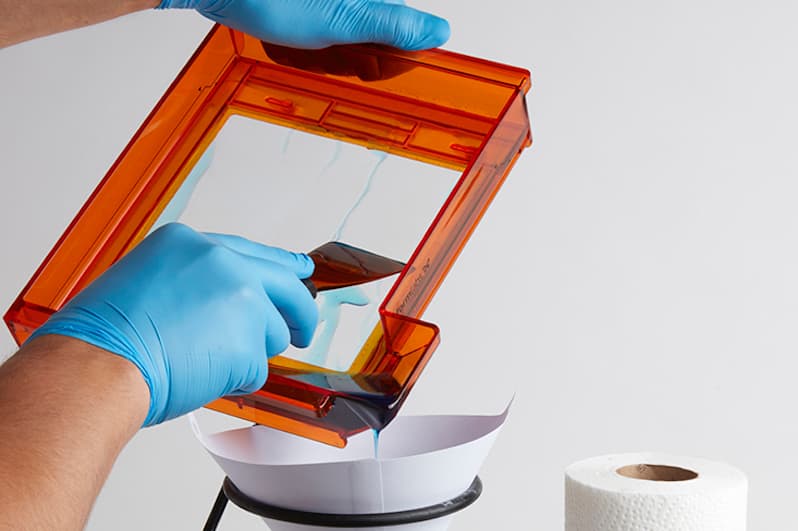
Left: Filtering resin from a standard resin tank with a 190 micron mesh filter into a storage container.
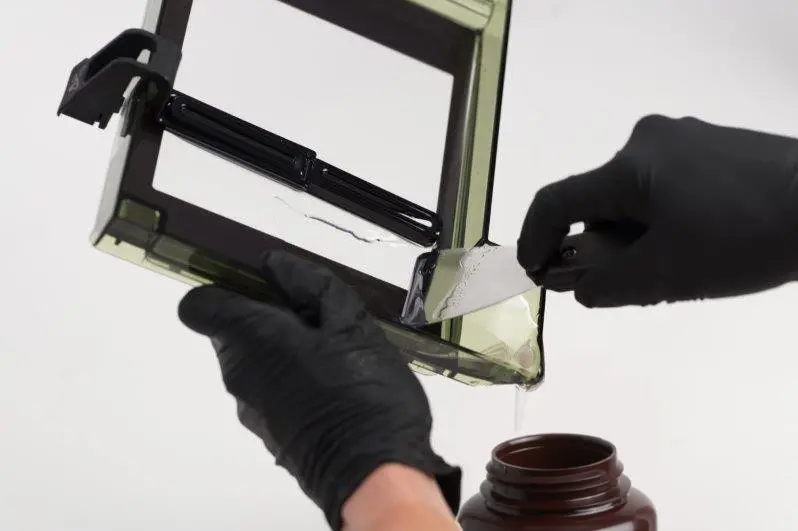
Right: Transfering resin from a Resin Tank LT into a storage container.
Pouring resin back into the original cartridge may contaminate it with cured resin pieces or debris, which can cause print failures. If there is debris in the tank, filter the resin before transferring it to a new tank or a storage container.
Disposing of resin tanks
Wipe any resin off the outside of the tank.
Place the tank and the cloth used to clean it in direct sunlight or UV light to cure any remaining liquid resin.
Dispose of the tank and cloth with regular household waste.