WHITE PAPER
Formlabs Logo

Shipping your Form 4 generation printer

Shipping your Form 4 generation printer

Follow these instructions to package your Form 4 generation printer for protection during shipping or transit. The printer’s original packaging is required for warranty service.

Packaging materials

Your printer’s packaging materials are designed to be kept and reused for transporting the machine. The printer’s complete packaging kit consists of:

  • 1 box, cardboard
  • 2 bottom inserts, foam
  • 1 upper insert, foam
  • 1 printer bag, nylon
  • 1 shipping cover, microfiber cloth

Preparing to ship

  1. Remove the build platform, mixer, resin tank, and cartridge before moving or packaging the printer.
  2. Turn the printer off using the power switch at the back of the unit.
  3. Disconnect the printer from power.
  4. Wipe any liquid resin off the build platform and store it away from sunlight.
  5. Store the resin tank with its cover in place.
  6. Store the cartridge with the vent cap closed.

Notice:

If you are shipping a printer to Formlabs for service, do not ship the build platform, resin tank, power and USB cables, and other accessories. These items will not be returned after service.

Inspecting and reassembling packaging
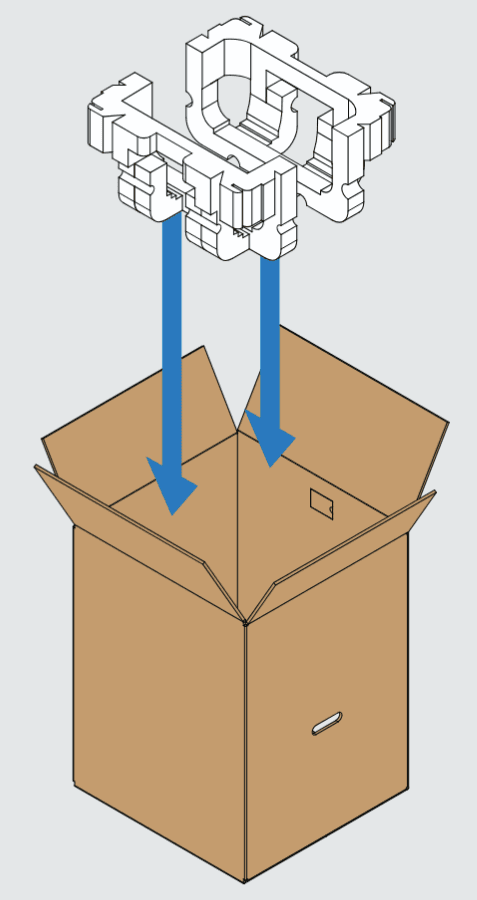
  1. If the printer’s box has been flattened, start by re-assembling the box and securely taping its bottom opening. Use reinforced packing tape or tape all box seams to ensure that your printer is not damaged during shipping.
  2. Insert the bottom foam inserts into the box.
Placing the bottom foam inserts into the Form 4 box

Protecting the printer

Slip the microfiber shipping cover over the printer. Ensure that the shipping cover sits flat against the faces of the machine.
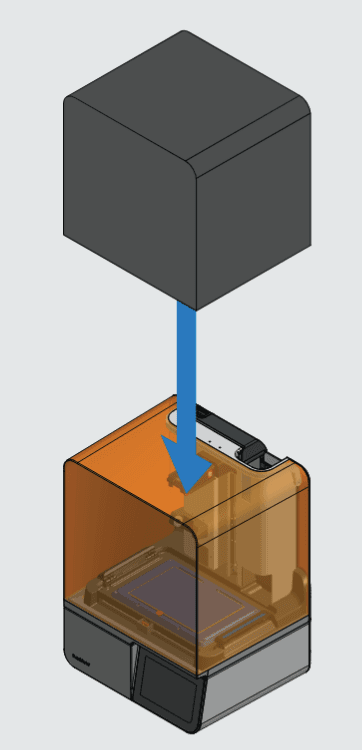
Placing the microfiber cover onto the Form 4

Packing the printer

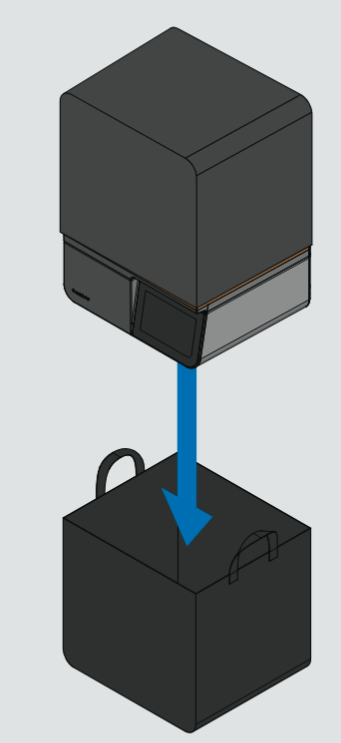
  1. Place the upright printer into the printer bag. The bag has handles to help ease lowering the printer into its box.
Placing the Form 4 in its bag
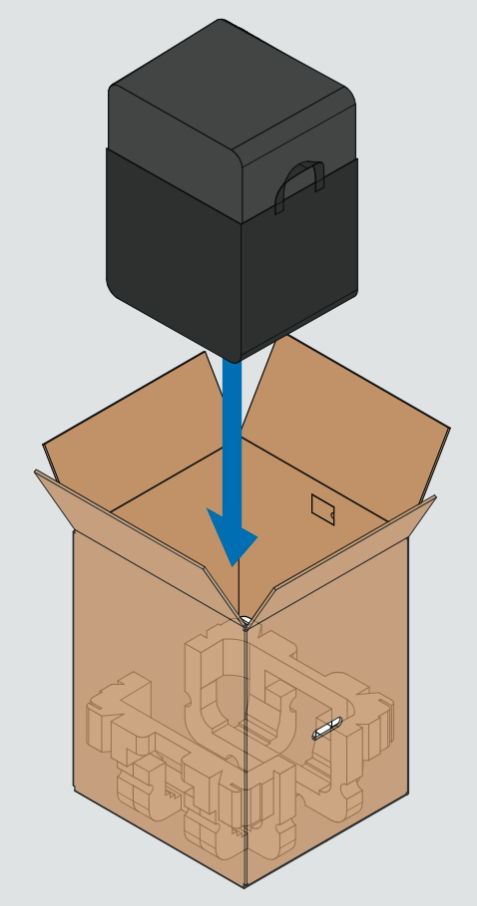
  1. Using the handles on the printer bag, lower the printer into the box. The printer should sit securely in the cutouts in the bottom foam inserts.
Placing the Form 4 in the box
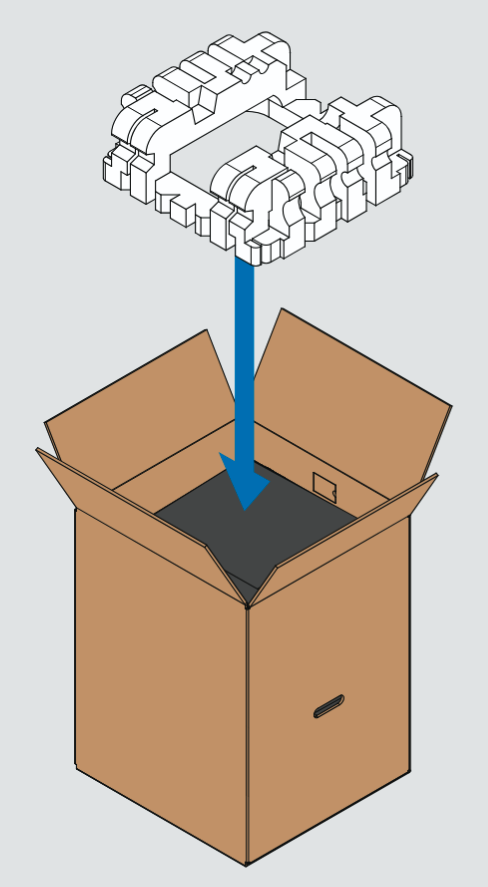
  1. Place the upper foam on top of the printer. The foam should fit exactly around the top of the printer’s cover.
Placing the upper foam insert onto the Form 4
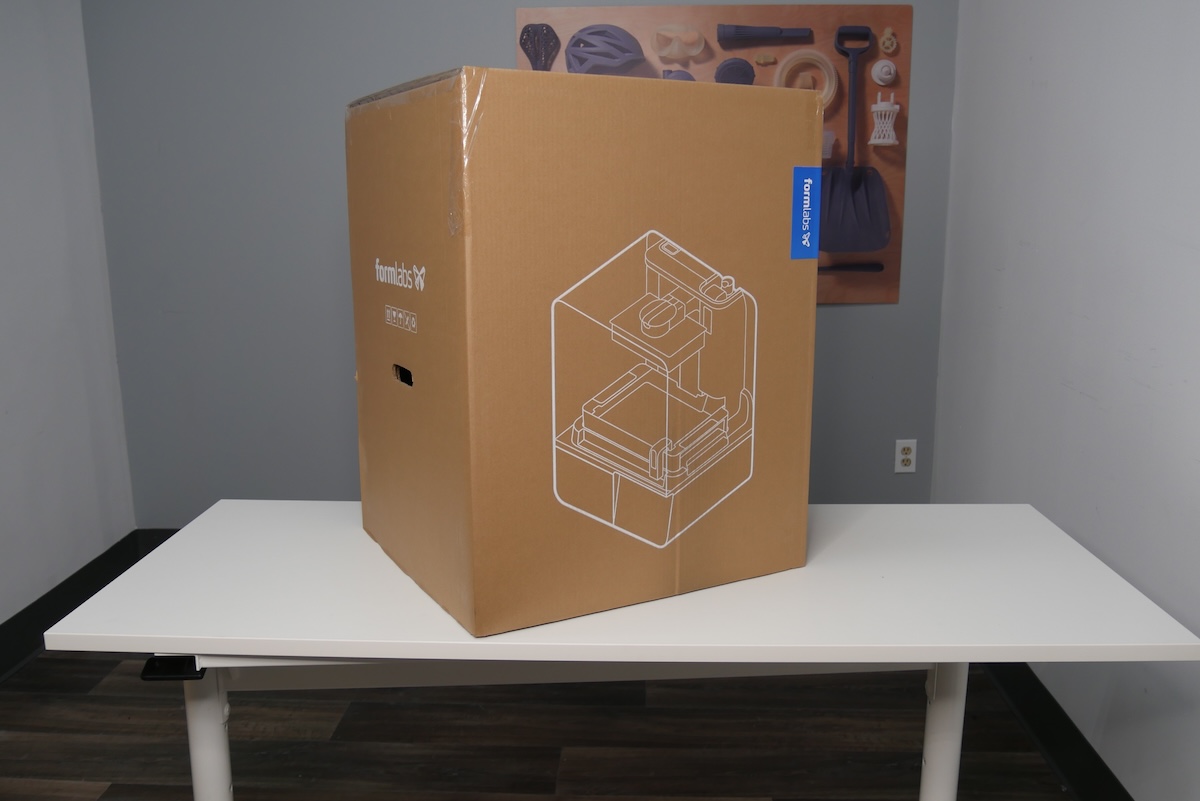
  1. Close the top of the box and seal the edges of all box openings with adhesive packing tape. Use reinforced packing tape and tape all box seams, across all open corners, and from each side across the bottom to ensure that your printer is not damaged during shipping.
Sealed Form 4 box