

Switching blasting media types (Fuse Blast)

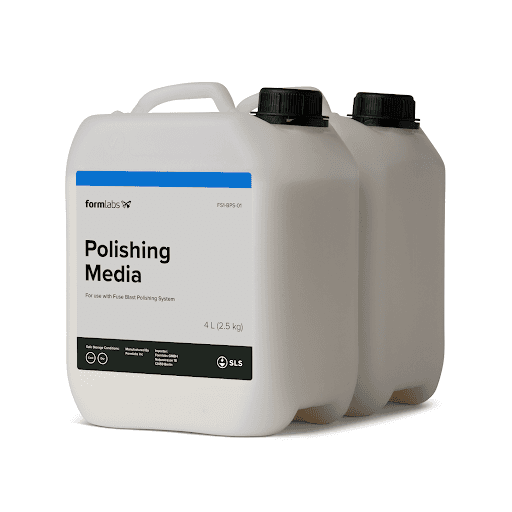
The Fuse Blast Polishing System uses Formlabs Polishing Media to clean and polish printed parts. If you have already been using the Fuse Blast for cleaning printed parts with glass media, exchange the blasting media before using the Fuse Blast Polishing System.

The Fuse Blast is designed to be used with only one blasting media type at a time. Unlike Fuse 1 generation printers or the Fuse Sift, it is not necessary to thoroughly clean the Fuse Blast when switching blasting media types. Leftover media will filter out into the garbage hopper over time.

The Fuse Blast media hopper holds 8.3 L (2.2 gal) of blasting media.

alttext

Removing blasting media

The Fuse Blast is designed to be used with only one blasting media type at a time. Make sure to clean out the current blasting media and empty the media hopper before switching blasting media types.

To clear media from the blasting chamber:

  1. Brush any accumulated media through the work surface grate. If desired, remove the blasting gun from the blast arm, then use the air rinse pedal to blow media down into the chute.
  2. Open the access hatch in the work surface grate.
  3. Loosen accumulated media in the blast chute with air or a blunt tool to guide it down towards the bottom of the chute. It is not required to perfectly clean out all media. Leftover media will filter out over time.

To empty the media hopper:

  1. Place a 9 L (2.4 gal) container under the media hopper valve. If using a smaller container, you may need to empty the hopper in multiple steps.
  2. If the fan is running, tap the Fan button on the touchscreen to turn it off.
  3. Pull the blue media valve handle to open. If no media flows out, use a blunt implement to ensure there is no internal obstruction.
  4. Allow the media to drain out of the hopper into the container. Observe the hopper window to see if the majority of the media has been removed.
  5. Close the media valve. Always close the media hopper valve before operating the Fuse Blast. Failure to do so will cause media to drain out onto the floor.
  6. On the touchscreen, tap the Fan button to start the fan. Allow it to cycle for approximately 10 minutes to clear leftover media through the system.
  7. Repeat steps 1–5 to remove any leftover media.
  8. Store media for reuse if desired.

Filling the media hopper

The Fuse Blast must be filled with Formlabs Polishing Media to polish parts. The Fuse Blast hopper accepts 8.3 L (2.2 gal) of Formlabs Polishing Media.

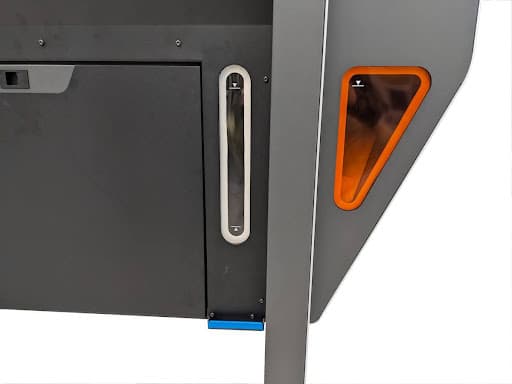
There are two windows on the bottom front of the Fuse Blast. The clear window on the media hopper displays the level of blasting media and the orange window on the waste hopper displays the level of waste material.

Notice:

The Fuse Blast is only intended for use with Formlabs recommended media: 200–300 µm (50–70 mesh size) glass media (available globally from many sources) or Fuse Blast Polishing Media (supplied by Formlabs). Using other media types may interfere with operation or damage the machine. Contact Formlabs Support before attempting to use any foreign media.

Do not overfill the blast chamber chute when adding media into the Blast chute, or you may clog the air inlet.
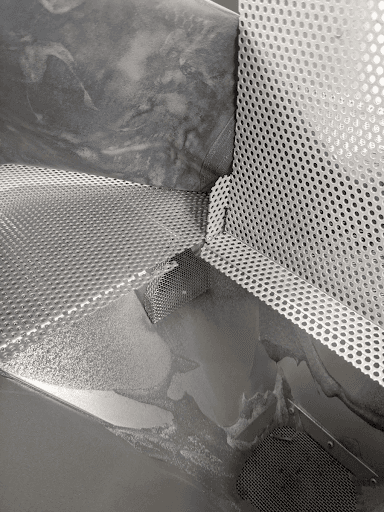
Before switching to Formlabs Polishing Media, install the Fuse Blast Polishing Mesh if you have not done so already.

  1. If the fan is running, turn it off by tapping the Fan icon in the bottom-right corner of the touchscreen. Wait one minute for any powder to settle.
  2. Remove the Fuse Blast Hopper Mesh following the steps in the support article for Cleaning the Fuse Blast's media filter mesh.
  3. Insert the Fuse Blast Polishing Mesh that arrived with your Fuse Blast Polishing System.

To fill the media hopper:

  1. Check that the knife valve at the bottom of the media hopper is fully closed.
  2. On the touchscreen, tap the Fan button. Wait a few seconds for the fan to audibly start.
  3. Open the blasting chamber door.
  1. Open the hatch on the work surface (below the basket). Look through to locate the air inlet on the chamber funnel wall. Monitor the media level when pouring and ensure you do not fill above the air inlet. Overfilling the machine and blocking the air inlet renders the machine unusable until serviced.
Work surface hatch.
  1. Carefully pour blasting media directly onto the work area. The blasting media will fall through the grate.
  1. Wait 15 minutes while the fan is blowing for the media to fill the hopper. Do not overfill the hopper. If the media level is above the fill line, put a suitable container under the media hopper valve, open the valve to remove excess media, and close the valve when the media level is below the fill line.
Fuse Blast media hopper window.
  1. Check the media hopper window to ensure the blasting media is diverted to the correct hopper. If the blasting media was diverted into the waste hopper, check the media filter mesh for damage.