Formlabs Logo
Calibrating the resin level sensor (Form Studio 1)

Calibrating the resin level sensor (Form Studio 1)

Formlabs SLA printers use a system called LevelSense to determine the amount of resin in the resin tank during printing. On Form Studio 1 printers, the LevelSense board is located above the back-left corner of the resin tank. If the LevelSense system is not calibrated properly, the printer may report inaccurate resin level readings, leading to error messages or unexpected behavior.

Formlabs recommends recalibrating the resin level sensor in the following situations:

  • Unexpected resin dispensing behavior
  • Printer displays LevelSense error messages (numbered from 8.9.8 to 8.9.15), such as Error 8.9.13, Error 8.9.14, or Error 8.9.15

Note:

Incorrect calibration will lead to print failures.

Tools required:

  • Resin sensor calibration card (included in tool caddy)

Calibrating the resin level sensor

To calibrate the resin level sensor:

Remove all consumables from the printer.

  1. On the printer touchscreen, tap Settings > Tools > Calibration > Resin Level Sensor. The Calibrate resin level sensor screen appears. Tap Start to continue to the next screen.
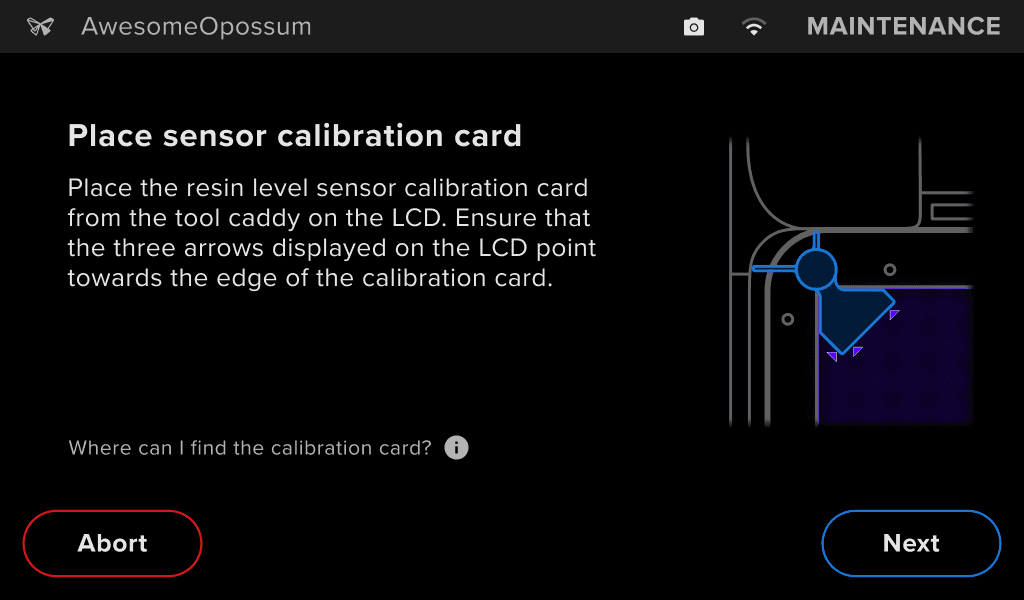
  2. Open the printer cover. Place the resin level sensor calibration card in the spot indicated on the touchscreen.
  3. The resin level sensor calibration card is located in the tool caddy, which is stored on the left side of the printer.
  4. Tap Next to continue.
Calibrating the Form Studio 1 resin level sensor
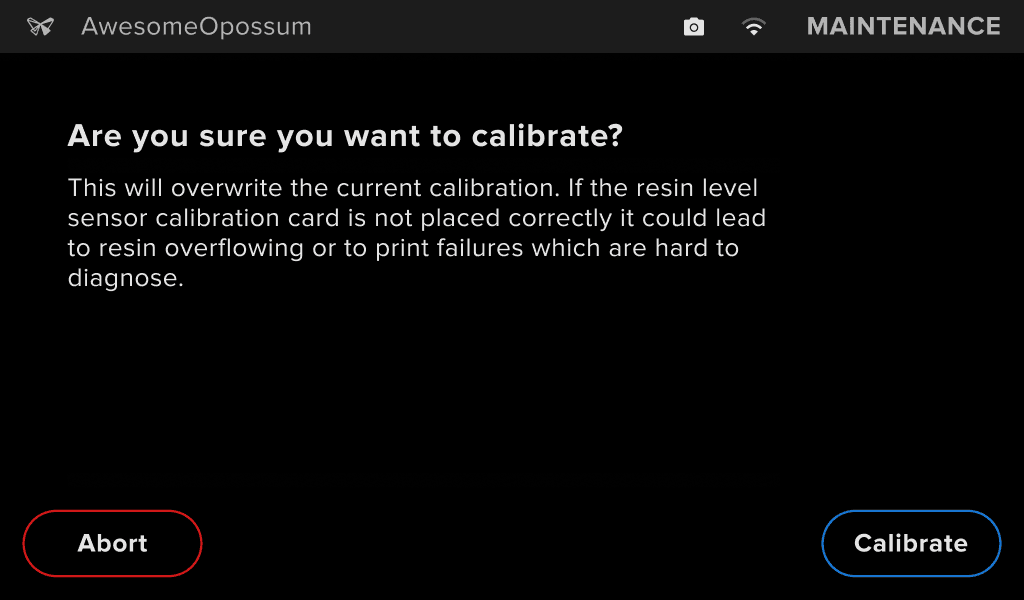
  1. Read the confirmation screen and tap Calibrate.
Calibrating the Form Studio 1 resin level sensor
  1. Wait for the calibration process to complete. Do not move or adjust the printer while it is calibrating the resin level sensor.
Calibrating the Form Studio 1 resin level sensor
  1. The printer displays Calibration successful when the calibration is complete. Tap Close.
  2. Remove the resin sensor calibration card, place it back in the tool caddy, and stow it in the slot on the left side of the printer.
Calibrating the Form Studio 1 resin level sensor