

Changing your Formlabs account to a business account
Changing your Formlabs account to a business account
If you are purchasing for a company or educational institution, you can provide your organization’s tax details to unlock B2B pricing, net payment terms, and formal purchase order support. You can also self-serve with quotes regardless of your account type. For more information, click here.
Upgrading to a business account
To change your Formlabs account type:
- Log in to the Formlabs Store.
- Click the profile icon in the top-right corner of the screen. The Orders screen appears.
- Click Profile. The Profile screen appears.
- Click Upgrade to Business Account. A form appears.

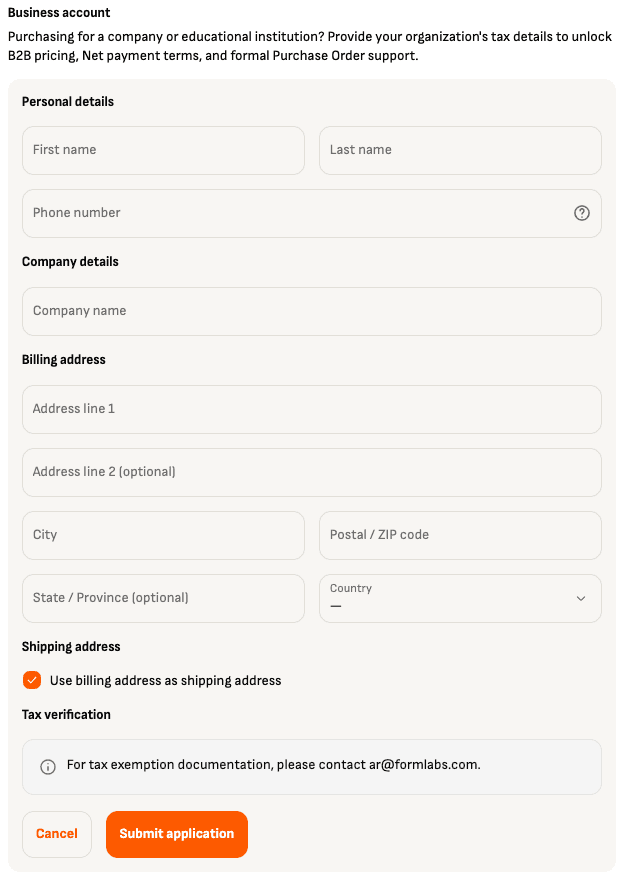
- Fill out the form with your personal and business information.
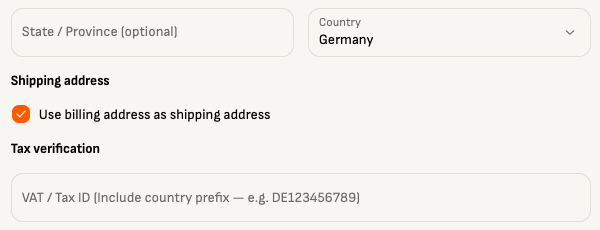
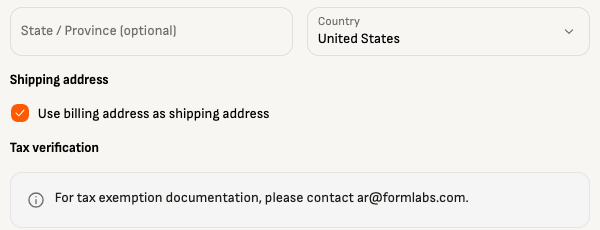
- Customers in the EU can provide their VAT/tax ID for tax verification. For customers in other regions, contact [email protected] after submitting your application to provide tax exemption documentation.
- Click Submit application. After the application is processed, the Profile screen reappears with the message Business account activated. Refresh the page to check that your account details have been updated correctly.
- To edit or change your business details, contact Formlabs.