

Cleaning the Fuse Blast's pneumatic filter
Cleaning the Fuse Blast's pneumatic filter
Compressed air fed into a Fuse Blast must be filtered to remove moisture. If your air compressor does not have an integrated filter, install one between the compressor and the Fuse Blast. If your air compressor does not have a filter and you do not install one, the Fuse Blast’s integrated pneumatic filter may become contaminated, leading to issues such as wet residue on the media filter or air leaks within the machine.
To inspect and clean the Fuse Blast’s pneumatic filter:
- Disconnect or otherwise cut off the compressed air supply to the Fuse Blast.
- Locate the pneumatic filter, positioned on the right side of the machine at the bottom.
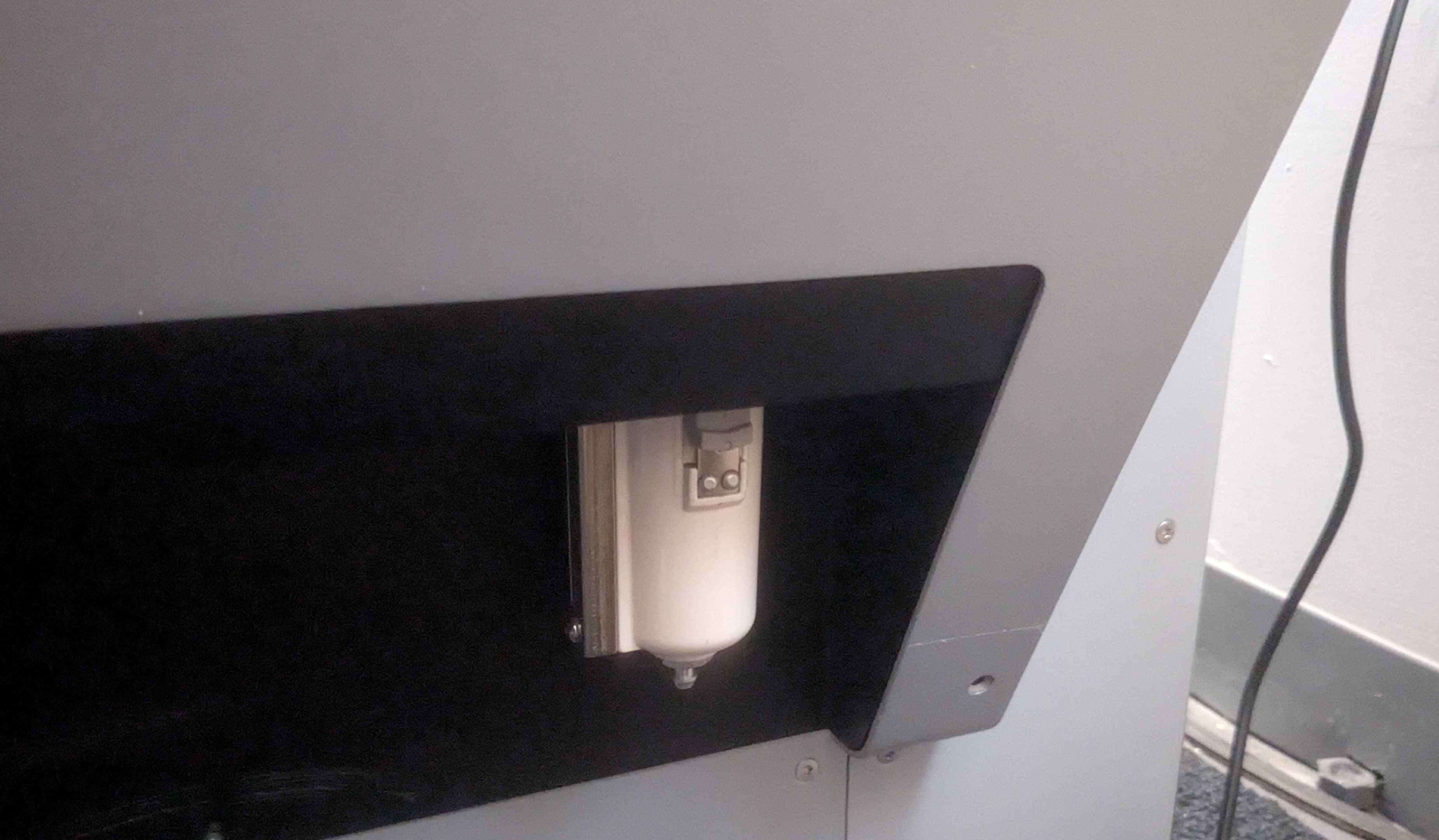
- Pull down on the latch on the filter housing, then rotate the filter housing roughly 45 degrees in either direction.
- Pull down on the filter housing to separate it from the pneumatic cassette. If it does not come free easily, continue rotating the filter housing until it does.
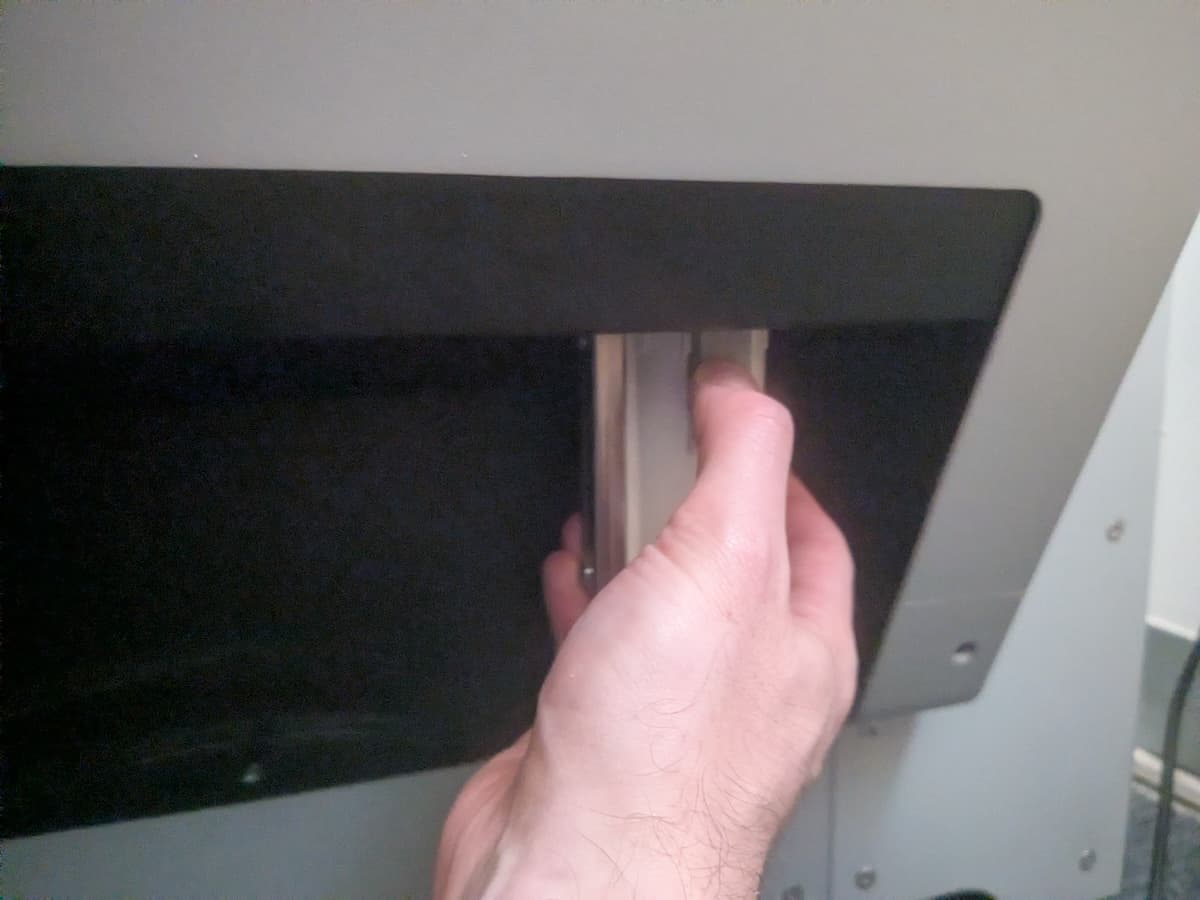
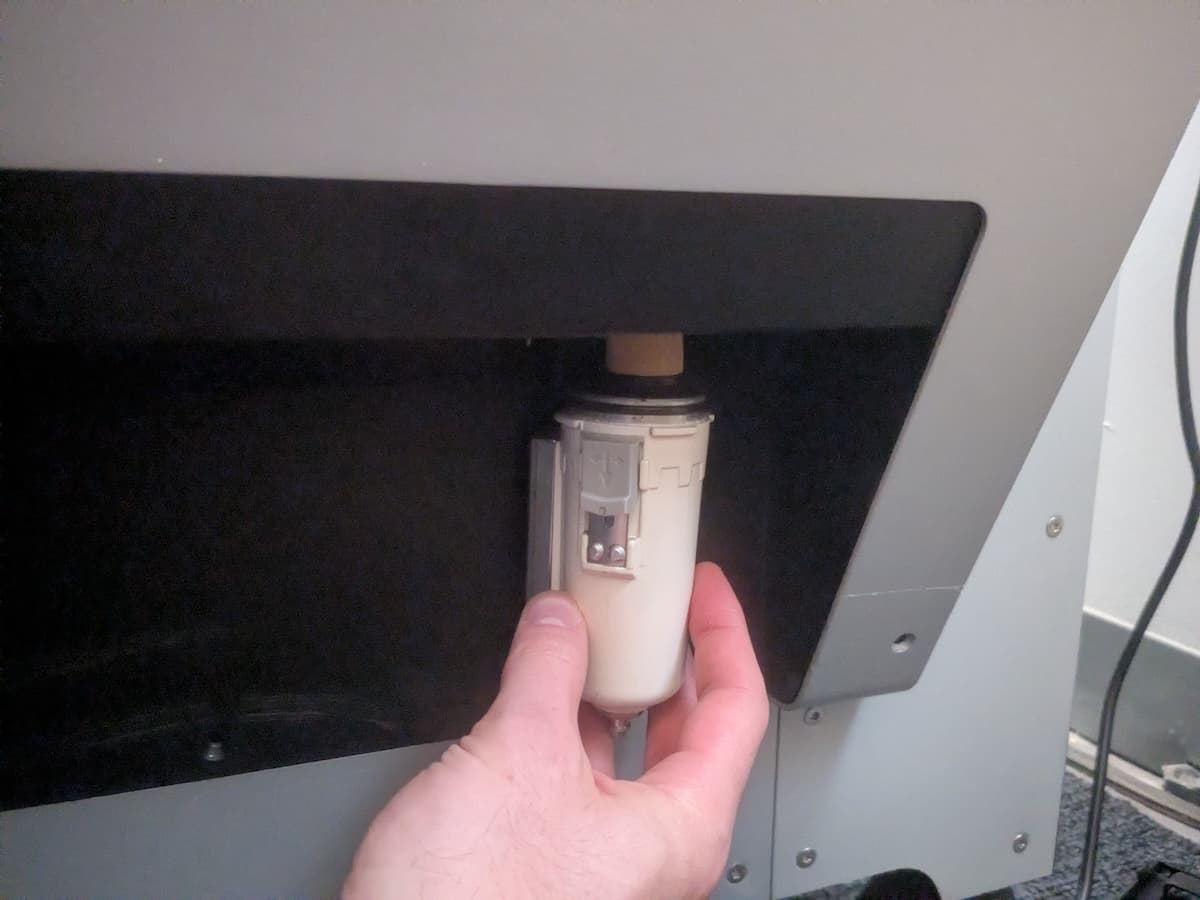
- Inspect the inside of the filter housing and the now-exposed filter mesh for contamination and buildup. If necessary, you can unscrew the filter to more closely inspect or clean it.
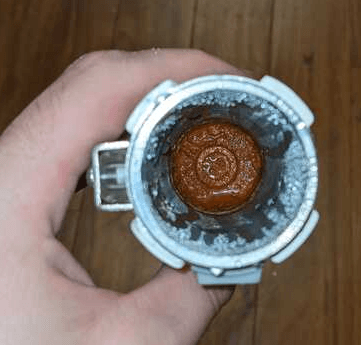
Example of dirty pneumatic filter housing
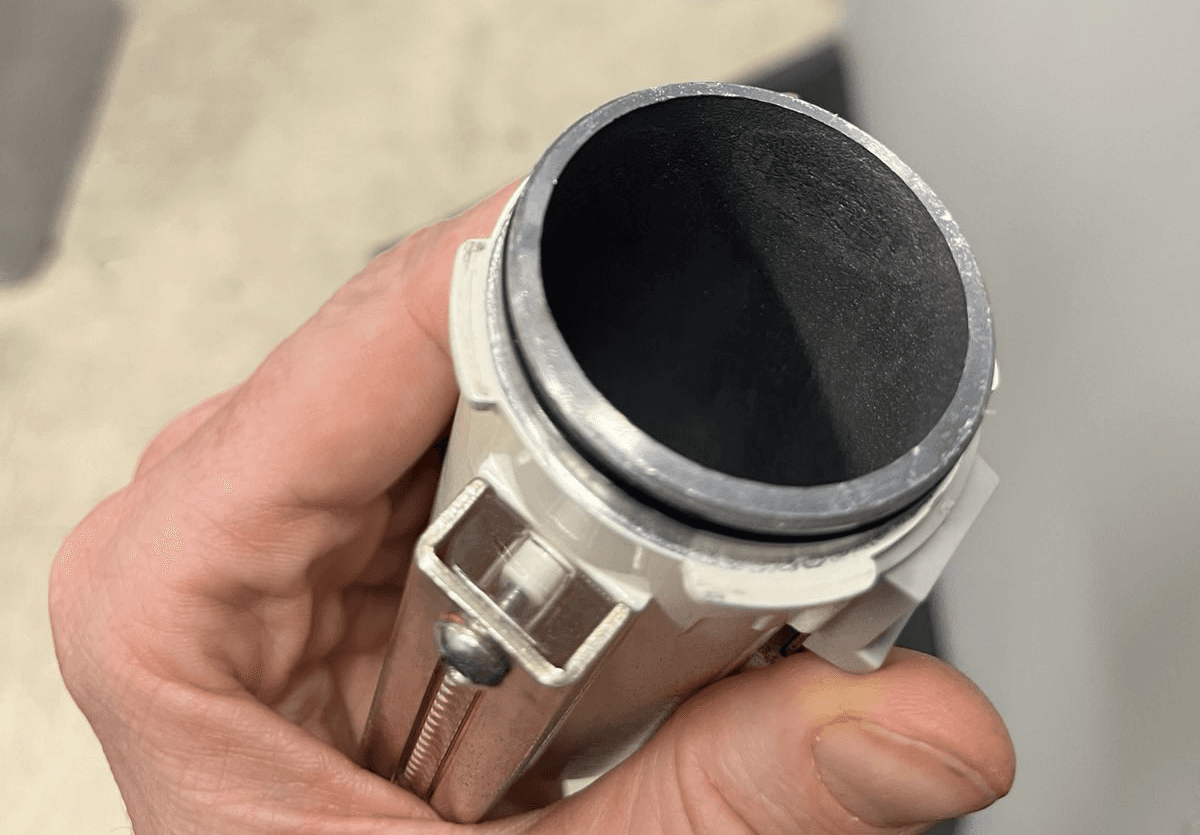
Example of clean pneumatic filter housing
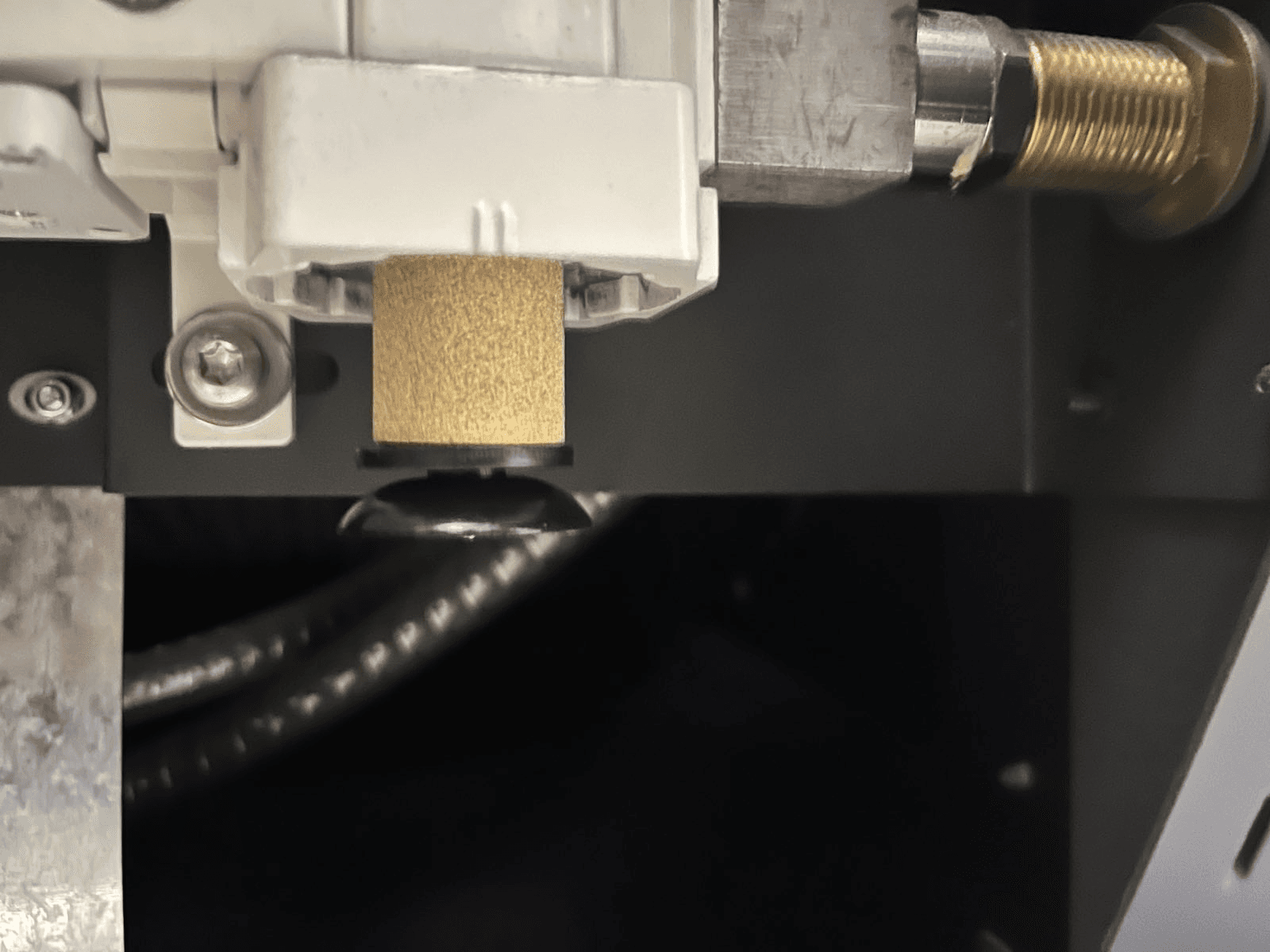
Pneumatic filter installed in pneumatic cassette
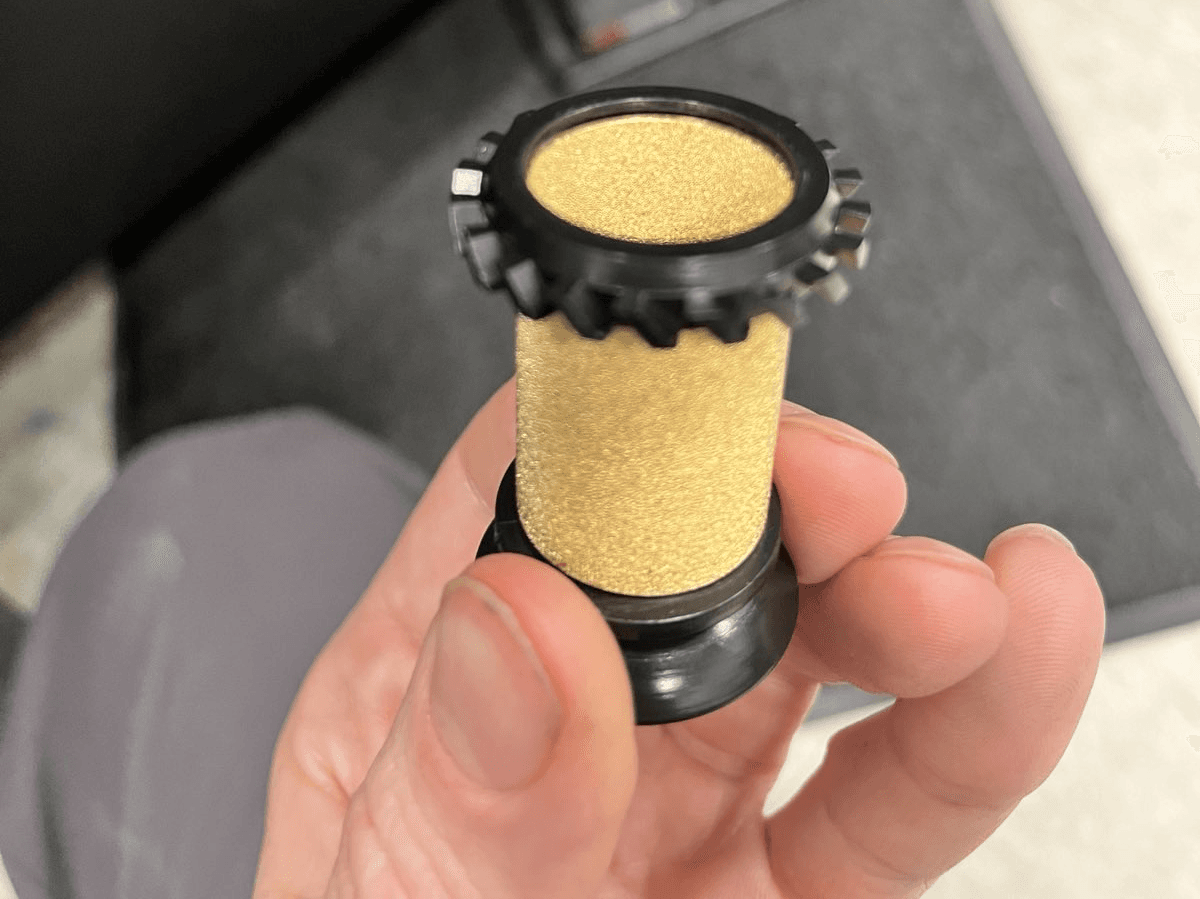
Pneumatic filter, removed
- If there is buildup on either component, wipe it clean with a dry, lint-free cloth. If the buildup is difficult to remove, wet the cloth slightly with isopropyl alcohol.
- If you removed the filter, reinstall it.
- Hold the filter housing in the same orientation it was in when you removed it from the pneumatic cassette. Slide it up and over the filter. Push upwards and rotate the filter housing until the latch faces you and clicks into place.
- Reconnect the compressed air supply and test the functioning of the Fuse Blast.