Tip:
If you are concerned about VOCs when not printing, remove the resin tank from the printer and cover it with its lid after a print is done.

The VOC Extractor is a Formlabs SLA printer accessory that extracts and filters resin VOCs through the exhaust port on the back of the printer. When used with Form Studio 1 and Alpha Resins, the ecosystem meets UL Greenguard Gold standards. The VOC Extractor is also compatible with Form 4 generation printers, but has not been tested against UL Greenguard standards in that configuration.
For more information about Formlabs products and sustainability certifications offered by UL Solutions, see the UL Sustainable Products of Trust (SPOT) database.
When using the VOC Extractor, keep your workspace’s temperature between 18–28 °C (64–82 °F) and ambient humidity below 80%.
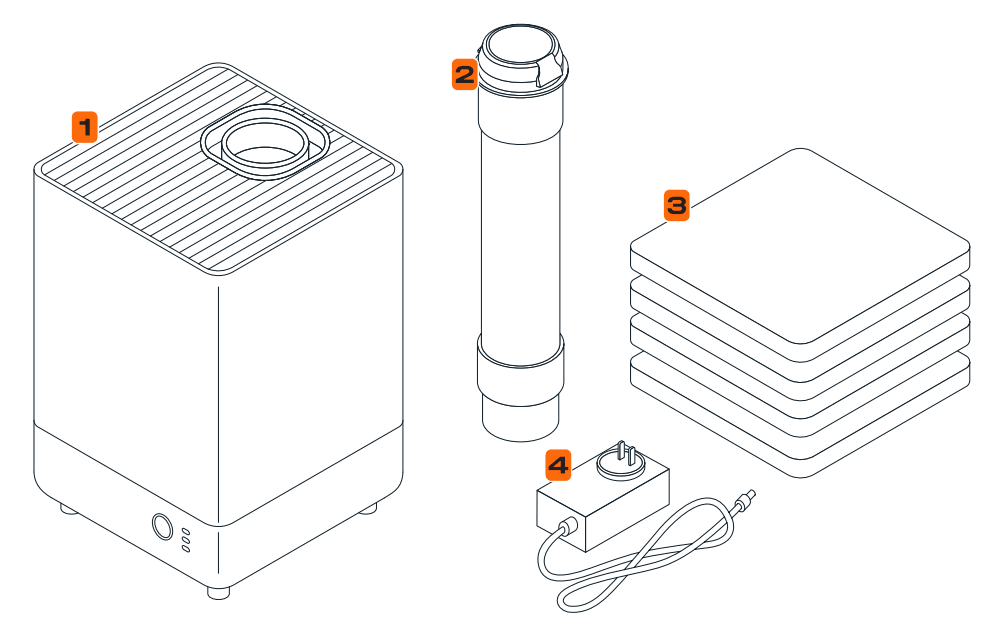
Product components
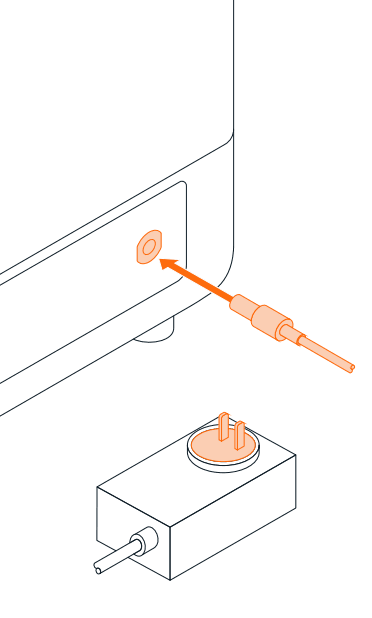
Setting up the VOC Extractor
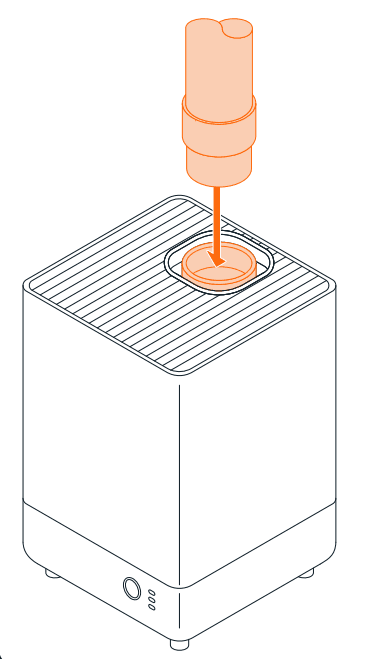
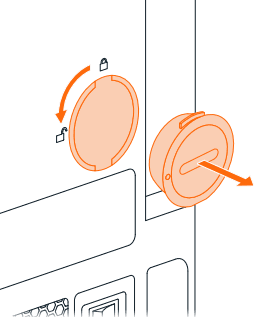
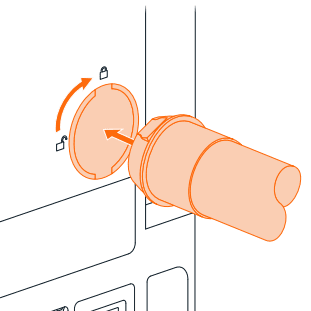
Using the VOC Extractor
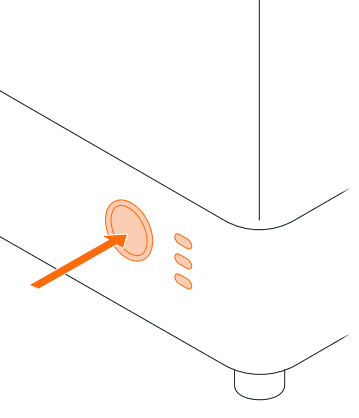
Tip:
If you are concerned about VOCs when not printing, remove the resin tank from the printer and cover it with its lid after a print is done.
Replacing the VOC Extractor filters
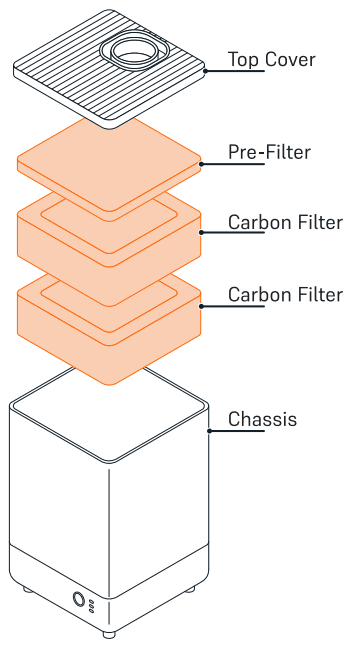
The VOC Extractor draws air through one pre-filter and two activated carbon filters. The pre-filter removes dust and large particles so the carbon filters can run effectively. All three filters are replaceable. Only use the machine with the pre-filter and both activated carbon filters installed.
Checking and replacing the pre-filter
Check the pre-filter regularly. Lift the top cover off of the machine to access the pre-filter. Replace if it is covered in dust. Do not wash or reuse the prefilters or carbon filters.
Replacing the activated carbon filters
The two activated carbon filters are rated to last two weeks (336 hours) of active use. Replace both filters after this time period. Form Studio 1 printers will also remind you to replace the filters on the printer touchscreen. The carbon filters are located beneath the pre-filter; lift the top cover off of the machine and remove the pre-filter to access them.