
Notice:
Do not apply pressure or directly touch the sifter mesh with your hand, vacuum, or any stiff tool besides the double-sided brush. Applying force can break the mesh and prevent the component from properly filtering out unusable powder.

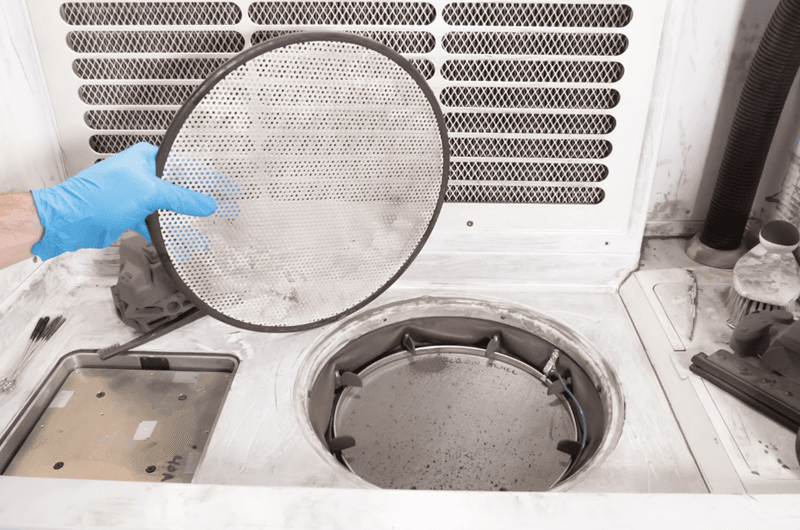
The mesh below the grate only allows nylon powder of a certain thickness to fall through into the collection area. Material that is too big to fit through the grate is left on top of the mesh. Perform regular checks on the mesh by lifting the grate, and clean the sifter mesh after every 20 hours of use.
Notice:
Do not apply pressure or directly touch the sifter mesh with your hand, vacuum, or any stiff tool besides the double-sided brush. Applying force can break the mesh and prevent the component from properly filtering out unusable powder.
Checking the Fuse Sift sifter mesh
To check the Fuse Sift sifter mesh:
Next: Cleaning the Fuse Sift's sifter mesh
After 20 hours of use extracting parts, the sifter mesh requires cleaning to remain in regular functioning order.