
Formlabs Fuse X1 vs. HP Jet Fusion 5600 Series

Looking for a large-format industrial 3D printer for producing strong, long-lasting parts? See why Formlabs Fuse X1 is the leading industrial SLS 3D printing platform.
Compare the Formlabs Fuse X1 vs. HP Jet Fusion 5600 Series
Formlabs Fuse X1
Costs
Starting at $84,999
The Fuse X1 starts at $84,999 for the printer, while the full ecosystem is available for less than a third of the price of an HP Jet Fusion 5600 ecosystem.
Buy directly from Formlabs via sales or locally from a worldwide partner network.
MATERIAL COSTS
$45–65/kg
The most common general-purpose Nylon 12 Powder costs $99/kg, while other high-performance or more niche materials are offered at only a slight premium.
Significant discounts are available for high-volume orders, starting at 20% for customers purchasing 50 kg of powder in bulk, and prices can reach as low as $45 per kilogram.
AGENTS AND PRINTHEADS
$0/kg
SLS 3D printers don’t require any additional consumables besides the powder.
ANNUAL OPERATING COSTS
$20,000
Service plan for Fuse X1 costs $12,300 / year with the 5-year service plan pricing (two years free), software is free, and labor costs are estimated to be $7,500.
Print Technology
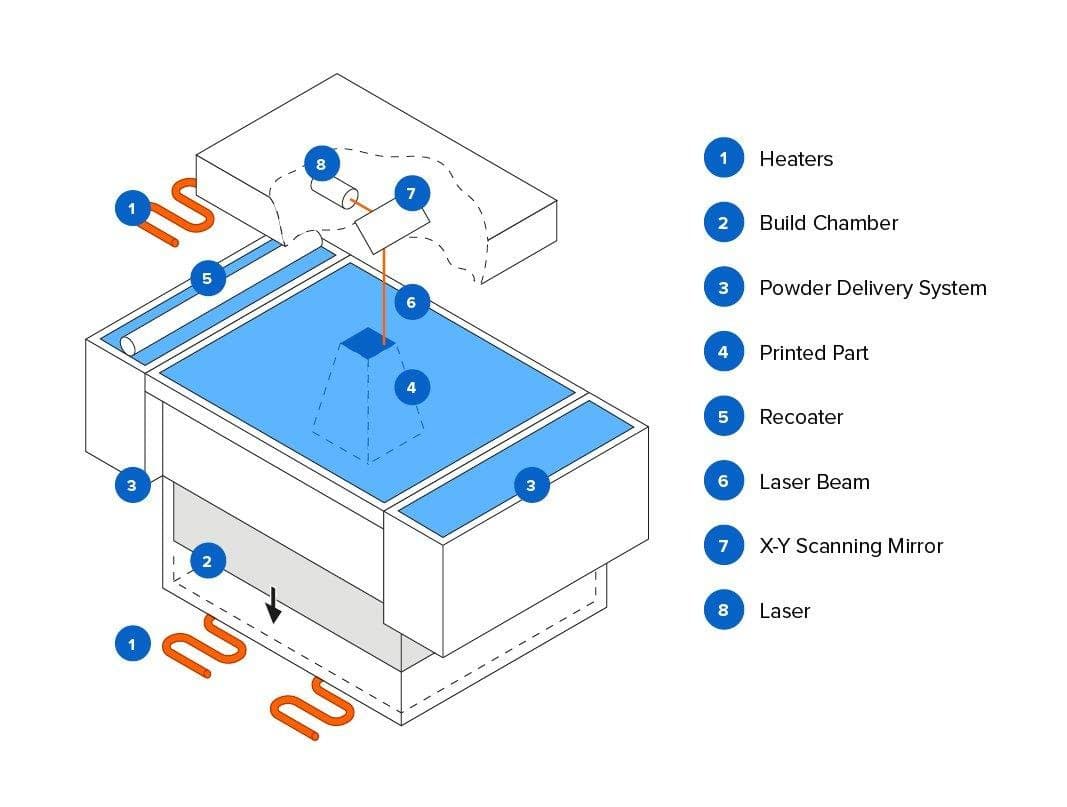
Selective Laser Sintering (SLS)
The Fuse X1 is the first benchtop industrial SLS 3D printer that offers high quality, compact footprint, and a complete, simplified workflow at a fraction of the cost of traditional industrial SLS systems.
Build Volume
61.5L (50% larger)
330 × 330 × 565 mm
13.0 x 13.0 x 22.2 in
Packing density
30%+ vol / 48%+ mass
Packing density directly determines cost per part, material waste, and throughput. Fuse X1's 30%+ volume / 48%+ mass packing density is the highest among powder bed fusion 3D printers and the single biggest operational differentiator.

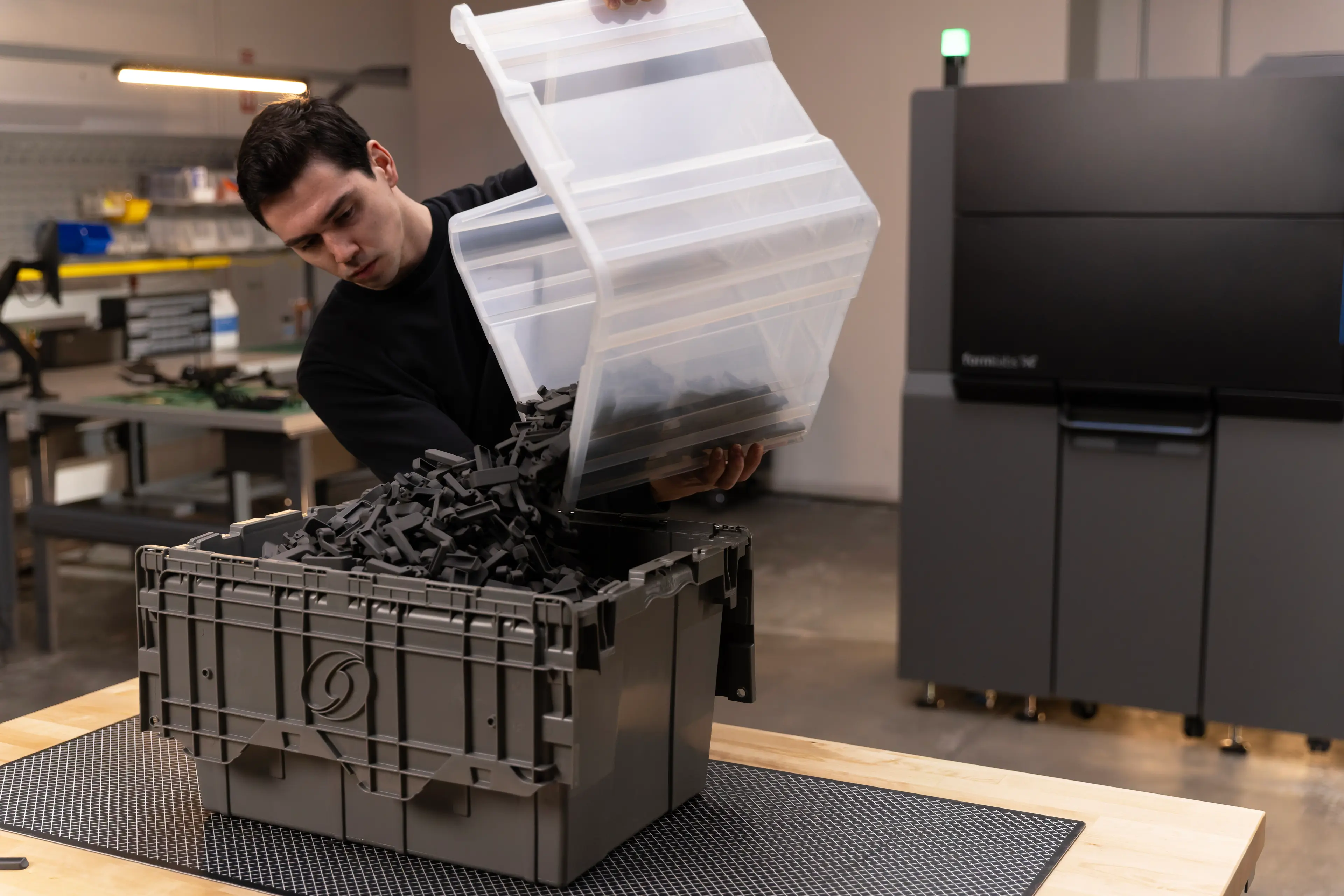
Part printed on Fuse X1 at 41% mass packing density.
Maximum throughput
0.33 kg/hr

3,231 parts | One build
Print Time: 43 hours
Cooling Time: 32 hours
Efficiency
Minimal waste
Parts in the Fuse X1’s build chamber can be packed tightly together to maximize density. Thanks to the 30% powder refresh rate for Nylon 12 Powder, you can print with up to 70% recycled powder for unlimited cycles. This means that you can print with minimal waste for tightly packed production builds.
Materials
Four validated materials, more in development
Fuse X1 supports four materials, including nylon 12 (standard, glass-filled**) nylon 11*, and TPU**.
*Available by the end of 2026.
**Available by June 2027.
More materials are in development.
Open Ecosystem
Print with any 1064 nm powder with Open Material Mode.
Multi-material capable
Switching materials is possible within a few hours. Due to the lower hardware costs, it's also substantially cheaper to build out a multi-material fleet.
Post-processing
35-40 min from print to finished part
Go from printed to finished parts in as little as 35 minutes with the streamlined Fuse Series post-processing workflow. Fuse Sift X1 provides semi-automated depowdering in about 15-20 minutes, while Fuse Blast automatically cleans and media blasts parts in just 20 minutes, delivering a uniform dark gray finish that is ready for end use. Dyeing is optional, and vapor smoothing is not required for most applications. Total active labor from print to finished part is approximately 20-25 minutes.
Print Quality
End-use ready

Fuse X1 parts come out of Fuse Blast with an end-use-ready surface finish, eliminating the need for additional finishing steps in most applications. For manufacturers and service bureaus, this significantly reduces post-processing labor, turnaround time, and equipment costs. By minimizing or eliminating processes such as dyeing and vapor smoothing, Fuse X1 improves throughput and helps maximize production efficiency and profitability.
Workflow
Small floorspace, 1-hour install, zero facility retrofit
Fuse X1 is compact enough that it fits through a standard door and requires only 1-hour to install. Thanks to its small footprint, you can fit many into a facility, and it runs on standard power, so it generally doesn’t require any facility retrofit.
Footprint: 12.5 sq ft
Power requirements: 1-phase 200–240V / 30A
Anyone can use
From print setup to powder recovery, our easy-to-use hardware and software are designed to maximize your efficiency at every step of the process. Easy workflow empowers anyone at your company to use the system independently after a quick 1-hour training.
Simple, 5 minutes print-to-print
The Fuse X1 is designed for minimal upkeep. The system offers proactive maintenance alerts and a full-color touchscreen interface guides you through every step of printing and maintenance. The hopper-based powder delivery system enables completely contained powder loading. The self-regulating dosing system paired with adaptive dosing algorithms minimizes wasted powder in the print process.
Software
Powerful, easy to use, free, and updated regularly
Formlabs' free print preparation software, PreForm®, makes it easy to set up a print in minutes and offers the industry-leading packing algorithm to maximize efficiency. PreForm is available for both Windows and Mac. You can also use the online Dashboard to manage a fleet of printers, monitor prints, track materials and consumables, and work with your team. PreForm is updated regularly with new features.
Service
Premium service worldwide without premium price
Formlabs offers up to five years of premier support service for Fuse X1 customers with direct phone and email support, customized remote training, on-site visits and repairs from local certified SLS experts, annual preventative checkups, and worry-free warranty — worldwide.
The service plan costs $20,500 / year for a single year of service. To save the cost of 2 years up front, choose the 5-year service plan for $12,300 per year.
HP Jet Fusion 5600 Series
Cost
Starting at $400,000
HP MJF 5600 printers start around $400,000, while the whole ecosystem with all post-processing equipment requires a more than $600,000 initial investment.
MATERIAL COSTS
$32-64/kg
HP’s material pricing for MJF systems is opaque. Powder costs $64/kg for the 5600, $44/kg for the 5620 for a ~$90,000 upgrade, and $32/kg for the 5620 Pro, which is a $125,000 upgrade.
AGENTS AND PRINTHEADS
$20–30/kg
The MJF print process requires fusing and detailing agents, and printheads, which add about $20-30/kg. Agents add per-build cost regardless of how full the chamber is. HP's own cost benchmarks assume 10% packing density. Below that, material costs escalate dramatically because agents are consumed regardless of density and powder refresh rates don't scale favorably.
ANNUAL OPERATING COSTS
$115,000
Service plan for Jet Fusion 5600 Series printers costs $50,000 per year, software $20,000 per year, while labor costs are estimated to be $45,000. Higher labor costs are driven by more changeovers and more complex maintenance.
Print Technology

Multi Jet Fusion (MJF)
HP MJF 3D printers use an inkjet array that first deposits fusing, detailing, and coloring agents, and during another pass, exposes the powder bed to infrared energy, which fuses the part’s layers together. While the process is different, the end result is similar to SLS.
Build Volume
41L
380 × 284 × 380 mm
15 x 11.1 x 15 in
Packing density
8–10% vol / ~20% mass
Maximum recommended packing density for HP MJF systems is 8–10%. At higher densities, thermal buildup causes defects. This is a structural limitation of the IR heating mechanism of MJF 3D printers.

Thermal buildup while printing parts at higher densities results in poor surface finish, yellowish tint, and subpar mechanical properties.
Maximum throughput
~0.11 kg/hr

3,232 parts | 808 parts per build x 4
Total Print Time: 46 hours
Total Cool Time: ~120 hours
Efficiency
Wasteful
The MJF process requires parts to be spaced well apart to minimize thermal buildup and maintain a consistent packing density throughout the build volume. In practice, the recommended packing density is limited to approximately 8–10% by volume (about 14% by mass). With a 20% powder refresh rate for Nylon 12, this means that even under ideal conditions, you must discard at least half as much powder as the mass of the printed parts. In many cases, the amount of wasted powder can be even greater.
Build Volume
Six materials
HP offers six materials for the MJF 5600 Series, including nylon 12 (standard, white, surface-finish optimized, flame-retardant), nylon 11, and TPU.
Closed Ecosystem
HP’s MJF 3D printers have a closed material ecosystem limited to HP-certified materials only, with no option for open material mode.
Multi-material capable
Changing materials on an HP MJF printer is fairly straightforward — you simply swap to a different build unit. The real challenge is supporting an additional material, since it typically requires investing over $100,000 in dedicated equipment, including another build unit, cooling unit, and post-processing station.
Materials
Multiple hours, labor-intensive
Post-processing requires manual or semi-manual unpacking, as HP does not offer an integrated media blasting solution, requiring customers to purchase third-party equipment. Parts have a splotchy light gray finish that typically requires dyeing, while vapor smoothing is often needed to achieve an end-use surface finish, adding additional equipment and processing steps. Total active labor is significantly higher, with multiple manual steps that can take several hours.
Features and Ease of Use
Requires post-processing

Parts printed on HP MJF 5600 Series printers have a splotchy gray appearance and a slightly rough surface finish as a result of the printing process. For most end-use, customer-facing, or aesthetic applications, vapor smoothing is typically required to achieve the desired surface quality. This additional post-processing step requires separate equipment, chemical handling, and added cycle time, increasing production complexity and cost.
Software
Large floorspace, multi-day installation, facility upgrades required
HP MJF 5600 Series printers have a large footprint and require multi-day, on-site installation, making them difficult to deploy in many facilities. They also require industrial power, often necessitating costly facility upgrades.
Footprint: 30.2 sq ft (2.4× Fuse X1)
Power requirements: 3-phase, 80A
Requires a skilled AM technician
HP MJF printers have a much more complex workflow. Technicians need to go through a ~9.5 hr certification; as a result, most companies limit access to a few skilled technicians.
Complex, 30+ minutes print-to-print
HP MJF printers require technicians to complete a long list of manual maintenance tasks in between each print. This means higher labor needs and lower productivity. Watch this video to learn more.
Workflow
Expensive and complex
HP MJF 5600 printers use HP’s 3D Center software and customers are advised to use third-party software like Materialise Magics for packing builds, for an additional $20,000 per year.
Workflow
Expensive, inflexible annual contracts
HP MJF 5600 Series printers come with a compulsory service plan that costs $50,000 / year and offers a similar list of benefits.
However, this doesn’t even include everything; for example, simply relocating the printer within your facility costs $15,000.
Do you have more questions about the differences between these solutions?
Request a Free Sample 3D Print
See and feel Formlabs quality firsthand. We’ll ship a free sample part to your office.
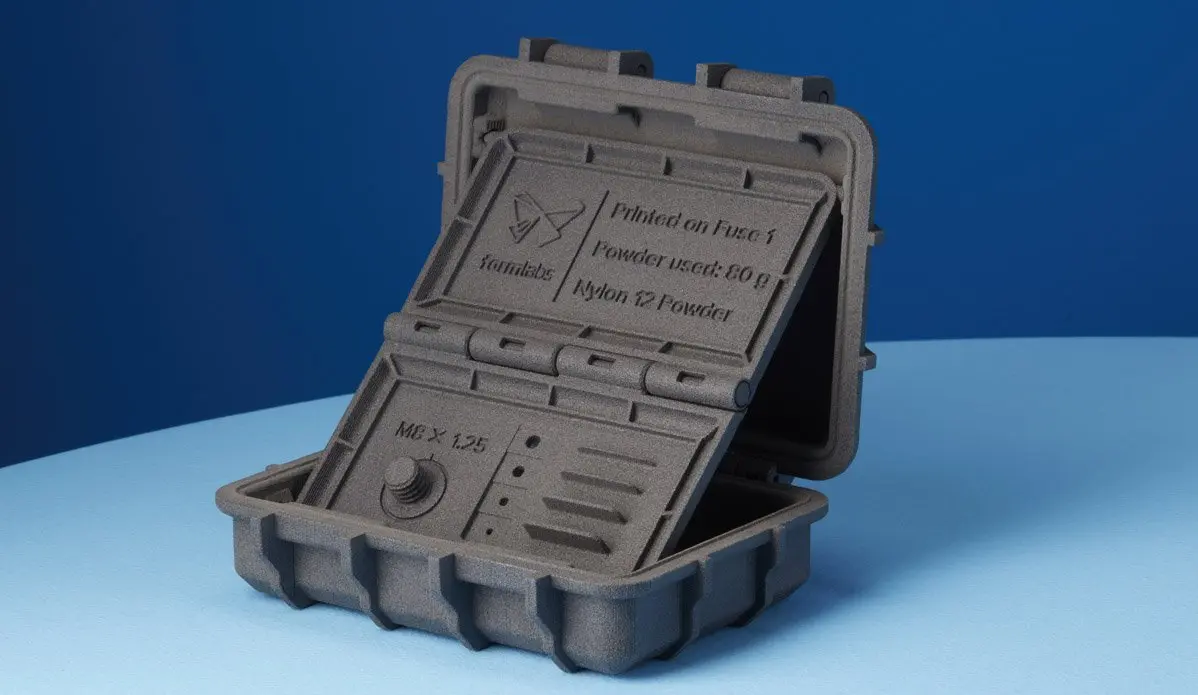
Deliver full-size parts overnight, or production runs of your latest design.
Production Batches
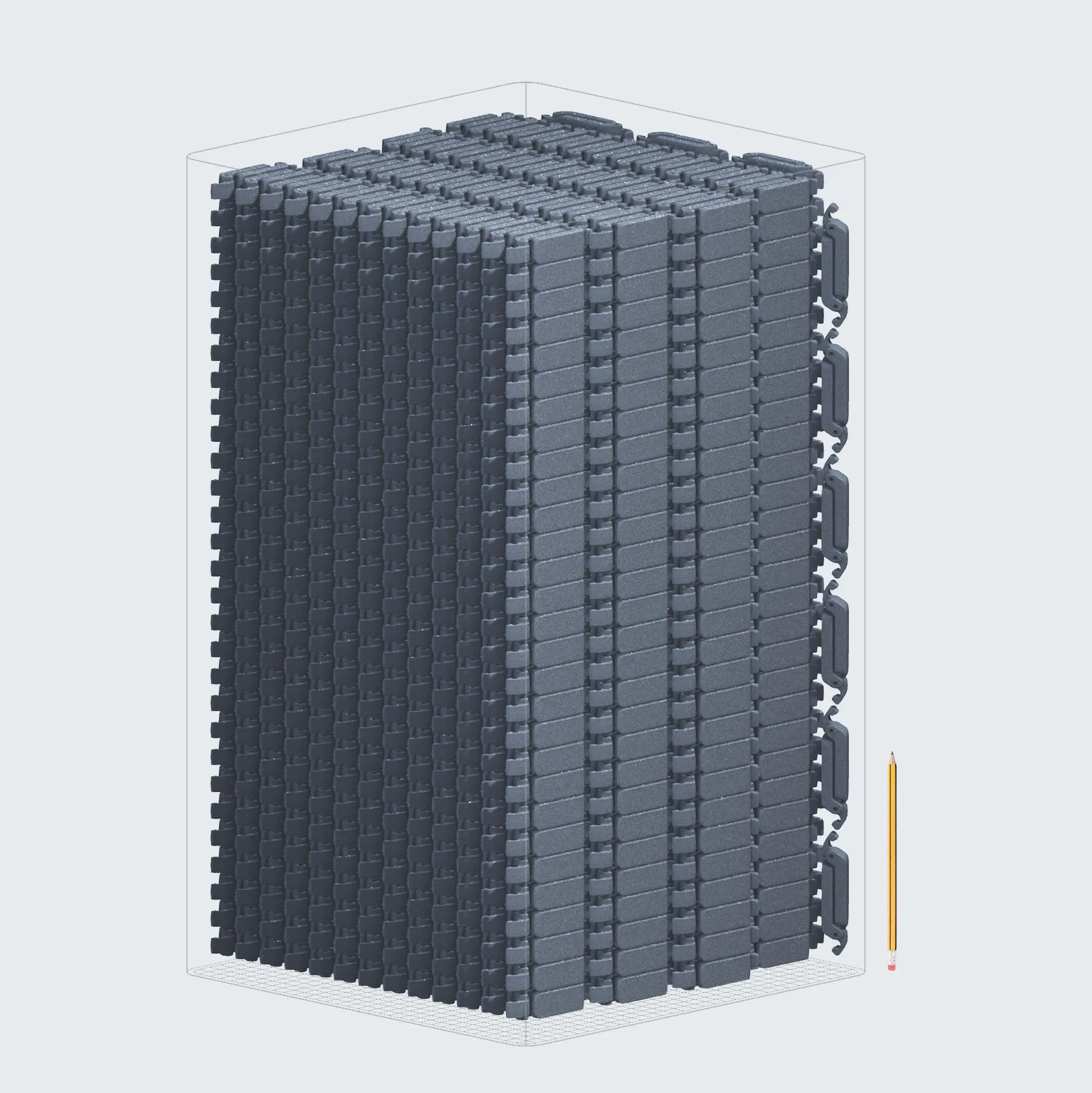
3280 Parts
41.5 hours
41% mass pack density
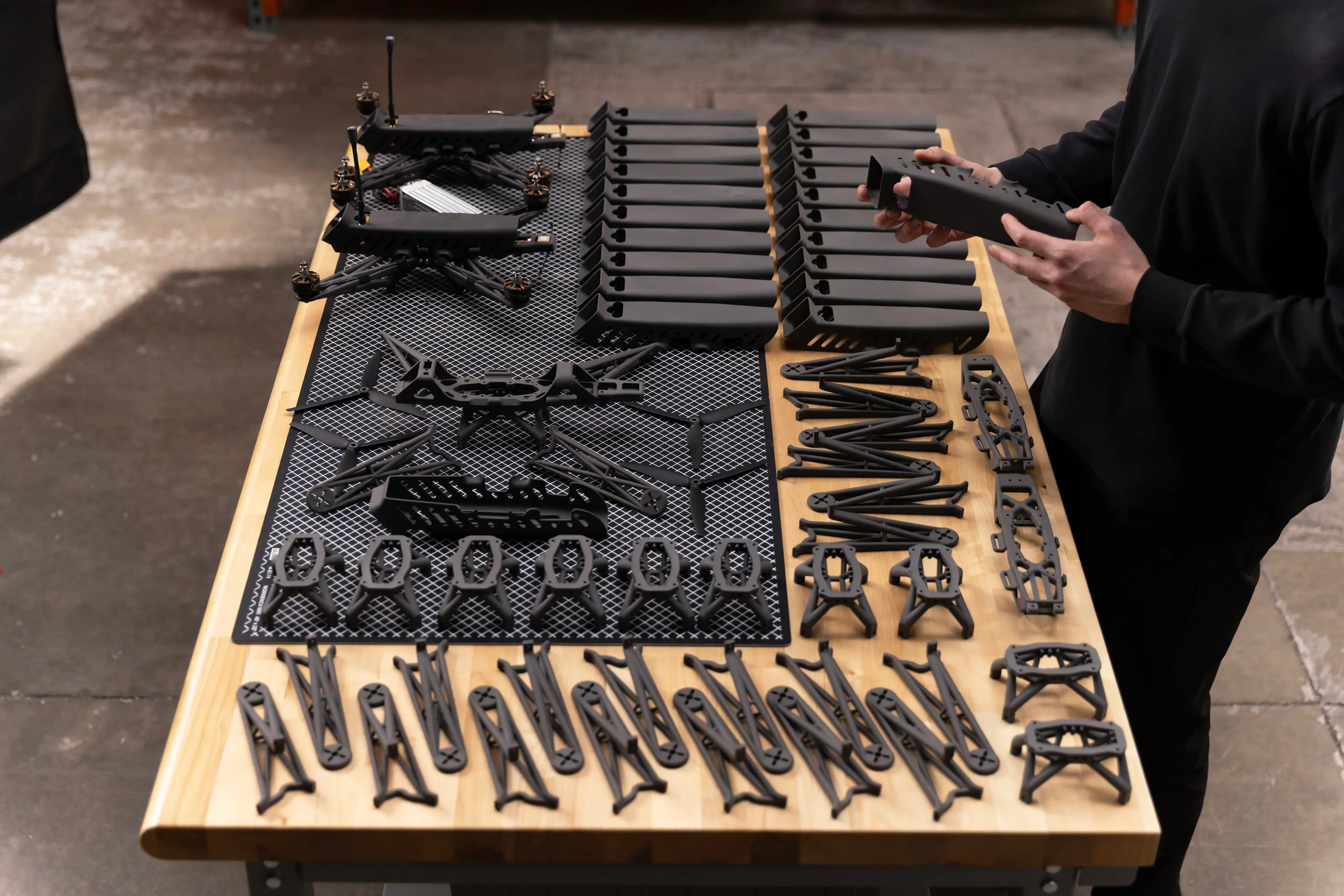
High Mix Builds
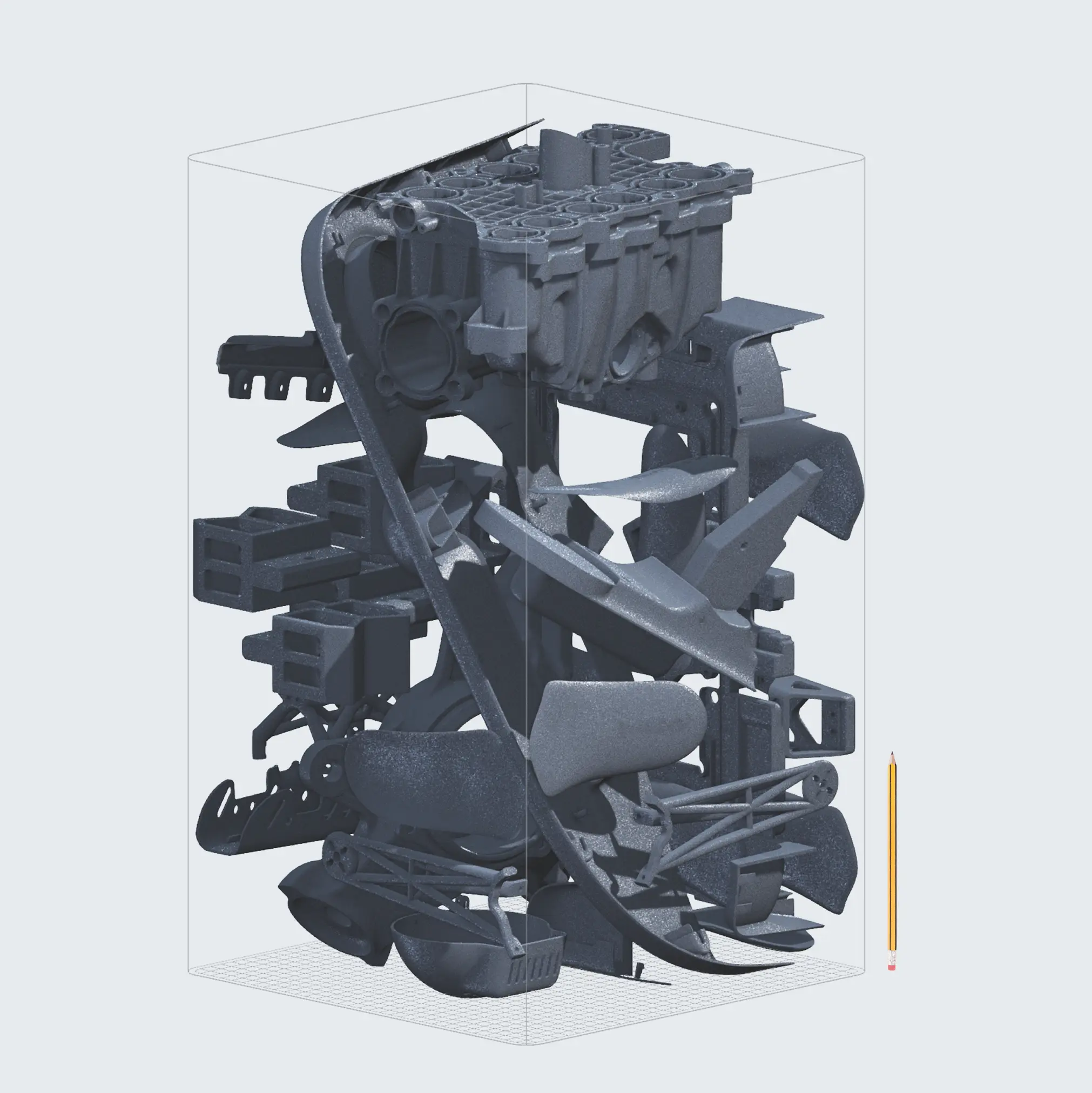
29 Parts
22.5 hours
10% mass pack density
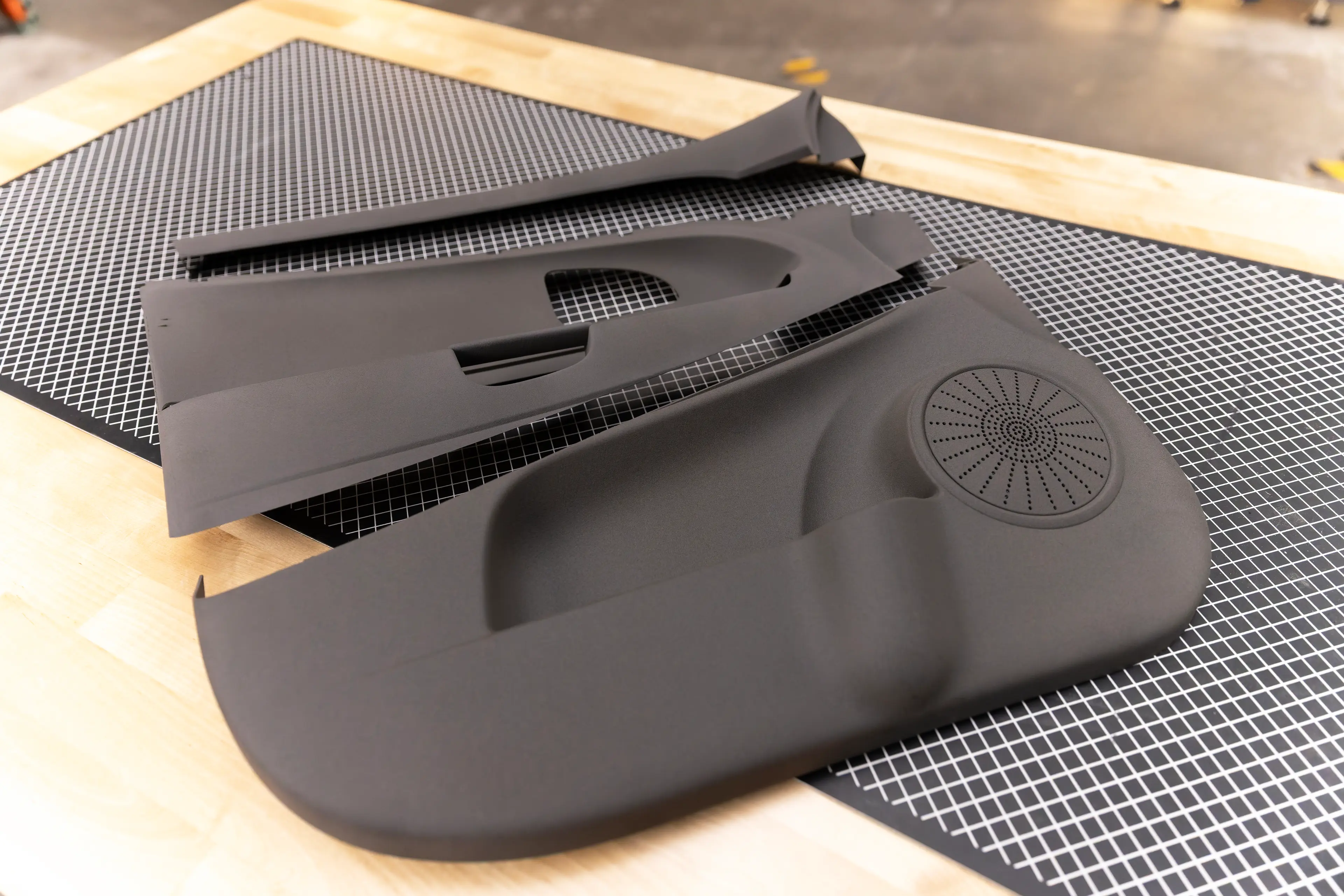
Full Scale Prototypes
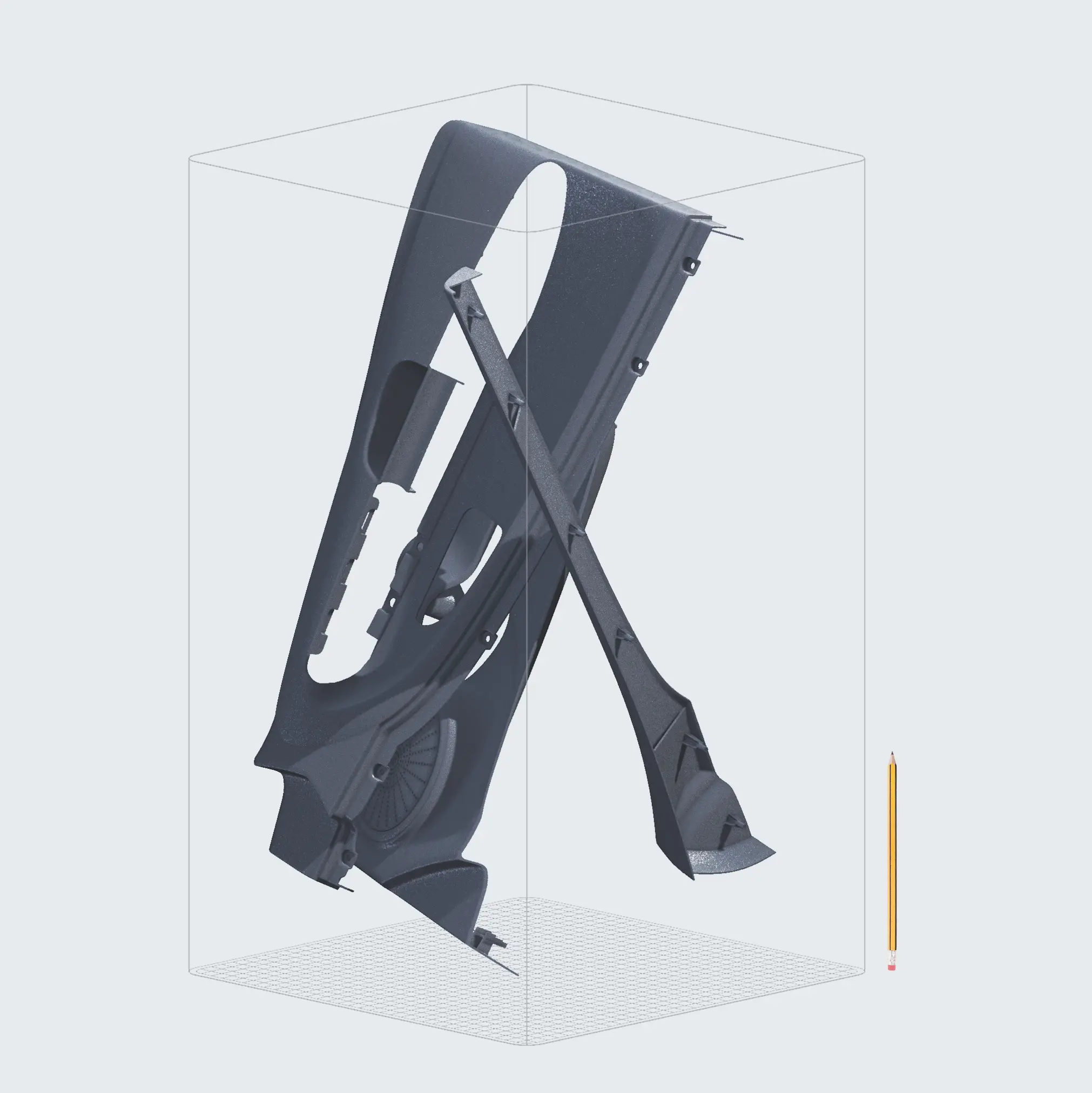
3 Parts
21 hours
2% mass pack density
Case Study: Radio Flyer
How Fuse X1 Helps Radio Flyer Shorten Prototyping Timelines by 90% With 9x Less Labor
“With Fuse X1, we can now print an entire Flyer Loop cargo ebike overnight and be gluing it together the next day. So we went from two months to two weeks to a couple of days.”
Agostino LoBello, Product Development Engineer, Radio Flyer

Scale production, not overhead with 50% lower cost per part.
- €51Fuse X1per frameLead time: 2 days
 €205OutsourcedLead time: 14 days€99Legacy SLSLead time: 5 days
 - €680Fuse X1per doorLead time: 3 days
 €1589OutsourcedLead time: 14 days€1122Legacy SLSLead time: 5 days
 - €0.43Fuse X1per latchLead time: 5 days
 €19OutsourcedLead time: 14 days€1.34Legacy SLSLead time: 7 days
 - €850Fuse X1per frameLead time: 3 days
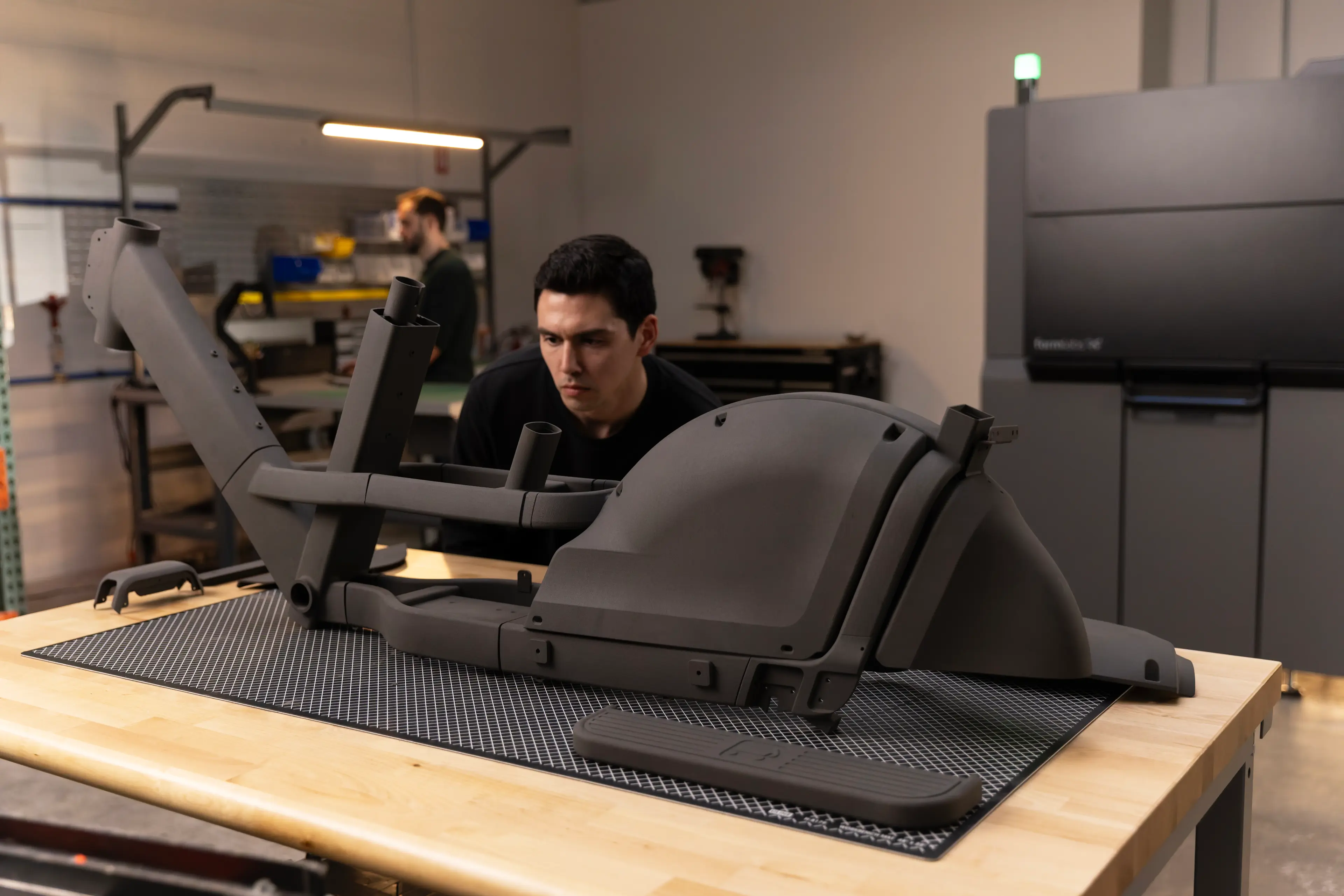 €3110OutsourcedLead time: 14 days€2584Legacy SLSLead time: 5 days
Case Study: Autotiv Manufacturing
3x the Throughput, Half the Size: How Fuse X1 Enabled a Service Bureau to Scale SLS
“The Fuse X1 has returned on investment about five times faster than comparable SLS systems that we already own and are evaluating, thanks to about half the upfront cost and about double the throughput. You can get a return on investment extremely quickly.”
Evan LaBelle, CEO, Autotiv Manufacturing
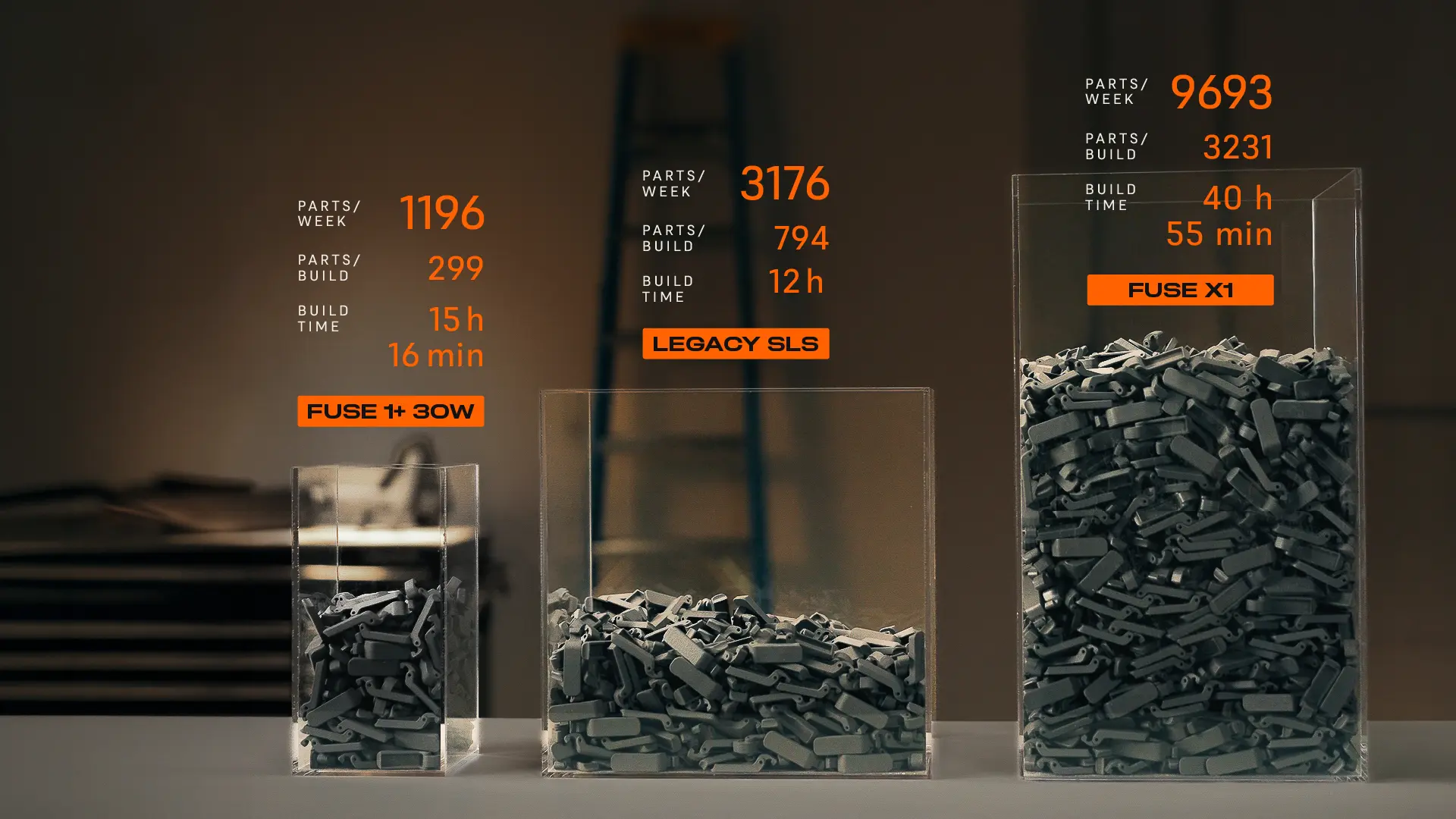
Productive no matter how you measure it. Fuse X1 delivers 3x higher throughput in less than half the floor space.
More Parts Per Build
With 30%+ packing density and a 61.5L build volume, the Fuse X1 fits more parts in a single build than competing industrial SLS and MJF systems, adding up to thousands more parts per week.
Fits Where Others Can't
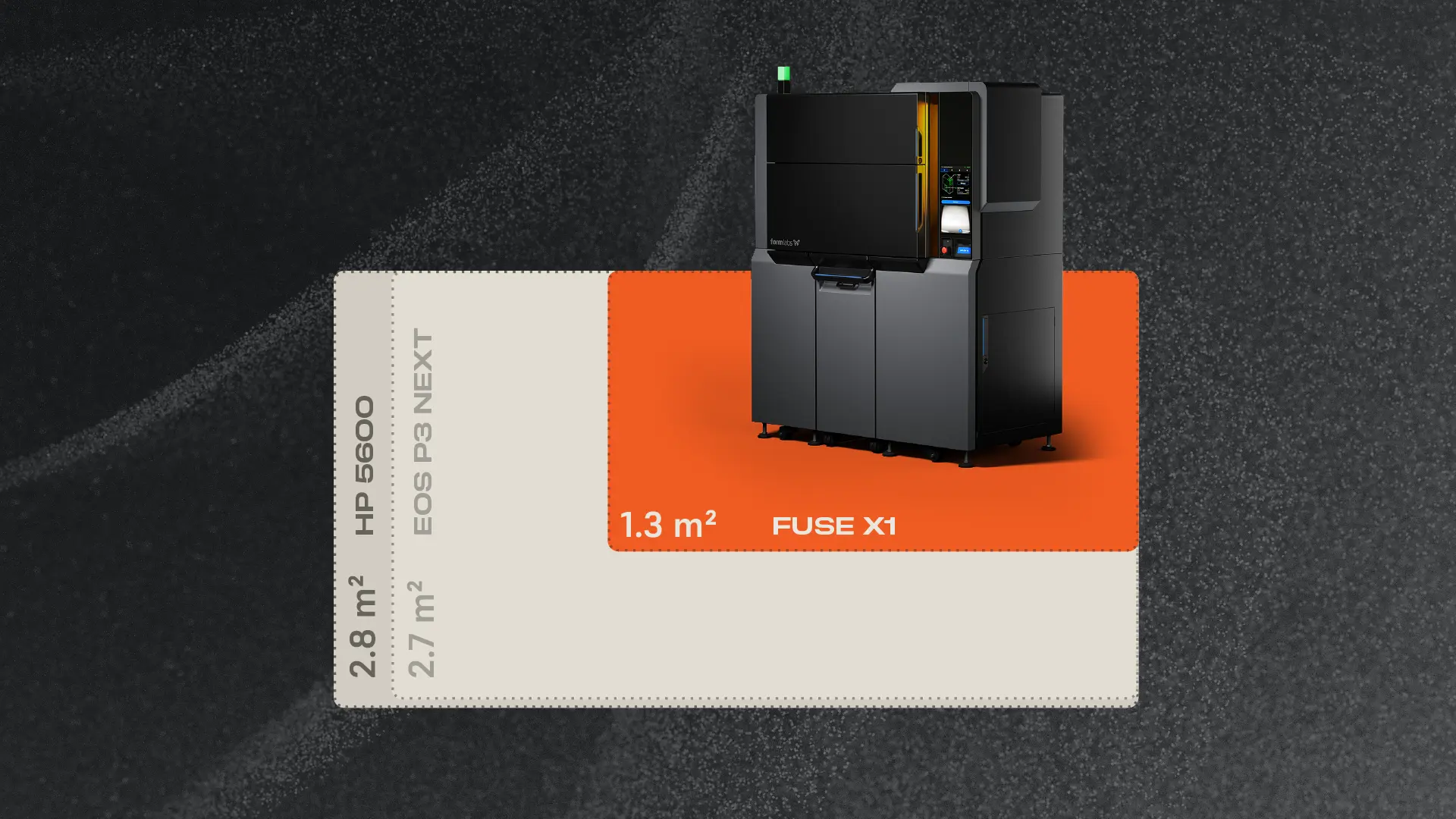
At just 1.3 m², the Fuse X1 takes up less than half the floor space of an HP 5600 (2.80 m²) or EOS P3 Next (2.70 m²). It rolls through a standard doorway, so you can install production-scale SLS without rebuilding your floor plan.
Case Study: Tesla
How Tesla Giga Nevada Prints 20,000 Parts a Month Instead of Injection Molding With Fuse X1
“With the increased throughput and decreased costs, Fuse X1 has completely changed our perspective on what kinds of projects our lab can support versus what we would have traditionally moved to an injection mold.”
Cody Jepson, Engineering Technician, Additive Manufacturing at Tesla Giga NV
Print Intelligence, an industry-first, AI-powered print failure prevention system.
How It Works
The Fuse X1 is the most reliable SLS printer ever developed. By combining computer vision with Adaptive Temperature Control, Print Intelligence detects anomalies in real time and automatically masks the affected area, preventing print failures and maximizing part yield without sacrificing the rest of the build.
The Power Behind the Fuse X1