WHITE PAPER
Formlabs Logo

Best practices for maintaining clean powder

Best practices for maintaining clean powder

Reusing powder is an excellent method of conserving material. As you recycle loose powder from previous prints, be on the lookout for contamination. Dirt, hair, blasting media, and cloth fibers may mix with powder and cause print failures.

Notice:

Do not place the Fuse 1, Fuse Sift, or powder in the same room as other equipment that emits dust or shavings.

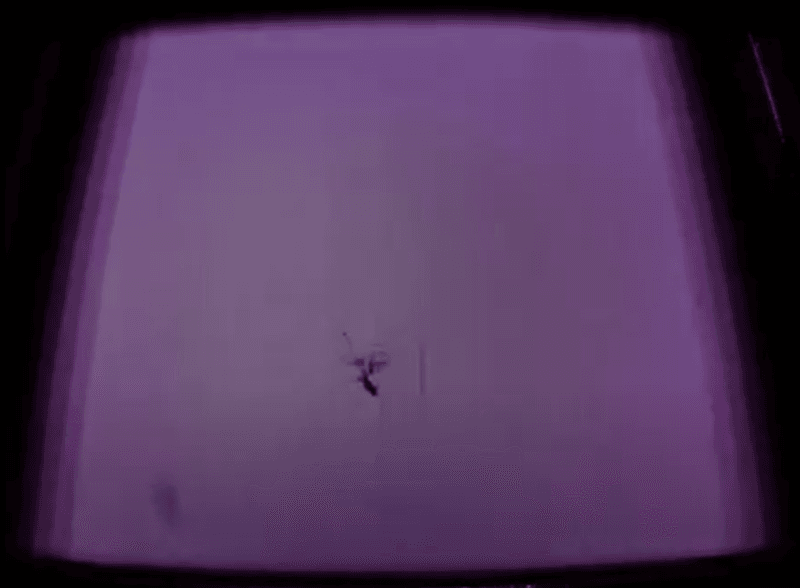
Image of a print in progress as a fiber breaks through the powder.

Keeping powder clean

Contaminated powder can cause print failures. Keep the Fuse Sift’s workspace clean and tidy to prevent stray contaminants from entering the reusable powder stream. Vacuum around the sifter mesh and the fresh powder hopper after every print recovery.

Place your media blasting tools in a separate room away from the printer and powder recovery system to prevent powder contamination and potential print failures. If you cannot move the media blaster into its own workspace, position any media blasting tools as far away from the printer and Fuse Sift as possible to prevent media blasting particles from contaminating your powder supply.

What is powder waste?

Any powder that touches the floor, skin, table, workbench, or bag cannot be reused. If mobilized powder settles onto surfaces other than the Fuse Sift's workspace, it should be considered waste. This includes anything captured by the vacuum—even if the bag is brand new and it exclusively contains powder from the workspace. Attempts to recapture and store stray powder back inside the Fuse Sift or powder hoppers may inadvertently contaminate the reusable powder stream.

Prevent powder waste

Hair and clothing fibers present the most risk of contaminating the reusable powder stream and causing a print failure.

To prevent powder waste:

  • Roll up sleeves when interacting with the Fuse 1, Fuse Sift, or powder.
  • Avoid touching hair or clothing when interacting with the Fuse 1, Fuse Sift, or powder.
  • Tie back long hair when interacting with the Fuse 1, Fuse Sift, or powder. Consider wearing a hairnet or beard net, even for shorter hair.
  • Operate the Fuse 1 and Fuse Sift in an environment with low-ambient humidity.
  • Keep the Fuse 1, Fuse Sift, and powder supply separate from liquids and solids.

Cleaning the Fuse 1 after fibers cause a print failure

Clean and reset the Fuse 1 as if you just completed a print to ensure that all contaminants have been purged from the printer.

After experiencing a print failure:
  1. Remove and empty the build chamber. All powder, sintered or unsintered, is waste.
  2. Empty the powder cartridge. All powder, sintered or unsintered, is waste.
  3. Clean all the powder from the printer.
  4. Run the empty hopper routine as needed to empty all the powder in the hopper.
    1. Tap the gear icon on the bottom left of the printer's Home screen. The Settings screen appears.
    2. Tap Calibration. The Calibration screen appears.
    3. Tap Empty hopper and follow the on-screen prompts.
    4. Fuse 1 printers only: Make sure that the debris catcher in the hopper is properly installed and clean.
  5. Vacuum the print enclosure.
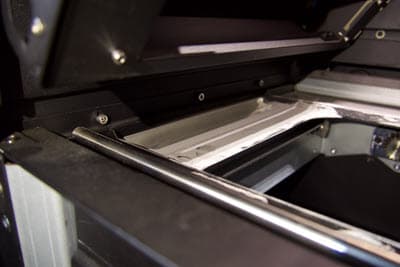
  6. Vacuum the troughs around the print bed.
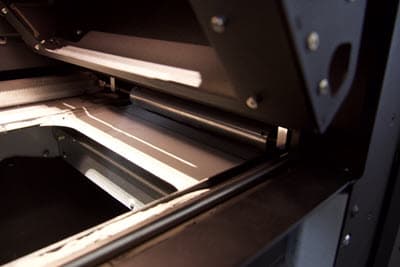
A closeup of the trough indentation on the left side of the print bed.
A closeup of the trough indentation on the right side of the print bed under the roller.
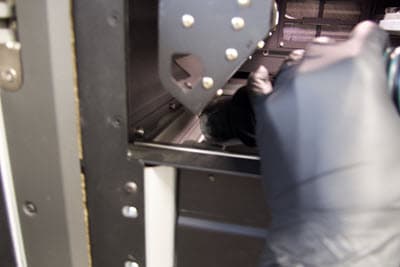
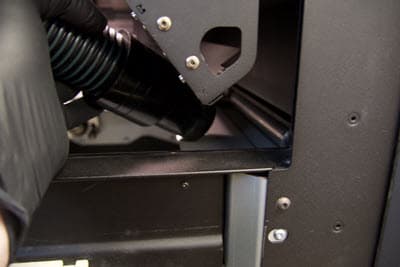
Someone is bringing the vacuum hose to the trough on the left side of the print bed.
Someone is bringing the vacuum hose to the trough on the right side of the print bed under the roller.
  1. Inspect the Fuse Sift’s sieve.
    1. If the sieve is torn, replace the sieve.
    2. If the sieve is clean and undamaged, continue.
  2. Sift all the powder collected from the printer.
    1. If the sieve was replaced recently, Formlabs recommends re-sifting the powder stored in the cartridges as well, to ensure it is free of contaminants.
  3. Mix the sifted powder with fresh powder at the recommended refresh rate.