WHITE PAPER
Formlabs Logo

Cooling a build chamber before cleaning prints

Cooling a build chamber before cleaning prints

SLS printed parts, such as those printed in nylon, are sensitive to sudden and drastic temperature changes. After printing, the print job needs to cool in the build chamber to alleviate thermal stresses in the printed parts. Parts that are not allowed to properly cool become warped and brittle and may fail under load.

As a general guideline, parts that are allowed to cool to 50 °C (122 °F) or lower have the lowest risk of warping. This can mean waiting approximately 30–50% of the actual build time before handling prints. You can unpack your parts earlier if needed for higher throughput, but you may experience some part warpage, especially on vertically-oriented long and thin parts and on parts placed near the outer corners of the build chamber.

Two protective gloves, one shown in front, the other shown behind (outlined)

Warning:


The print enclosure in Fuse 1 generation printers is designed to operate at up to 200 °C (392 °F) and incorporates high-intensity heaters. Do not open the print enclosure or any other access doors on the printer during or immediately after a print. Do not handle parts from a build chamber without allowing the entire print enclosure to cool for several hours, or until the build chamber temperature has reached ≤ 100 ºC (212 °F). Use the provided thermal-insulating silicone gloves when handling a hot build chamber. Failure to follow these procedures will result in serious injuries, including burning and/or scalding of skin.
Impact of varying cooldown times on warpage

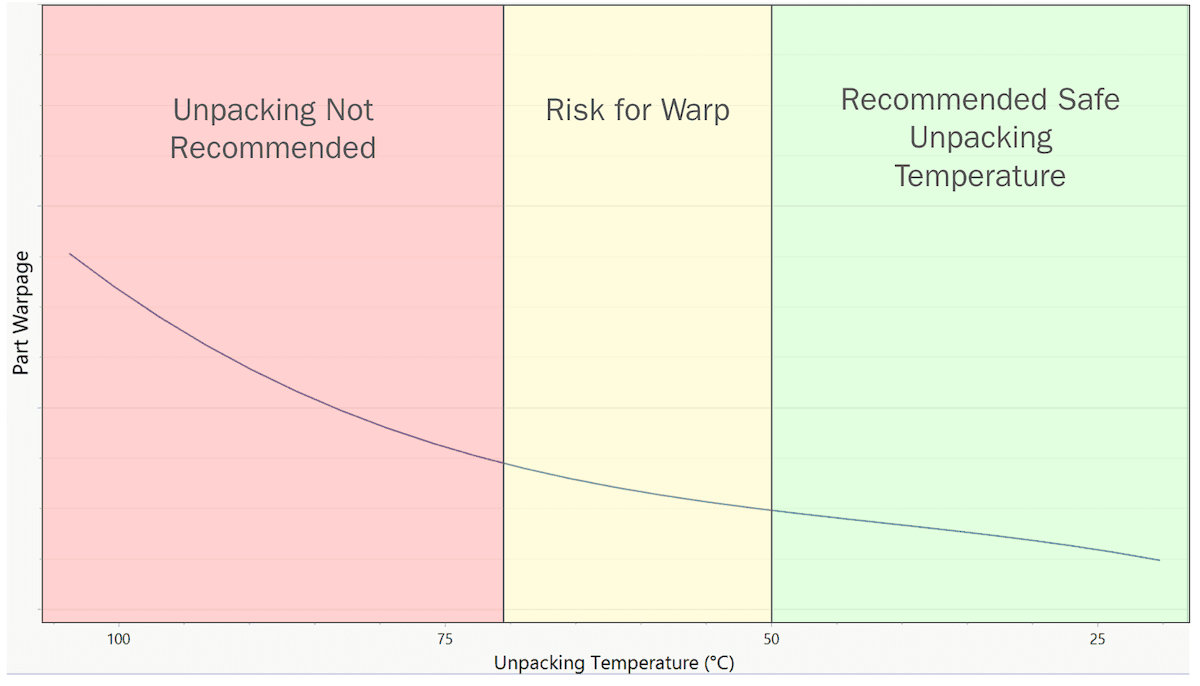
Relationship between unpacking temperature and part warpage on a build chamber cooled outside the printer

Relationship between unpacking temperature and part warpage on a build chamber cooled outside the printer

The Formlabs team tested the impact of cooldown time and unpacking temperature on part warpage using Nylon 12 Powder on a Fuse 1+ 30W printer. The build chamber was filled with a variety of different parts at a packing density of 15%. Parts from all corners of the build chamber were tested. Multiple identical builds were printed, and build chambers were removed from the printers at varying temperatures, ranging from 100 °C to 25 °C. The parts were measured for warpage, and the variance from their intended shape was plotted against the temperature at which their build had been unpacked.

  • Parts unpacked at temperatures higher than 70 °C showed consistent warping.
  • The most consistently dimensionally-accurate parts were those unpacked at room temperature.
  • Parts unpacked when the build chamber reached 50 °C were not significantly more warped than those unpacked at room temperature.
  • Certain types of parts, such as vertically-oriented long and thin parts and on parts placed near the outer corners of the build chamber, typically require longer cooldown times. Builds with these parts typically need to remain in the printer until they are 50 °C to prevent warping. Your results may vary based on pack density, material, part geometry, and your own part acceptance criteria.

Creating a production schedule that allows for a complete cooldown to 50 °C, or at least between 50 °C and 70 °C, will improve your chances of producing quality, consistently accurate parts. The Fuse Sift shows the current temperature of an inserted build chamber to help in your testing and decisionmaking.

Cooling a build chamber in the printer

After a print has completed, leave the build chamber in the printer until the internal temperature has fallen below 100 ºC (212 °F). At that point, the build chamber can be safely transferred to the Fuse Sift to finish cooling (if necessary).

Cooling a build chamber in the Fuse Sift

After moving the build chamber to the Fuse Sift, allow it to finish cooling before ejecting the powder cake and processing your printed parts.

To cool a build chamber in the Fuse Sift, check the status of the build chamber on the Fuse Sift’s touchscreen.

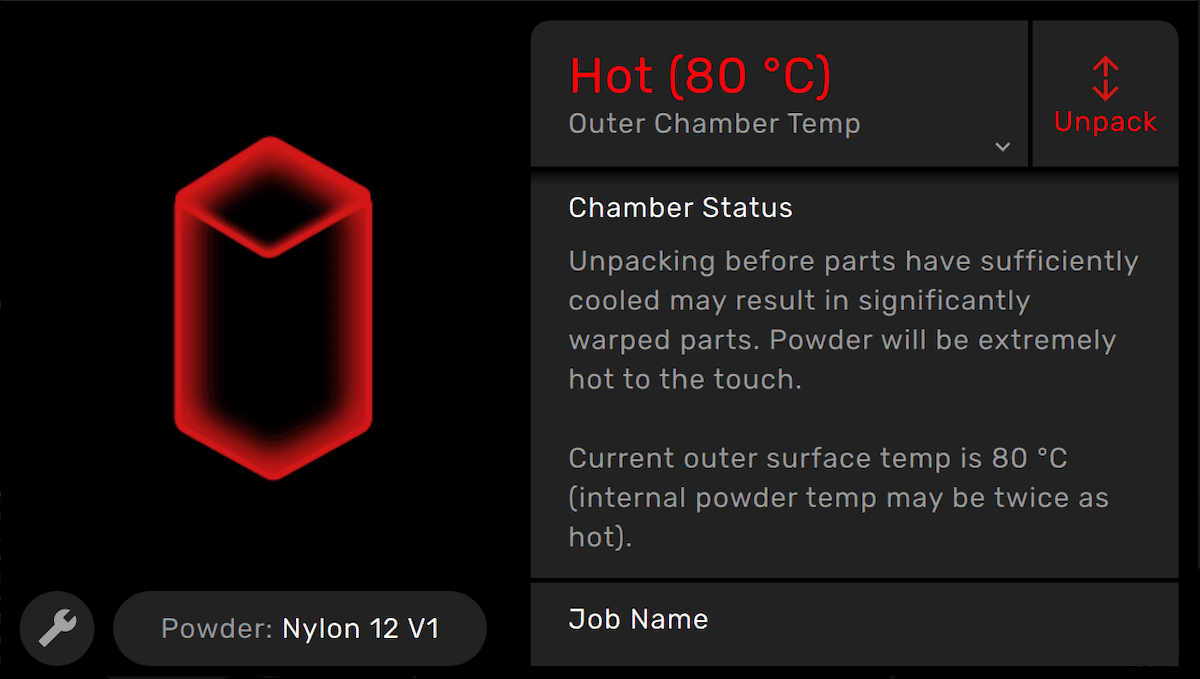
  • If the build chamber graphic and icon are highlighted red and the Fuse Sift’s touchscreen displays the status Hot, the powder cake is still above 70 °C. Allow the build chamber to continue cooling before ejecting the cake.
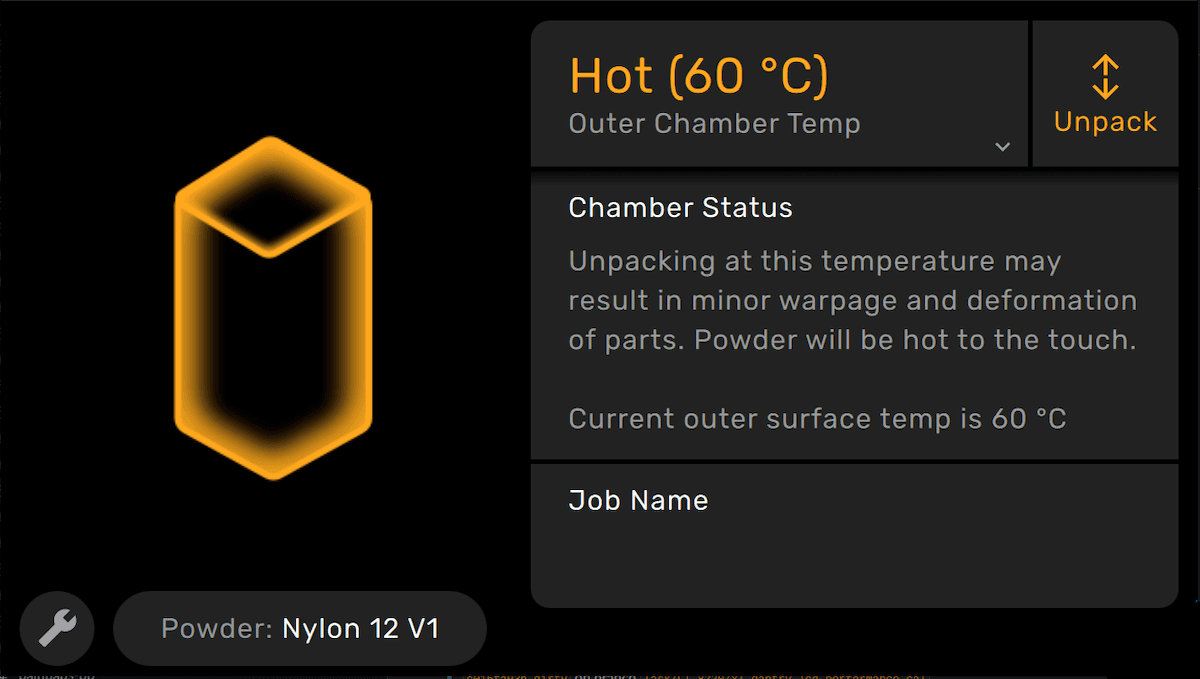
  • If the build chamber graphic and icon are highlighted yellow and the Fuse Sift’s touchscreen displays the status Hot, the powder cake is between 50 °C and 70 °C. Your parts can be unpacked but are at an increased risk for warping.
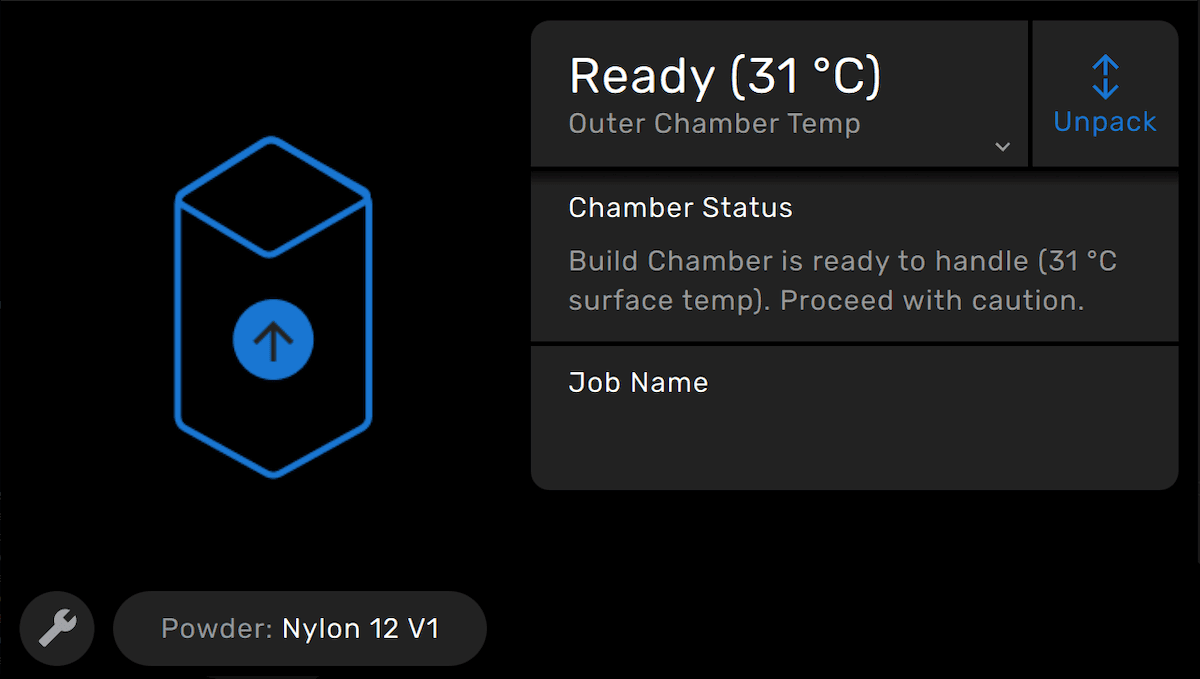
  • When the Fuse Sift’s touchscreen displays the status Ready, the powder cake is below 50 °C. It is safe to recover and process your printed parts. Further cooling is unlikely to impact warping.
A Fuse Sift showing the inserted build chamber is too hot to unpack
A Fuse Sift showing the inserted build chamber is too hot to unpack without risk of part warpage
A Fuse Sift showing the inserted build chamber is ready to unpack

Cooling a build chamber outside of the Fuse 1 or Fuse Sift

If you are unable to cool the build chamber in the printer or Fuse Sift, you can allow the build chamber to cool in the ambient air.

To cool a build chamber outside of the printer or Fuse Sift:

  1. When the build chamber temperature has fallen below 100 ºC (212 °F), open the Fuse 1’s print enclosure door.
  2. Remove the build chamber from the printer. Hold the build chamber by the coated handle. Avoid coming into contact with the bare metal of the build chamber.
  3. Place the build chamber on a heat proof surface in a safe location.
  4. Allow the build chamber to cool for 30–50% of the original print time.
  5. Insert the build chamber into the Fuse Sift and begin the part recovery process.