

Printer out of level (Fuse 1 generation)
Printer out of level (Fuse 1 generation)
Sometimes, your Fuse 1 generation printer may indicate that it is not level on the touchscreen, even when you've confirmed it is physically level using a spirit level. While a printer can still print successfully if it is slightly out of level, significant tilt can lead to uneven powder distribution during printing, potentially causing print failures. Leveling issues usually happen due to incorrect calibration at the factory. It is also possible that there is damage to the accelerometer, causing a drift in readings over time even if the machine has not moved.
Causes
- Incorrect factory calibration
- Malfunctioning accelerometer
Symptoms
- Touchscreen displays message that the printer is not level when the printer is physically level
Troubleshooting steps
New printers
- Update your printer’s firmware.
- Verify that the printer is physically level.
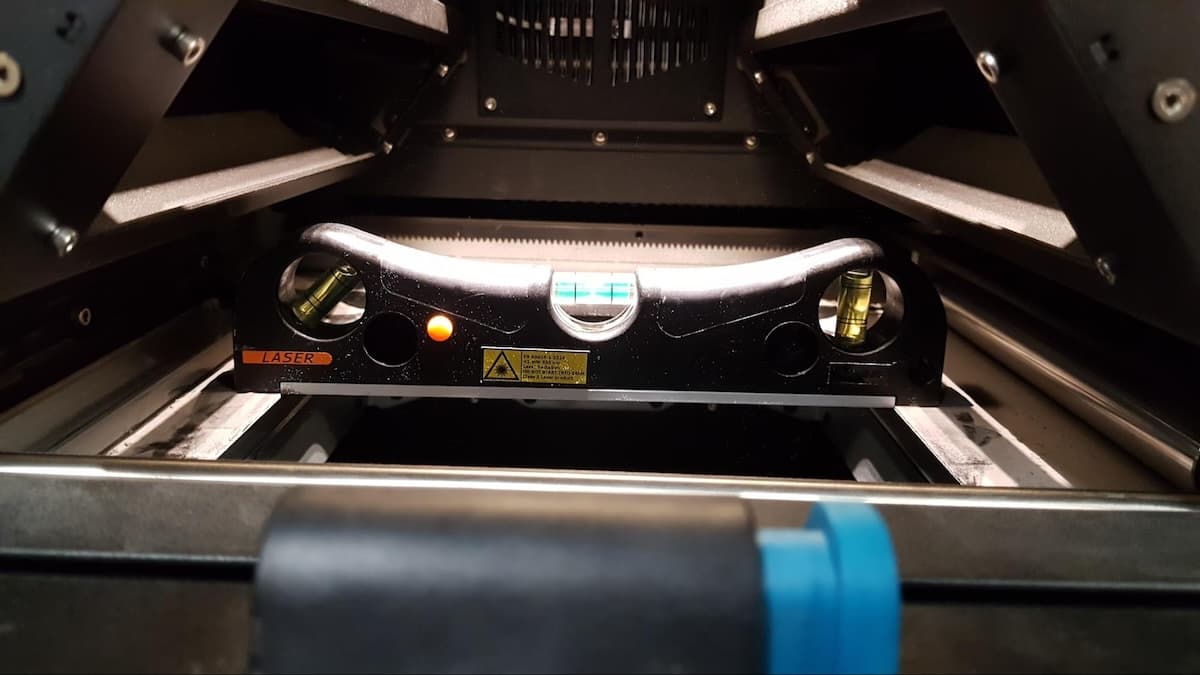
- Use a spirit level, bubble level, or a level app on your smartphone.
- Place the level on the powder handling assembly.
- Check that the printer is level in both the X and Y axes (front-to-back and side-to-side).
- If the printer is not completely level, follow the steps for leveling in the support article Unboxing and setting up the Fuse 1.
- If the printer is already level or leveling the printer does not resolve the issue, recalibrate the Printer Level Sensor via the touchscreen.
- Once you have confirmed the printer is physically level, tap Settings > Calibration > Printer Leveling > Calibrate Printer Level Sensor and follow the onscreen instructions.
Printers already in use
If this issue recently appeared on a printer that had been working normally, the printer’s accelerometer may be failing. Contact Formlabs Support or a certified service provider for information about a replacement.