

Setting up and using the Finish Kit (Form 4 generation)
Setting up and using the Finish Kit (Form 4 generation)
After printing, use the tools included in the Finish Kit to remove the printed part from the build platform, rinse it, and remove supports.
Finish Kit components
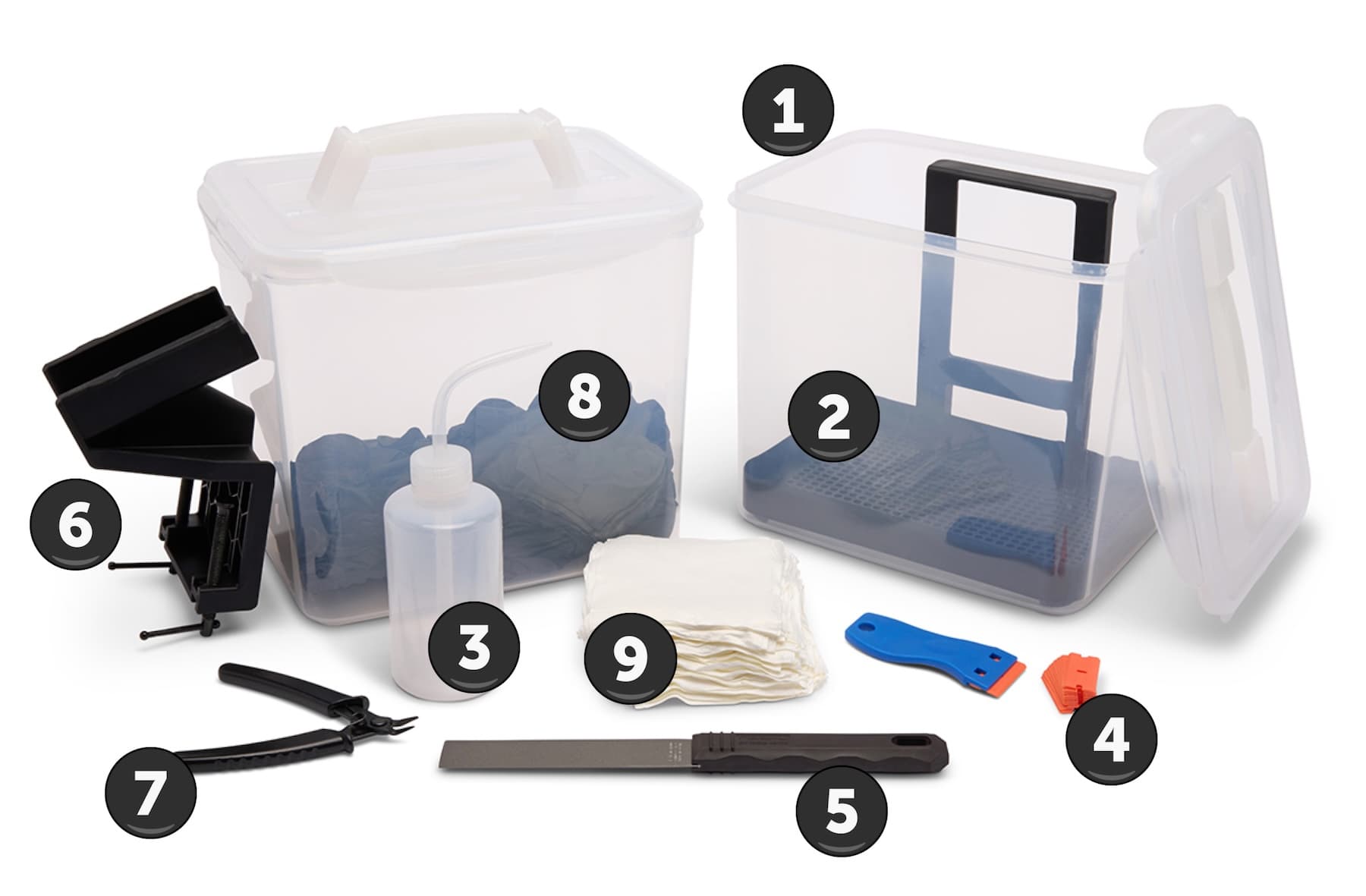
- Rinse buckets: Two plastic buckets for solvent. The lids snap closed to reduce solvent evaporation.
- Rinse basket: Use to transfer parts from one bucket to the other. The basket can rest on the edge of the rinse bucket to allow parts to drip.
- Rinse bottle: Keep this filled with fresh solvent for rinsing prints and flushing internal channels.
- Plastic tank scraper: Use to inspect and clean the Form 4 resin tank.
- Metal scraper: Use to remove parts from the build platform. Do not use this tool to inspect the Form 4 resin tank.
- Jig: Provides a place to secure the build platform as you remove your printed part.
- Flush cutters: Use to carefully remove supports from your prints.
- Disposable nitrile gloves: Wear gloves when removing and finishing your prints.
- Cleaning cloths: Disposable lint-free, non-woven microfiber cloths for cleaning the printer’s optical components.
Using the jig
Installing the build platform jigSecure the build platform jig to the edge of your work surface by tightening the screw clamps underneath the work surface. Ensure that there is enough space around the jig for you to work. | 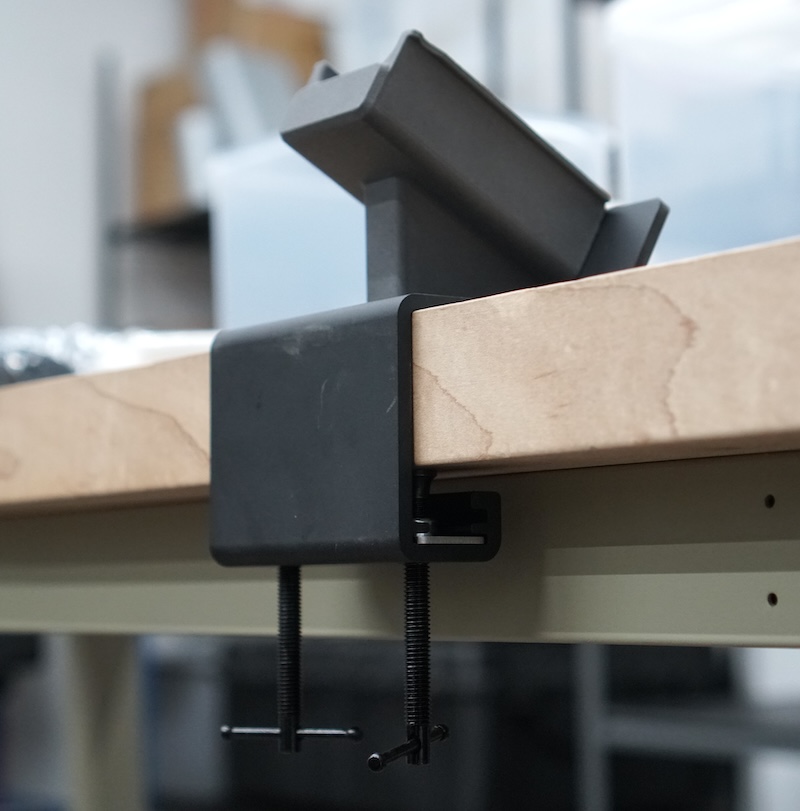 |
Attaching the build platform to the jigWith your print facing upwards, slide the build platform handle onto the corresponding mount on the jig. | 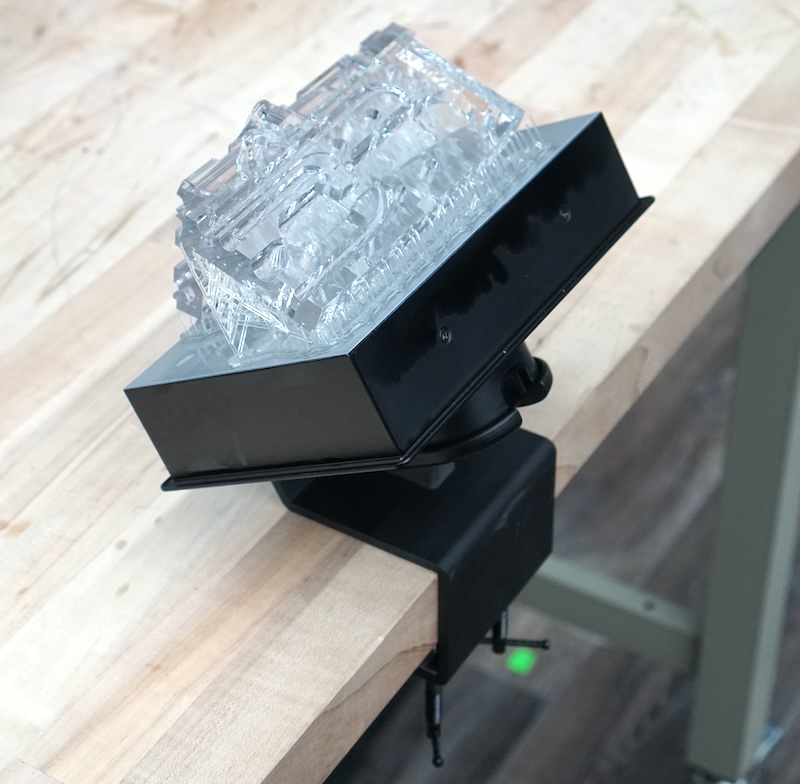 |
Removing printed parts from the build platformUse the removal tool or metal scraper to remove your printed parts from the build platform. Caution:Using sharp tools on slippery surfaces such as a resin-coated build platform can result in sudden movement. Orient sharp tools away from yourself, especially when cutting or scraping. |  |
Next steps
If you haven’t already, partially fill the rinse buckets with solvent. If you are washing your prints with tripropylene glycol monomethyl ether (TPM), fill one rinse bucket with TPM and the other with water. Wash your printed parts to remove any remaining liquid solvent.
Once your printed parts are fully dry, you can post-cure them. Some Formlabs resins require post-curing to reach their optimal mechanical properties or as part of a workflow to produce a biocompatible part.
After post-curing, continue to post-process your parts. Remove support marks, polish your parts, or paint them depending on their end use.