WHITE PAPER
Formlabs Logo

Cleaning and maintaining the Build Platform 2L

Cleaning and maintaining the Build Platform 2L

Thoroughly clean the Build Platform 2L between prints. When performing consecutive prints using the same resin, you can clean the outside surfaces of the Build Platform 2L without separating the print surface from the build platform body.

If you are changing resins, disassemble the Build Platform 2L so you can clean between the print surface and the build platform body. Follow the instructions below to keep the build platform clean and well-maintained.

Warning:

Wear gloves when handling printed parts and surfaces that are contaminated with solvents or liquid resin to prevent skin contact.

Notice:

Unless thoroughly cleaned of any uncured resin, always store the Build Platform 2L in a printer with the cover closed or away from any sources of light when not in use.

Cleaning the Build Platform 2L before printing with the same resin

If you are performing consecutive prints with the same resin, you do not generally need to remove the flexible surface from the build platform body for cleaning.

To prepare your Build Platform 2L for a new print using the same resin:
  1. Use the scraper to remove any resin from the print surface.
  2. Wipe the print surface with a clean cloth or dry paper towel to remove any remaining resin.
alttext
  1. Ensure the print surface is clean and properly aligned.
    • Over time, resin trapped between the print surface and the build platform body can flex the print surface enough to cause print failures. If the print surface is not flat and properly aligned with the build platform body, clean the build platform more thoroughly.

Cleaning the Build Platform 2L before printing with different resins

If you are changing resins between prints, remove the print surface from the build platform body to make sure all surfaces are thoroughly cleaned.

Caution:

  • Pinch hazard: Keep your fingers away from the seam between the print surface and the build platform body, particularly when reinstalling the print surface.
  • Cutting hazard: The edge of the print surface may be sharp and could present a cutting hazard. Exercise caution when cleaning the print surface.

To prepare your Build Platform 2L for a new print with a different resin:

Step 1: Remove the print surface
  1. Use the scraper to remove any resin from the print surface.
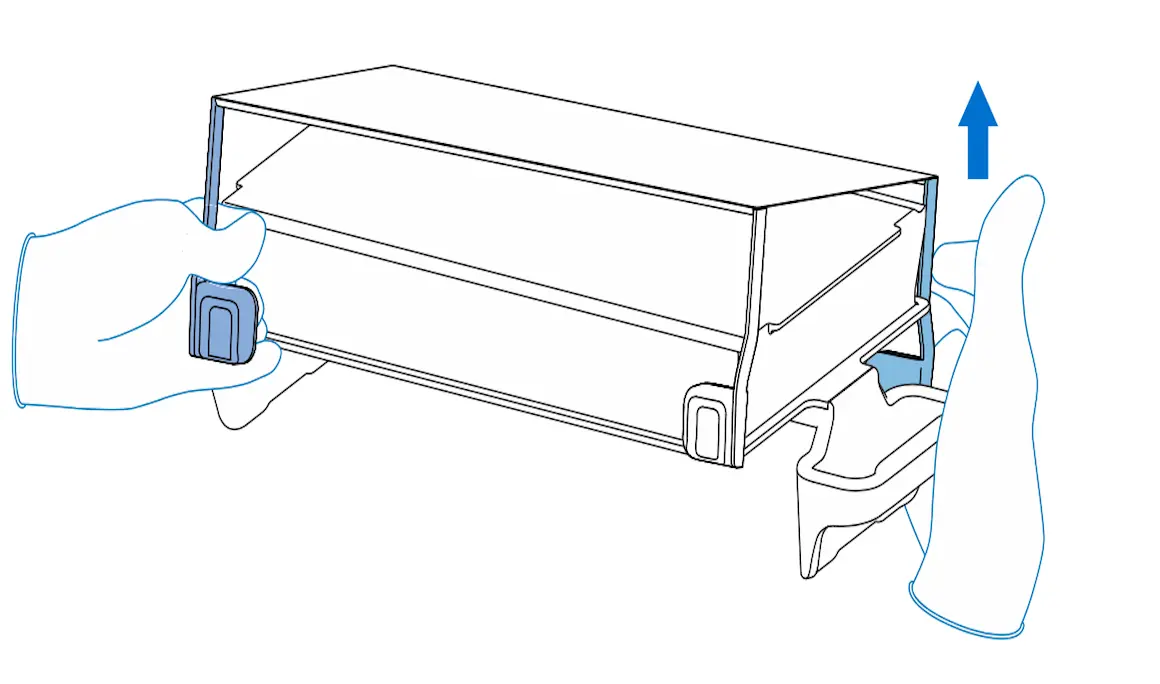
  2. Place the build platform on your work surface. Lift the part release tabs closest to you.
alttext
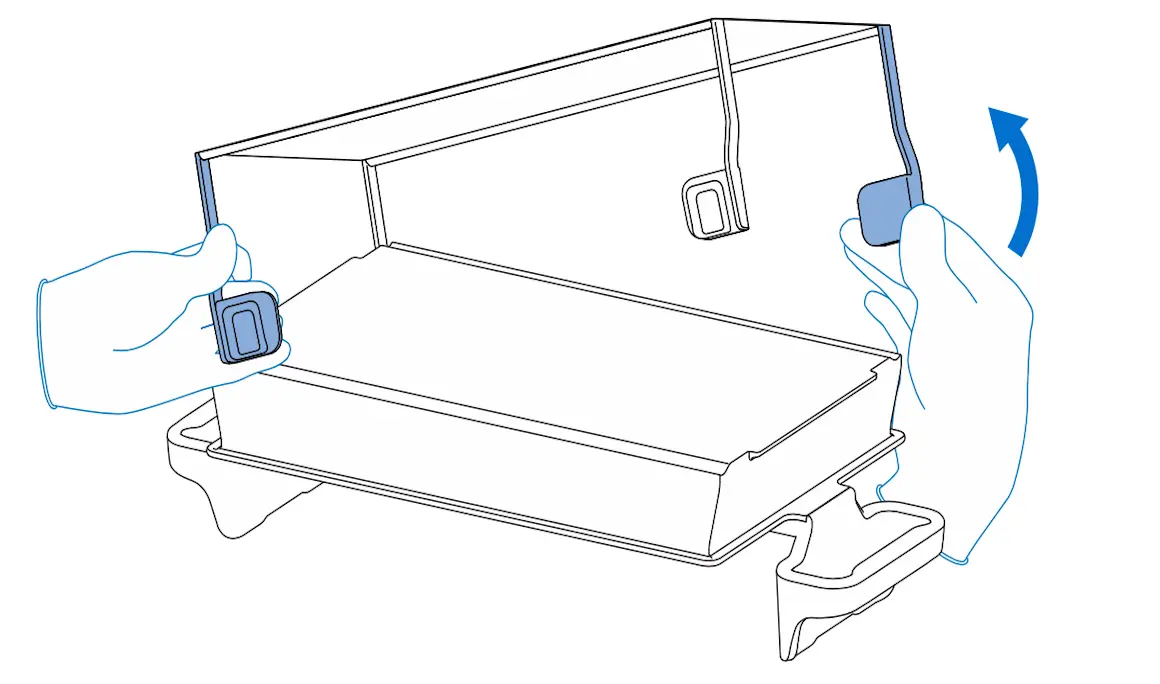
  1. Push up on one of the rear tabs behind the handle to disengage the print surface from the build platform body.
alttext
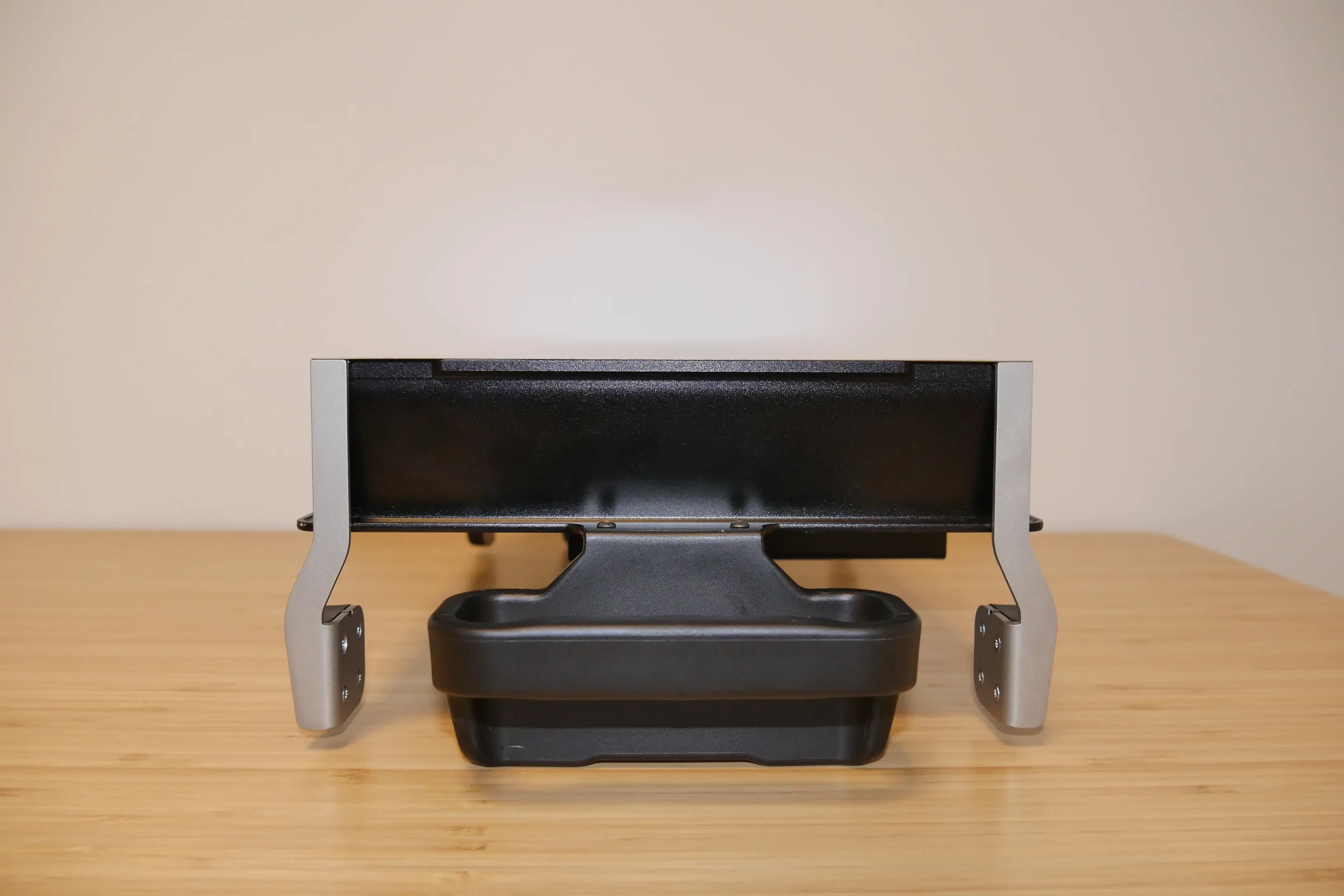
  1. Remove the print surface from the build platform body.
alttext

Step 2: Clean the Build Platform 2L

  1. Place the print surface in a Form Wash L basket or the Form Wash L Rinse Bucket.
  2. Insert the build platform body into the build platform mount of the Form Wash L or the Form Wash L Rinse Bucket.
  3. Wash the build platform body and the print surface with isopropyl alcohol (IPA) or tripropylene glycol monomethyl ether (TPM) for 5 minutes.
  4. Make sure the build platform body and print surface are completely dry and clean of any resin or solvent.

Step 3: Reinstall the print surface

Notice:

Unless thoroughly cleaned of any uncured resin, always store the Build Platform 2L in a printer with the cover closed or away from any sources of light when not in use.
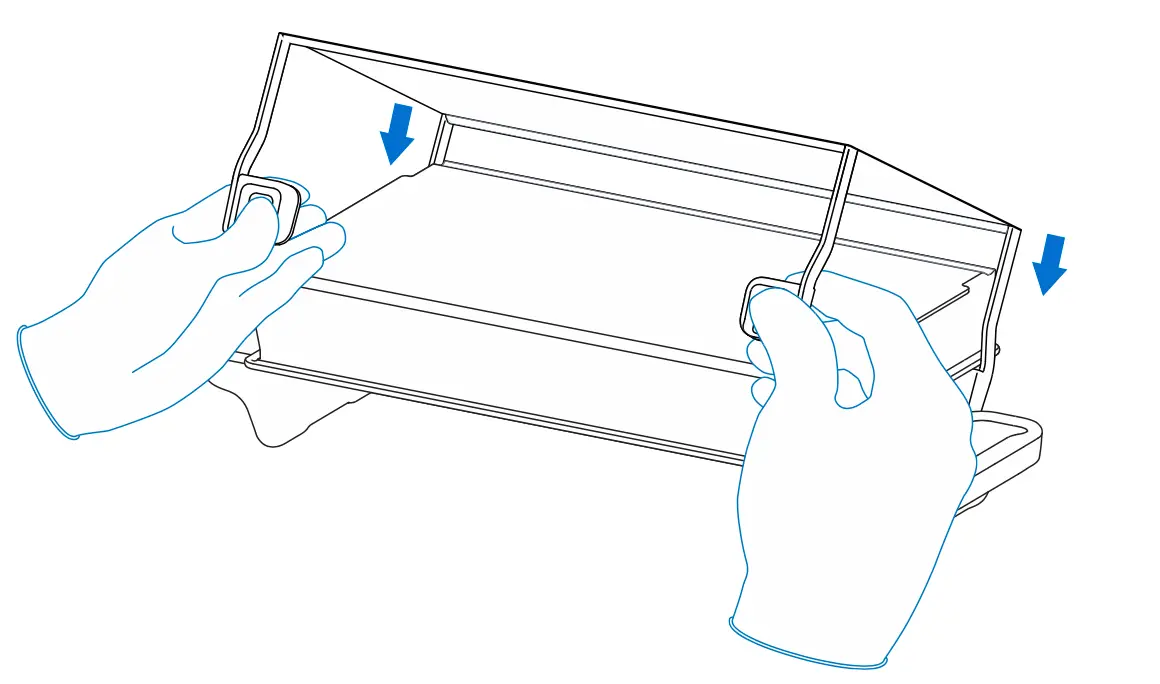
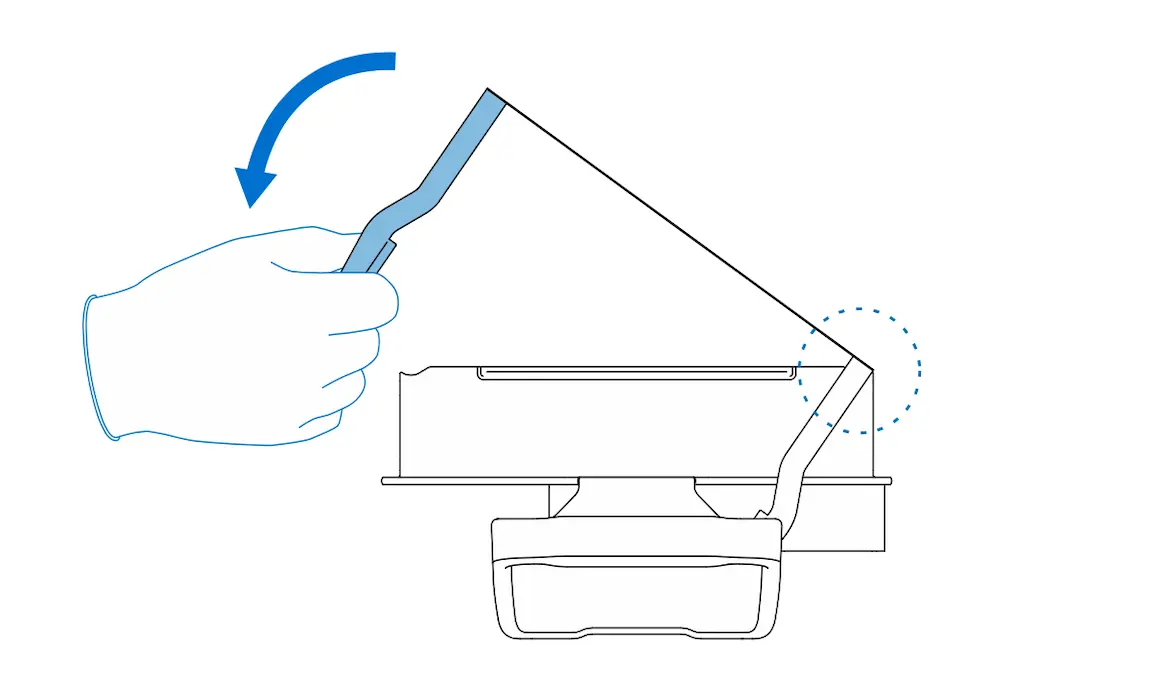
  1. Place the rear print surface alignment rod into the alignment channel.
alttext
  1. Carefully lower the print surface down onto the build platform body. Ensure the print surface is flat and properly aligned before starting your next print.
alttext
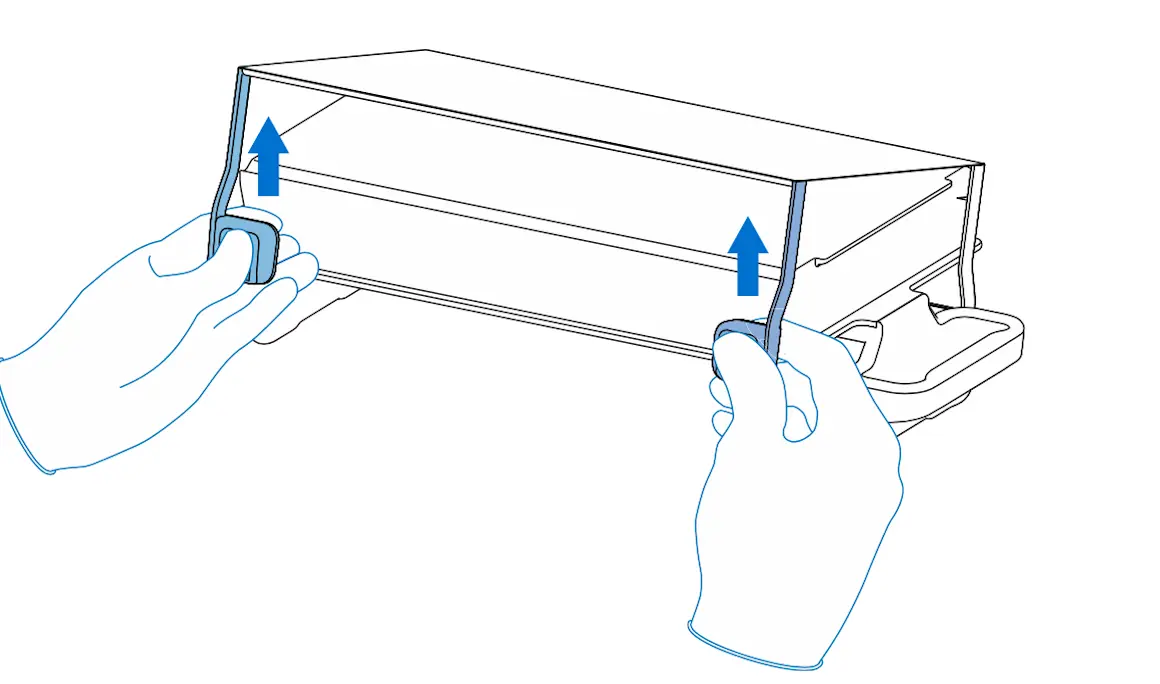
  1. Squeeze the part release paddles to fully seat the print surface alignment rods into their respective alignment channels. Ensure the print surface is clean and properly aligned.