
Note:
Keep the packaging for transportation or shipping.

Additional supplies
Arranging the workspace
Review the technical specifications to determine the best location for the Form Cure L.
The Form Cure L V1 has the following dimensions: 69 × 54 × 44.5 cm (27.2 × 21.3 × 17.5 in). The Form Cure L V1 unit weighs 24 kg (53 lb). Reserve the following minimum dimensions for the most convenient access:
Operate the Form Cure L in a well-ventilated room with a temperature of 18–28 °C (64–82 °F). Follow safety considerations for the Form Cure L.
Unboxing the Form Cure L
The Form Cure L ships in a cardboard carton protected by foam inserts above and below the unit.
The packaging contains the power supply and the Form Cure L Safety Booklet (English only).
During unboxing, inspect the Form Cure L for any damage or missing items. In the case of damage or missing items, contact Formlabs Support or your authorized reseller.
Note:
Keep the packaging for transportation or shipping.
To unbox the Form Cure L:
Caution:
If you need to readjust the Form Cure L, use the carrying slings to pick the machine back up. Do not pick up the Form Cure L without the carrying slings.
Notice:
Remove all packaging material before connecting power. Retain all packaging and inserts for warranty service. Refer to the manual for the repackaging instructions.
Form Cure L components
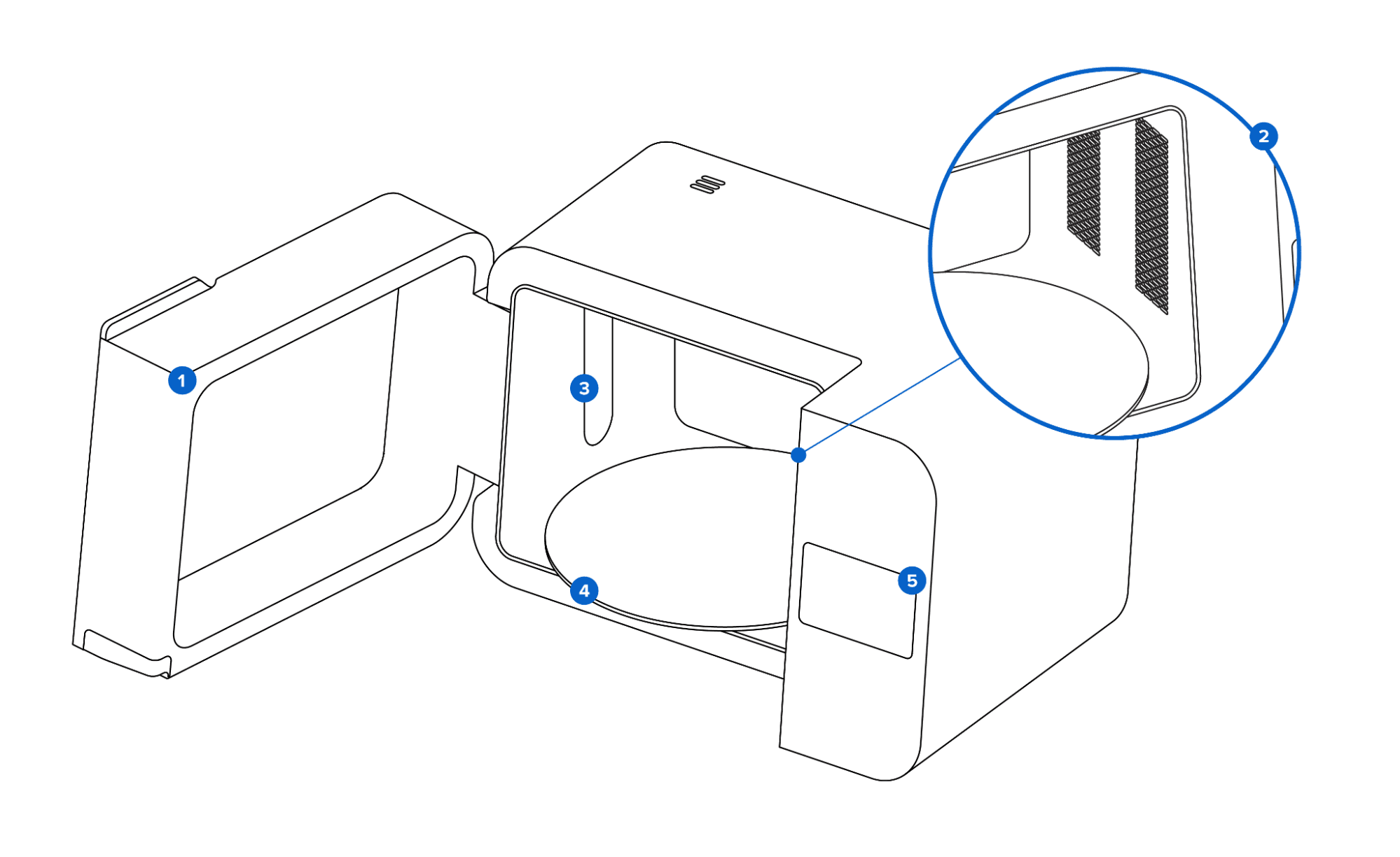
Additional components
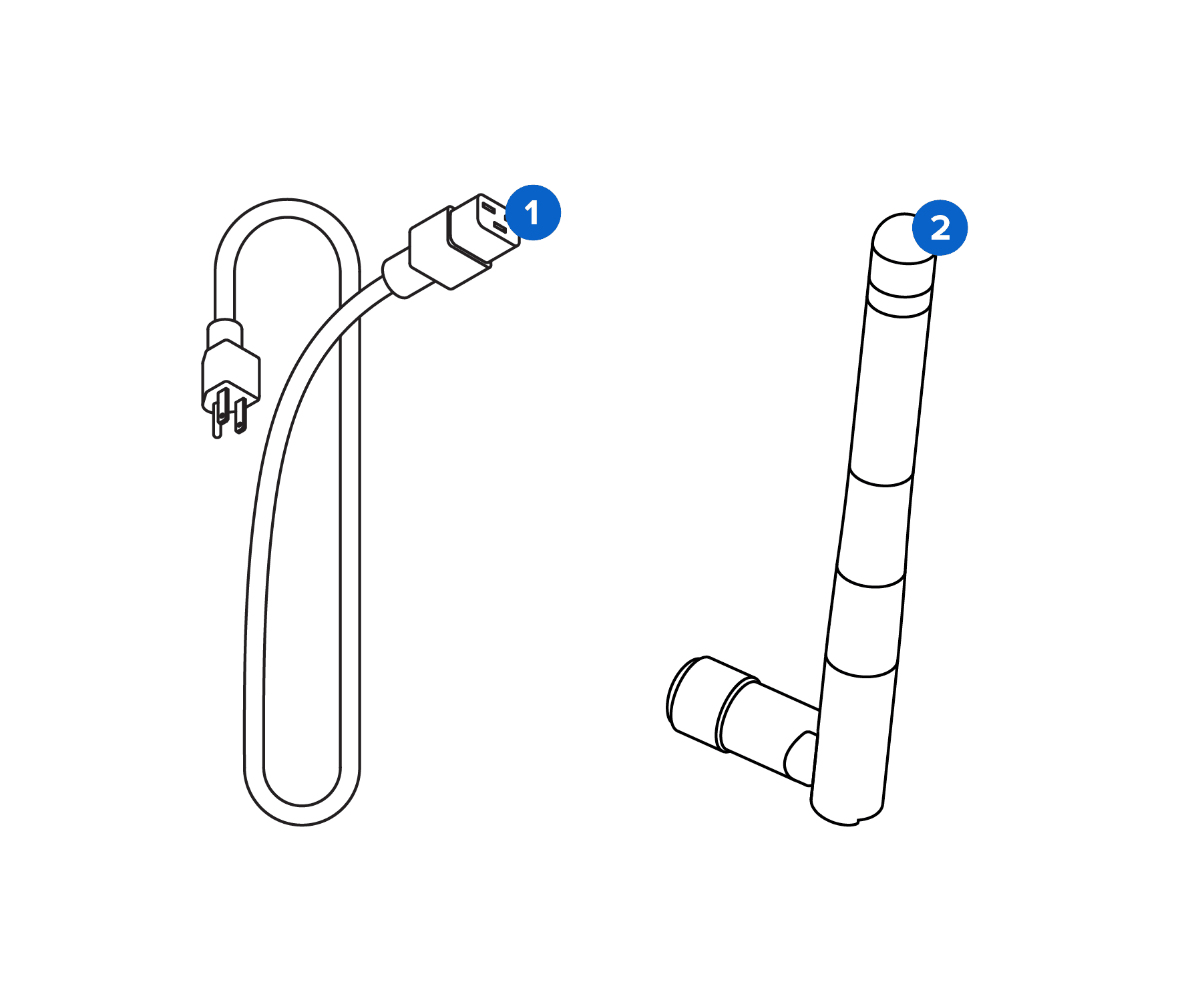
Installing the Form Cure L
Place the Form Cure L on a clean, level surface with a nearby power source. Plug the included power cable into the power port on the back of the unit and connect the power cable to a circuit. Flip the breaker switch on the back of the unit to the ON position to power on the machine.
The Form Cure L requires an internet connection in order to receive firmware updates.
To install the Wi-Fi antenna, screw the Wi-Fi antenna into the jack on the back of the unit.
For Ethernet, connect the machine to your LAN with an Ethernet cable. Refer to Connecting the Form Wash L and Form Cure L via USB, Ethernet, or Wi-Fi for more information.
As the Form Cure L initializes, the Formlabs logo with a progress bar appears on the touchscreen, followed by the onboarding screen. Follow the on-screen prompts to finish setting up the machine.