Turning off a Formlabs SLA printer
Turning off a Formlabs SLA printer
Depending on your printer's model type and firmware version, there is an option accessible through the touchscreen that puts the printer into sleep mode immediately or after a set period of inactivity.
To conserve power, use sleep mode or turn off the Formlabs SLA printer completely when moving or storing the machine.
When in sleep mode, the printer’s front display light turns off completely. The top lights, fans, and motors turn off.
Entering sleep mode
Form 2
To enter sleep mode on a Form 2:
- Press and hold the push button for 5–10 seconds until the printer displays Printer is going to sleep...
- The printer enters sleep mode.
Other Formlabs SLA printers (Form 3 or later)
Formlabs SLA printers (Form 3 or later) automatically enter sleep mode when not in use. Use the printer's touchscreen on a Form 3 or later to set the machine to an inactive, low-power state.
To enter sleep mode on a Formlabs SLA printer:
- Tap the gear icon on the bottom left of the printer's Home screen. The Settings screen appears.
- Select the sleep mode option for your printer.
- On a Form 3 generation printer, tap System > Sleep > Sleep.
- On a Form 3L generation printer, tap System > Sleep Mode > Sleep.
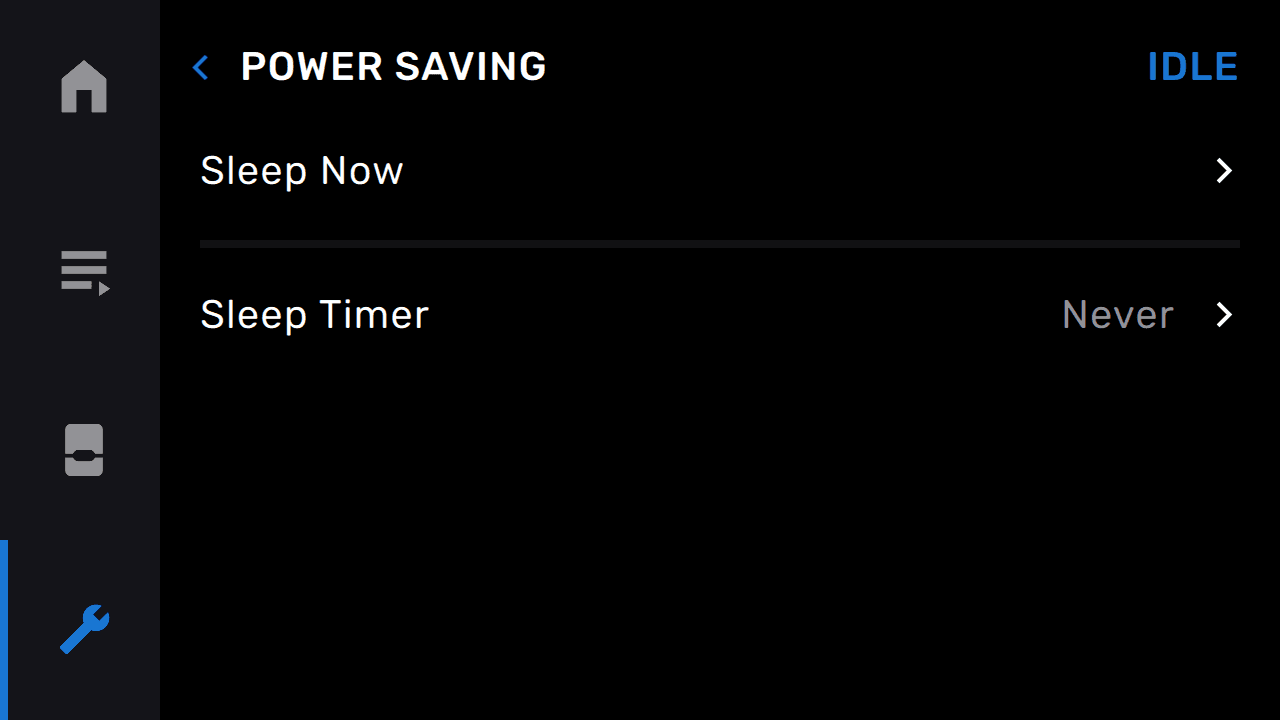
- On a Form 4 generation printer, tap General > Power Saving > Sleep Now.
- On a Form 4L generation printer, tap General > Power Saving > Sleep Now.
Setting up the sleep mode timer
Sleep mode on Formlabs SLA printers can also be accessed via the power saving screen. This screen offers a sleep timer to choose how long the printer is asleep. To enter sleep mode via the power saving screen:
- Open the power saving menu on your printer.
- On a Form 3 generation printer, tap Settings > System > Power Saving.
- On a Form 3L generation printer, tap Settings > System > Power Saving.
- On a Form 4 generation printer, tap General > Power Saving.
- On a Form 4L generation printer, tap General > Power Saving.
- To explicitly enter sleep mode, tap Sleep Now. A message appears. Tap Cancel to cancel or Sleep to confirm.