
Caution:
Do not use compressed air or an air gun to clean the print enclosure, build chamber, or any other component. Mobilizing loose powder increases the risk of unintentional inhalation or ingestion.

The recoater distributes powder in an even layer as it moves across the print bed. Clean the recoater roller after 100 hours of printing to prevent divots and drag marks at the top surface of parts.
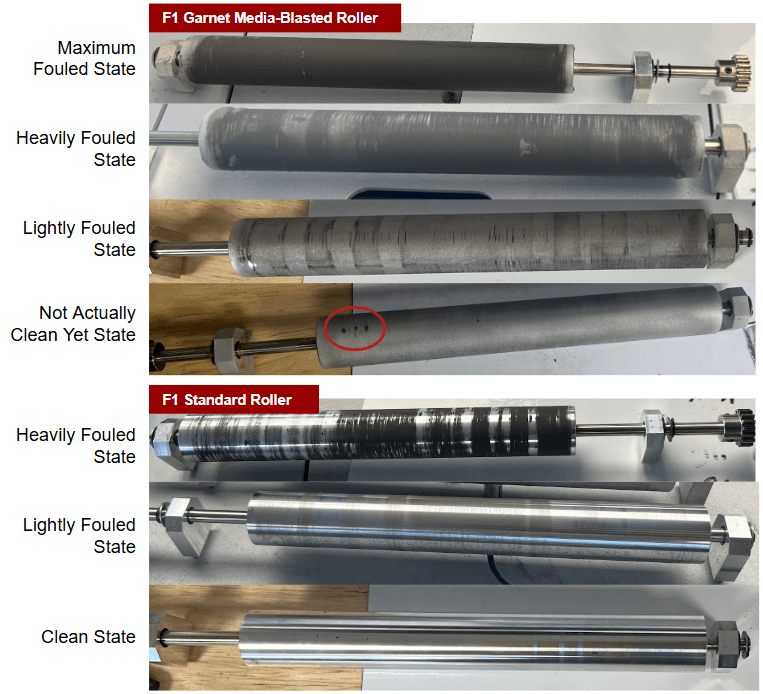
Depending on the date of manufacture of your printer and any retrofits you have performed, your machine may have one of two recoater rollers:
The recommended cleaning process is the same for both types of roller.
Note: The cleaning procedure detailed in this video is only applicable to the Fuse 1 Generation Recoater Roller V1. For a procedure that can be applied to either roller version, see the steps below.
Caution:
Do not use compressed air or an air gun to clean the print enclosure, build chamber, or any other component. Mobilizing loose powder increases the risk of unintentional inhalation or ingestion.
Required supplies
Estimated time required: 5–20 minutes
Supplies:
Cleaning the recoater roller
Remove the build chamber and move the roller to the middle of the printer. For light buildup, scrub the surface of the roller with a sponge, then clean with ethanol. For a deeper clean, soak the roller.
The recoater does not need to be manually homed after cleaning. It will automatically home during pre-print.
Note:
If there are deep scratches or burrs on the recoater roller, replace the roller. Replacement recoater rollers are available for purchase on the Formlabs Store:
Step 1: Remove the build chamber
It is easier to clean the full surface of the roller when there is no build chamber in the printer.
Step 2: Move the recoater to the middle of the printer
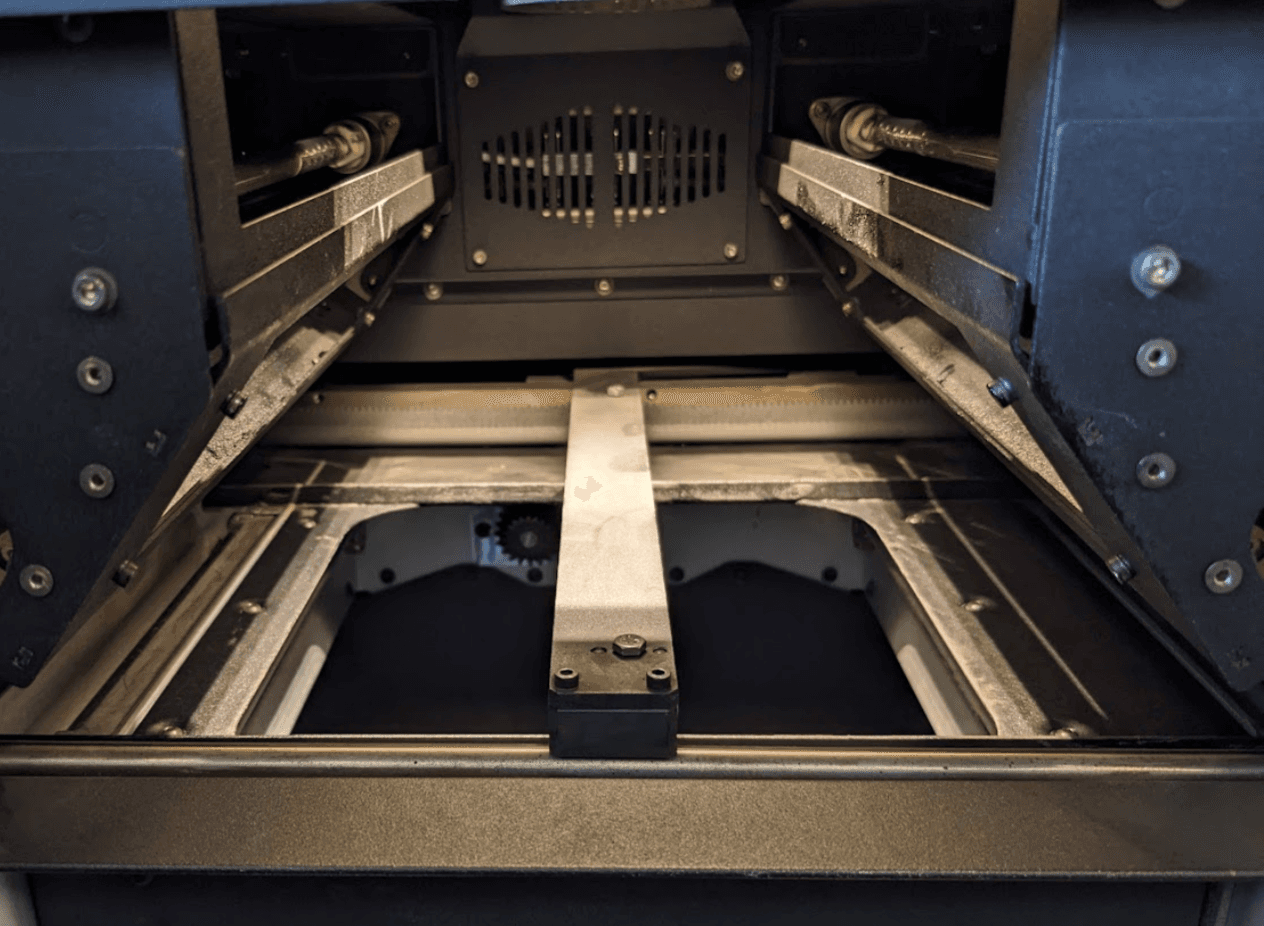
Use Motor Moves to move the recoater to the middle for easier access to the roller surface.
On the touchscreen, navigate to Maintenance > Motor moves
Touch and hold the appropriate directional toggle that will move the recoater out into the middle of the printer.
Step 3: Wipe the recoater roller
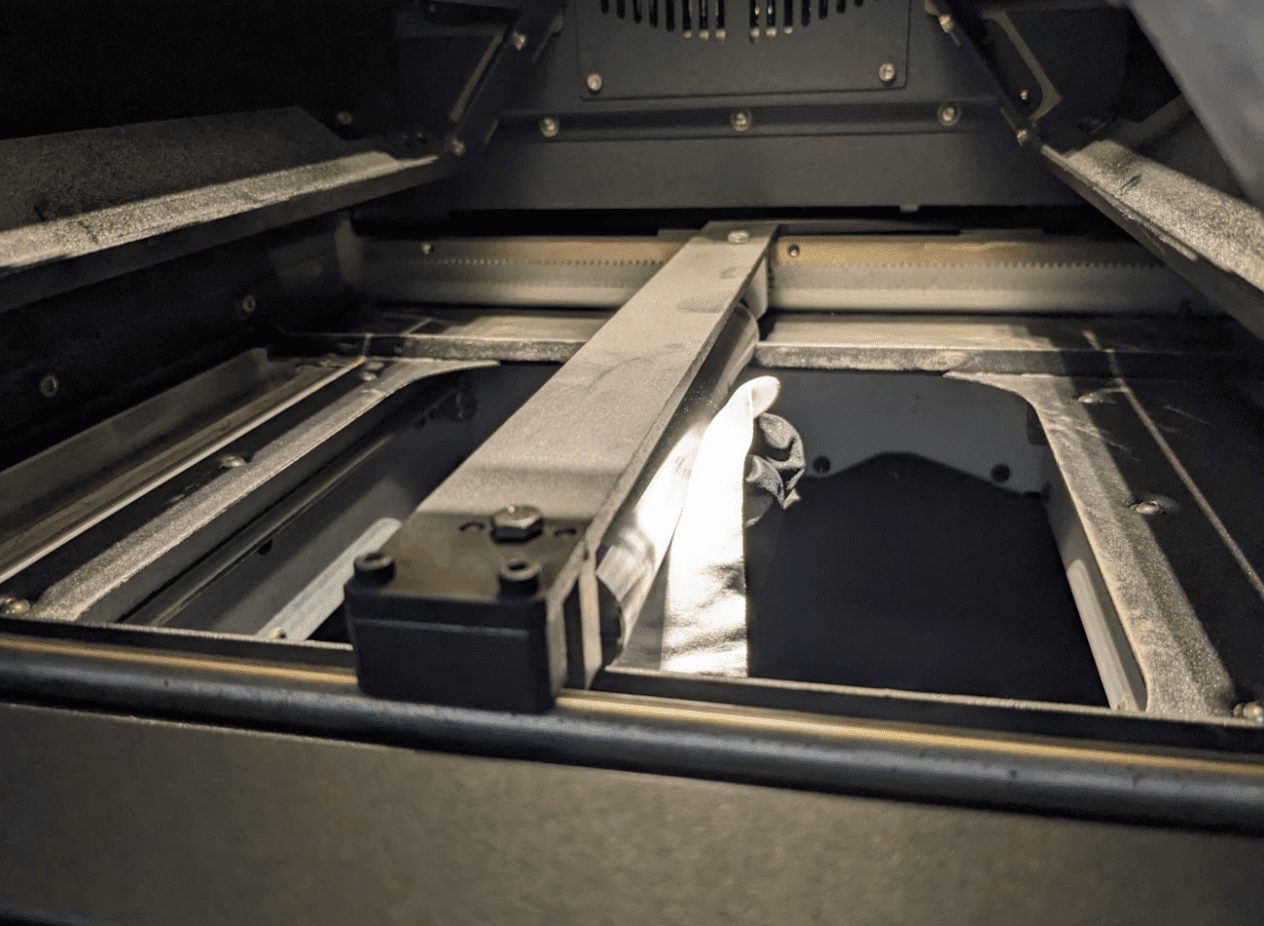
Using a dry microfiber cleaning cloth, wipe the full surface of the roller. If there is any hardened debris remaining on the surface:
Step 4 (optional): Soak the recoater roller
If there is still significant buildup, remove it from the printer and soak it before wiping: