

Bed tearing (SLS)
Bed tearing (SLS)
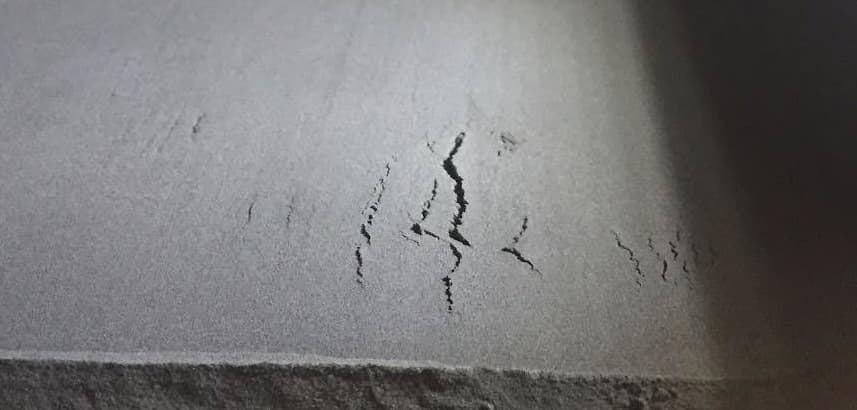
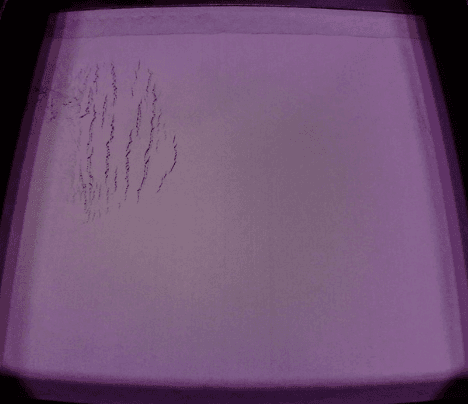
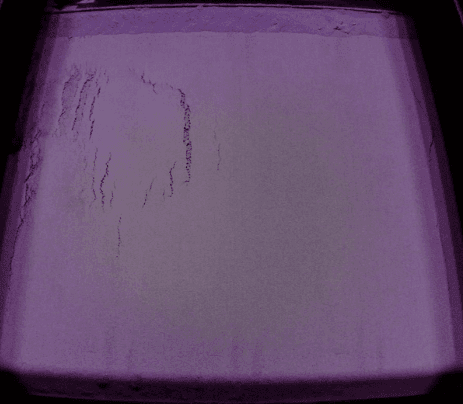
Fuse 1 generation printers dispense layers of pre-print powder to prepare the print bed. Overheating causes powder to clump and distribute unevenly. Cracks in the build sheet appear after the recoater completes a pass. Bed tearing is typically visible as 1–2 mm jagged fractures parallel to the Y-axis or tearing or as cracks along the perimeter of the build sheet before a recoat pass. Bed tearing may occur with other print defects such as curling, melting, and dimpling.
This issue is distinct from bed cracking caused by voids in the powder cake. Bed tearing occurs when pre-print powder layers are overheated, causing the powder to show distinct tears in the layers.
Causes
- Contamination on the IR sensor or the IR sensor housing
- Laurolactam buildup on the exhaust filter or exhaust fan
- Blockages in the exhaust line
- Incorrect bed temperature setpoint
Symptoms
- Printer aborts and the printer touchscreen displays the error message Error 112
- 1–2 mm jagged tears parallel to the Y-axis
- Cracks along the perimeter of the build sheet
Troubleshooting steps
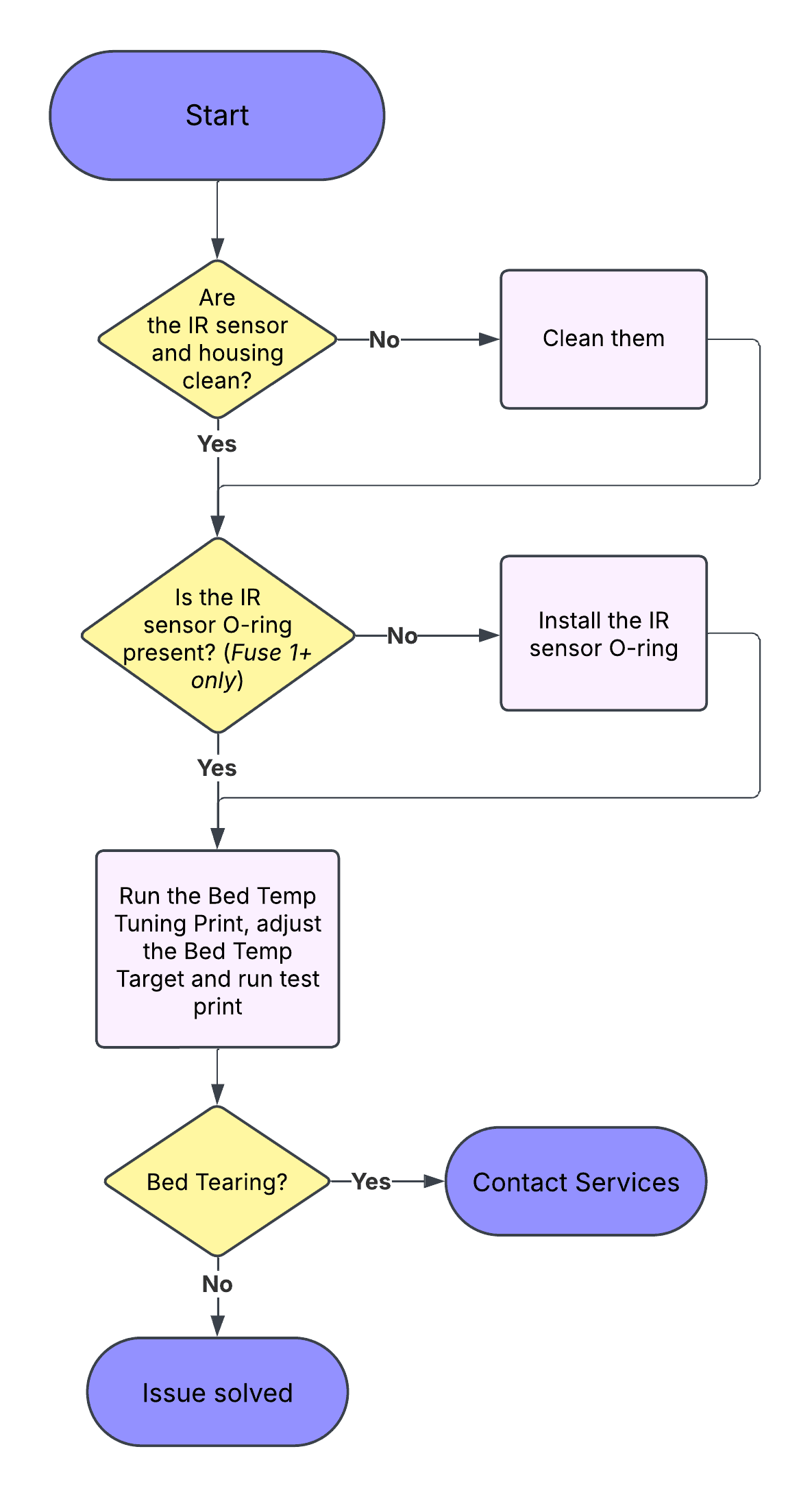
- Clean the IR sensor lens and IR sensor housing. Ensure there is no laurolactam obstructing the IR sensor lens.
- Fuse 1+ 30W only: Ensure that the rubber O-ring around the base of the IR sensor probe is present and undamaged.
- Thoroughly clean the exhaust filter, exhaust fan, and exhaust line.
- Fine-tune the bed temperature setpoint.
- If the steps above do not resolve the issue, lower the bed temperature setpoint.
If the issue persists, contact Formlabs Support or your certified service provider. To speed up the resolution of your issue, follow the best practices when opening a support case.