

Layer shifting (SLS)
Layer shifting (SLS)
During printing, the build chamber lowers the print bed to allow powder to be spread and selectively sintered. This creates a cake of fully sintered parts suspended in unsintered powder. Sintered parts should stay in place within the cake until it is removed. If the parts or surrounding powder shift during printing, layer shift artifacts may occur.
Most layer shifts happen near the build chamber's thermal break, a black band about 2.5 cm below the chamber's top edge.
Symptoms
Parts with layer shifting often exhibit one or more uniform lines running perpendicular to the Z-axis. This issue can occur multiple times during a single print, at a specific layer across consecutive prints, or at random layers within each print. Below are examples illustrating the symptoms of layer shifting.
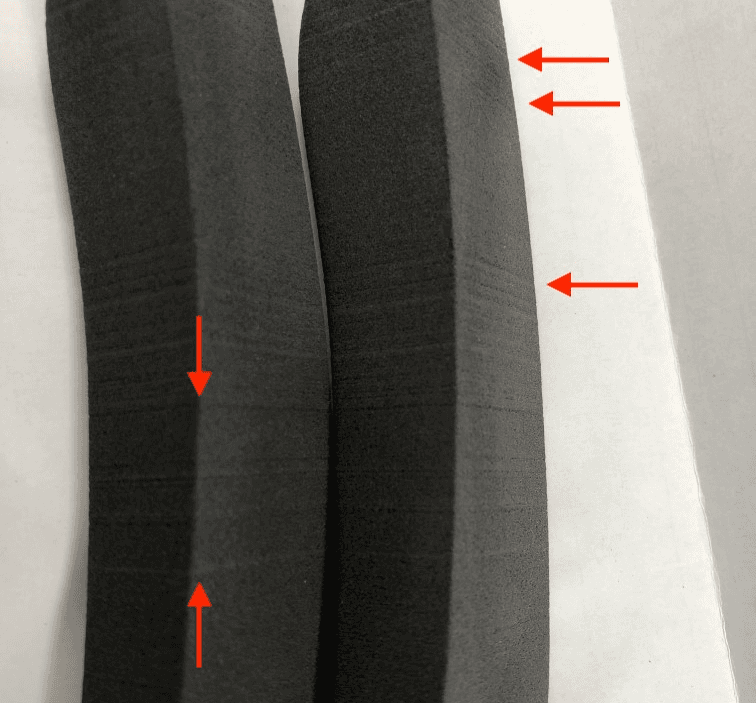
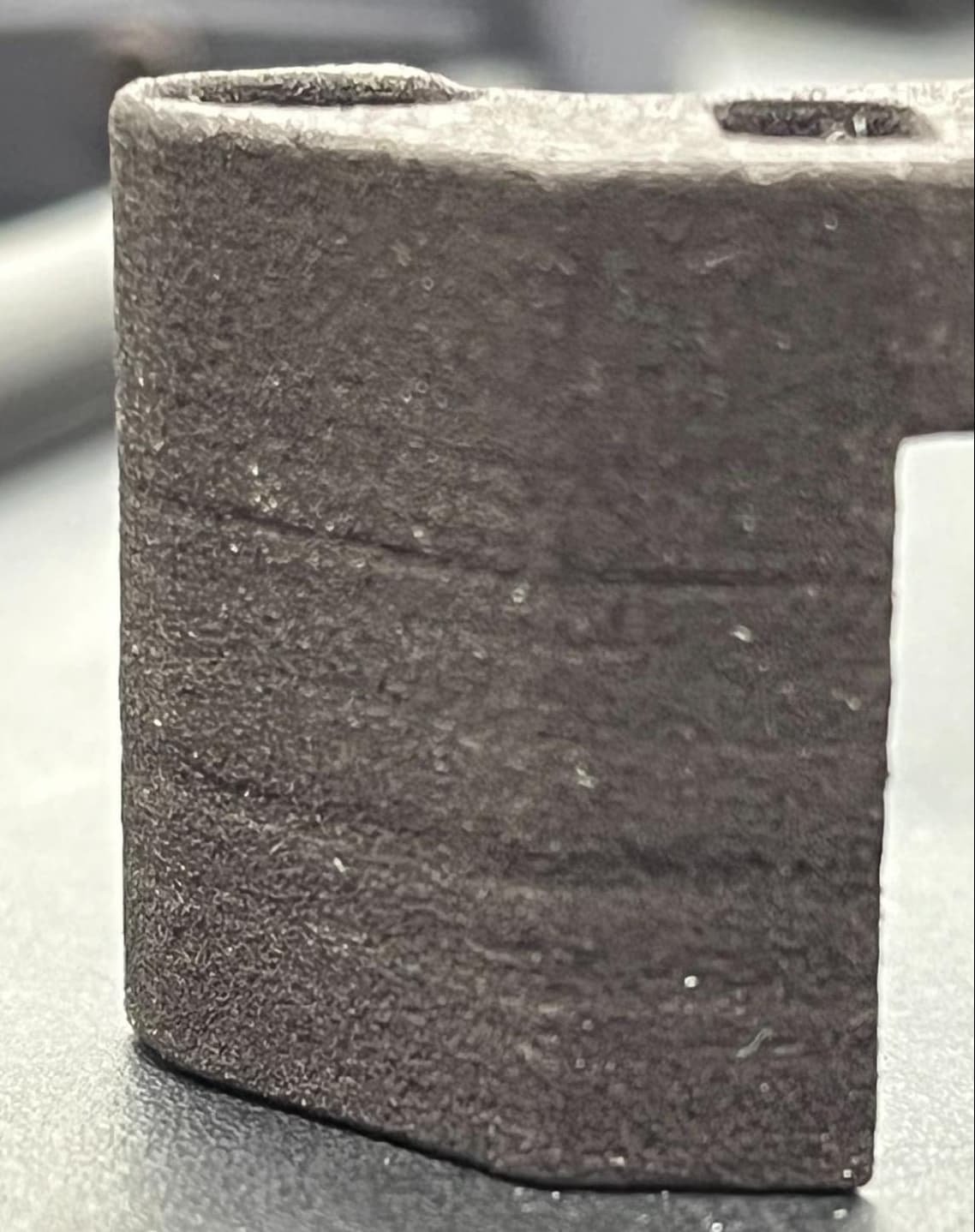
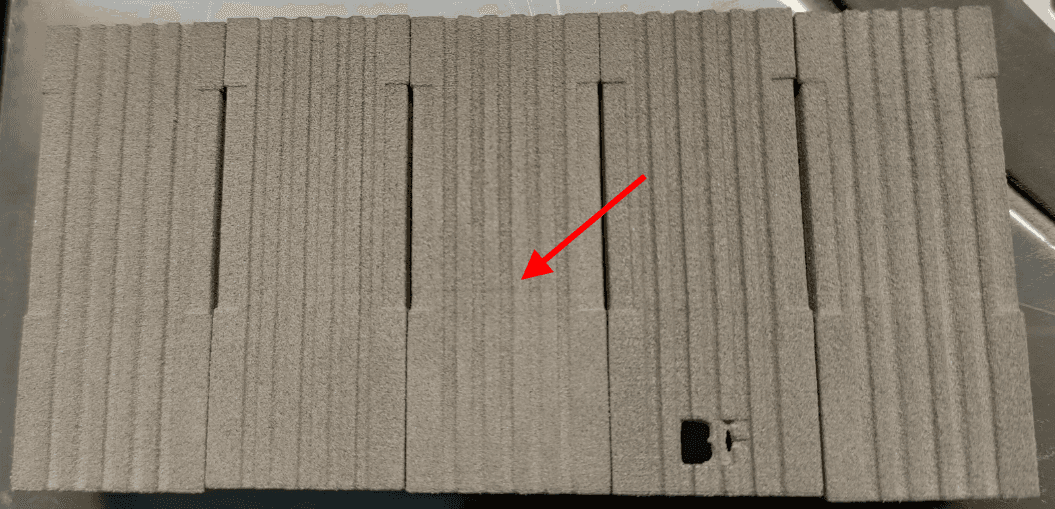
While layer shifting issues can vary in severity, a small shift usually occurs near the thermal break in the build. Defects of the magnitude seen in the photo below are expected, and cannot generally be eliminated entirely.
Common causes
- Outdated PreForm settings when printing with Nylon 12 Powder
- Incorrectly assembled print beds
- Loose build chamber piston arm screws
- Powder leak
- Damaged lead build screw
- Damaged Z-drive coupling
Troubleshooting steps
Nylon 12 Powder
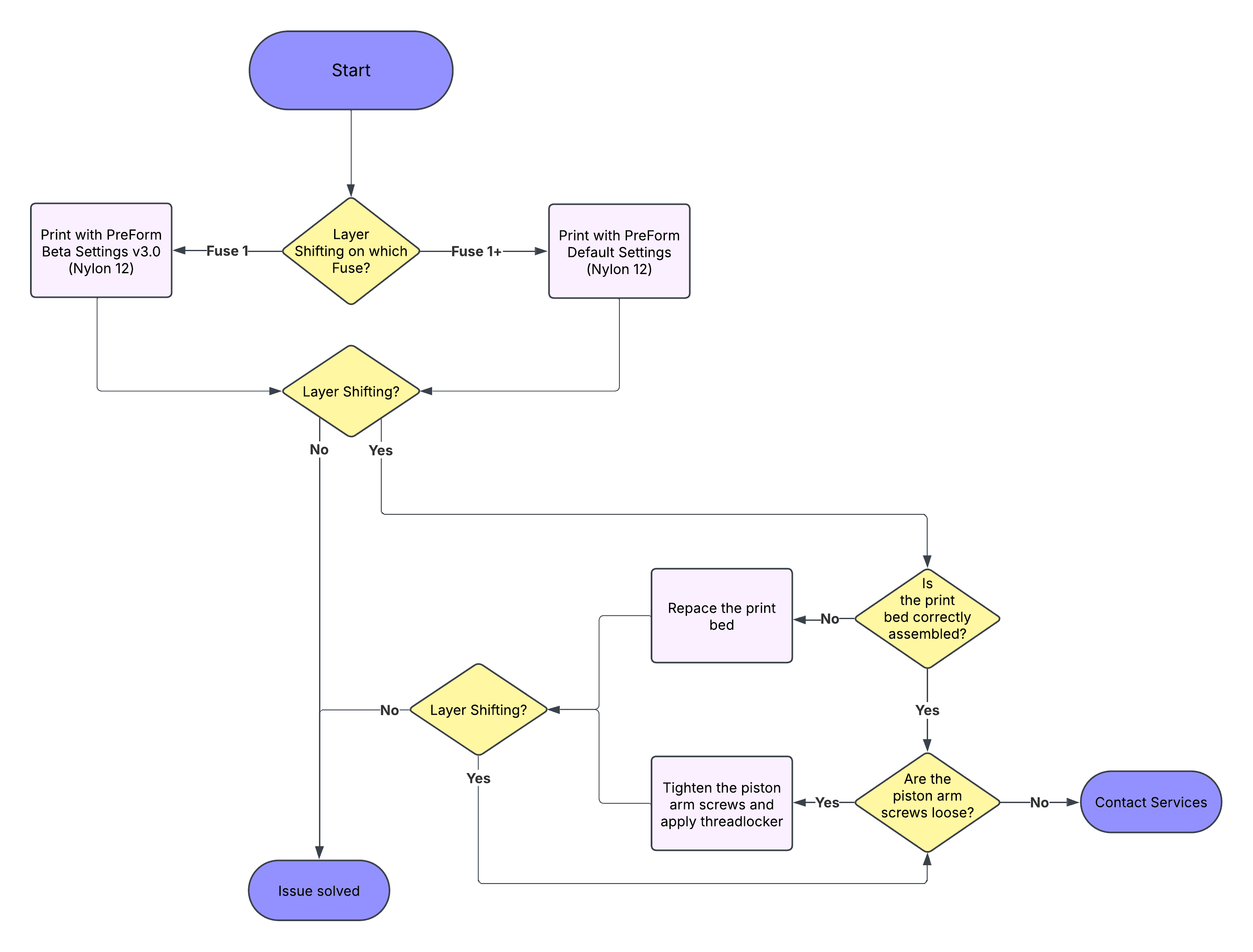
Formlabs regularly releases updated print settings with improvements for print quality, speed, and reliability. Different print settings may be more effective at mitigating specific print defects than others. Check the support article Choosing the right print setting (SLS) for the current recommended print settings for reducing layer shifting when printing with Nylon 12 Powder.
Incorrectly-assembled print beds
Some build chamber print beds were assembled incorrectly, allowing the powder cake to shift when the print bed moves during printing.
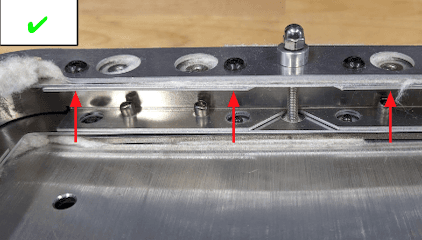
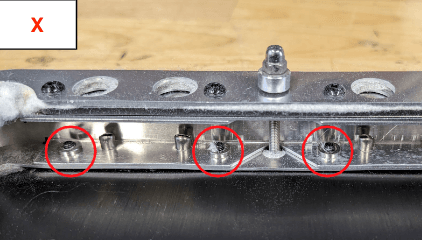
Follow the instructions in the repair guide Replacing the Fuse 1 generation build chamber print bed [EN] [DE] [ES] [FR] [IT] [JA] [ZH] for all build chambers experiencing layer shifting to determine whether they were assembled correctly. If the print bed is improperly assembled, contact Formlabs Support to request a new one.
Loose build chamber piston arm screws
The print bed and its drive assembly must move smoothly throughout a print to ensure consistent layer height. If there is any unintended range of motion in the assembly, the piston assembly and print bed may shift as they descend, varying the height of each layer.
If the build chamber piston arm exhibits abnormal range of motion, check that the screws are fully tightened by following the instructions in the repair guide Fuse 1 Build Chamber - Checking the Piston Arm Screws [EN] [FR] [IT] [JA] [ZH].
Powder leak
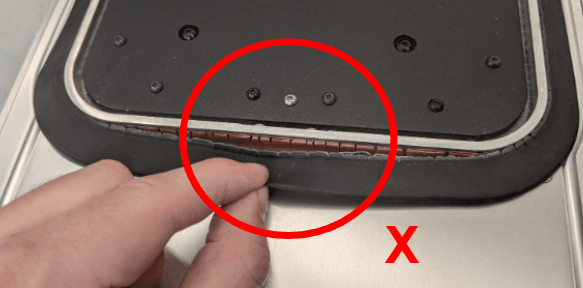
For proper layer alignment, the seals in the build chamber must prevent powder from leaking. If powder leaks during a print, it can shift the parts as the print bed moves down and new layers are added. This issue is often visible as piles of powder collecting below the build chamber or large empty spaces forming in the powder bed during printing. It can also lead to insufficient powder being spread for each layer, a print defect known as underdosing.
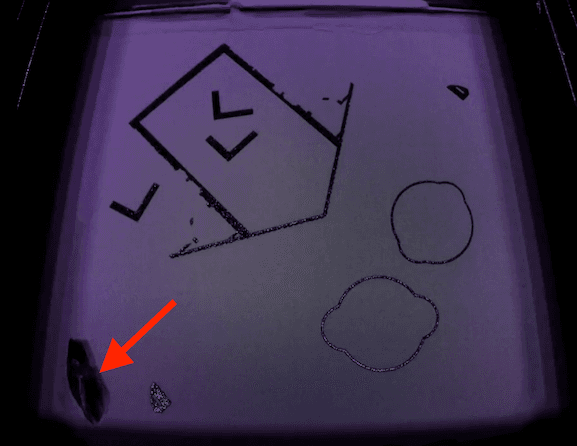
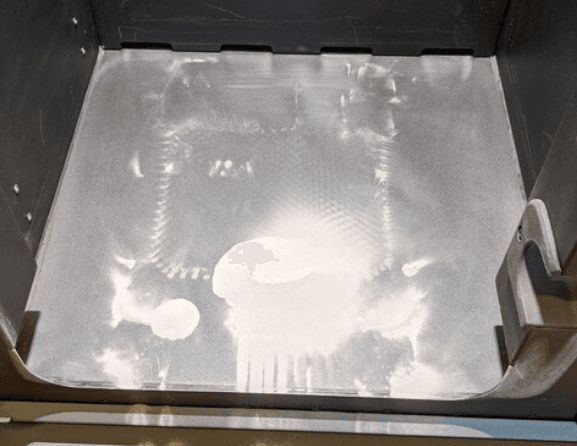
The leak can be caused by damage to build chamber components like the felt seal, build chamber external frame gasket, or inner gasket (volcano seal).
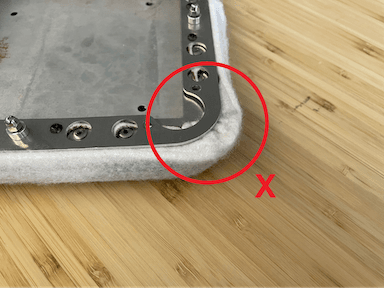
Misplaced print bed felt seal
Cracked build chamber inner gasket (orange) and build chamber external frame gasket (black)
To check the build chamber sealing, follow the repair guide Replacing the build chamber external frame gasket (Fuse 1) [EN] [DE] [ES] [FR] [IT] [JA] [ZH] to remove the top frame gasket. The inner gasket (volcano seal) of the build chamber is not visible without the top removed from the build chamber.
Check the build chamber seals around the edge of the build chamber and the print bed. If any of the gaskets exhibits cracks or tears or the white felt seal is compromised or misplaced, it should be replaced. Contact Formlabs Support or your authorized reseller for next steps.
Damaged lead build chamber screw
The build chamber lead screw moves the piston assembly to create the individual layers of a print. This lead screw must be lubricated to move smoothly. Friction wears the lead screw threads, resulting in rough motion of the piston assembly and noise during movement.
Follow the repair guide for Cleaning and lubricating the build chamber lead screw (Fuse 1) [EN] [DE] [ES] [FR] [IT] [JA] [ZH] to inspect and lubricate the build chamber’s lead screw.
Damaged Z-drive coupling
A slipping or damaged Z-drive coupling may cause layer shifting across multiple build chambers. If you experience consistent layer shifting and your printer touchscreen displays Error 94/4 PR_ERROR_MOTORS_MOVE_MISSED_HARDSTOP__CYLINDER, , contact Formlabs Support or a certified service provider for additional guidance.