

Loose build platform (Form 4 generation)
Loose build platform (Form 4 generation)
On Form 4 generation printers, the build platform mounts on the build platform dovetail assembly, which includes the build platform latch. Any issues with the dovetail assembly may prevent the latch from closing fully or allow the build platform to move when it is latched in place. A variety of print failures, such as layer shifting, delamination, and non-adherence can result from the build platform moving during a print.
Causes
- Loose build platform alignment screws
- Loose dovetail drawbar
- Damaged or faulty build platform dovetail
Symptoms
- Build platform latch does not fully close
- Build platform latch does not stay closed
- Build platform moves when latched in place
Troubleshooting steps
Build platform latch does not stay closed
If the build platform latch closes but reopens on its own or still allows the build platform to move:
- Use a 4 mm wrench or other suitable tool to tighten the drawbar on the underside of the build platform dovetail assembly by a half turn.
- Insert a build platform, lower the build platform latch, and try moving the build platform by hand to see if it is loose.
- If the build platform is still loose, tighten the drawbar another half turn and test the build platform again.
- If the build platform latch is too tight to fully close, loosen the drawbar slightly and test the build platform again.
- Align the build platform before trying another print.
Build platform latch cannot close
If the build platform latch is too tight to fully close, so the build platform cannot be locked in place:
- Use a 4 mm wrench or other suitable tool to loosen the drawbar on the underside of the build platform dovetail assembly by a half turn.
- Insert a build platform, lower the build platform latch, and try moving the build platform by hand to see if it is loose.
- If the build platform latch still cannot close, loosen the drawbar another half turn and test the build platform again.
- If the build platform latch is now too loose to stay closed, tighten the drawbar slightly and test the build platform again.
- Align the build platform before trying another print.
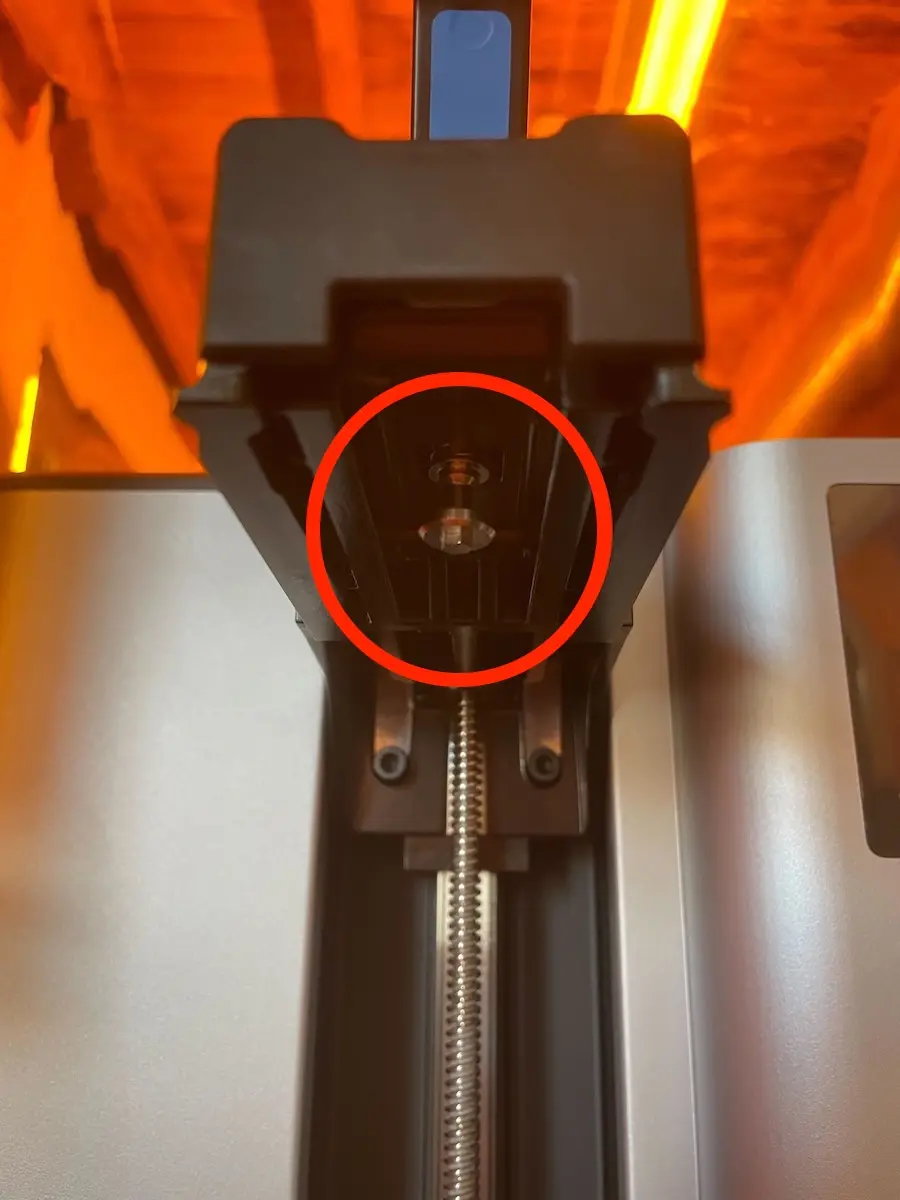
Entire dovetail assembly moves
If the dovetail assembly can move, with or without a build platform latched in place, the build platform screws on the side of the dovetail assembly may be loose. Align the build platform, tightening the screws as part of the procedure, before trying another print.
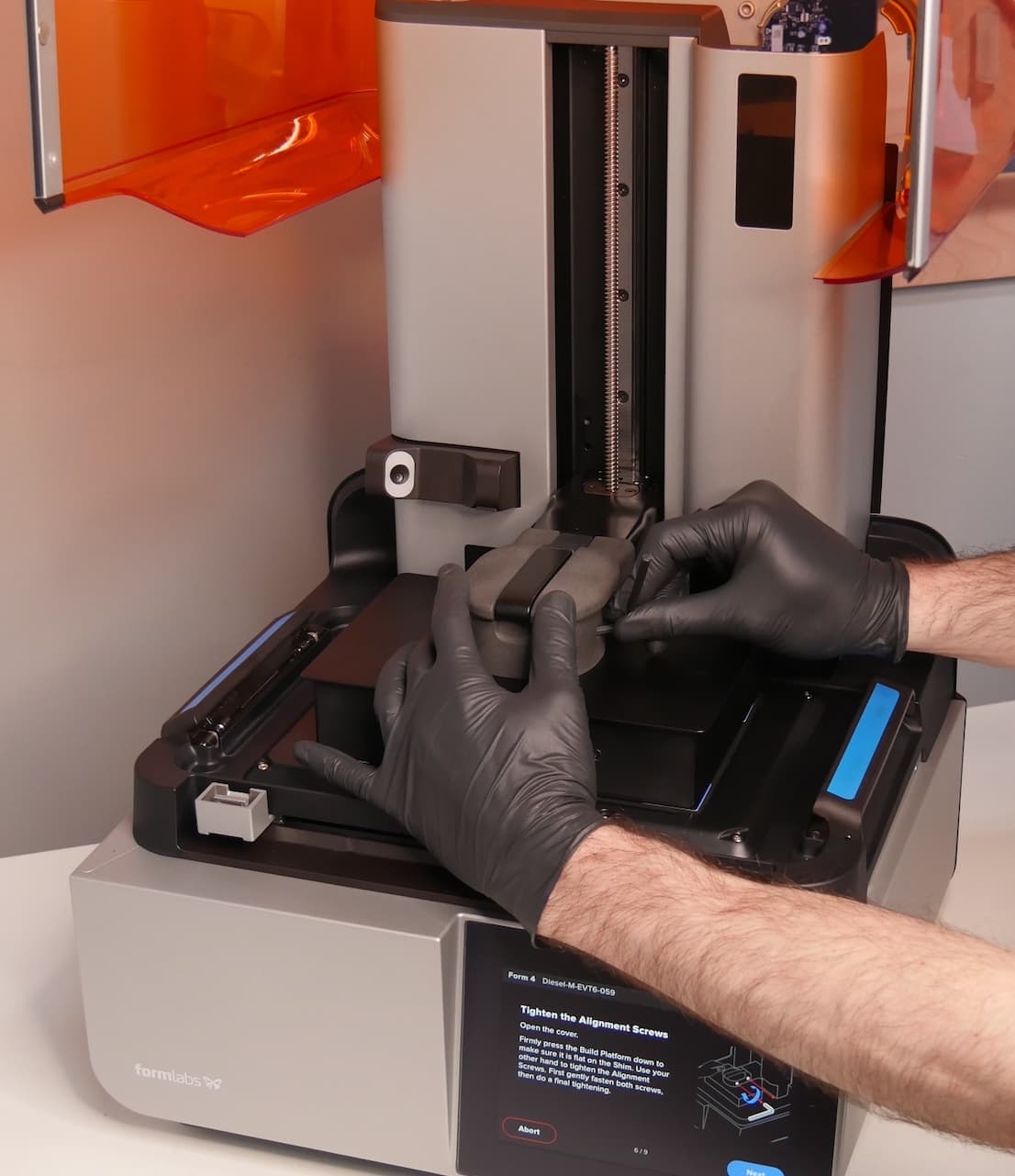
Dovetail assembly is damaged or cannot be adjusted
If the dovetail assembly is visibly damaged or cannot be adjusted as described above, replace it. Form 4 generation dovetail assemblies are available for purchase on the Formlabs Store. Follow the guide Replacing the Form 4 build platform dovetail assembly to replace the component.