
Note:
It can be difficult to distinguish one print failure from another. Tank film warping can lead to other print failures, such as delamination. Tank film warping itself is not caused by optical contamination or by using an expired resin.

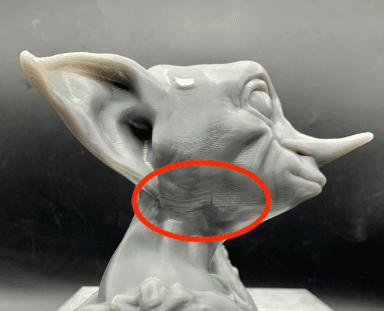
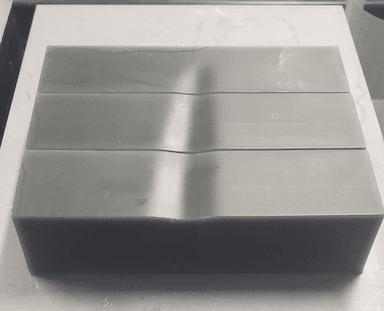
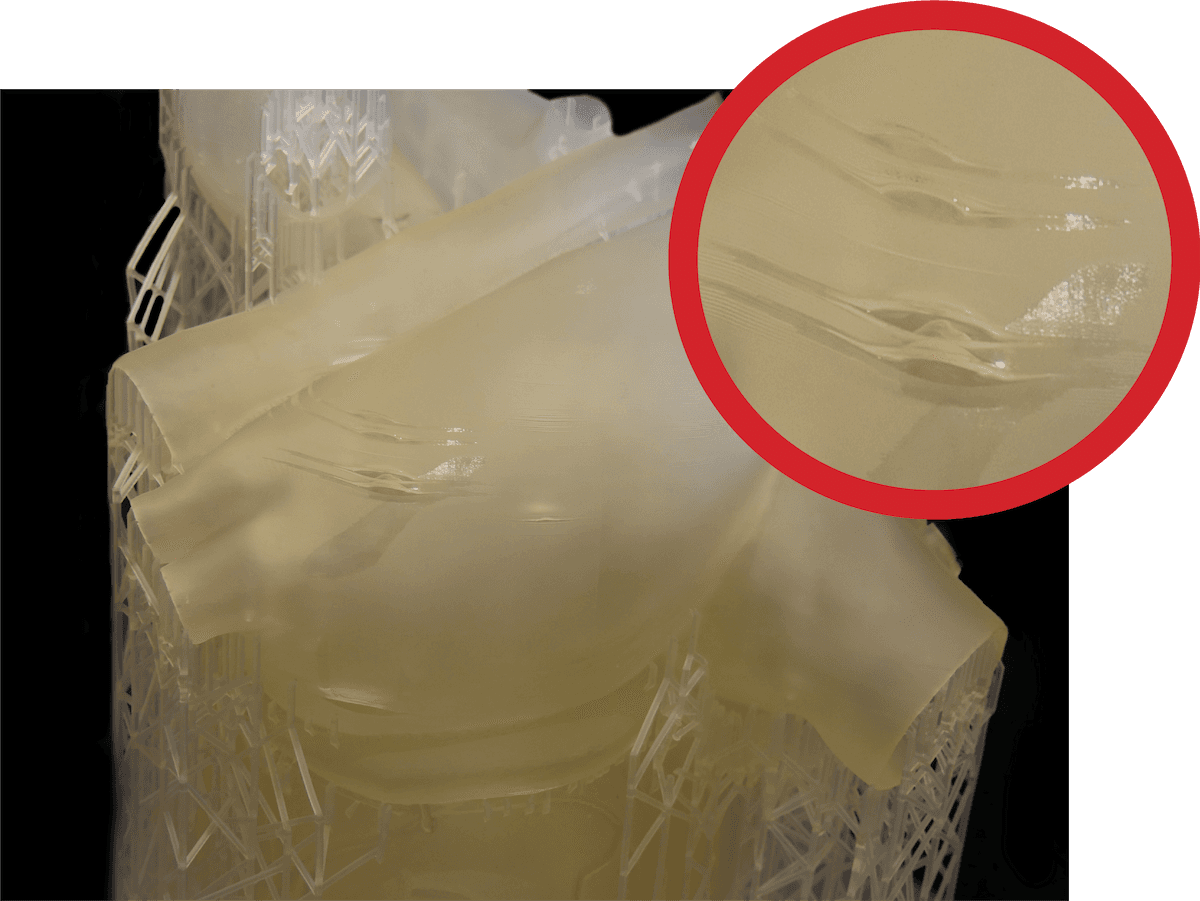
LFS resin tanks have a flexible film on the bottom. On the Form 3L and Form 3BL, this film can become wrinkled in certain locations. These wrinkles may cause layers on a print to warp or print unevenly. This leads to corresponding areas of the print that look like they have sagged.
Symptoms
Common causes
Note:
It can be difficult to distinguish one print failure from another. Tank film warping can lead to other print failures, such as delamination. Tank film warping itself is not caused by optical contamination or by using an expired resin.
Troubleshooting steps
Note:
Make sure that your firmware and PreForm versions are up to date. To check your printer’s firmware version, refer to the support article Checking the firmware version for Formlabs SLA printers. To update your PreForm version, refer to the FAQ article How do I update PreForm?
Step 1: Check the model in PreForm
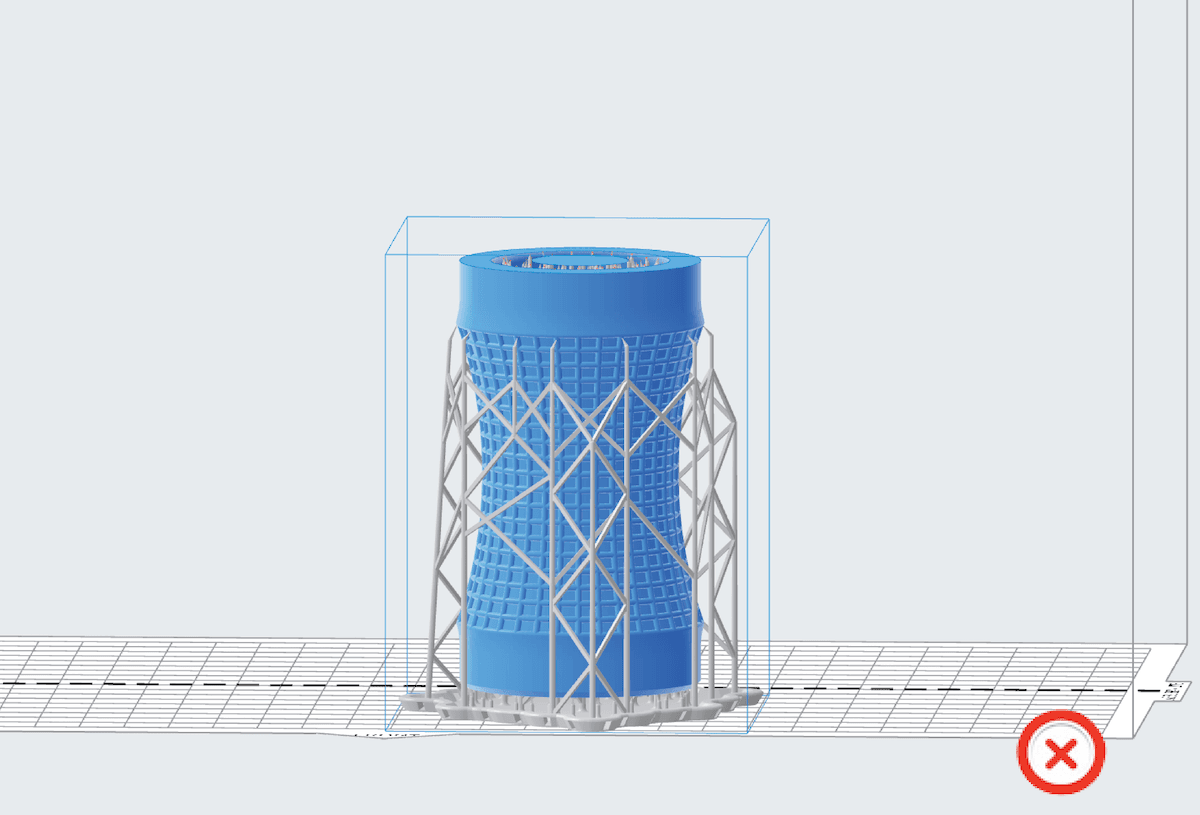
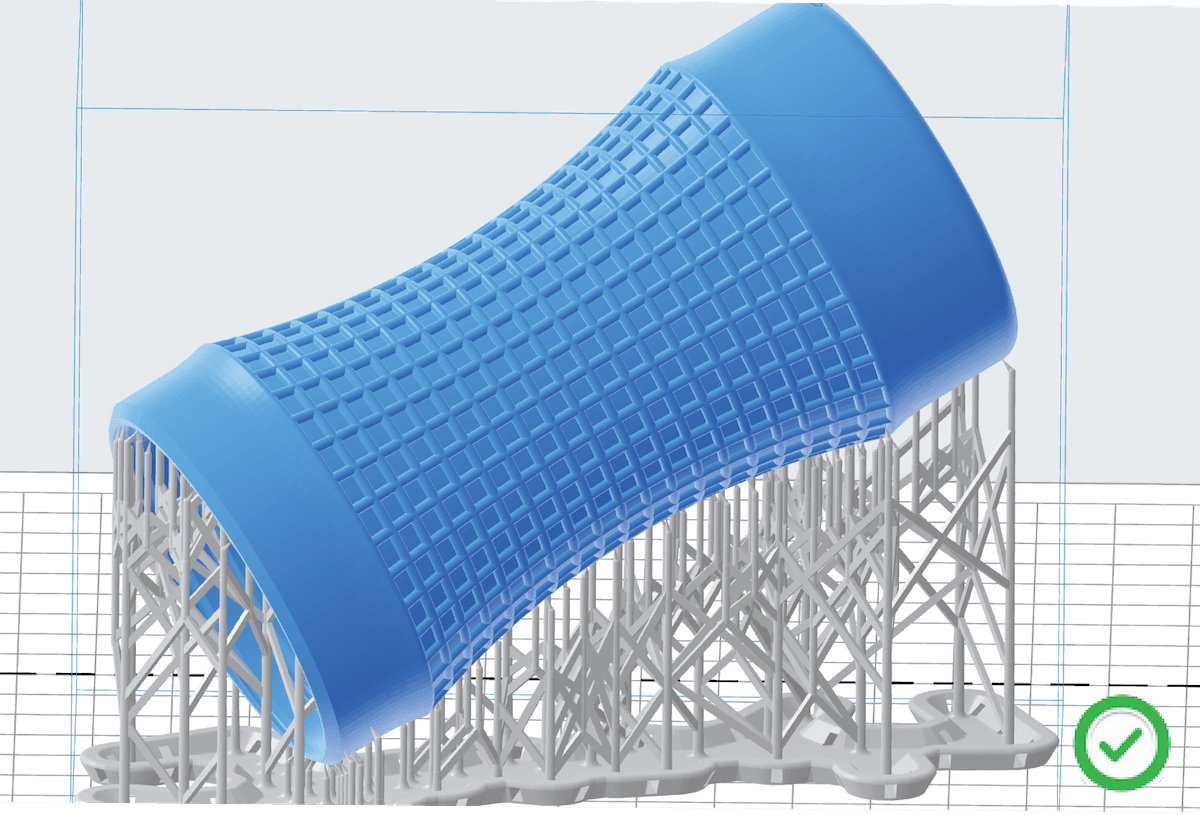
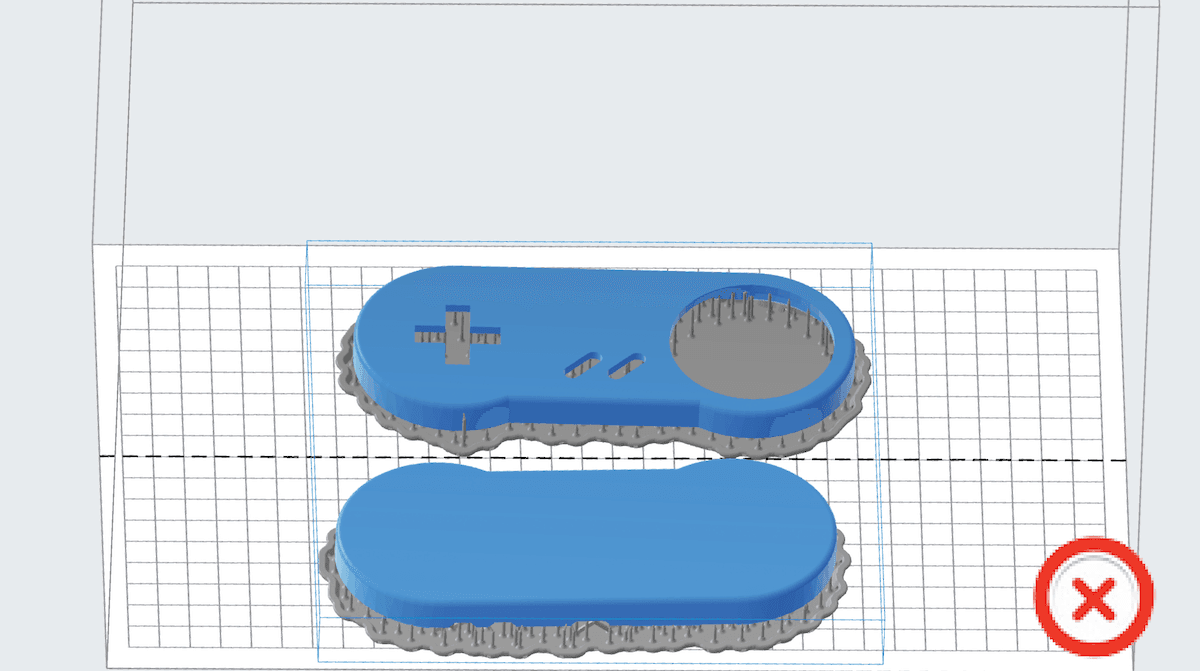
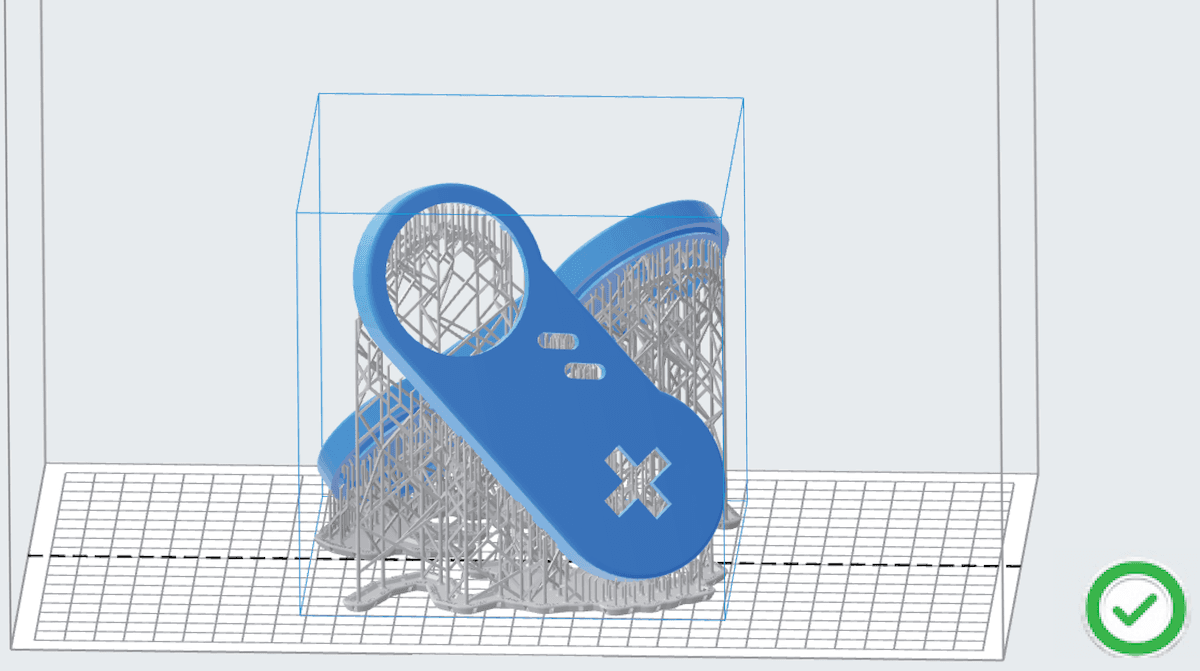
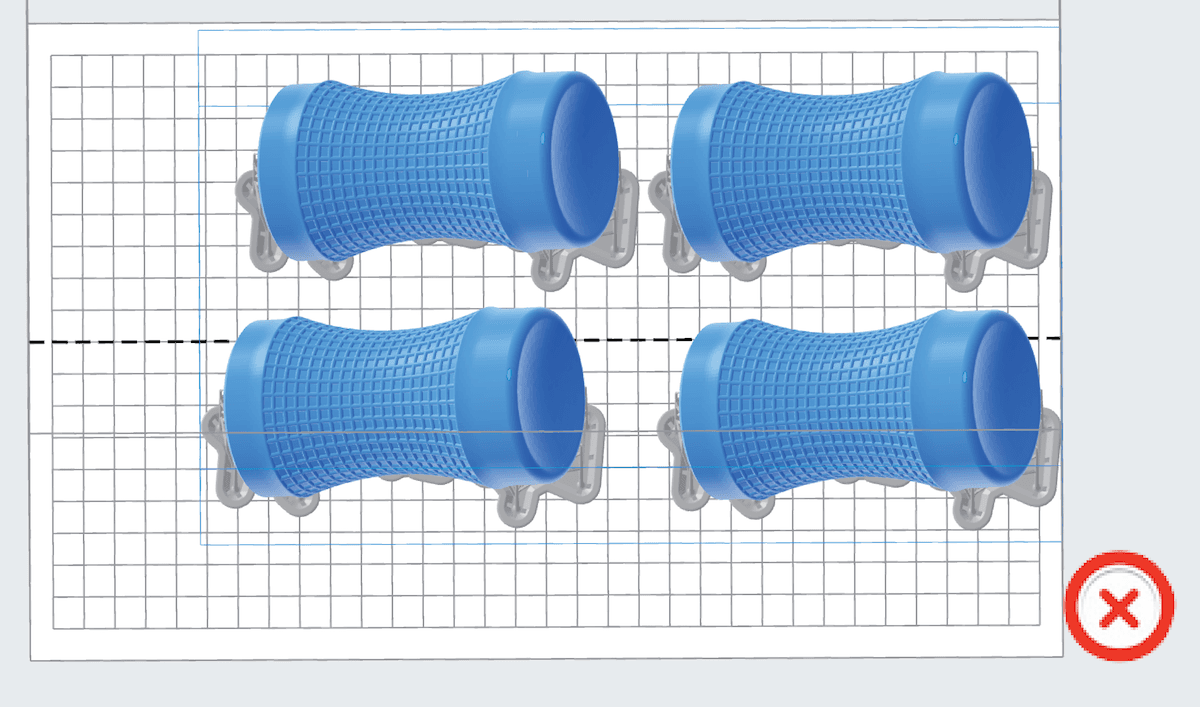
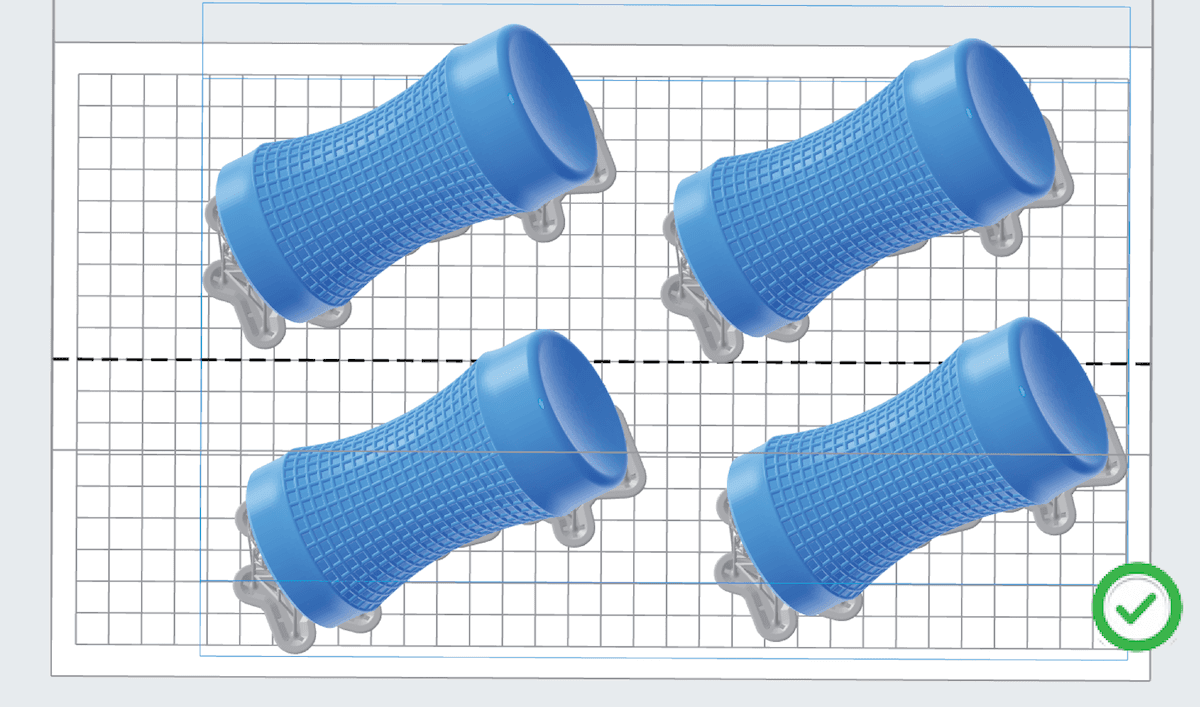
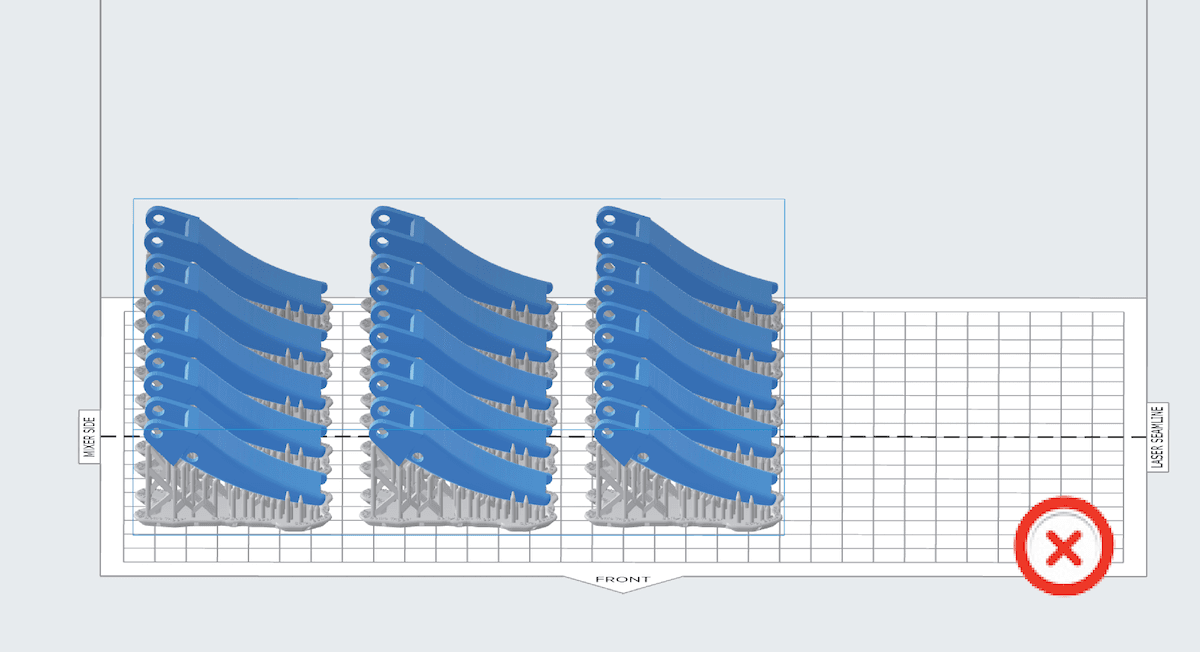
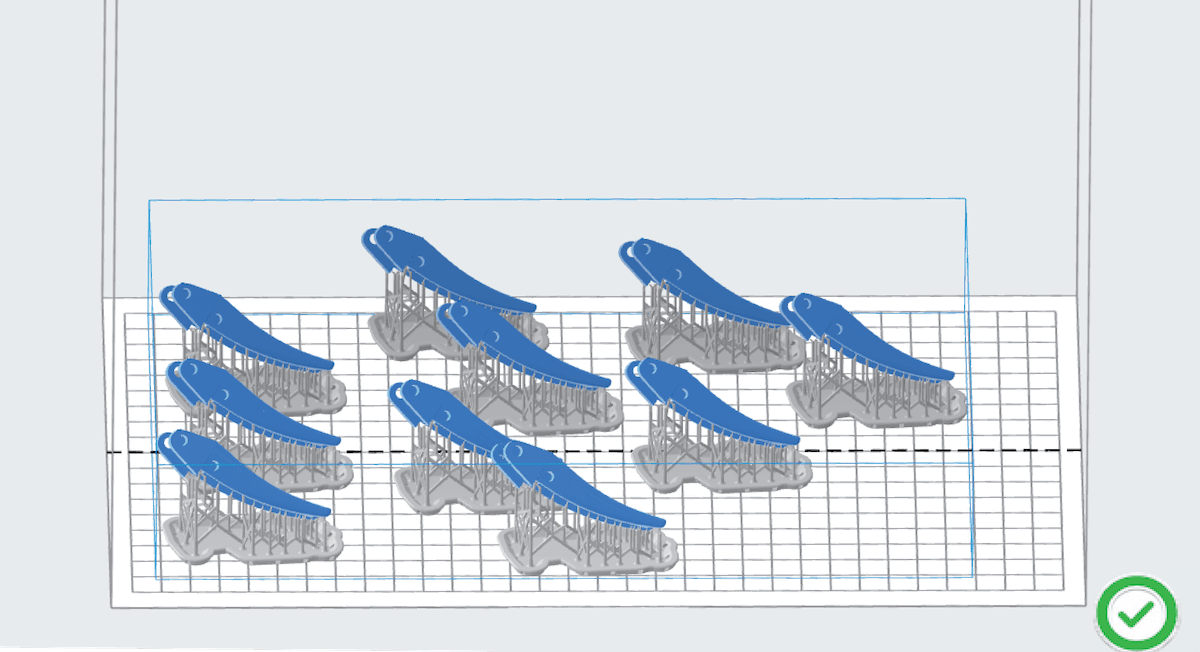
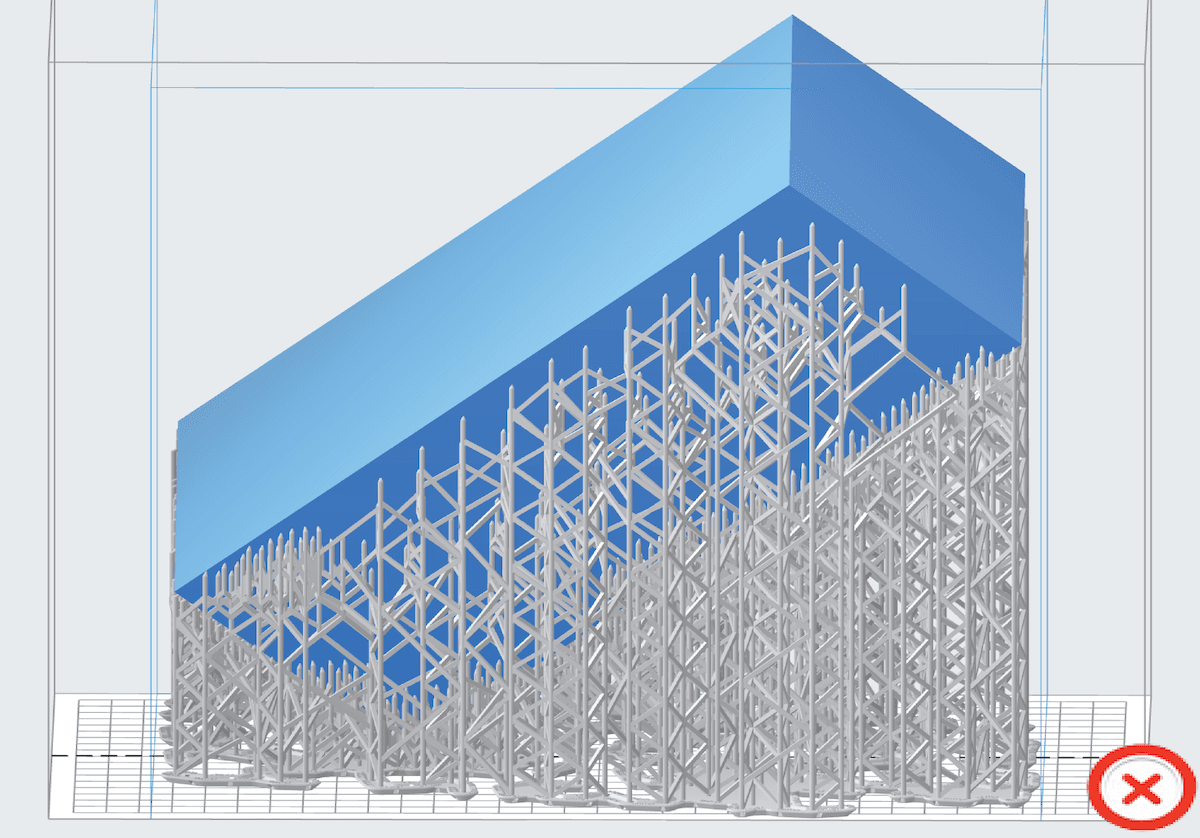
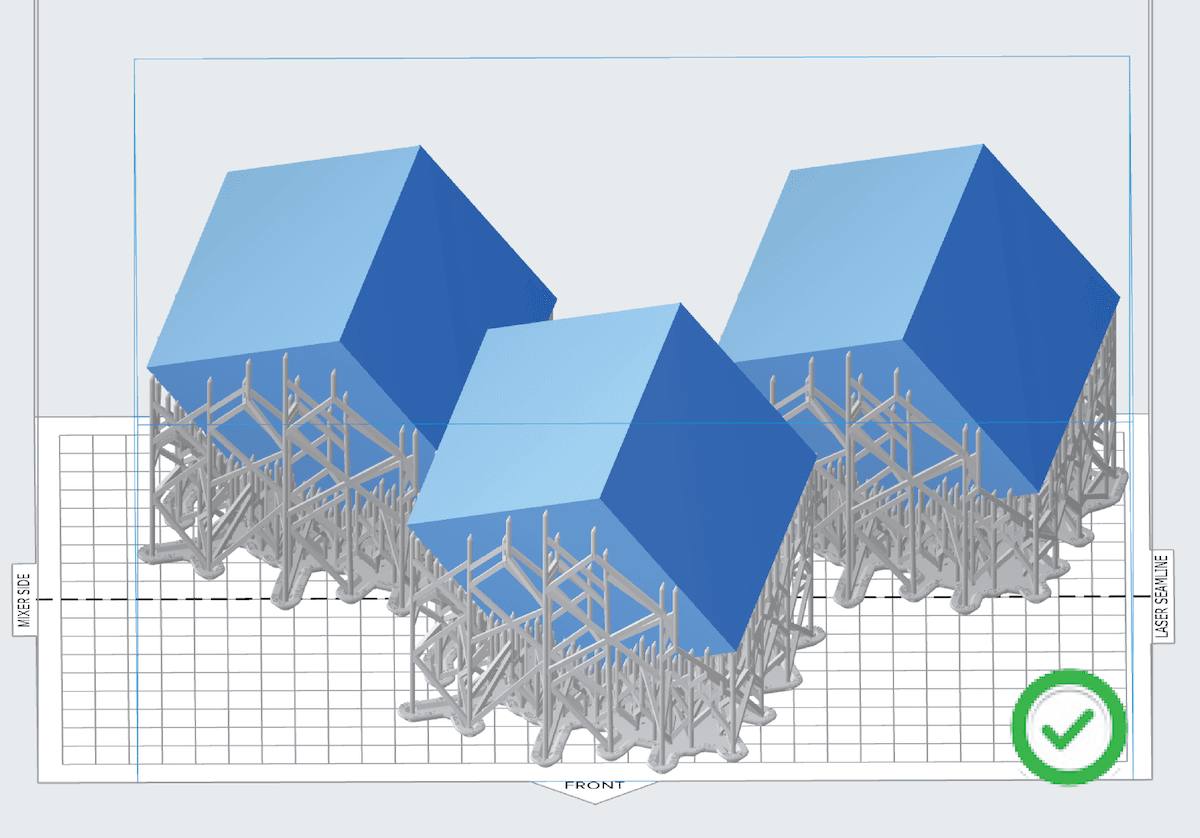
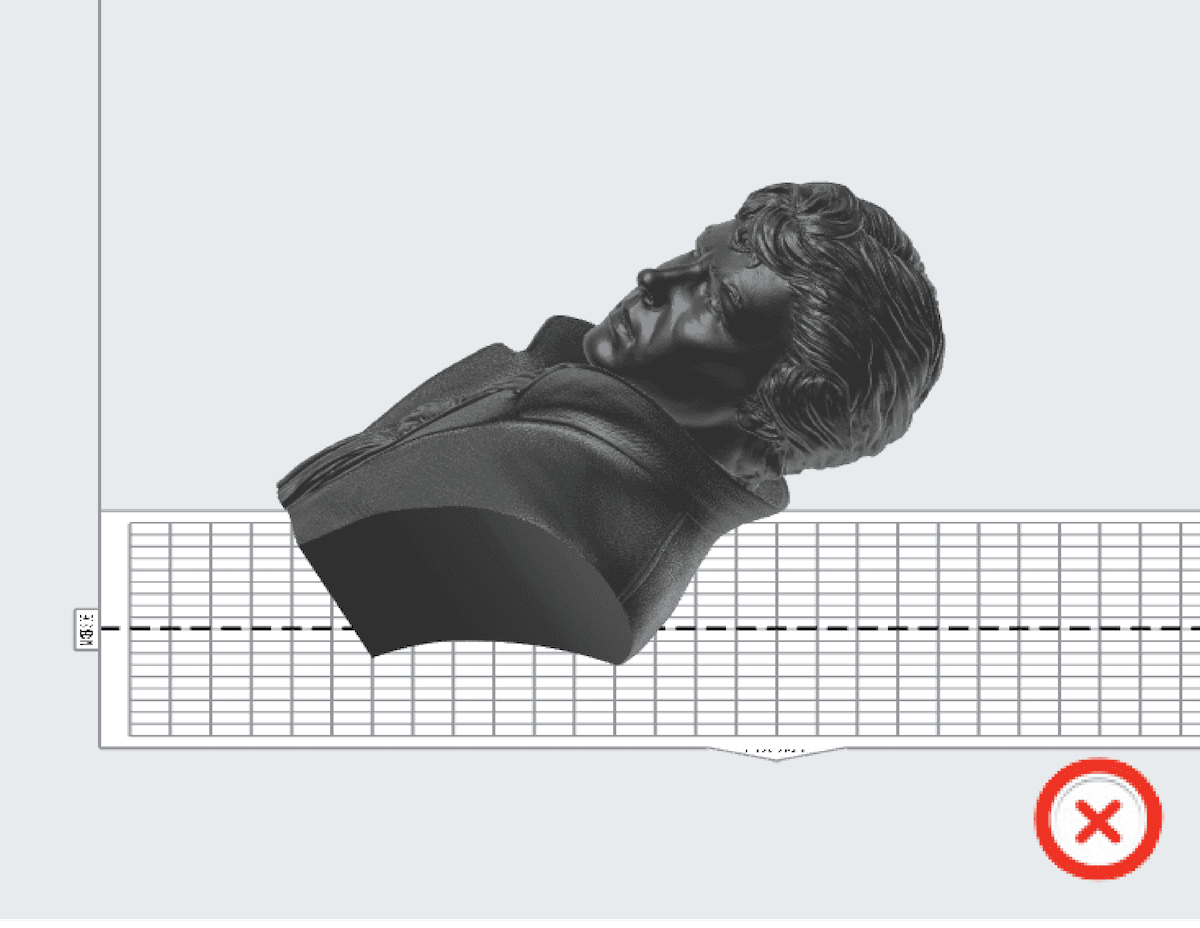
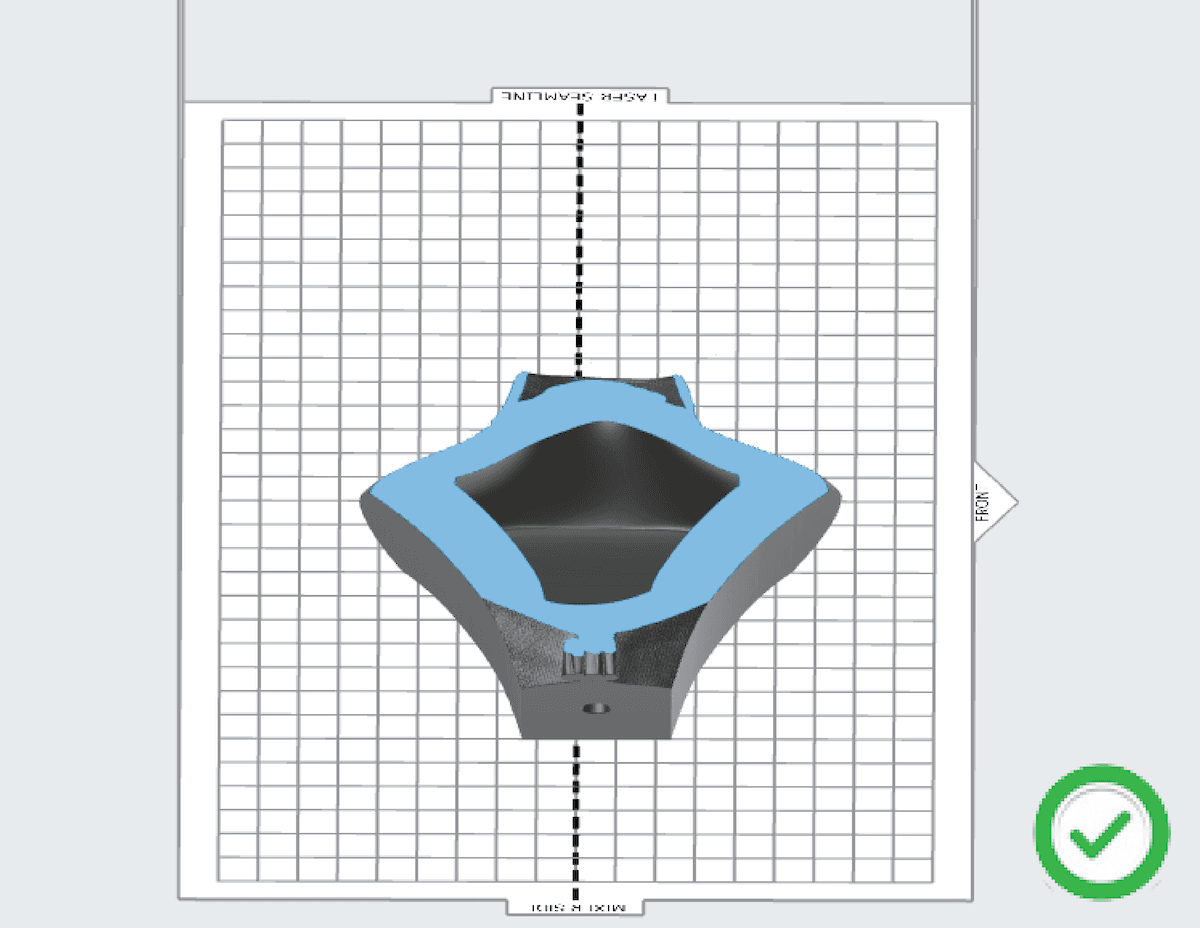
Forces imparted on the resin tank’s flexible film during printing can damage it or cause it to warp. These forces can be lessened by redesigning your models or reorienting them in PreForm.
Tip:
Formlabs recommends following the orientation tips outlined in the article Model orientation best practices for SLA printing.
Common orientation issues that can cause parts to warp include:
Step 2: Check the resin tank
Inspect the inside and underside of the tank for dirt, dust, and fingerprints. The bottom of the tank must be clean for the best print results. For examples of wear and tear on Form 3L tanks, please see LFS resin tank damage and wear.
Note:
Damage to the resin tank is not a cause of tank film warping, but inspecting your resin tank helps distinguish and diagnose other root causes of print failures. Keep resin tanks clean and well-maintained between prints for reliable and successful printing.
Contacting Formlabs Support
If the troubleshooting steps above do not resolve the print failure, contact Formlabs Support or your authorized reseller.
To help us provide the fastest and most effective response to your issue, please share the following: