

Draining excess resin from the build platform into the resin tank (Form Studio 1)
Draining excess resin from the build platform into the resin tank (Form Studio 1)
The Form Studio 1 Build Platform and Build Platform Flex can both hook onto the edge of the printer’s resin tank, allowing you to drain excess resin after a print. This helps save resin and extends the lifetime of your wash solvent.
Form Studio 1 Build Platform
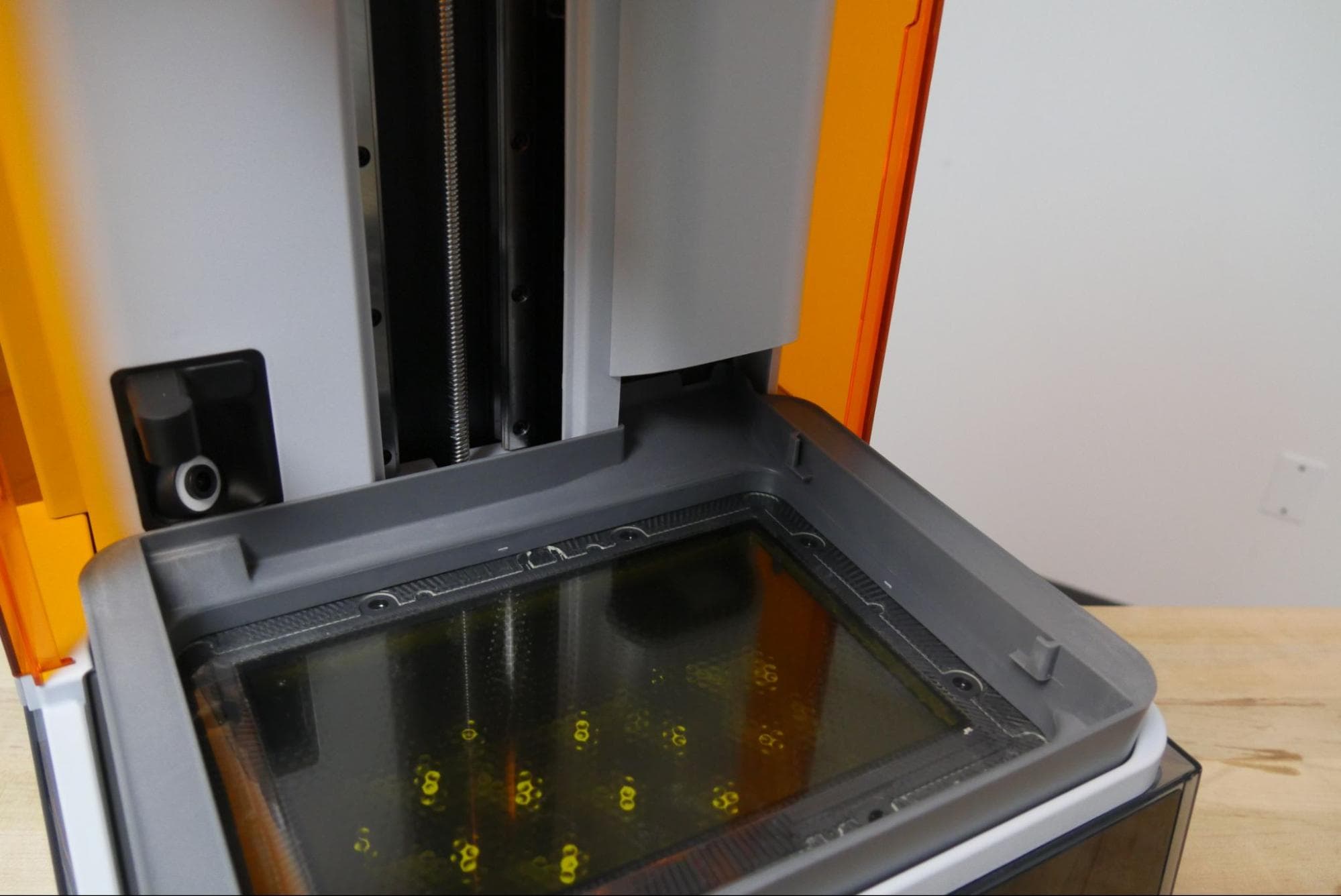
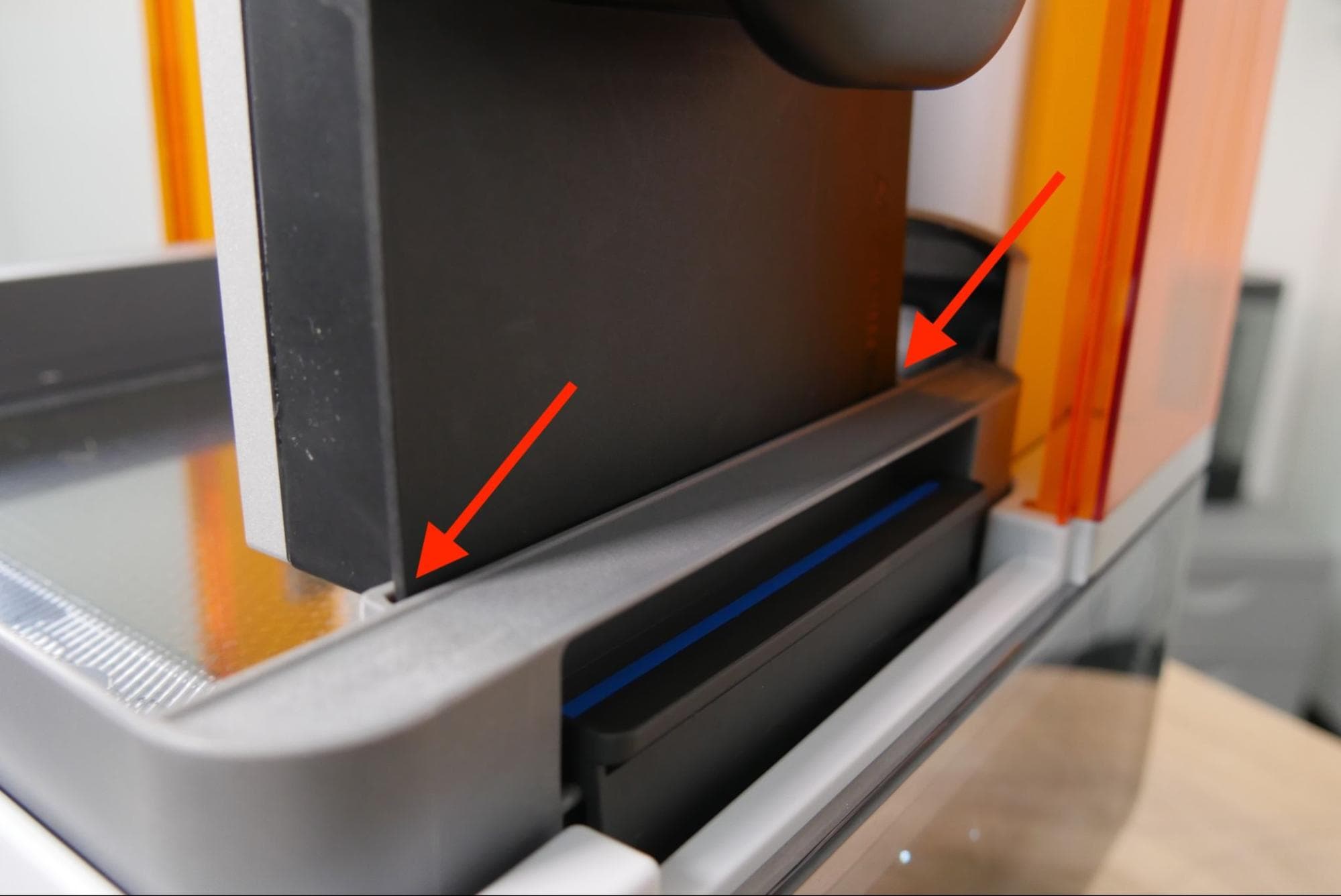
To drain excess resin from a Form Studio 1 Build Platform after a print:
- Open the printer cover.
- Unlatch and remove the build platform.
- Locate the two notches on the right inner wall of the resin tank.
- Align the top surface of the build platform with the notches and lower it into place.
- Close the printer cover and allow excess liquid resin to drip off the build platform and printed parts back into the resin tank.
- Depending on the viscosity of the resin, letting the build platform drip for 4–5 minutes will drain most of the excess resin back into the resin tank.
Form Studio 1 Build Platform Flex
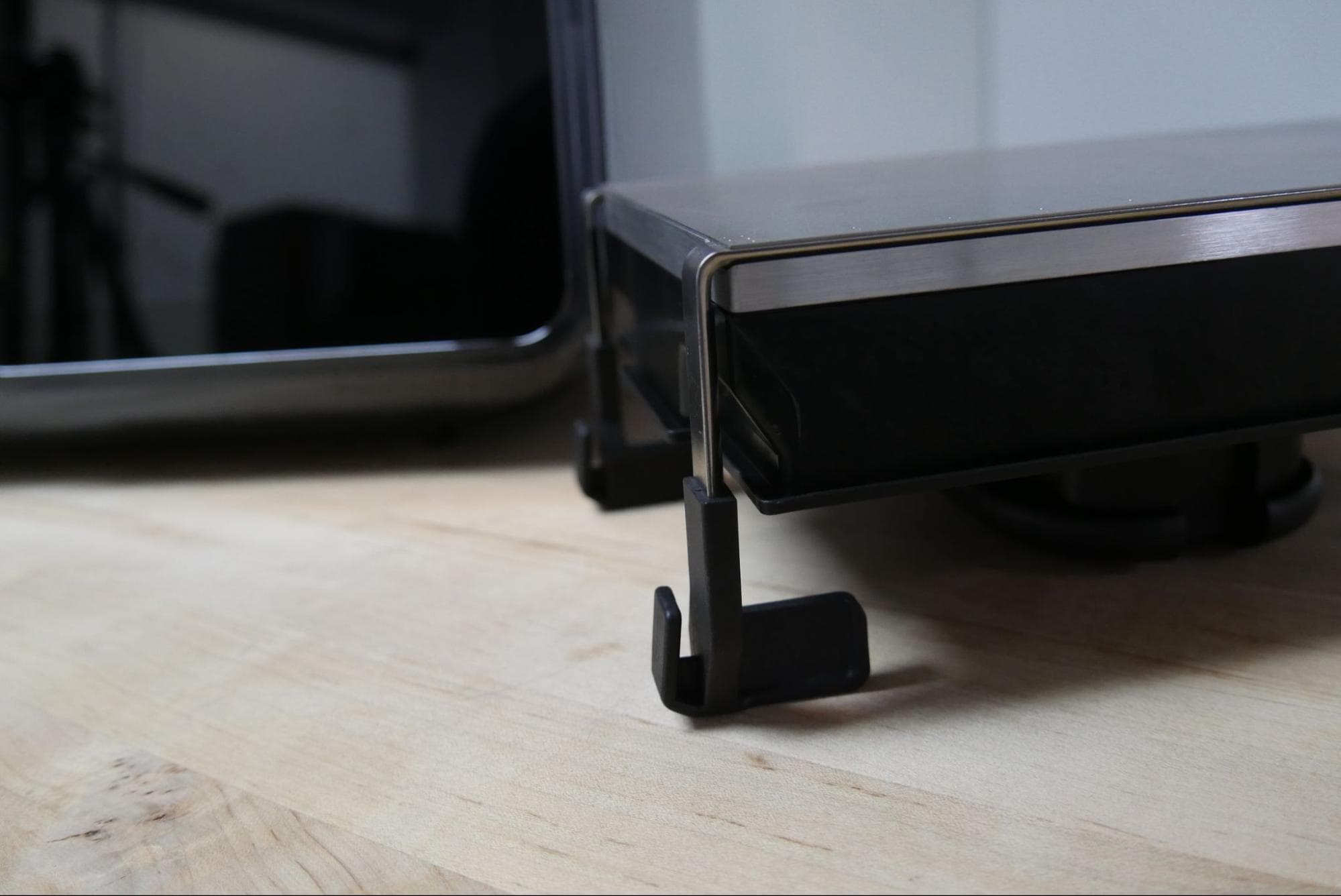
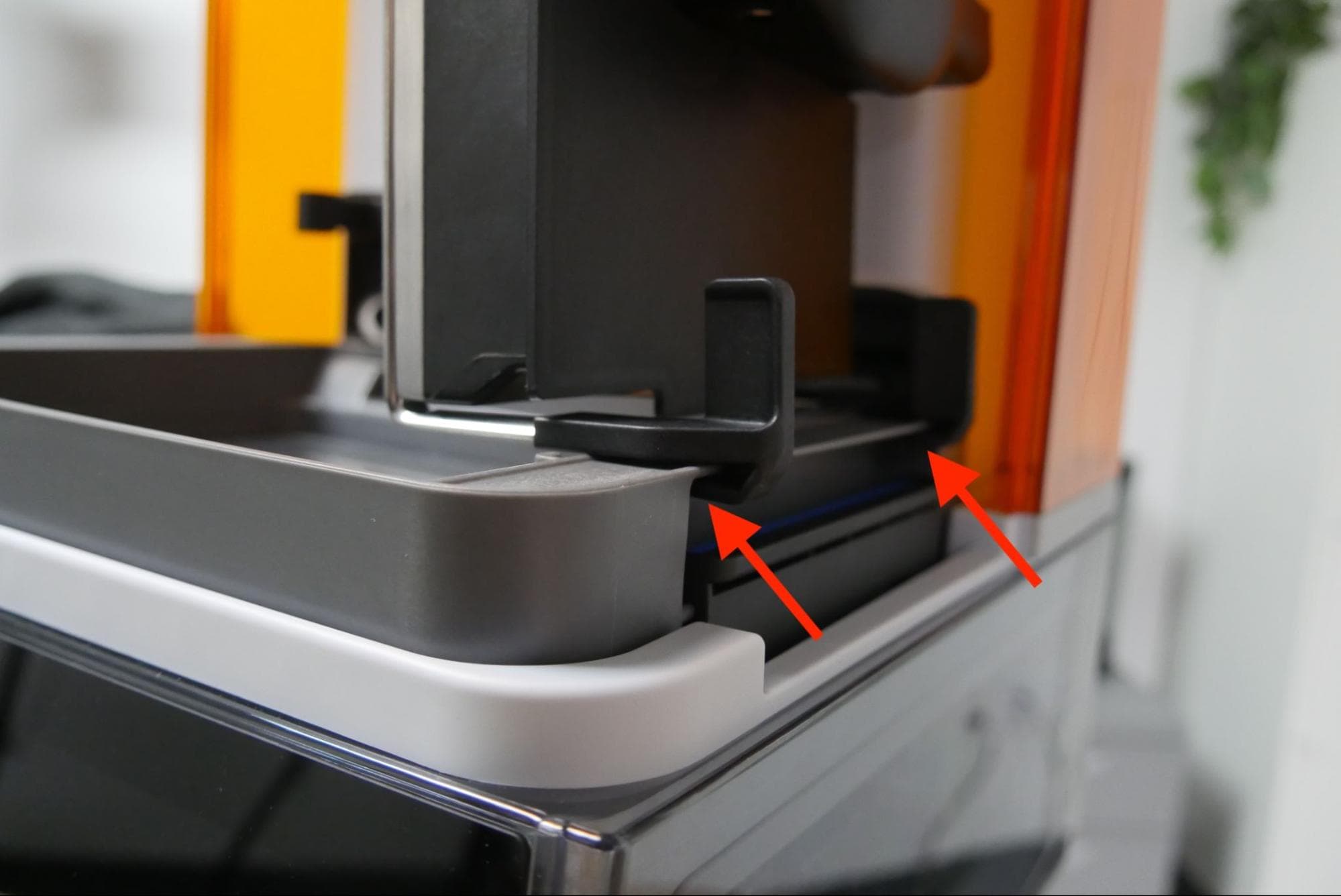
To drain excess resin from a Form Studio 1 Build Platform Flex after a print:
- Open the printer cover.
- Unlatch and remove the build platform.
- Locate the notches on the part release tabs.
- Align the notches with the outer lip of the resin tank and slide the build platform into place.
- Close the printer cover and allow excess liquid resin to drip off the build platform and printed parts back into the resin tank.
- Depending on the viscosity of the resin, letting the build platform drip for 4–5 minutes will drain most of the excess resin back into the resin tank.