

WHITE PAPER
Formlabs Logo

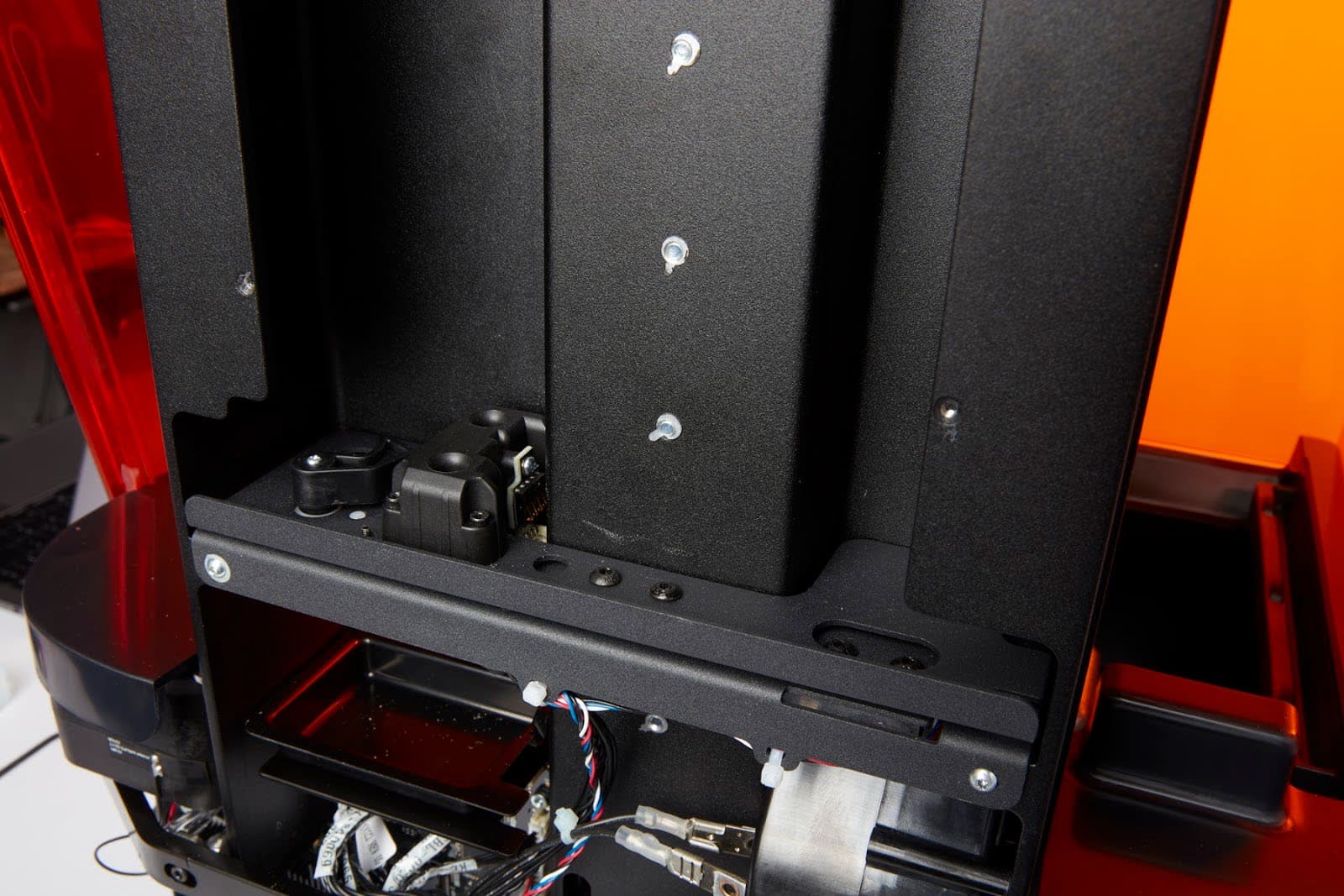
Cleaning the Form 3/Form 3B cartridge floor

Cleaning the Form 3/Form 3B cartridge floor

Over time, uncured resin can accumulate on the cartridge floor, dispense arm, cartridge dispense spring, and spring fingers. If you experience a cartridge dispensing error, cleaning the cartridge floor may help.

  1. Unplug the machine from its power source. Wait at least five minutes before continuing.
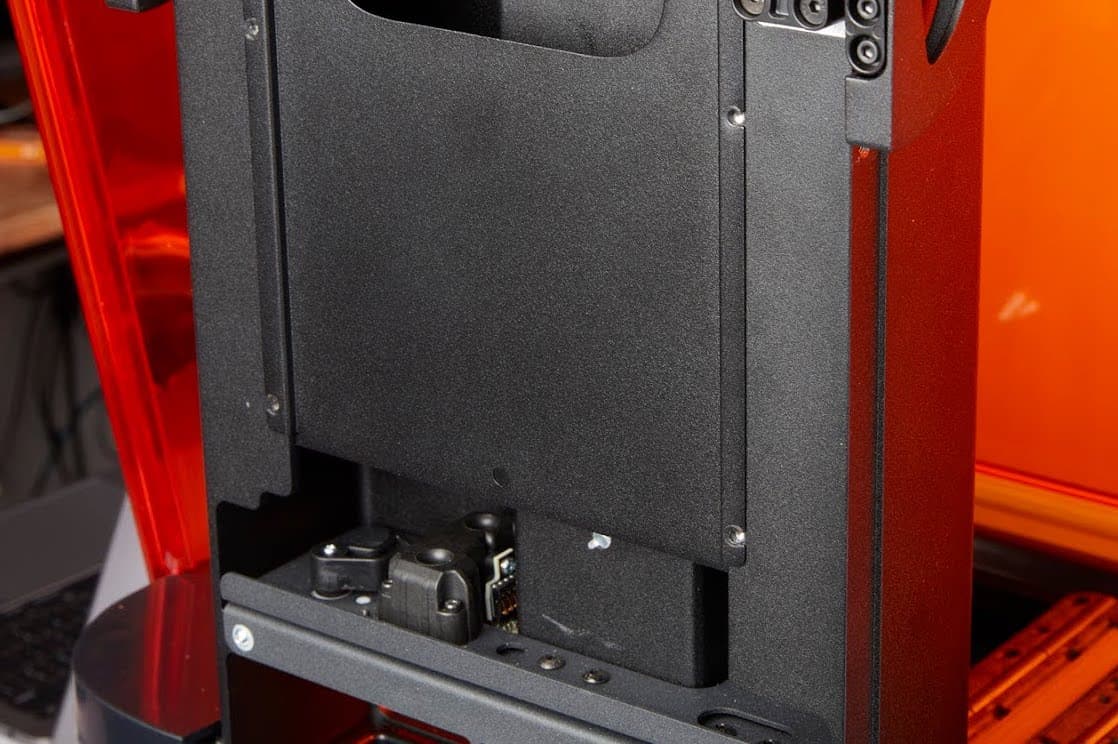
  1. Remove the printer’s rear shell to access the cartridge floor. Follow the instructions in Removing the Form 3 rear shell [EN] [DE] [ES] [FR] [IT] [JA] [ZH].
  2. Dampen cleaning swabs with isopropyl alcohol (IPA) and use them to thoroughly clean the cartridge floor.

Tip:

If it is difficult to access or clean the cartridge floor, remove the back plate to allow easier access. Use a 2 mm hex driver to remove the four back plate screws. Take care not to strip the screws. Set the screws and plate aside for reinstallation after cleaning.

  1. Move the dispense arm by hand, checking that it pivots smoothly and returns to its starting position without sticking.
  2. Allow any remaining IPA to fully evaporate.
  3. Reinstall the rear shell, following the instructions in Removing the Form 3 rear shell [EN] [DE] [ES] [FR] [IT] [JA] [ZH].