
WHITE PAPER
How do I update PreForm?
How do I update PreForm?
PreForm automatically checks for updates daily upon launch if the computer is connected to the internet. When updates are available, PreForm prompts you with the option to download and install the latest version. Alternatively, update PreForm manually.
To check which version of PreForm you have, open PreForm and click:
- Windows: Help > About PreForm
- Mac: PreForm > About PreForm
from the menu bar.
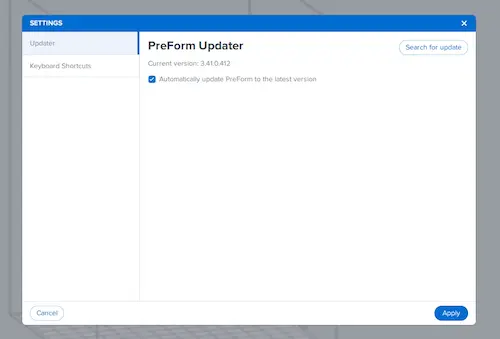
On Windows computers, you can disable the PreForm Updater. Click File > Settings > Updater to disable or enable automatic updates for PreForm.
For information about the latest PreForm updates, review the PreForm release notes.