
WHITE PAPER
Powder sensor issues (Fuse Sift)
Powder sensor issues (Fuse Sift)
The Fuse Sift powder sensors report the approximate level of powder in each hopper and can often be wrong or unintuitive to users. Each hopper has four sensors, with a sensor placed at the 1 kg, 2 kg, 4 kg, and 8 kg levels. The Sift displays only the amount of powder that covers the sensor and no more. For example, 6 kg of powder in the Sift reads as 4 kg, 3 kg of powder reads as 2 kg, etc.
Symptoms
- More powder has been added to the Fuse Sift than displayed on the touchscreen
- Fuse Sift reports that the hopper is fuller than it is, including when the hopper is empty
- Fuse Sift reports that a hopper is full, but displays a Fresh Hopper Empty or Sifted Hopper Empty error when you try to fill a powder cartridge
Common causes
- Normal operation
- Firmware issue
- Obstructed powder sensor
- Malfunctioning powder sensor
Troubleshooting steps
- Compare the amount of powder you added to the Fuse Sift to the fullness level reported on the touchscreen. If you add a single 3 kg powder jug to an empty fresh powder hopper, the Fuse Sift will report 2 kg of powder in the hopper. If you add a second jug, totaling 6 kg, the display will show 4 kg of powder. This is normal and your Fuse Sift should operate as expected.
- Update the firmware. Firmware version 1.4.3, released on July 18, 2022, fixed a bug related to hopper fullness detection and display, and Formlabs regularly releases updated firmware to fix bugs and improve functionality.
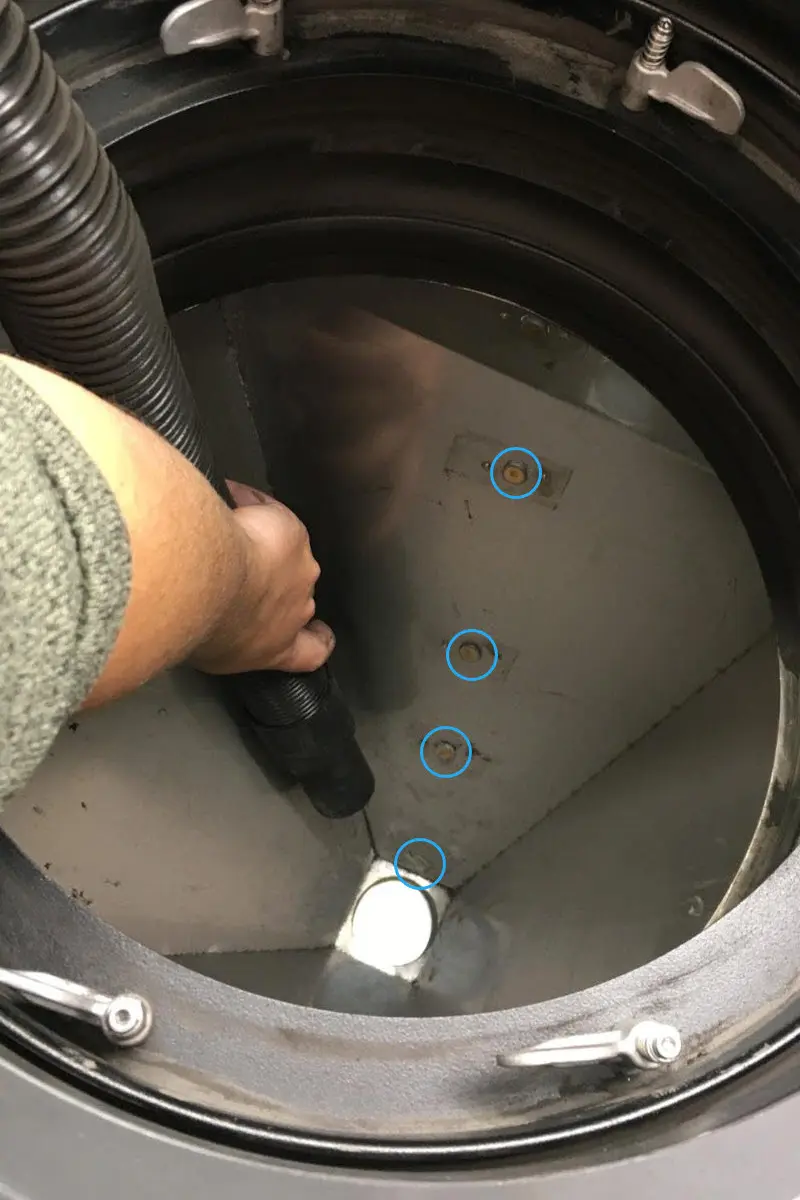
- Clean the fresh powder hopper and the used powder hopper, paying attention to the four powder sensors in each hopper. Powder often collects on top of the sensor and falsely triggers it.
- If powder accumulation is causing frequent issues with hopper fullness tracking, you can continue to clean the sensors or ignore any fill-related errors if you know there is sufficient powder in the hoppers.
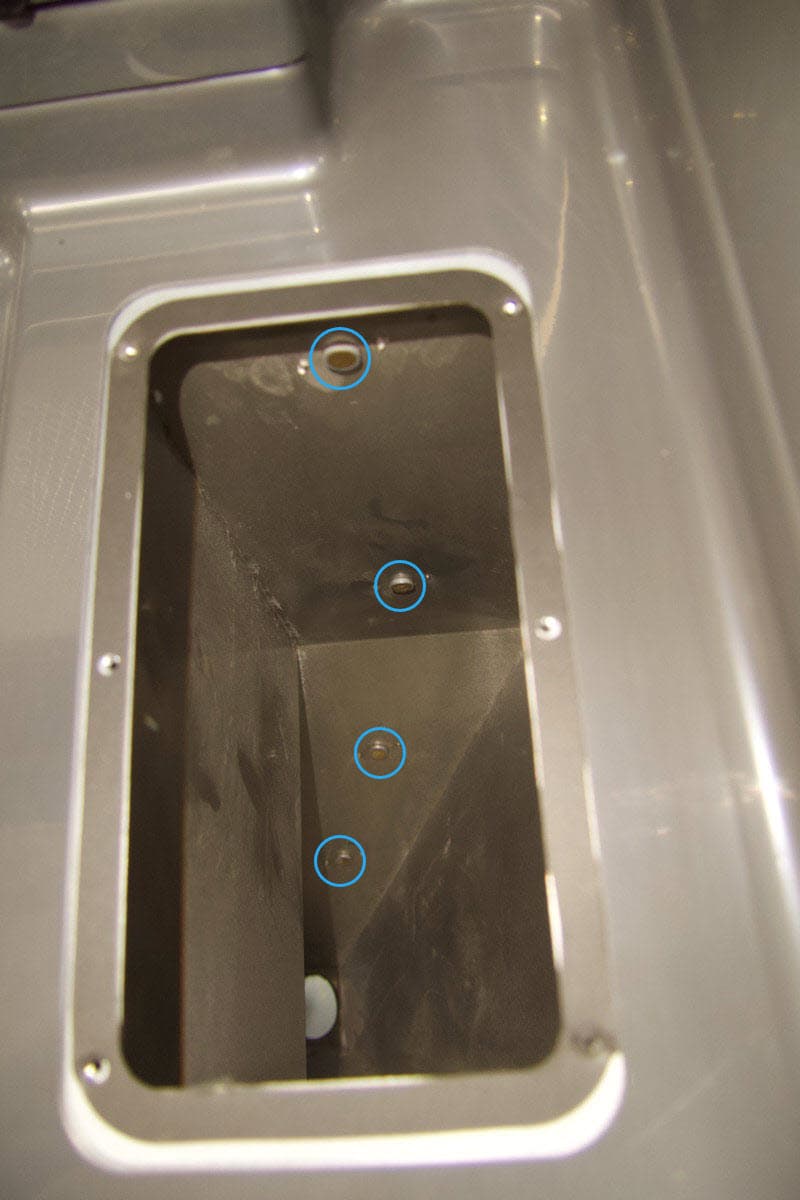
Fresh powder hopper sensors
Used powder hopper sensors
- If issues persist, one or more powder sensors may need to be replaced. Replacement powder sensors are available for purchase on the Formlabs Store. Follow the guide Replacing the Fuse Sift powder sensors to replace the component.