

Fehlermeldungen der Generation Fuse 1: PrinterWatcher-Abbrüche (Fehler 112, 113, 114, 216, 217)
Fehlermeldungen der Generation Fuse 1: PrinterWatcher-Abbrüche (Fehler 112, 113, 114, 216, 217)
PrinterWatcher ist eine intelligente Kameraaufnahme-Software, die den Druckbereich während des Druckvorgangs auf Störungen hin überwacht. Wenn PrinterWatcher eine ausreichend große Störung feststellt, bricht es den Druckvorgang ab. Nutzen Sie diesen Artikel, um die häufigsten Ursachen für diese Probleme anhand von Druckbildern zu identifizieren.
Dieser Artikel bezieht sich auf PrinterWatcher-Fehler, die zu folgenden Fehlern führen:
- Fehler 112 PR_ERROR_PRINTERWATCHER_PRINT_FAILURE
- Fehler 113 PR_ERROR_PRINTERWATCHER_TOO_DARK
- Fehler 114 PR_ERROR_PRINTERWATCHER_TOO_BRIGHT
- Fehler 216 PR_ERROR_CAMERA_CHECK_TOO_DARK
- Fehler 217 PR_ERROR_CAMERA_CHECK_TOO_BRIGHT
PrinterWatcher ist nicht für Nylon 11 CF oder TPU 90A Powder aktiviert.
Symptome
- Der Drucker bricht ab und der Touchscreen des Druckers zeigt die Fehlermeldung Error 112, Error 113, Error 114, Error 216 oder Error 217
- an. Der Druckbereich an der Oberseite eines entpackten Drucks zeigt eine Störung im Druckbereich, wie z. B.:
- Freiliegendes gesintertes Material aus einer vorherigen Schicht
- Geschmolzenes Pulver
- Pulververunreinigung
- Unterdosierung
- Hohlräume im Pulverkuchen
Häufige Ursachen
- Unzureichende Pulvermenge auf der Druckebene
- Druckfehler, die sich am Nachbeschichter verfangen
- Pulverschmelze
- Hohlräume, die sich im Druckbereich bilden
- Pulververunreinigung
- Verunreinigung auf dem Kameraobjektiv oder dem Kamerafenster der optischen Kassette
- Softwareprobleme, die die Verarbeitung von Kamerabildern beeinträchtigen
Sammeln von Fotos von Fehldrucken zur Fehlerbehebung
Bevor Sie die Ursache des PrinterWatcher-Fehlers beheben, verwenden Sie die Funktion Download History (Verlauf herunterladen) in PreForm, um Bilder der Fehldrucke zu sammeln.
- Wählen Sie in PreForm den Drucker aus, bei dem der Fehler aufgetreten ist.
- Klicken Sie auf Download History (CSV) (Verlauf herunterladen (CSV)) im Bereich Job Setup (Druckeinrichtung). Ein Archiv mit drei CSV-Dateien und einem Ordner mit Bildern wird auf Ihren Computer heruntergeladen.
- Entpacken Sie das heruntergeladene Archiv.
- ErrorHistory.csv und suchen Sie den Fehler in der Spalte Time of Occurrence (Zeitpunkt des Auftretens).
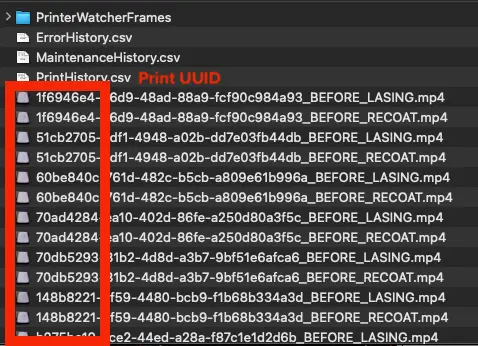
- Notieren Sie sich den Event UUID und den Print UUID Code, der dem Fehlerereignis entspricht.
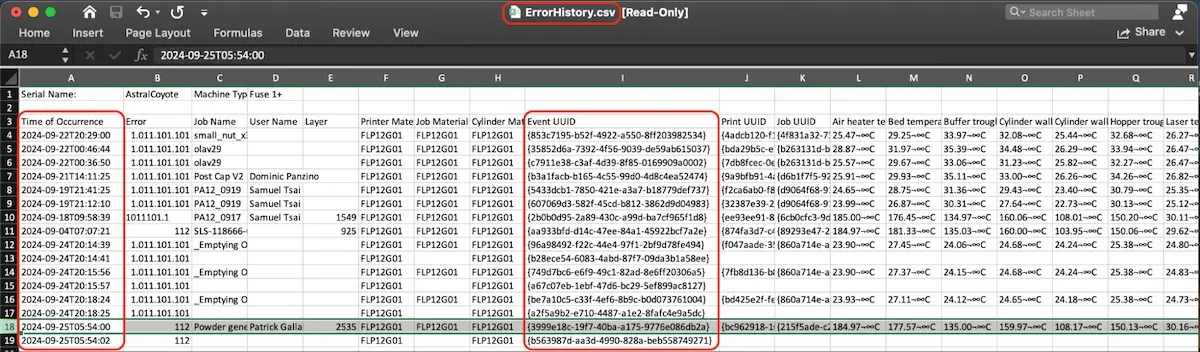
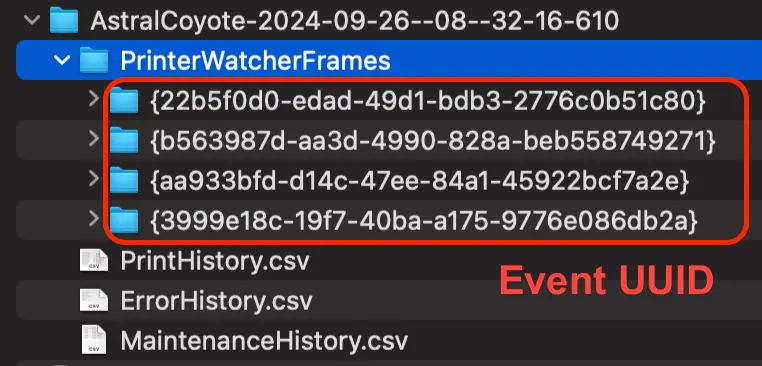
- Öffnen Sie den Ordner PrinterWatcherFrames. Suchen Sie den Unterordner, dessen Name mit der Ereignis-UUID aus dem vorherigen Schritt übereinstimmt.
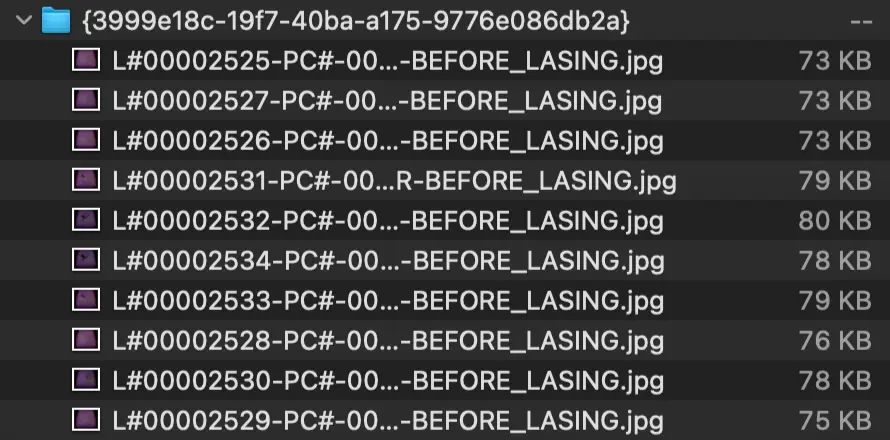
- Öffnen Sie den Ereignis-Unterordner. Er enthält die letzten zehn von PrinterWatcher aufgezeichneten Bilder, bevor der Fehler auftrat.
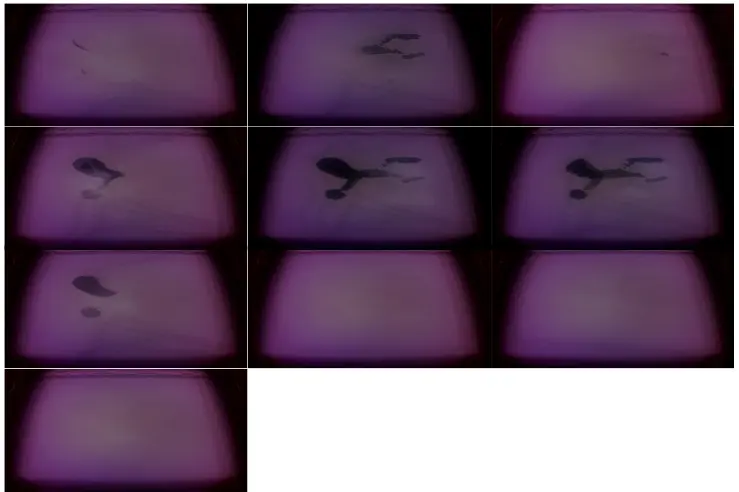
- Vergleichen Sie diese Bilder und Videos mit den unten aufgeführten Beispielen.
- Alternativ können Sie die beiden MP4-Videodateien suchen, deren Namen mit der Druck-UUID aus Schritt 5 übereinstimmen. Ein Video besteht aus Fotos, die vor dem Lasern jeder Schicht aufgenommen wurden, während das andere Video aus Fotos besteht, die nach dem Lasern, aber vor dem Nachbeschichten mit Pulver für die nächste Schicht aufgenommen wurden.
Schritte zur Fehlerbehebung
Ermitteln Sie mithilfe der aus PreForm heruntergeladenen Bilder die Ursache des PrinterWatcher-Abbruchs anhand der nachstehenden Tabelle; folgen Sie dann diesem Link für den entsprechenden Fehlermodus:
Unterdosierung
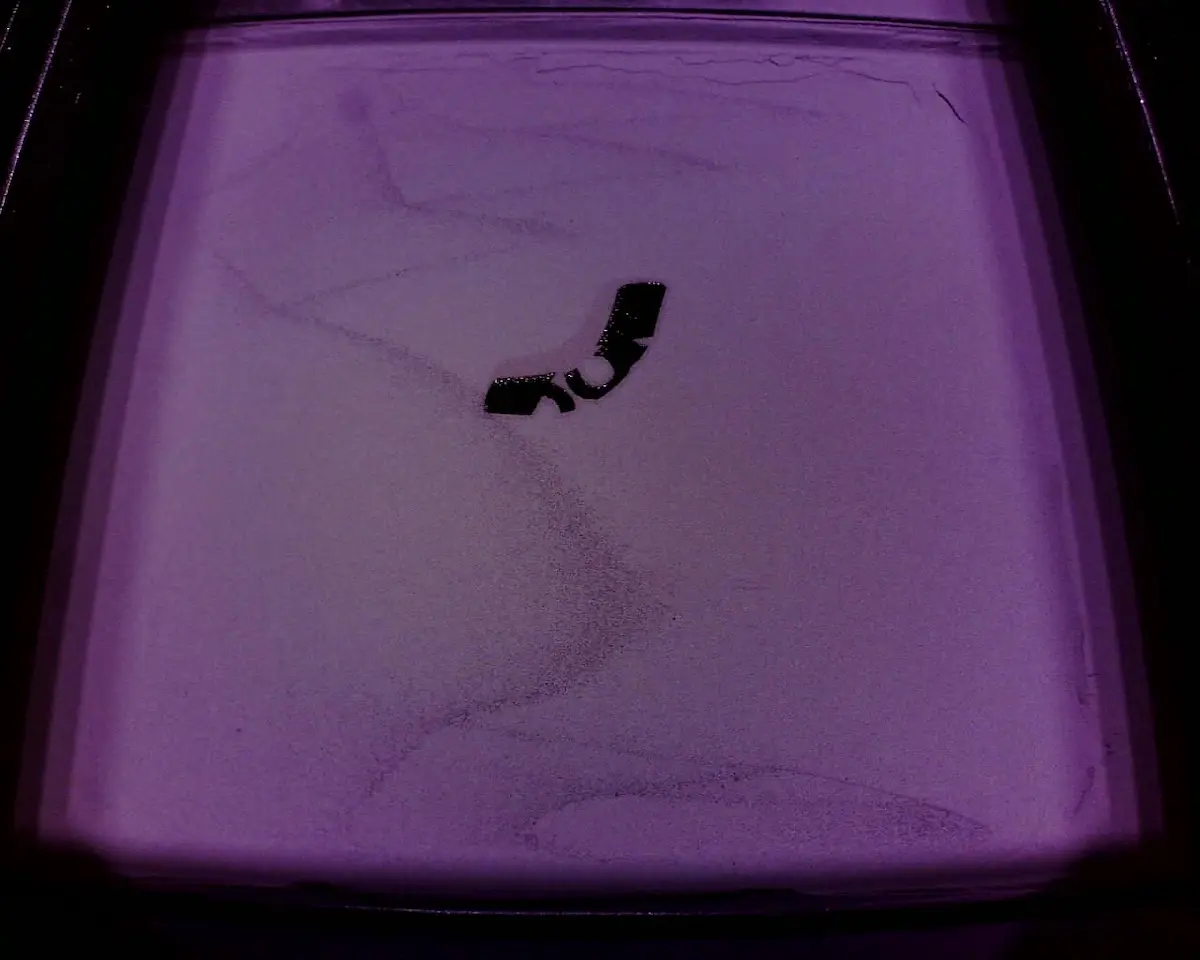
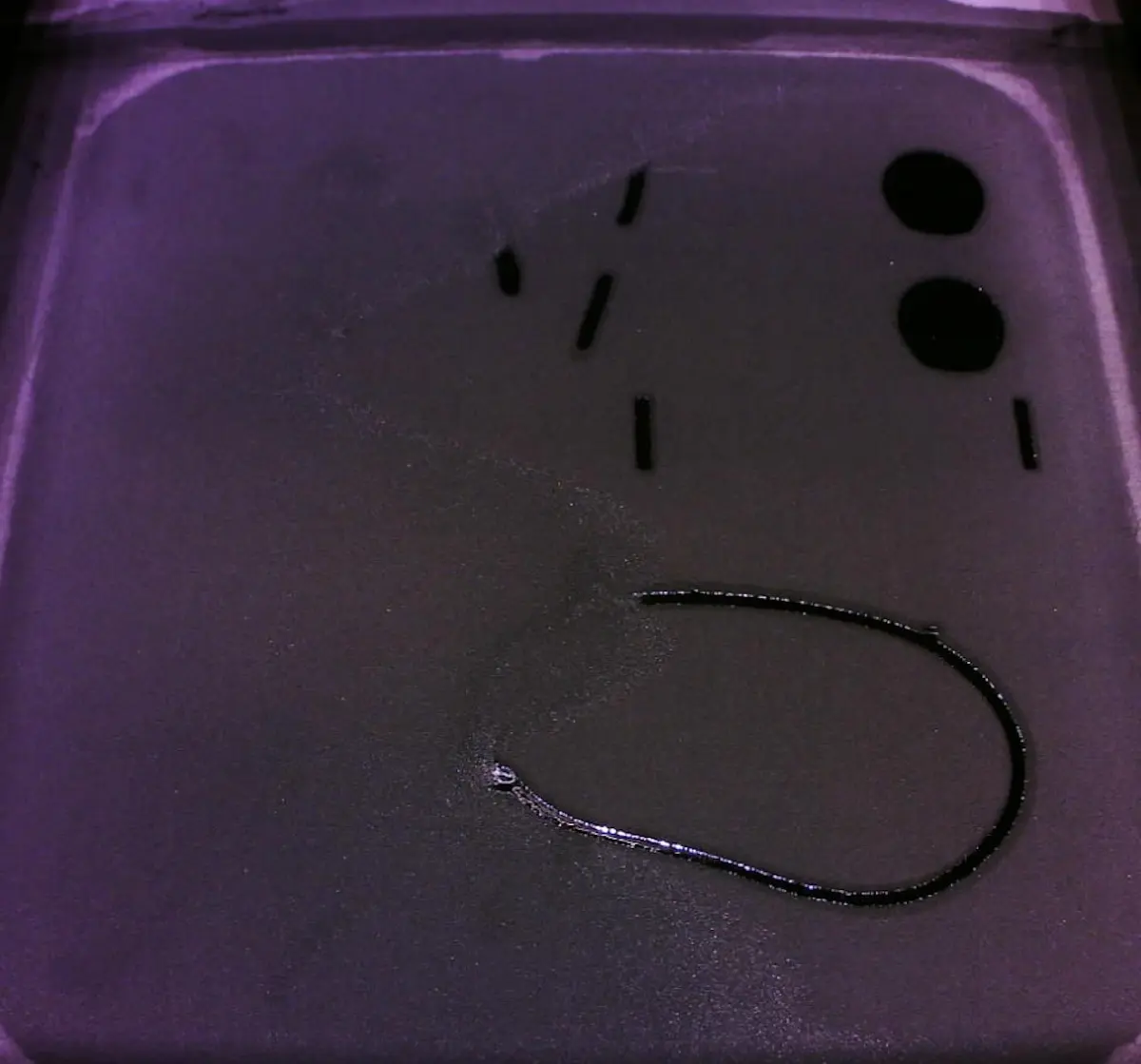
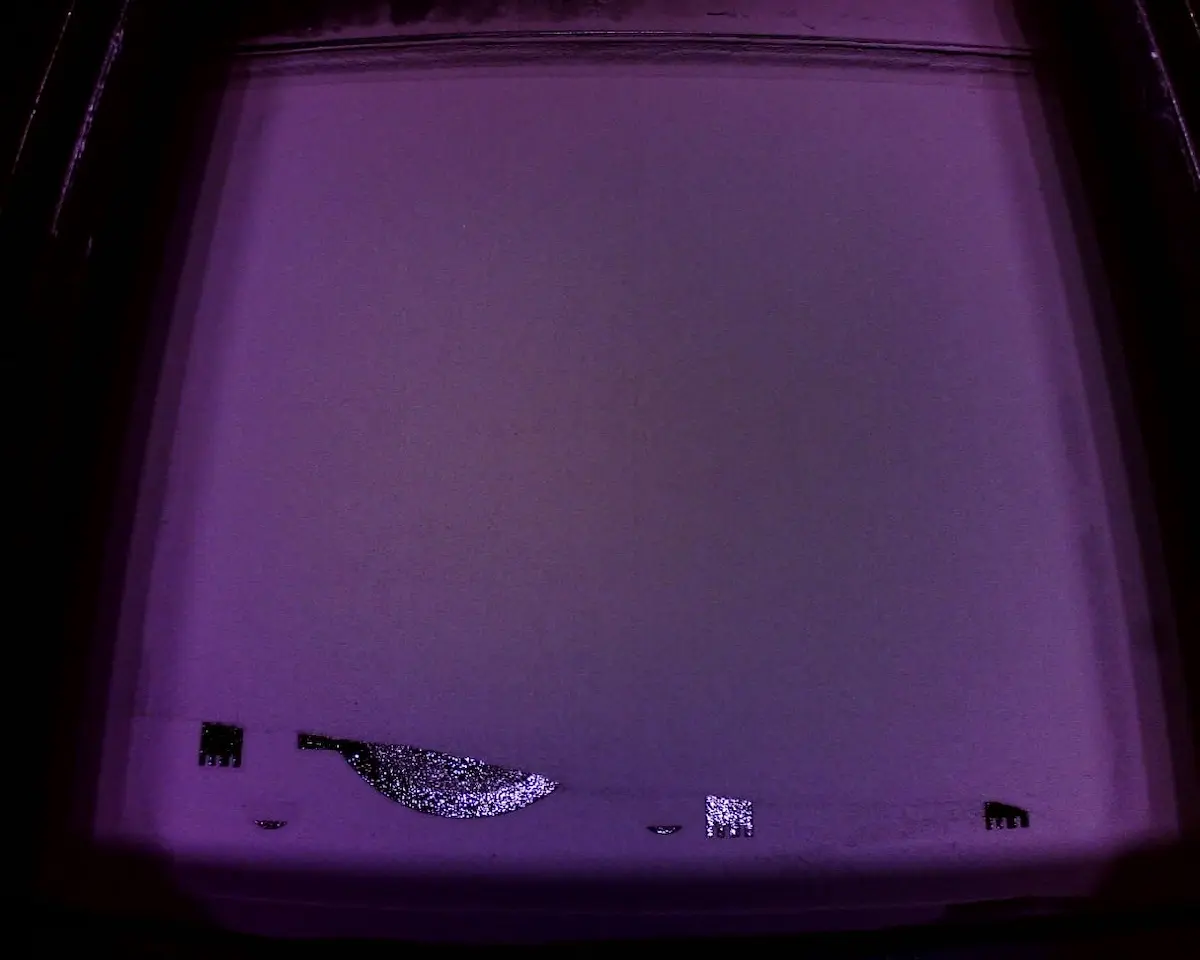
Siehe Supportartikel Unterdosierung (SLS)
Randschmelzen
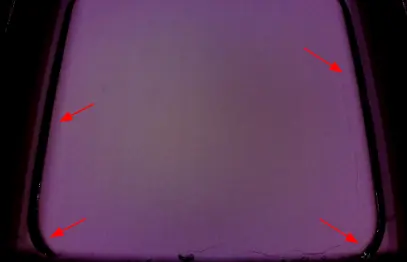
Der äußere Rand des Druckbereichs weist Schmelzungen auf, die Mitte des Druckbereichs jedoch nicht
Befolgen Sie die Schritte zur Fehlerbehebung bei Perimeterschmelzen im Supportartikel Schmelzen.
Globales Schmelzen
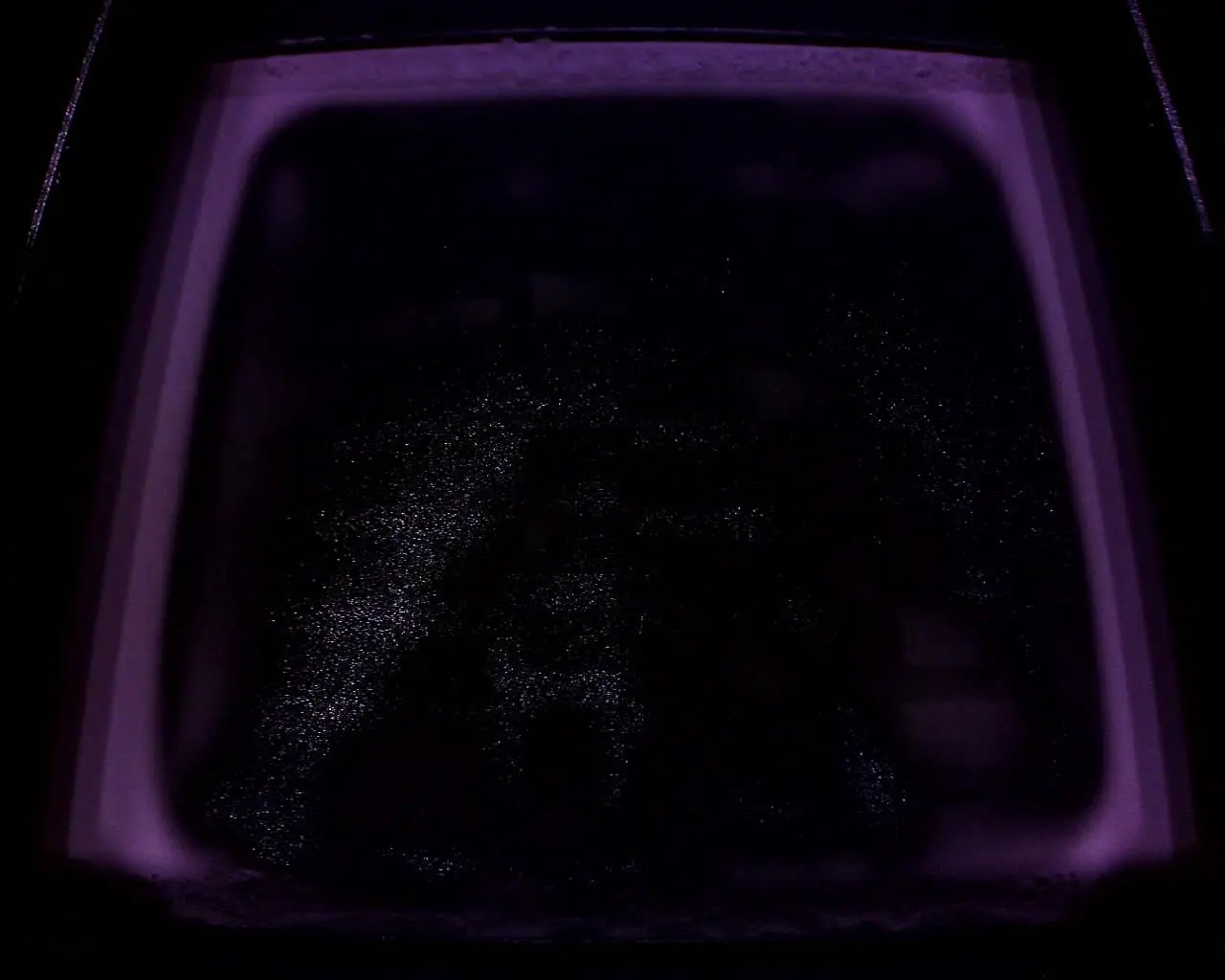
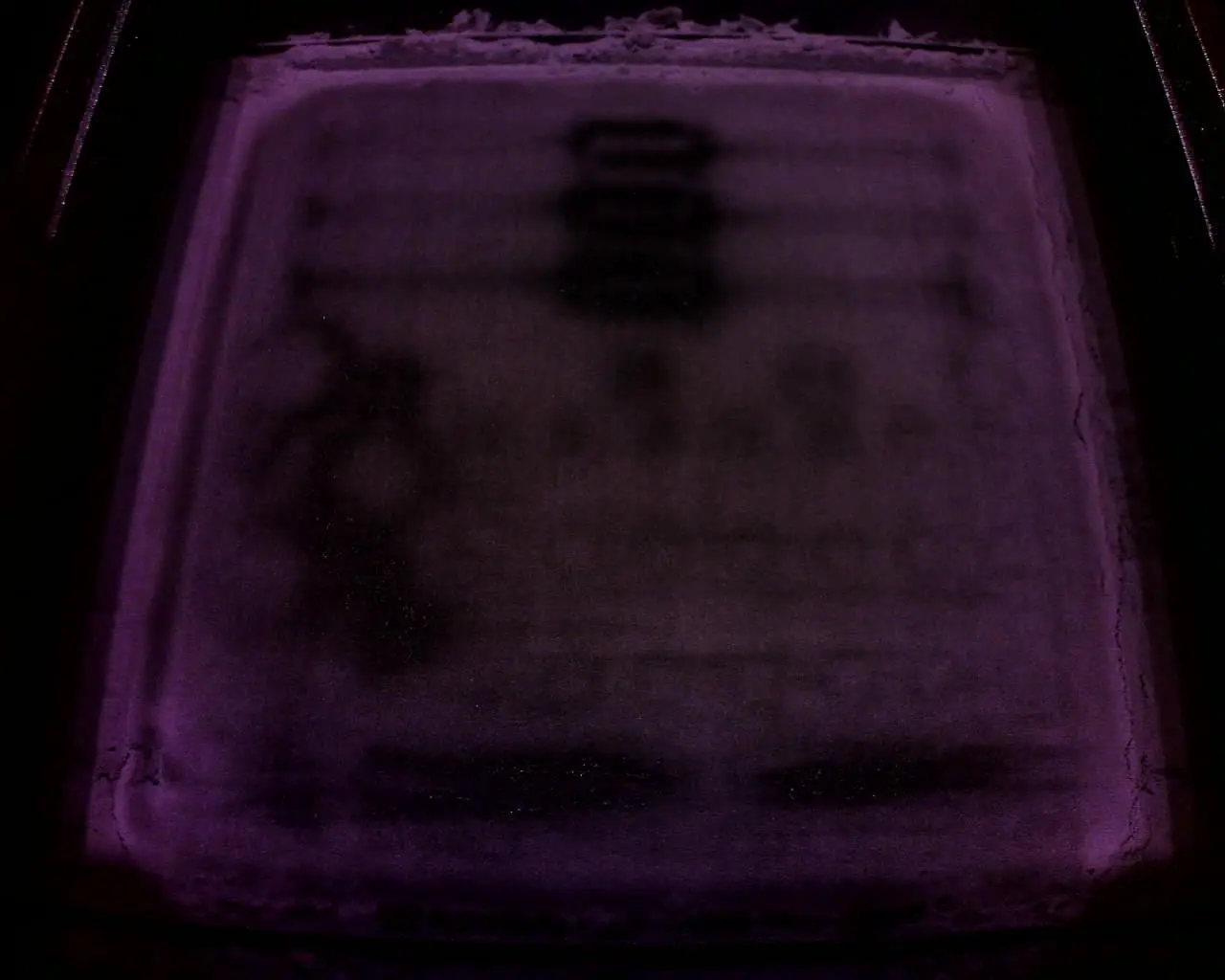
Das gesamte Druckbett ist geschmolzen.
Beachten Sie die Schritte zur Fehlerbehebung für globales Schmelzen im Supportartikel Schmelzen.
Lokalisiertes Schmelzen
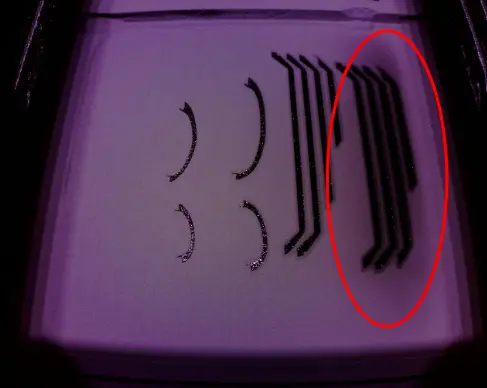
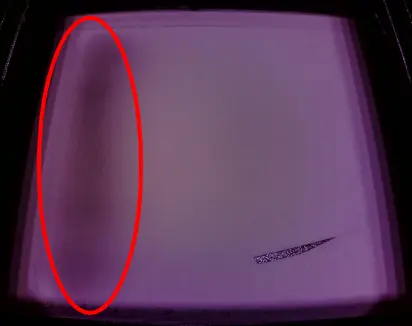
Ein großer Abschnitt des Druckbereichs schmilzt, generell ist eine Seite des Drucks betroffen.
Befolgen Sie die Schritte zur Fehlerbehebung bei lokalisiertem Schmelzen im Supportartikel Schmelzen.
Wölbung
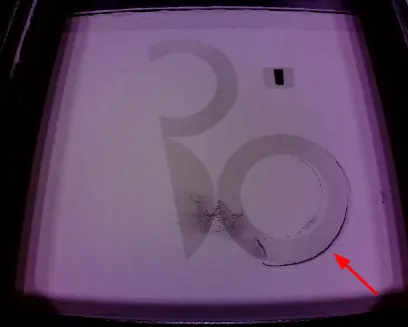
Die Ränder des gesinterten Bereichs heben vom Bett ab. Das Teil kann vom Nachbeschichter erfasst werden oder auch nicht, was zu Fehler 112 führt.
Befolgen Sie die Schritte zur Fehlerbehebung im Supportartikel Wölbung (SLS).
Reißen des Bettes
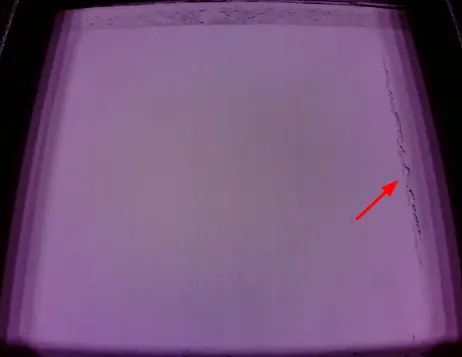
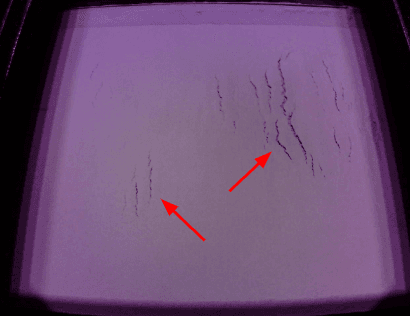
Risse in der Konstruktionsplatte, die nach dem Durchgang des Nachbeschichters auftreten und in der Regel als 1–2 mm lange gezackte Brüche parallel zur Y-Achse sichtbar sind.
Alternativ dazu können sich vor einem Nachbeschichtungsdurchgang Risse oder Sprünge entlang des Umfangs der Konstruktionsplatte bilden.
Befolgen Sie die Schritte zur Fehlerbehebung im Supportartikel „Bettrissbildung (SLS)“.
Pulver-Verunreinigung.
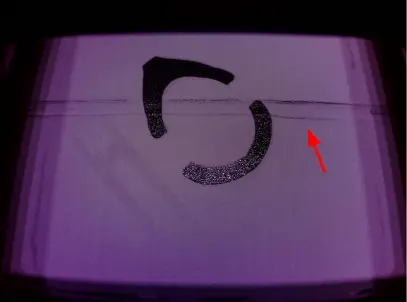
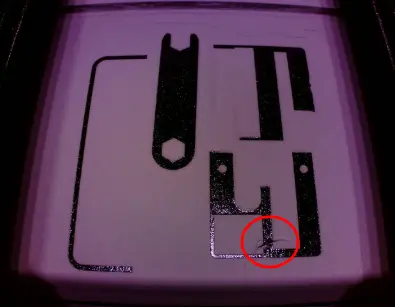
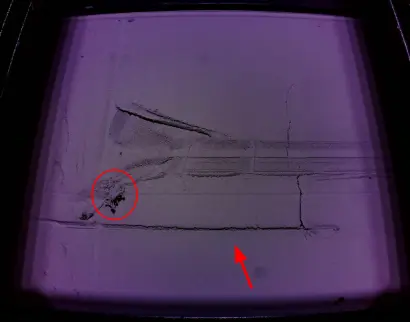
Artefakte von Faser-/Haarverunreinigungen sind in der Regel als feine Spuren auf dem Konstruktionsplatte sichtbar.
Direkt nach einem Nachbeschichtungsdurchgang kann sich eine Fissur über einen Teil oder die gesamte Konstruktionsplatte bilden. Am Ende der Fissur kann ein kleiner Pulverklumpen auftreten, zusammen mit geringfügigen Rissen im Bett oder einer Verschiebung einer gesinterten Schicht.
- Reinigen Sie den Druckbereich, die Pulverwannen und die Nachbeschichterrolle gründlich. Verwenden Sie das Menü Motor Moves (Motorbewegungen) nach Bedarf, um auf alle Bereiche zuzugreifen.
- Vergewissern Sie sich, dass Sie alle empfohlenen Vorgehensweisen für den betreffenden Drucker und das betreffende Material befolgen:
- Fuse 1: Der Druckbereich sollte zwischen den Drucken für alle anderen Materialien als Nylon 12 abgesaugt werden.
- Fuse 1+ 30W: Der Druckbereich sollte zwischen den Drucken für alle Materialien abgesaugt werden.
- Prüfen Sie, ob das Problem anhaltend ist. Hinterherschleifen von Material/Ablagerungen ist nach anderen PrinterWatcher-Fehlern aufgrund von Pulver-Verunreinigung oder Wölbung üblich.
Nylon 11 Aufhellung
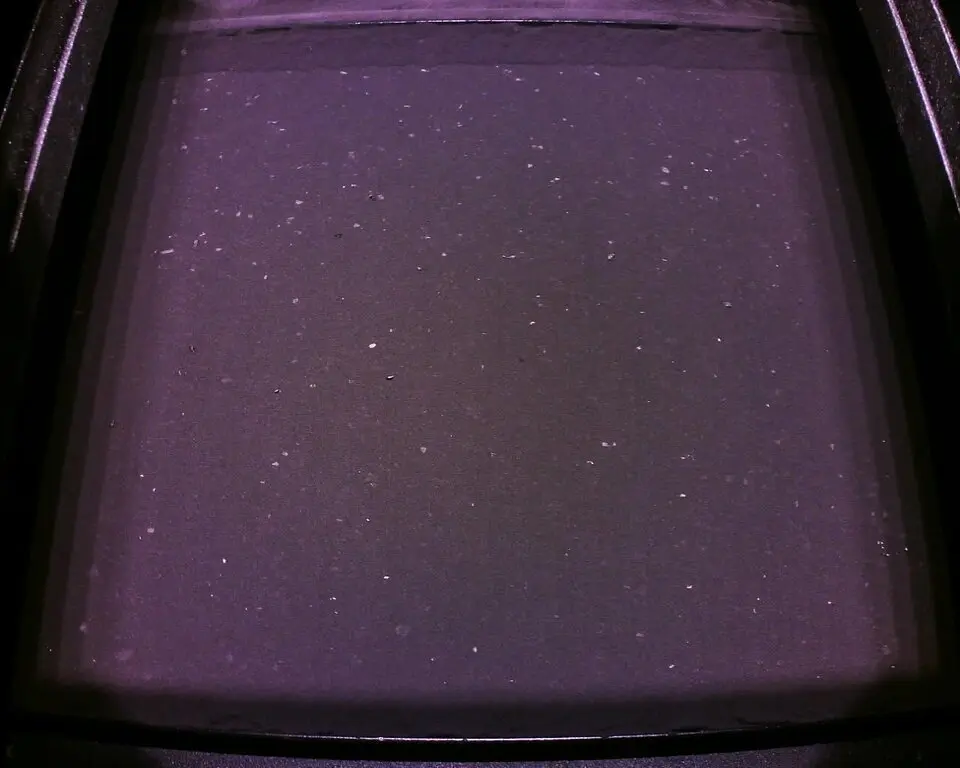
Das Bild zeigt weiß verfärbte Stücke von Nylon-11-Pulver, die durch einen unsachgemäßen Druckablauf entstanden sind, z. B. durch das Nichtabsaugen des Druckbetts zwischen den Drucken.
Schritte zur Fehlerbehebung finden Sie im Abschnitt „Pulververunreinigung“ oben.
Nicht übereinstimmende Materialeinstellungen oder gemischte Pulversorten
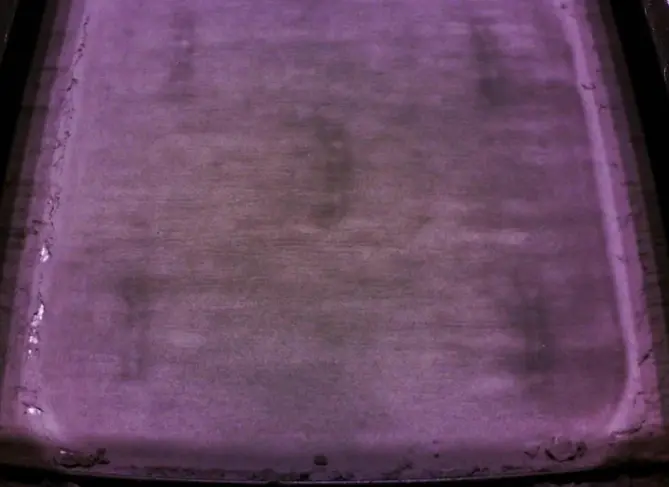
Die Abbildung zeigt eine Pulver-Vermischung aus Nylon 12 Powder und Nylon 11 Powder, die mit Nylon-11-Druckeinstellungen gedruckt wurde.Das gesamte gemischte Pulver muss entsorgt werden.
Das Drucken mit dem falschen Pulver, auch wenn es nicht verunreinigt ist, kann zu PrinterWatcher-Fehlern führen. Wenn Sie beispielsweise Nylon 12 Tough Powder mit den Einstellungen für Nylon 12 Powder drucken, kann dies zu einem Fehler führen, da Nylon 12 Tough Powder dunkler gefärbt ist.
Optische Verunreinigung
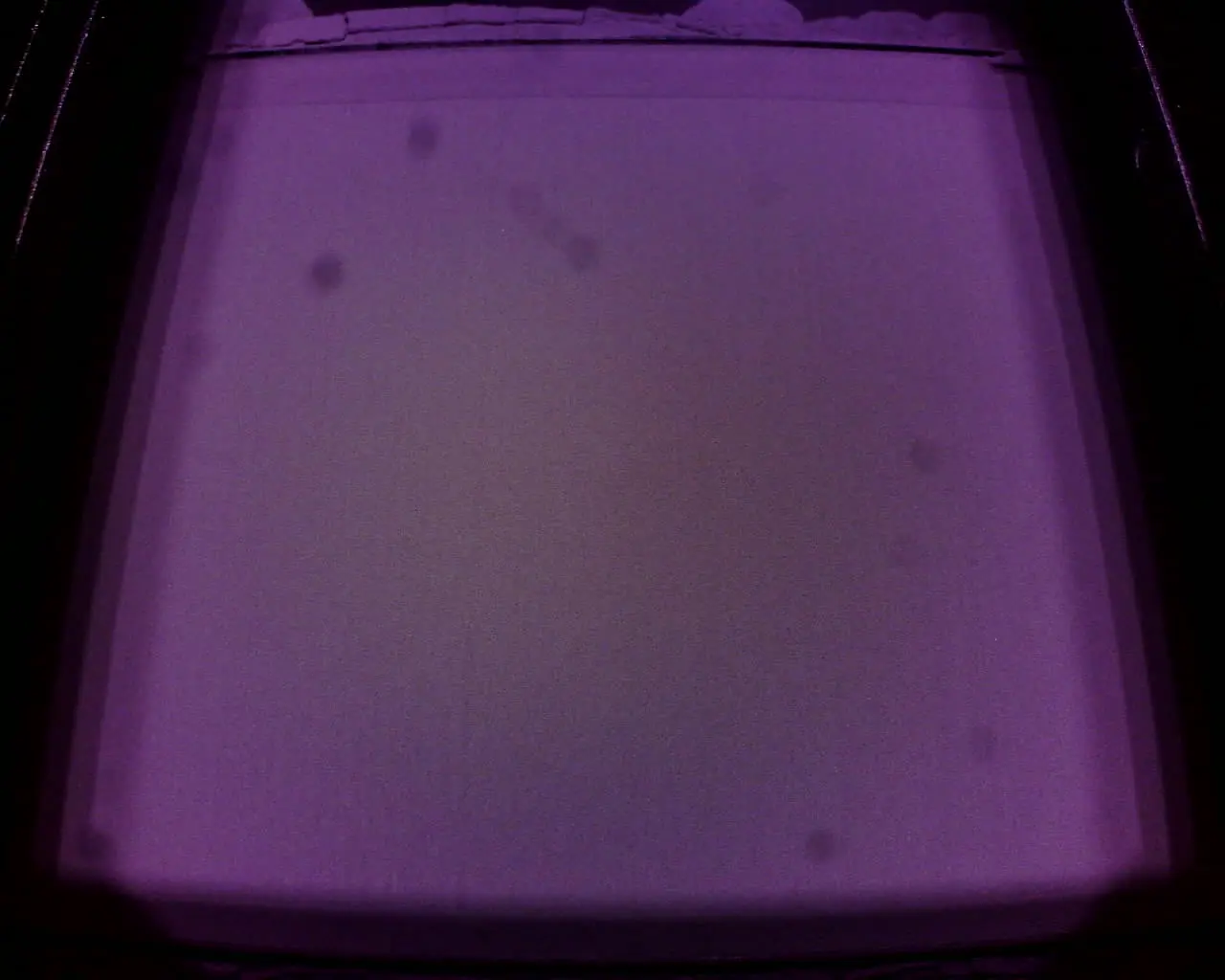
Flecken im Kamerabild, die sich nicht bewegen oder verändern
- Achten Sie auf Flecken im Kamerabild, die sich nicht bewegen oder nicht mit der Zeit verändern. Diese deuten in der Regel auf eine Verschmutzung oder Beschädigung einer Komponente im optischen Pfad hin.
- Reinigen Sie das Kamerafenster der optischen Kassette und das Kameraobjektiv.
- Wenn die optische Kassette nicht gereinigt werden kann, muss sie möglicherweise ausgetauscht werden.
Kamerafehler
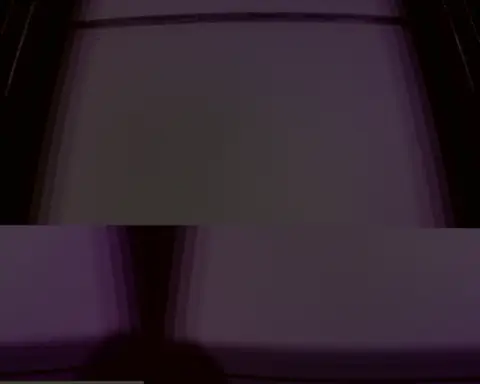
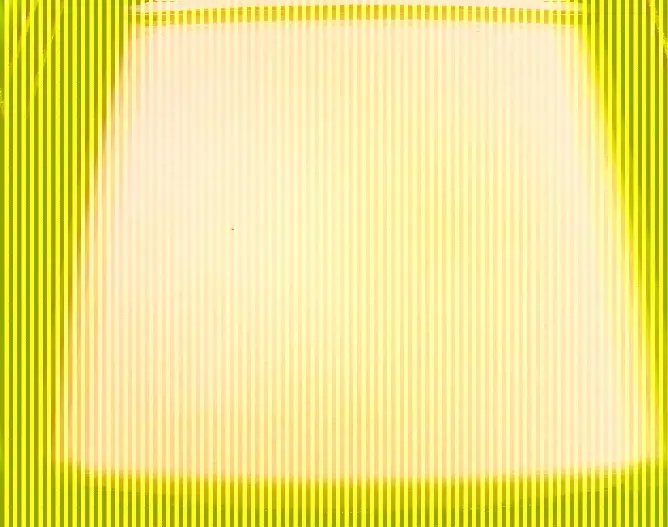
Die Bilder sind verzerrt, überlagert oder fehlen.
- Kamerafehler, wie der in der obigen Identifizierungstabelle gezeigte, sind eher ungewöhnlich. Aktualisieren Sie die Firmware Ihres Druckers, schalten Sie den Drucker aus und wieder ein und versuchen Sie einen weiteren Druck .
- Wenn das Problem erneut auftritt, führen Sie einen Werksreset durch.
- Wenn das Problem erneut auftritt, wenden Sie sich an den Formlabs-Kundenservice oder einen zertifizierten Dienstleister für einen möglichen Kameraaustausch.