Tipp:
Suchen Sie nach Einstellungen für den Form Cure (2. Generation)? Hier klicken


Der Form Cure hilft 3D-gedruckten Teilen, ihre höchstmögliche Festigkeit und Stabilität zu erreichen. Die optimalen Nachhärteeinstellungen hängen von Ihrer Ausrüstung und der Geometrie des Teils ab. Wählen Sie unten den Materialtyp und die Version aus, um die empfohlenen Zeit- und Temperatureinstellungen für die Form Cure anzuzeigen. Um frühere Harzformulierungen mit dem Form Cure nachzuhärten, verwenden Sie die empfohlene Zeit und Temperatur für die nächstgelegene Harzversion.
Übermäßiges Aushärten ist akzeptabel, sofern nicht anders angegeben. Erhöhen Sie die Nachhärtungszeit für dicke, sperrige Teile, da sich diese langsamer auf die richtige Temperatur erwärmen.
Befolgen Sie bei Teilen aus Formlabs-Kunstharzen für biokompatible Anwendungen die Nachhärteschritte in der Gebrauchsanweisung oder dem Anwendungsleitfaden. Die Einstellungen für den Fast Cure von Formlabs finden Sie im Supportartikel Fast-Cure-Zeiteinstellung.
Tipp:
Suchen Sie nach Einstellungen für den Form Cure (2. Generation)? Hier klicken
Aktualisierung der Temperatureinstellungen des Form Cure
Drehen Sie den Regler, um im Hauptmenü die Datei Benutzerdefiniertes Profil auszuwählen. Wählen Sie ein Material aus: Form Cure zeigt automatisch die empfohlene Aushärtezeit und die Temperatureinstellungen für das Material an.
Die Firmware des Form Cure wird mit neuen Materialprofilen aktualisiert, sobald diese verfügbar sind. Die Form Cure-Aktualisierungen sind in jedem PreForm-Update enthalten und können mit der ausführbaren Datei FormWashCureUpdater installiert werden. Informationen zum Aktualisieren des Form Cure finden Sie im Artikel Aktualisieren der Firmware von Form Wash und Form Cure.
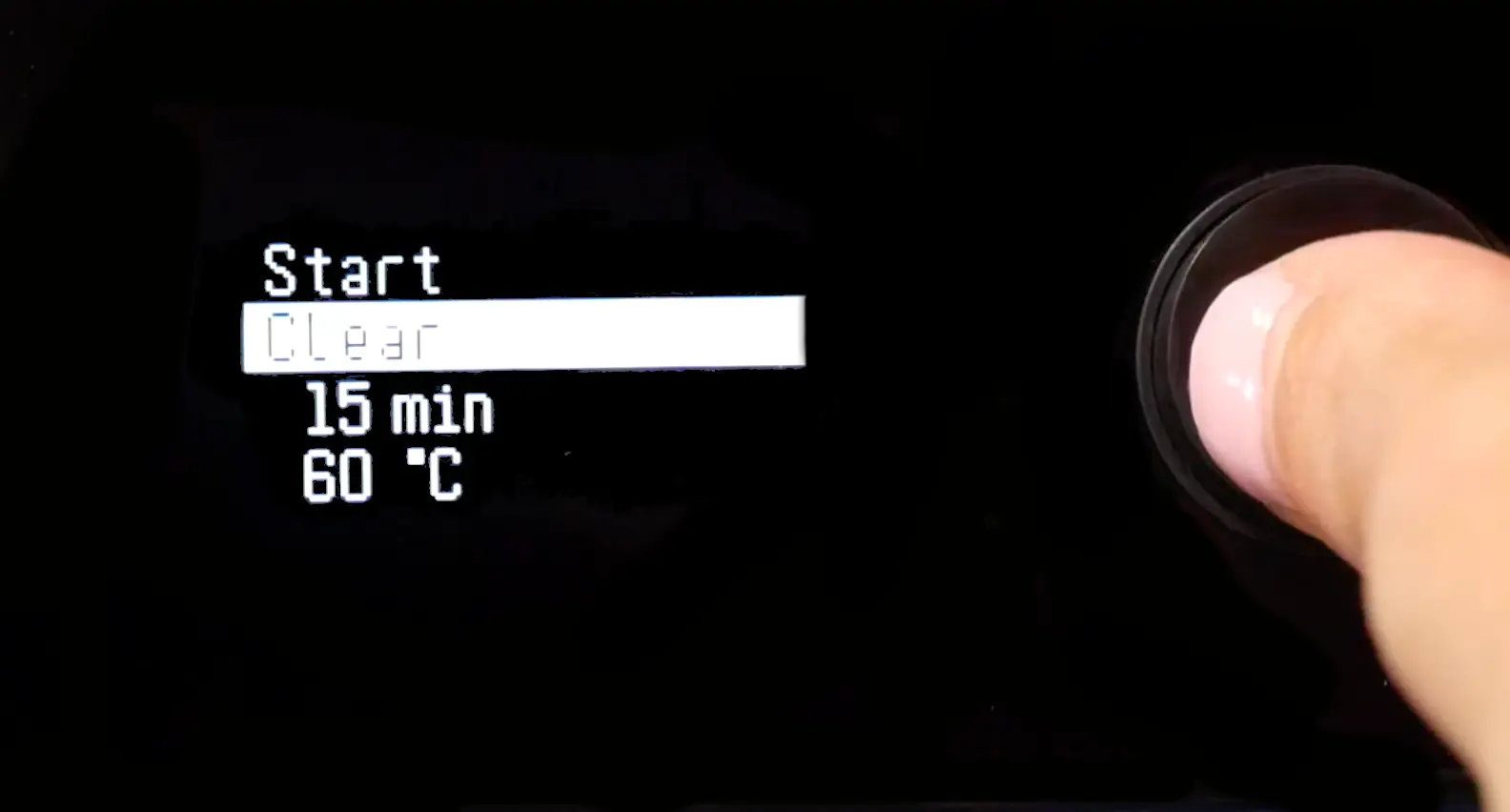
Einstellungen des Form Cure V1
| Kunstharz | Einstellung für die Nachhärtung | Nachhärtungszeit | Temperatur nach dem Aushärten |
|---|---|---|---|
| Alumina 4N Resin | Nicht zutreffend4 | N/A | N/A |
| Black Resin V4/V4.1 Color Kit Grey Resin V4/V4.1 White Resin V4/V4.1 |
Empfohlen1 | 30 min | 60 °C |
| Vollständige Nachhärtung | 60 min | 60 °C | |
| Black Resin V5 Clear Resin V5 Grey Resin V5 White Resin V5 |
Standard1 | 5 Min | Keine Hitze |
| Verbesserte mechanische Eigenschaften | 15 min | 60 °C | |
| BEGO™ VarseoSmileⓇ TriniQⓇ Resin | Vollständige Nachhärtung2 | Beachten Sie die Gebrauchsanweisung für Anweisungen zum Waschen und Nachhärten dieses Harzes. Geben Sie die Artikelnummer (REF) vom Etikett der Harz-Kartusche ein, um die Gebrauchsanweisung aufzurufen. | |
| BioMed Amber Resin | Vollständige Nachhärtung2 | Befolgen Sie die Anweisungen zum Waschen und Nachhärten im Fertigungsleitfaden für dieses Harz. | |
| BioMed Black Resin | Vollständige Nachhärtung2 | Befolgen Sie die Anweisungen zum Waschen und Nachhärten dieses Harzes im Herstellungsleitfaden. | |
| BioMed Clear Resin | Vollständige Nachhärtung2 | Beachten Sie die Herstellungsanleitung für Anweisungen zum Waschen und Nachhärten dieses Harzes. | |
| BioMed Durable Resin V1 BioMed Durable Resin V1.1 |
Vollständige Nachhärtung2 | Befolgen Sie die Anweisungen zum Waschen und Nachhärten in der Herstellungsanleitung für dieses Harz. | |
| BioMed Flex 50A Resin (früher BioMed Elastic 50A Resin) |
Vollständige Nachhärtung2 | Befolgen Sie die Anweisungen zum Waschen und Nachhärten in der Herstellungsanleitung für dieses Harz. | |
| BioMed Flex 80A Resin | Vollständige Nachhärtung2 | Beachten Sie die Herstellungsanleitung für Anweisungen zum Waschen und Nachhärten dieses Harzes. | |
| BioMed White Resin | Vollständige Nachhärtung2 | Befolgen Sie die Anweisungen zum Waschen und Nachhärten in der Herstellungsanleitung für dieses Harz. | |
| Castable Resin | Vollständige Nachhärtung3 | 240 min | 60 °C |
| Castable Wax Resin Castable Wax 40 Resin |
Nicht zutreffend4 | N/A | N/A |
| Ceramic Resin | Nicht zutreffend4 | N/A | N/A |
| Clear Cast Resin | Empfohlen1 | 15 min | 60 °C |
| Vollständige Nachhärtung | 30 min | 60 °C | |
| Clear Resin V4/V4.1 | Empfohlen1 | 15 min | 60 °C |
| Vollständige Nachhärtung | 30 min | 60 °C | |
| Color Resin V5 | Vollständige Nachhärtung | 5 Min | N/A |
| Custom Tray Resin | Vollständige Nachhärtung2 | Befolgen Sie die Anweisungen zum Waschen und Nachhärten dieses Harzes im Herstellungsleitfaden. | |
| Dental LT Clear Resin V1 | Vollständige Nachhärtung2 | 20 min | 80 °C |
| Dental LT Clear Resin V2 | Vollständige Nachhärtung2 | Befolgen Sie die Anweisungen zum Waschen und Nachhärten in der Herstellungsanleitung für dieses Harz. | |
| Dental LT Comfort Resin V1 Dental LT Comfort Resin V1.1 |
Vollständige Nachhärtung2 | Befolgen Sie die Anweisungen zum Waschen und Nachhärten dieses Harzes im Herstellungsleitfaden. | |
| Denture Base Resin V1 | Vollständige Nachhärtung2 | Beachten Sie die Gebrauchsanweisung für Anweisungen zum Waschen und Nachhärten dieses Harzes. | |
| Denture Base Resin V2 | Vollständige Nachhärtung2 | Beachten Sie die Herstellungsanleitung für Anweisungen zum Waschen und Nachhärten dieses Harzes. | |
| Denture Teeth Resin | Vollständige Nachhärtung2 | Beachten Sie die Gebrauchsanweisung für Anweisungen zum Waschen und Nachhärten dieses Harzes. | |
| Draft Resin | Bessere Dehnung | 5 Min | Keine Hitze |
| Bessere maximale Zugfestigkeit | 5 Min | 60 °C | |
| Durable Resin V2 Durable Resin V2.1 |
Vollständige Nachhärtung | 60 min | 60 °C |
| Elastic 50A Resin V1 | Vollständige Nachhärtung5 | 20 min | 60 °C |
| Flexible 50A Resin (früher Elastic 50A Resin V2) |
Vollständige Nachhärtung6 | 30 min | 70 °C |
| ESD Resin | Vollständige Nachhärtung | 60 min | 70 °C |
| Fast Model Resin | Standard1 | 5 Min | Keine Hitze |
| Verbesserte mechanische Eigenschaften | 15 min | 60 °C | |
| Flame Retardant Resin | Bessere Zähigkeit | 60 min | 70 °C |
| Bessere HDT | 120 min | 80 °C | |
| Flexible Resin | Empfohlen1 | 15 min | 60 °C |
| Vollständige Nachhärtung | 60 min | 60 °C | |
| Flexible 80A Resin V1 Flexible 80A Resin V1.1 Soft Tissue Resin |
Vollständige Nachhärtung | 10 min | 60 °C |
| Flexible 80A Resin V2 | Standard | Zyklus 16: 5 min Zyklus 2: 30 min |
Zyklus 16: Keine Hitze Zyklus 2: 70 °C |
| Grey Pro Resin | Vollständige Nachhärtung7 | 15 min | 80 °C |
| High Temp Resin V1 | Empfohlen1 | 30 min | 60 °C |
| Vollständige Nachhärtung | 60 min | 60 °C | |
| High Temp Resin V2 | Empfohlen8 | 120 min | 80 °C |
| Thermische Nachhärtung | 180 min | 160 °C | |
| IBT Flex Resin | Vollständige Nachhärtung2 | Befolgen Sie die Anweisungen zum Waschen und Nachhärten in der Herstellungsanleitung für dieses Harz. | |
| IBT Resin | Vollständige Nachhärtung2 | Befolgen Sie die Anweisungen zum Waschen und Nachhärten dieses Harzes im Herstellungsleitfaden. | |
| Model Resin V2 | Empfohlen1 | 30 min | 60 °C |
| Vollständige Nachhärtung | 60 min | 60 °C | |
| Model Resin V3 | Vollständige Nachhärtung | 5 Min | 60 °C |
| Permanent Crown Resin | Vollständige Nachhärtung2 | Beachten Sie die Gebrauchsanweisung [EN] [EU] für Anweisungen zum Waschen und Nachhärten dieses Harzes. | |
| Precision Model Resin | Vollständige Nachhärtung | 5 Min | 35 °C |
| Premium Teeth Resin | Vollständige Nachhärtung2 | Beachten Sie die Herstellungsanleitung für Anweisungen zum Waschen und Nachhärten dieses Harzes. | |
| Rigid 4000 Resin | Vollständige Nachhärtung | 15 min | 80 °C |
| Rigid 10K Resin V1 Rigid 10K Resin V1.1 |
Empfohlen7 | 60 min | 70 °C |
| Thermische Nachhärtung | 125 Min. | 90 °C | |
| Silicone 40A Resin | Vollständige Nachhärtung6 | 45 Minuten Nachhärtung | 60 °C |
| Surgical Guide Resin | Vollständige Nachhärtung2 | Befolgen Sie die Anweisungen zum Waschen und Nachhärten dieses Harzes im Herstellungsleitfaden. | |
| Temporary CB Resin | Vollständige Nachhärtung2 | Beachten Sie die Gebrauchsanweisung für Anweisungen zum Waschen und Nachhärten dieses Harzes. | |
| Tough 1000 Resin | Empfohlen | 60 min | 70 °C |
| Tough 2000 Resin V1 Tough 2000 Resin V1.1 Tough 2000 Resin V2 |
Empfohlen | 60 min | 70 °C |
| Tough Resin V5 | Empfohlen1 | 60 min | 60 °C |
| Vollständige Nachhärtung | 120 min | 60 °C | |
| Tough 1500 Resin V1 Tough 1500 Resin V1.1 Tough 1500 Resin V2 |
Vollständige Nachhärtung9 | 60 min | 70 °C |
| True Cast Resin V1. | Vollständige Nachhärtung | 10 min | N/A |
1: Empfohlene Nachhärteeinstellungen erzielen eine nahezu optimale mechanische Leistung und minimieren die Nachhärtezeit. Die vollständigen Nachhärteeinstellungen sorgen für optimale mechanische Eigenschaften. Verwenden Sie die vollständigen Nachhärteeinstellungen bei Materialien für funktionale Anwendungen.
2: Diese Nachhärteeinstellung stellt sicher, dass die Teile sowohl Biokompatibilität als auch optimale mechanische Eigenschaften erreichen. Eine vollständige Beschreibung des Arbeitsablaufs finden Sie im Fertigungsleitfaden.
3: 4 Stunden lang aushärten, um die Festigkeit des Teils zu erhöhen. Eine Verlängerung der Aushärtezeit kann die Gussergebnisse verbessern, insbesondere bei dickeren Teilen, obwohl der Gießerfolg mehr von der Geometrie des Teils und dem Gießverfahren abhängt.
4: Erfordert kein Nachhärten. Lassen Sie die Teile nach dem Waschen vollständig trocknen, bevor Sie sie brennen/gießen.
5: Bei mit Durable Resin gedruckten Teilen steigt der Elastizitätsmodul während der ersten Stunde der Nachhärtung.
6: Nachhärten der Teile in einem Glasbecher (oder einem anderen UV-durchlässigen Behälter) mit Wasser bei Raumtemperatur.
7: Es gibt keinen signifikanten Gewinn an Eigenschaften nach 15 Minuten. Es gibt nur eine empfohlene Nachhärteeinstellung.
8: Es gibt mehrere Nachhärtungsoptionen für High Temp Resin V2 und Rigid 10K Resin. Das technische Datenblatt verdeutlicht die Auswirkungen der verschiedenen Optionen auf die mechanischen Eigenschaften. Wählen Sie anhand dieser Informationen die Nachhärtungsoption, die sich am besten für die gewünschte Anwendung eignet.
9: Wenn Druckteile aus Tough 1500 Resin für den Hautkontakt verwendet werden, müssen die Teile in einer Form Cure bei 70 °C für 60 Minuten nachgehärtet werden.
PDF zum Herunterladen
Formlabs aktualisiert die Nachhärteeinstellungen regelmäßig bei neuen und verbesserten Materialien. Laden Sie die neueste PDF-Version herunter (nur Englisch) und überprüfen Sie die aktualisierten Nachhärteeinstellungen, wenn Sie ein neues Kunstharz oder eine überarbeitete Formulierung verwenden.