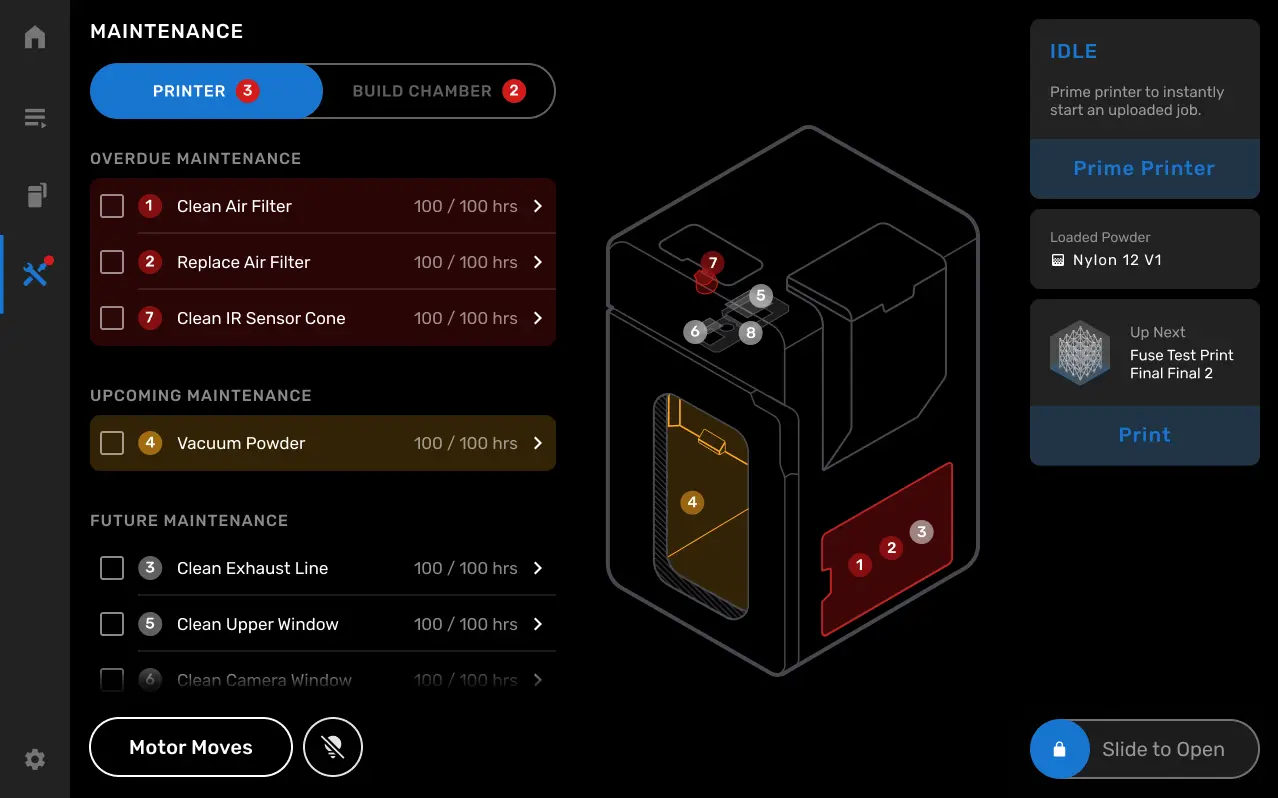
Tippen Sie auf dem Touchscreen des Druckers auf das Schraubenschlüssel-Symbol. Der Bildschirm Maintenance (Wartung) erscheint. Aufgaben werden in die Kategorien Overdue Maintenance (Überfällige Wartung), Upcoming Maintenance (Anstehende Wartung) und Future Maintenance (Zukünftige Wartung) unterteilt, je nachdem, wie schnell sie erledigt werden müssen. Auf dem Wartungsbildschirm befinden sich auch Schaltflächen für die Funktion Motor Moves (Motorbewegungen) und die Steuerung der Druckgehäusebeleuchtung.
Tippen Sie auf eine Wartungsaufgabe, um die spezifischen Anweisungen für diese Aufgabe aufzurufen. Folgen Sie den Anweisungen auf dem Bildschirm, um kontaminierte oder verbrauchte Teile zu reinigen oder zu ersetzen. Der auf dem Bildschirm angezeigte QR-Code leitet Sie auf die Supportseite für weitere Informationen.
Aufgaben werden als Upcoming Maintenance (Anstehende Wartung) eingestuft, wenn weniger als 20 Stunden auf dem Zähler verbleiben. Das gilt nicht für die Aufgabe Filter ersetzen ; diese wird schon bei 100 Stunden bis zur Fälligkeit als Upcoming Maintenance (Anstehende Wartung) gekennzeichnet, damit Sie genügend Zeit haben, neue Filter zu bestellen.
Die Zählung der Gesamtdruckstunden beginnt bei 00:00, wenn der Drucker auf die Firmwareversion 1.17 aktualisiert wird, und berücksichtigt nicht die vorherigen Betriebsstunden. Daher müssen Sie möglicherweise Komponenten und Baugruppen nach der Aktualisierung der Firmware früher als auf dem Bildschirm angegeben überprüfen und reinigen.