WHITE PAPER
Changing the display language in PreForm
Changing the display language in PreForm
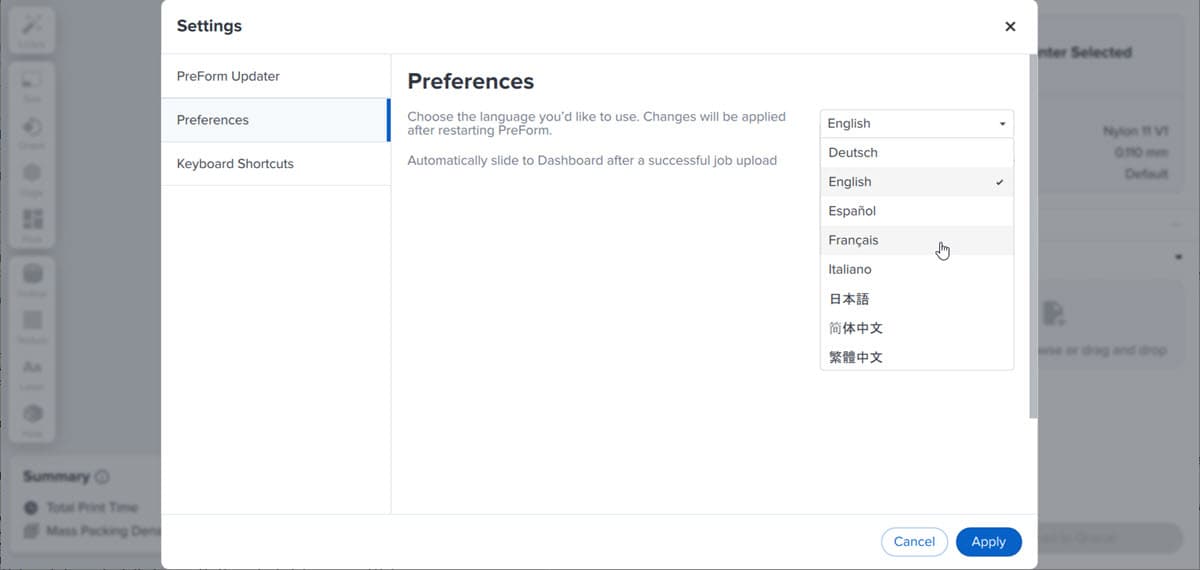
PreForm versions 3.44.0 and later offer language support for German, Spanish, French, Italian, Japanese, Simplified Chinese and Traditional Chinese. Follow the instructions below to change the language in PreForm.
To change the display language in PreForm:
- Open PreForm.
- Open the Preferences menu.
- Windows: In the menu bar, click File > Settings > Preferences.
- MacOS: In the menu bar, click PreForm > Preferences.
- Click the dropdown box. A list of supported languages appears.
- Select the language you wish to use in PreForm. Click Apply to save changes. The Apply Changes dialog box appears.
- Click Restart Later to apply changes the next time PreForm is opened or Restart Now to restart PreForm with the selected language.